Rename a group or add people
Anyone in a group chat can rename it, add people or leave it.
- 1
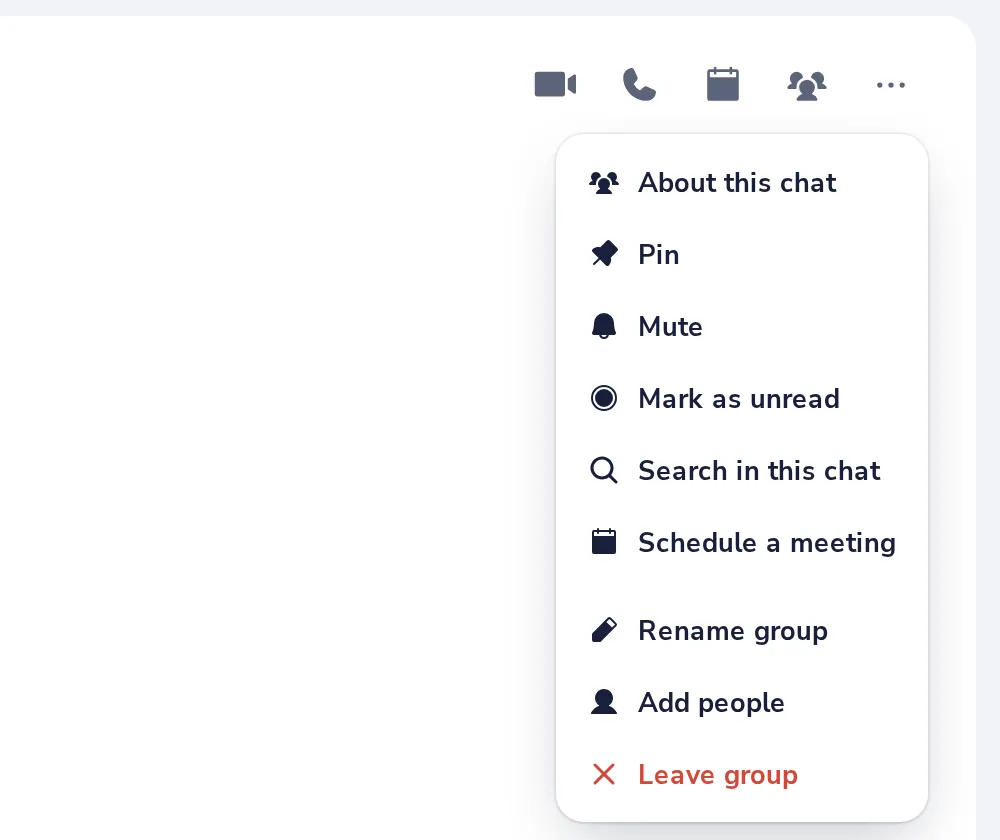
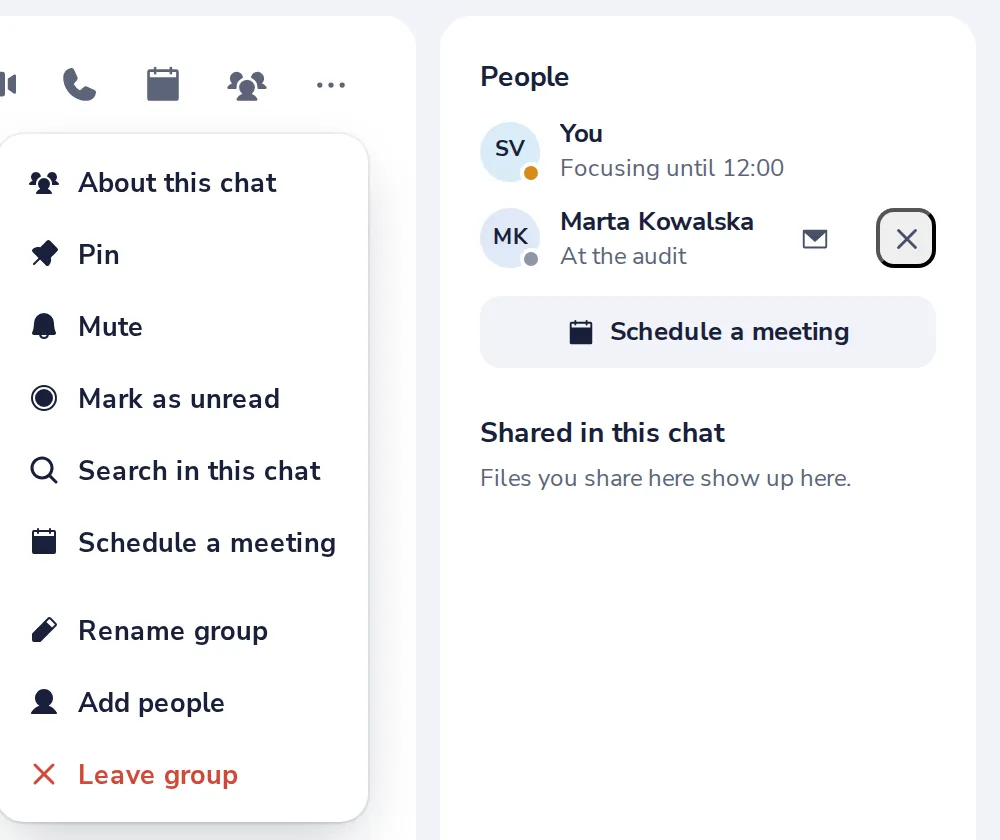
Open the group menu
Press the three dots at the top right of the group.
- 2
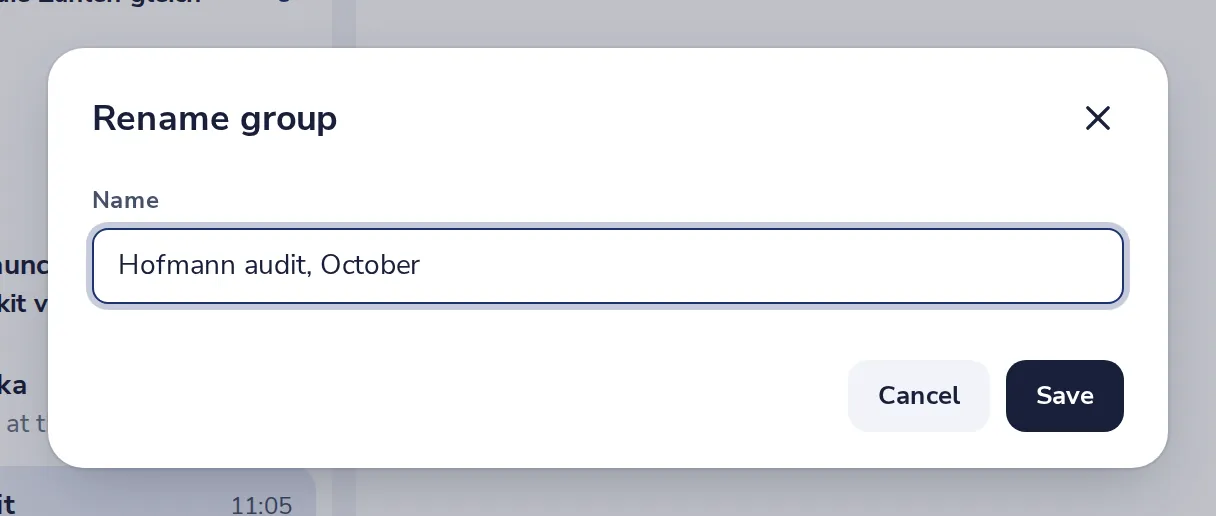
Type a new name
Then press Save. Everyone sees the new name.
- 3
Add people
Choose Add people in the same menu, and pick a colleague or type an email address.
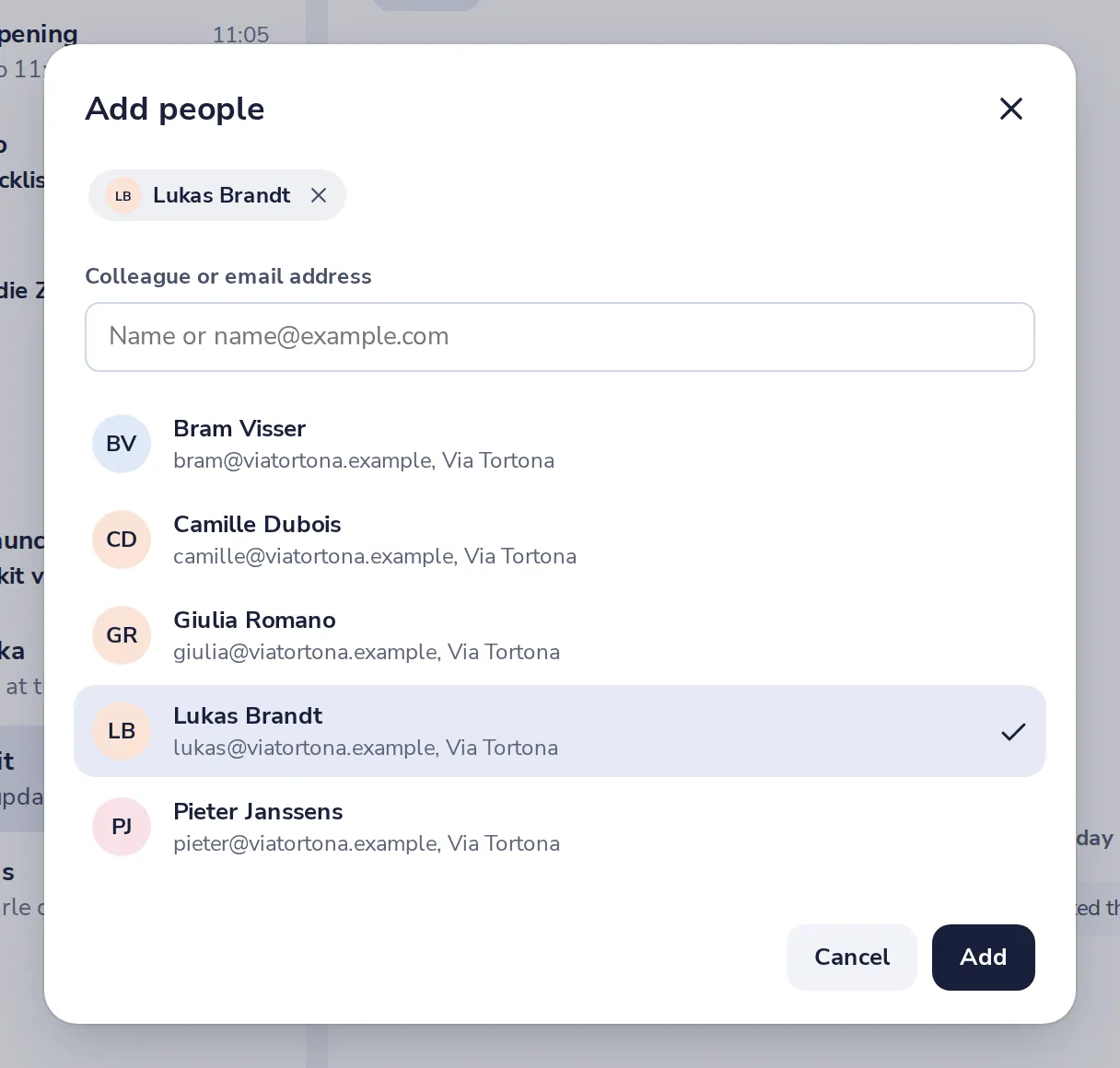
New people can read the messages from before they joined.
- 4
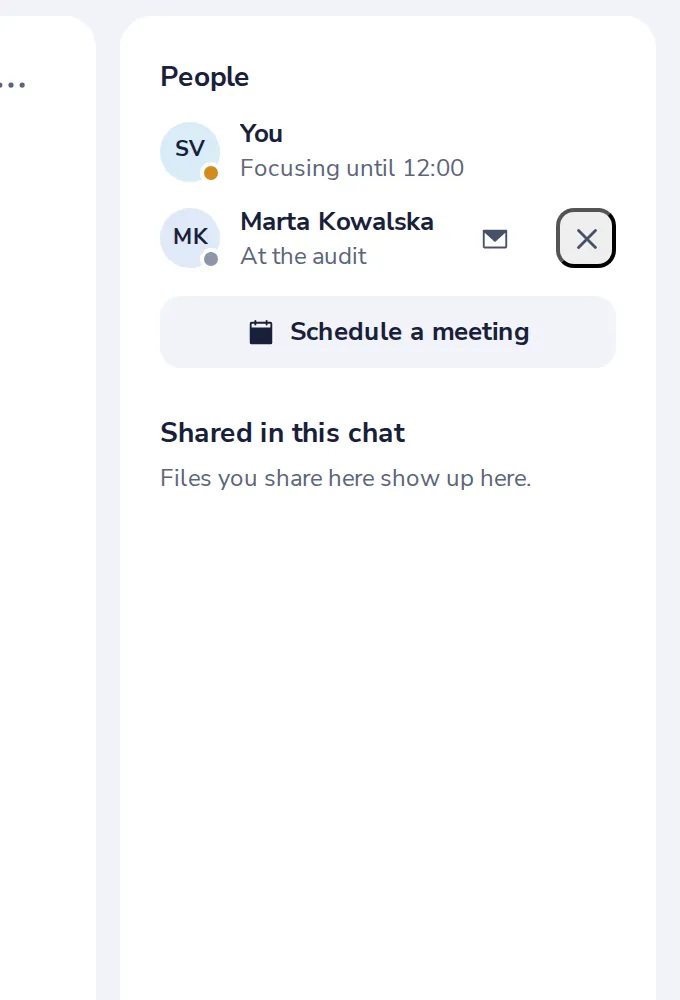
See who is in the group
The side panel lists everyone. Press the cross next to a name to remove them.
- 5
Leave the group
Choose Leave group in the menu. The others keep the chat.
¿Te ha sido útil?
¿Qué faltaba?
Gracias.
Contamos los sí y los no por artículo. No se guarda nada sobre ti.