Send a file from your computer
Files you send from your computer are saved in your Dazr Files first. You choose who in the chat can open them.
- 1
Press the paper clip
Under the message box, then choose From this device.
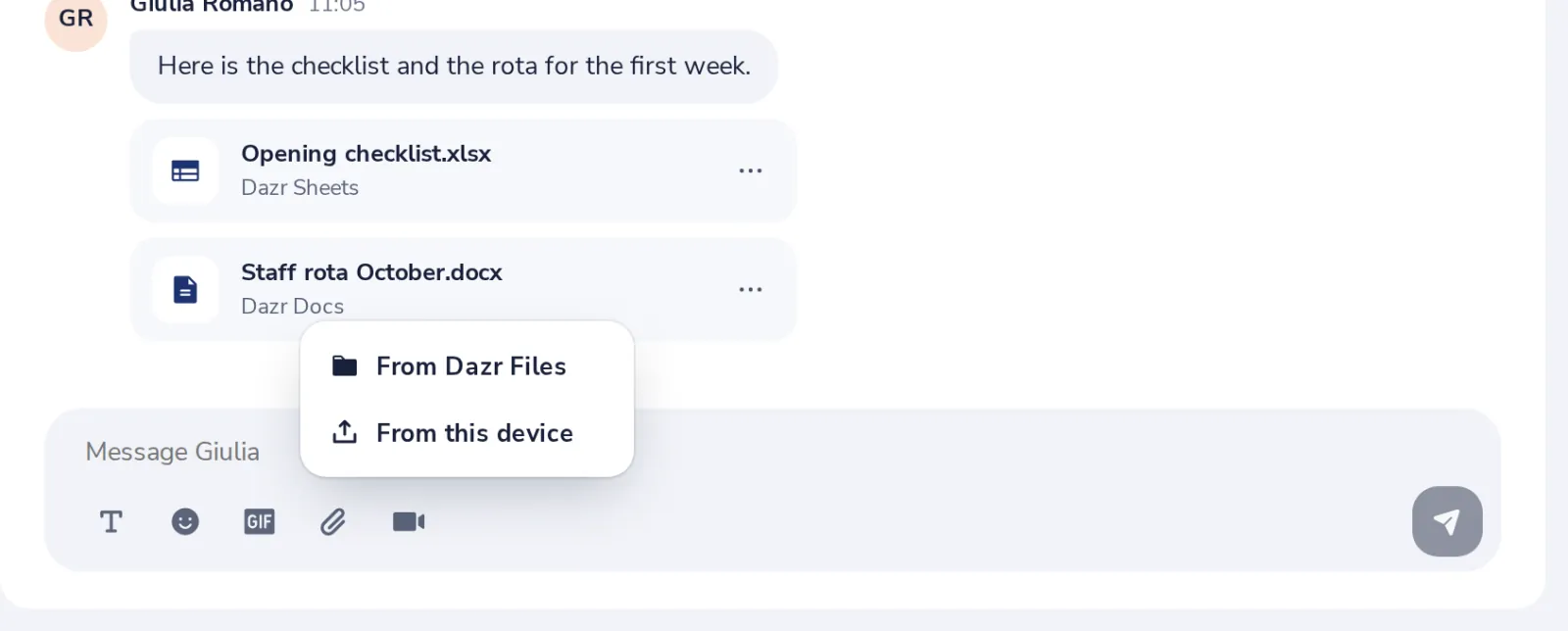
You can also drag a file onto the chat, or paste a picture.
- 2
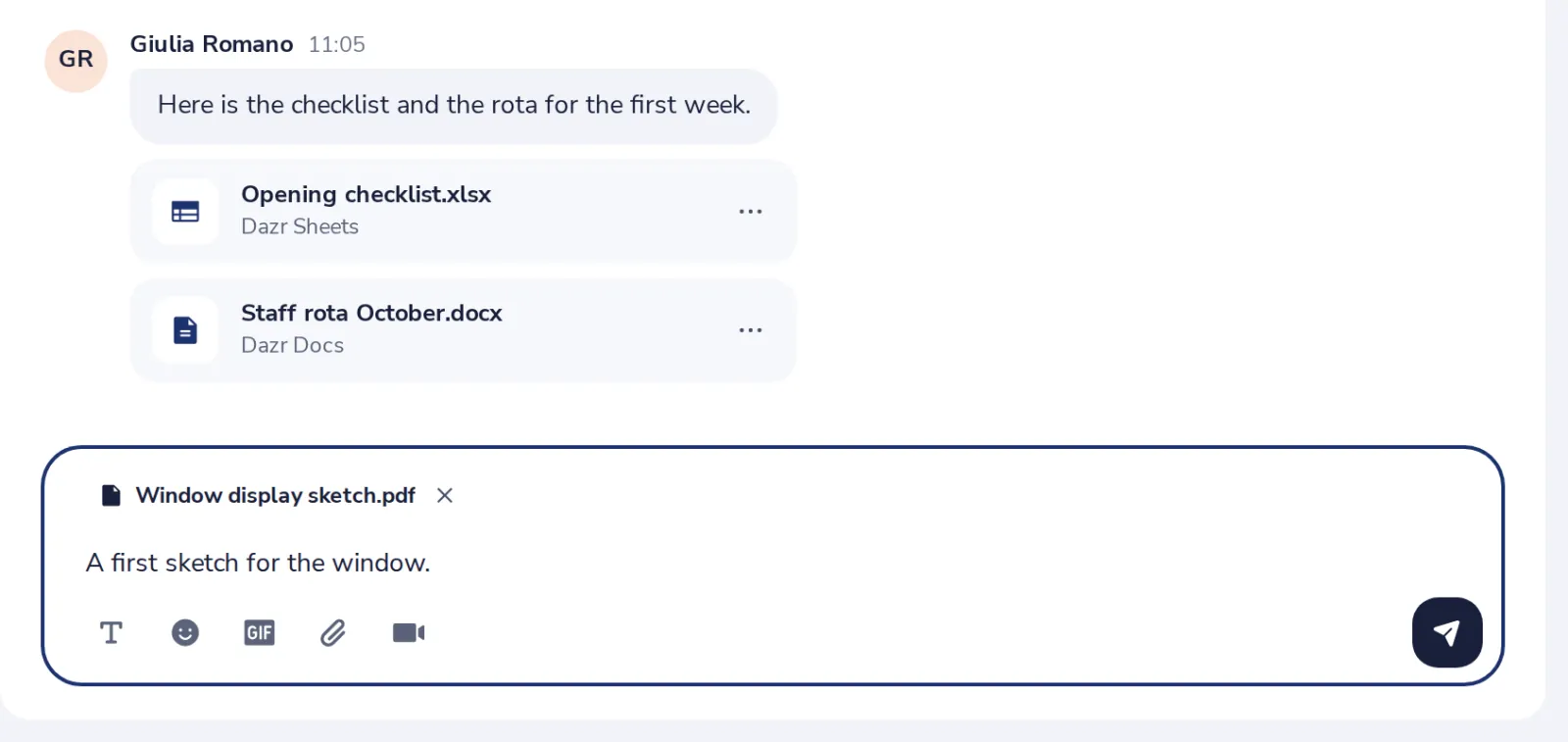
Press Send
The file is saved in your Dazr Files, then sent.
- 3
Press Share
Then the people in the chat can open and download it.
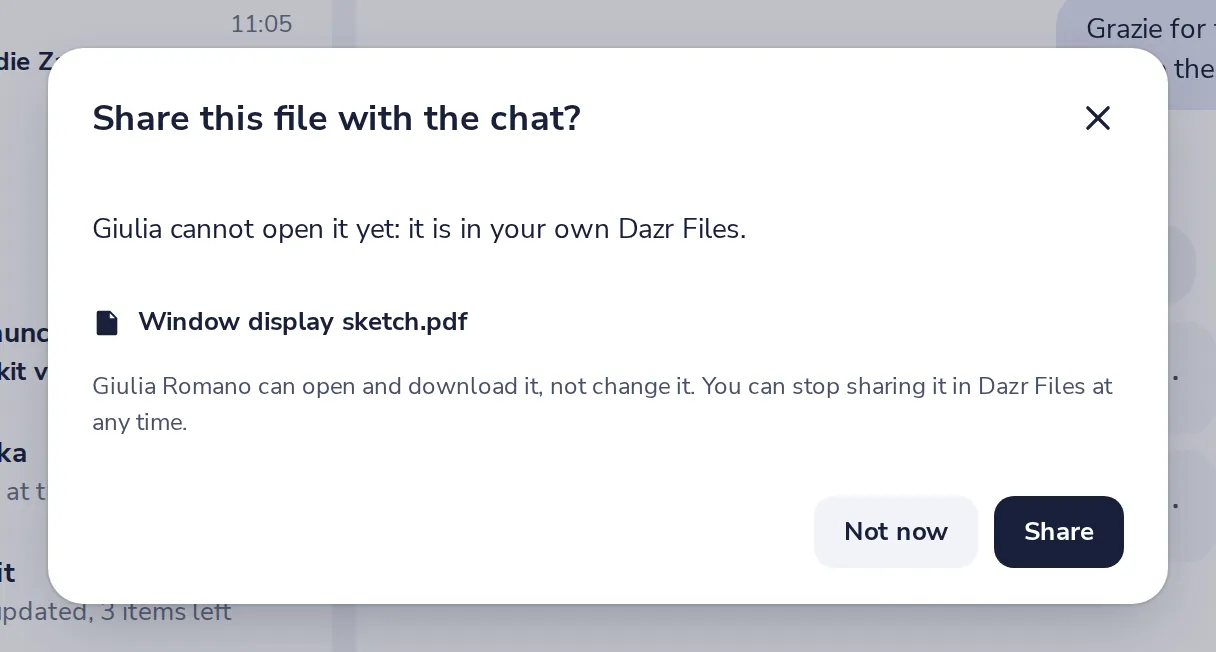
Until you share it, only you can open the file. Documents, spreadsheets and presentations can also be shared with Can edit.
- 4
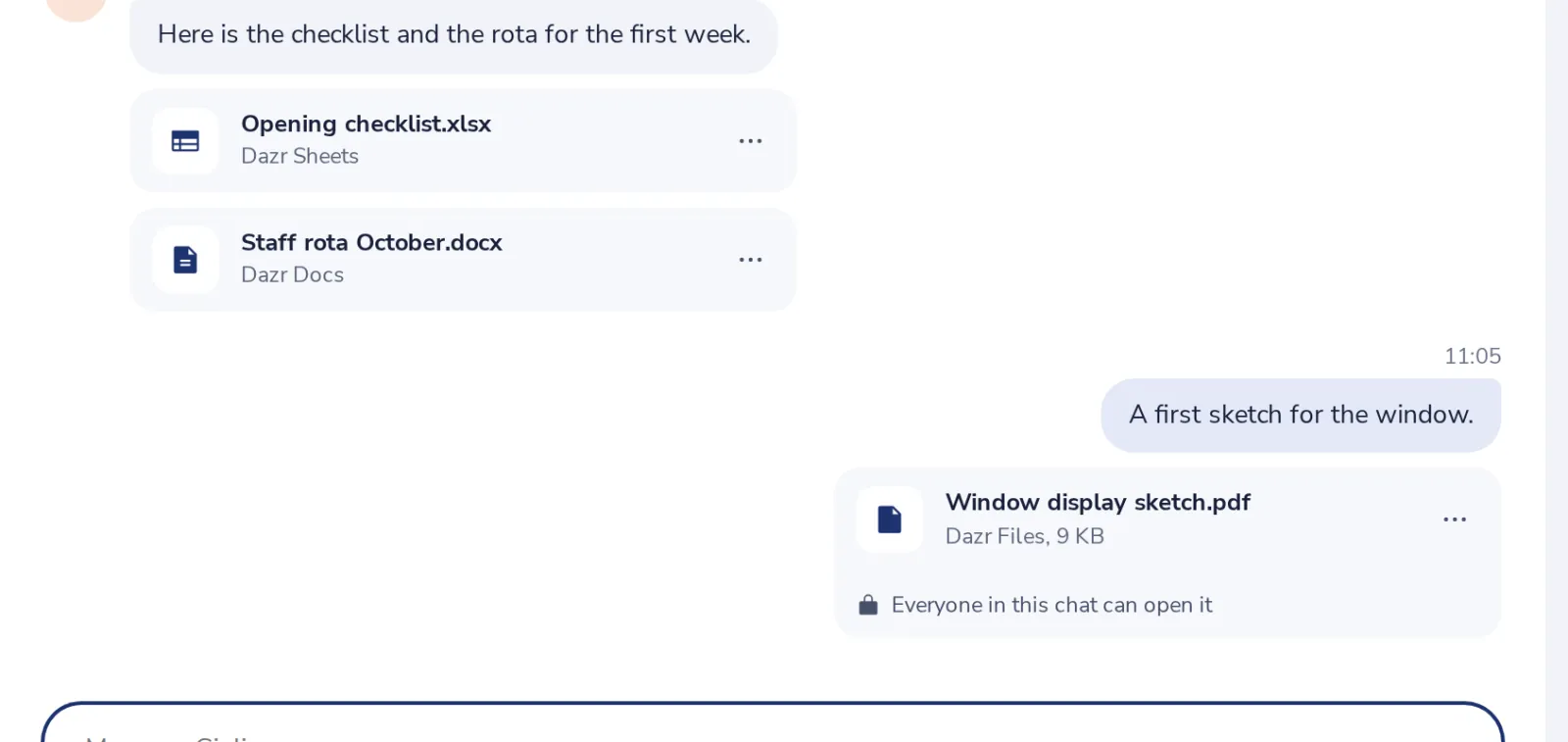
It is in the chat
Everyone in the chat can open it now.
Cela vous a-t-il aidé ?
Que manquait-il ?
Merci.
Nous comptons les oui et les non par article. Rien sur vous n’est enregistré.