Add your company details
Your company name and country appear on reports and in the audit trail. A new workspace asks for them in the welcome. You can also add them later from Get started, in Help.
- 1
Open Get started in Help
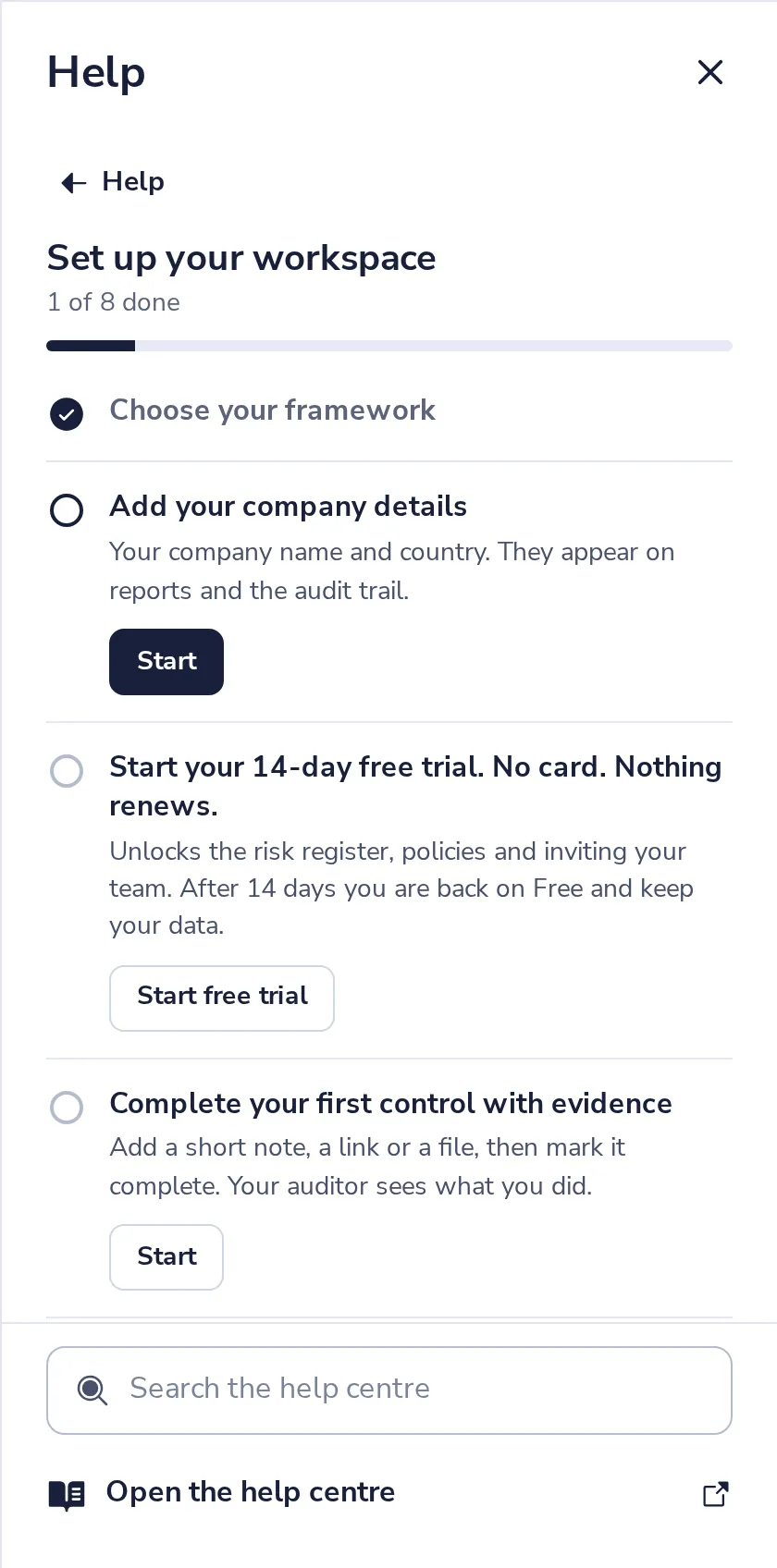
Press ? at the top, then Get started. At Add your company details, press Start.
- 2
Type the name and country
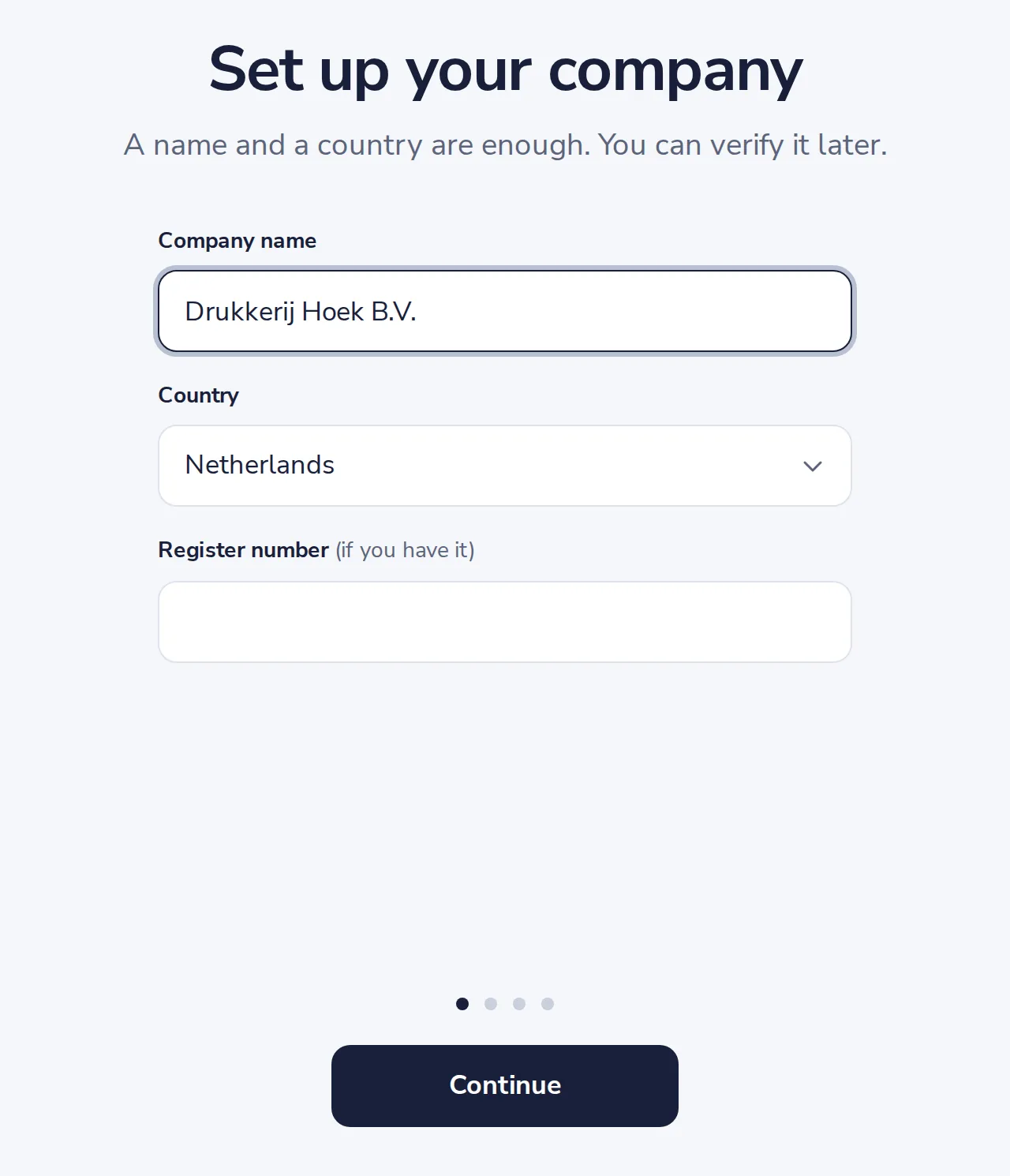
The legal name of the company, as on your invoices. The register number is optional.
- 3
Press Continue
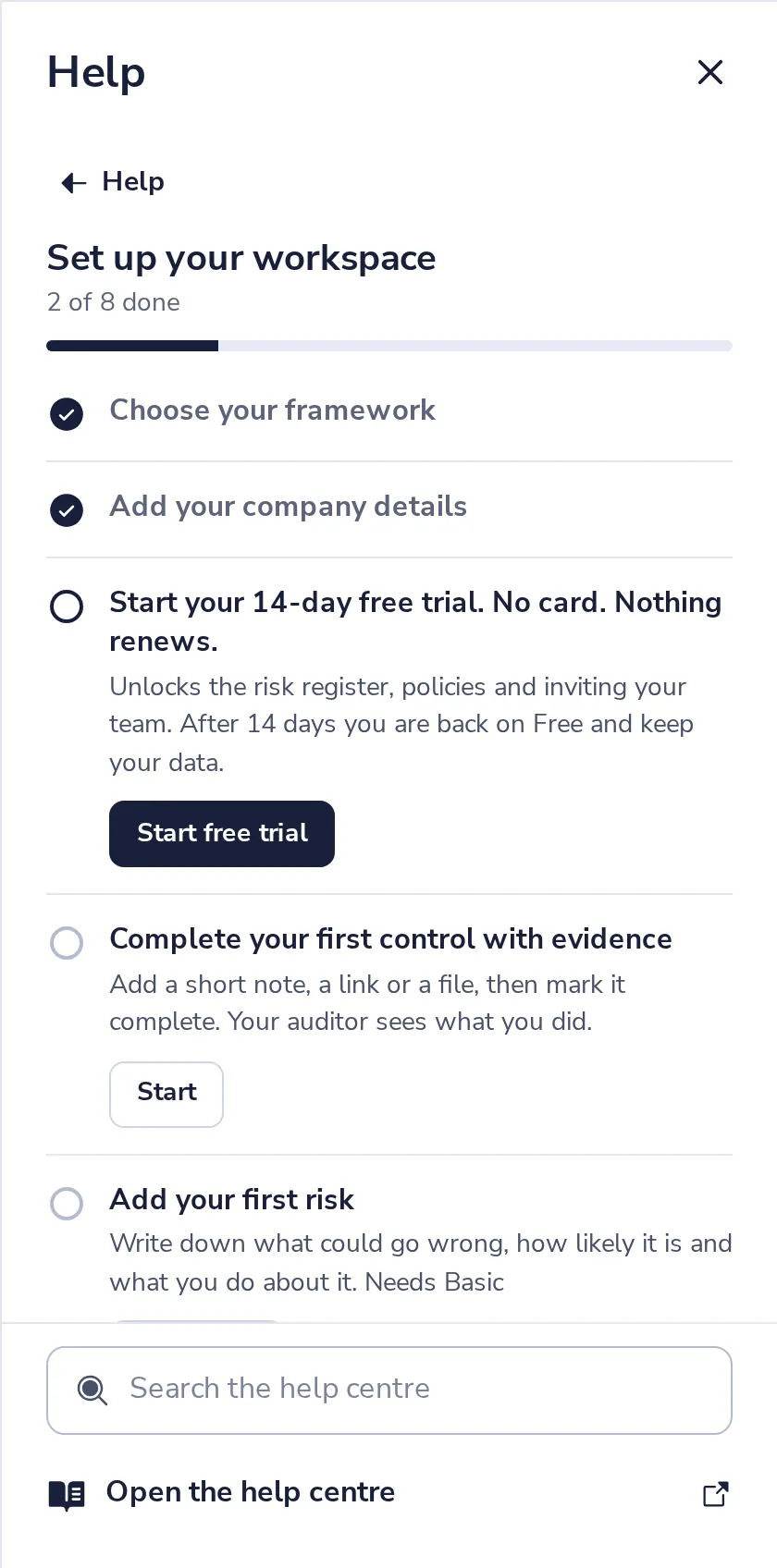
The step is done, and the name shows on every report.
Was this helpful?
What was missing?
Thank you.
We count yes and no per article. Nothing about you is stored.