Replace a file with a new version
Upload new version replaces the content of a file. The old content stays in Version history.
- 1
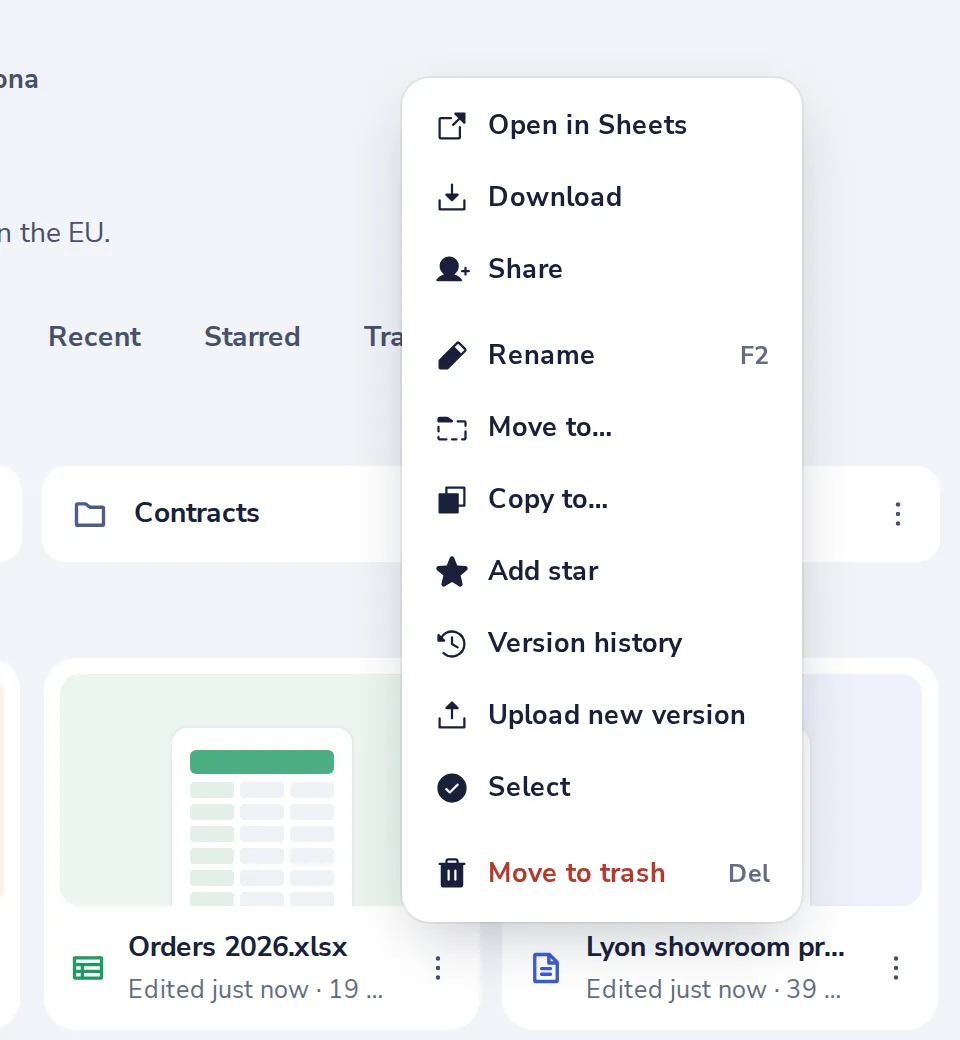
Choose Upload new version
Press the three dots on the file, then pick the new file on your computer.
- 2
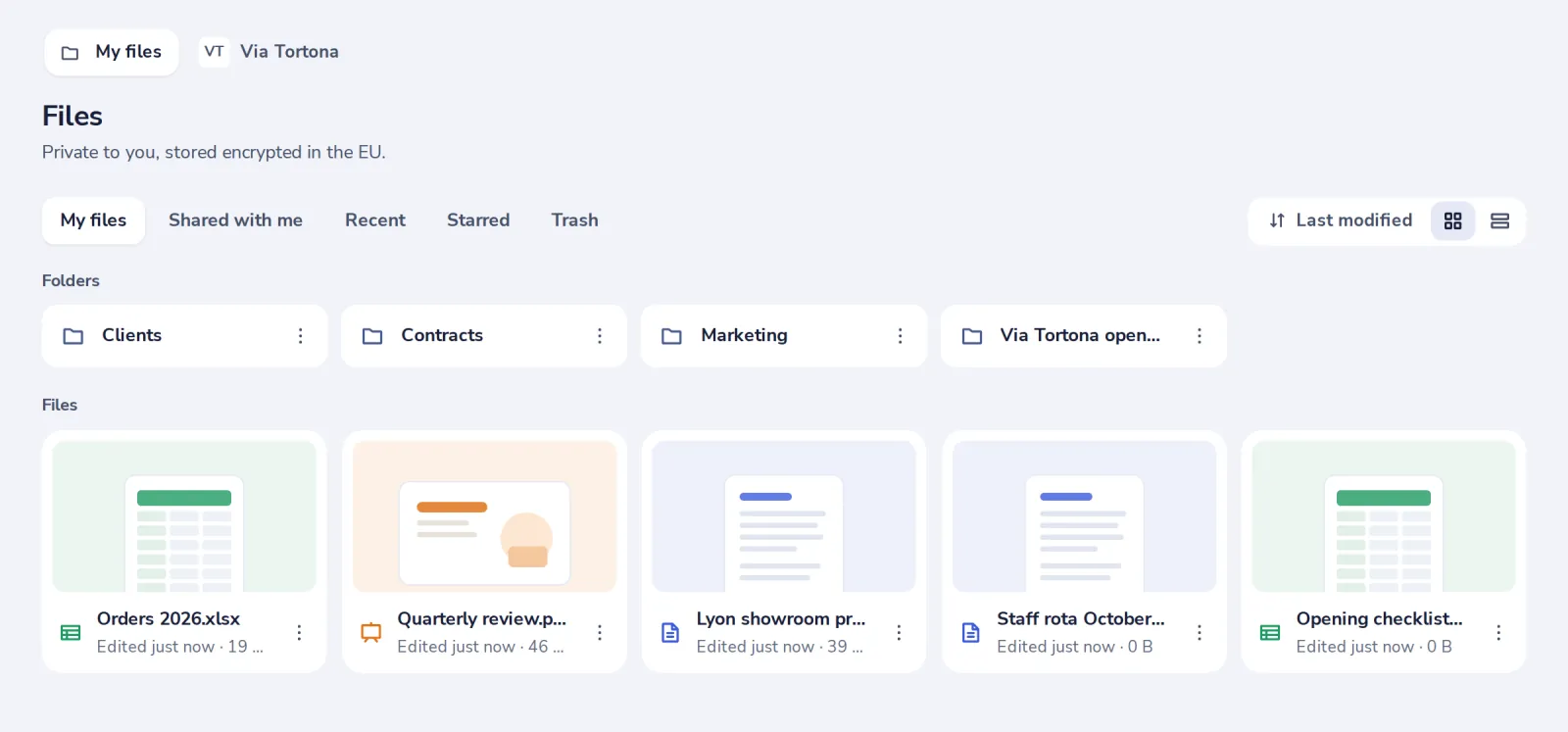
Same file, new content
Everyone you shared it with sees the new version at the same link.
- 3
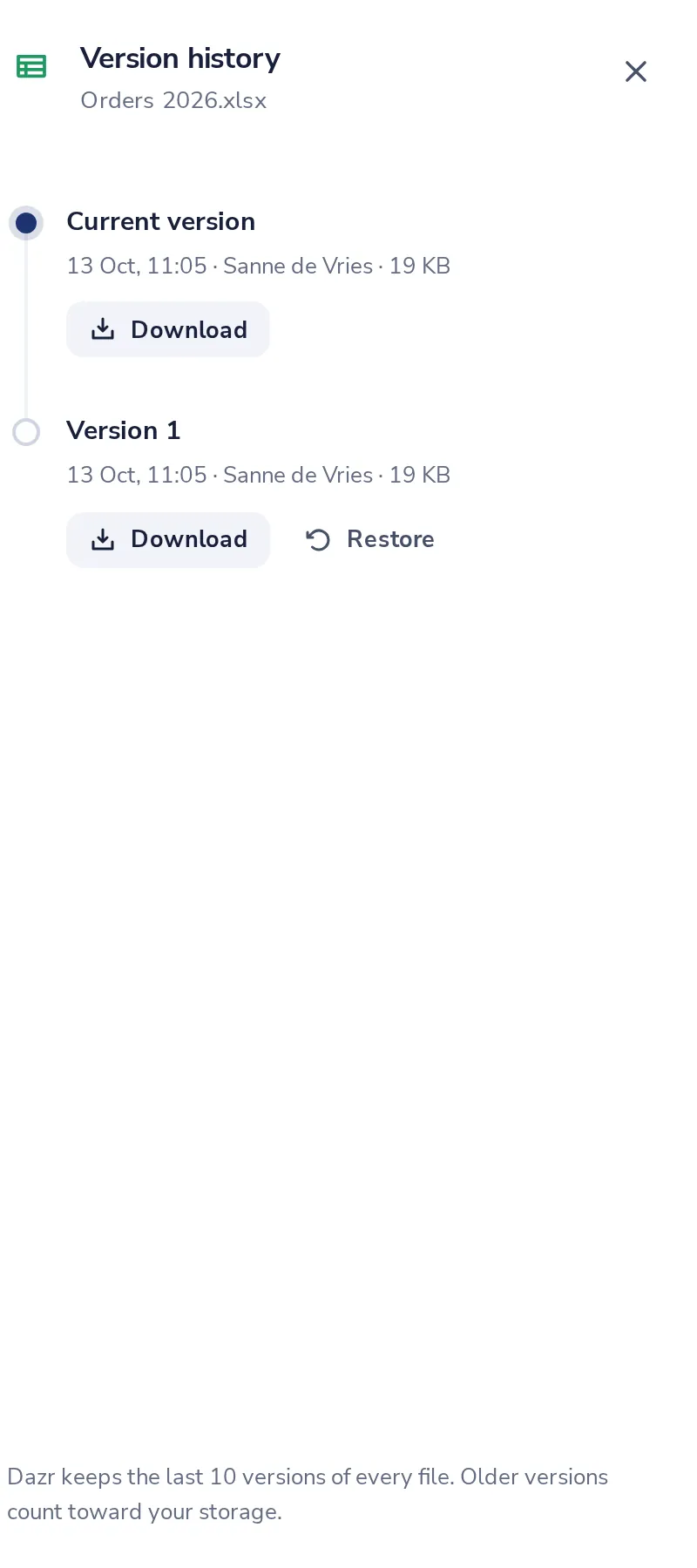
The old content is kept
Version history lists the earlier version, to download or restore.
Was this helpful?
What was missing?
Thank you.
We count yes and no per article. Nothing about you is stored.