Invite people to your organisation
Invite colleagues by email. When they accept, they share the organisation's files, Teams and Calendar spaces in every Dazr app.
- 1
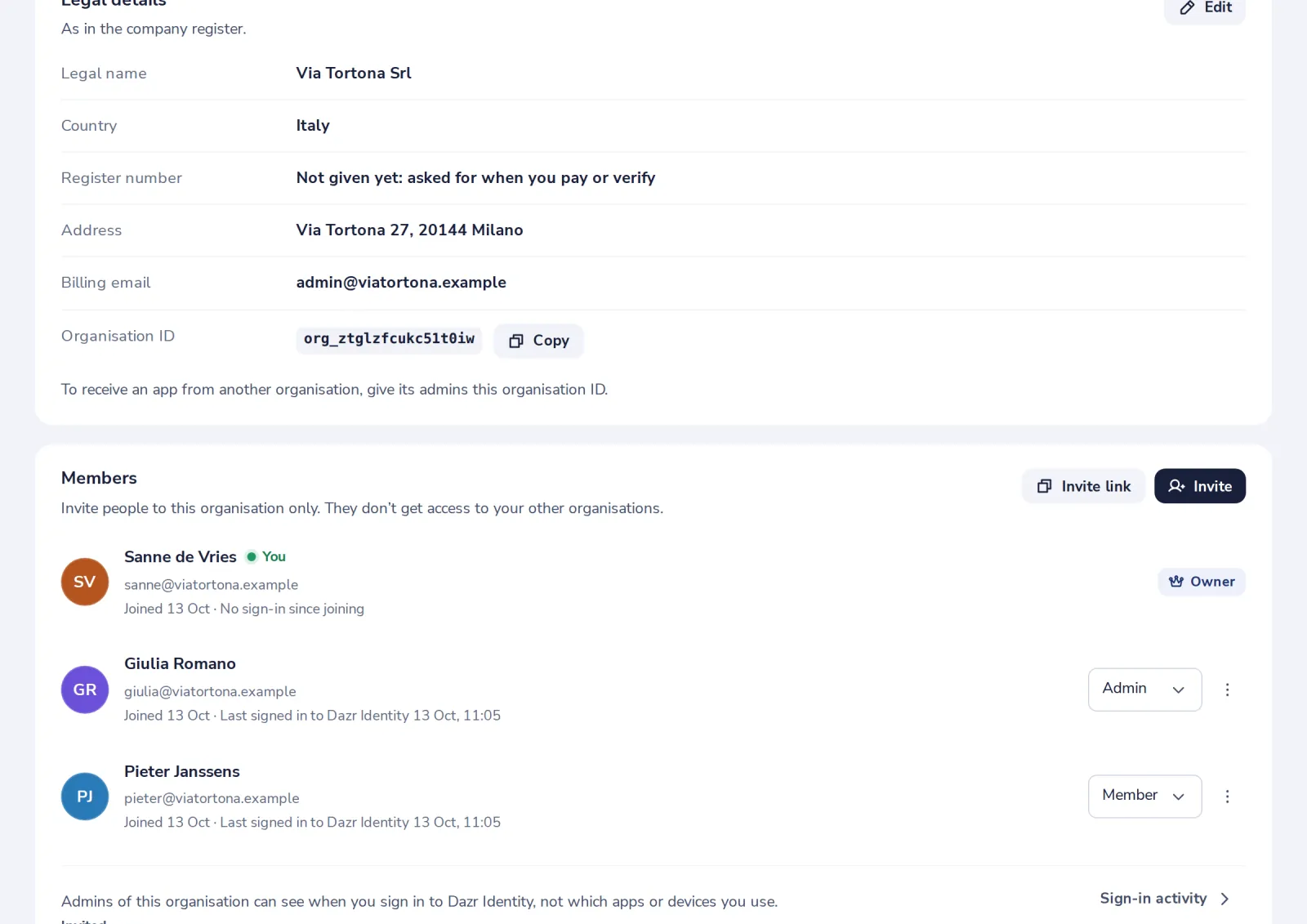
Press Invite
On your organisation's page, under Members.
- 2
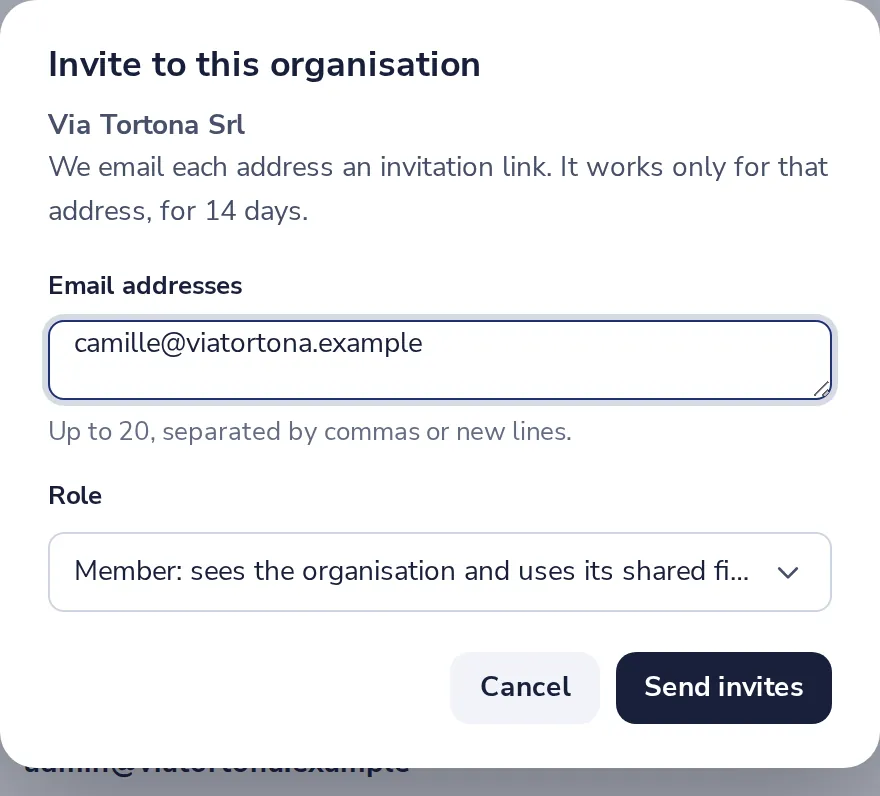
Type their email addresses
Up to 20 at once. Member uses the shared files; Admin also invites people and edits details.
- 3
Press Send invites
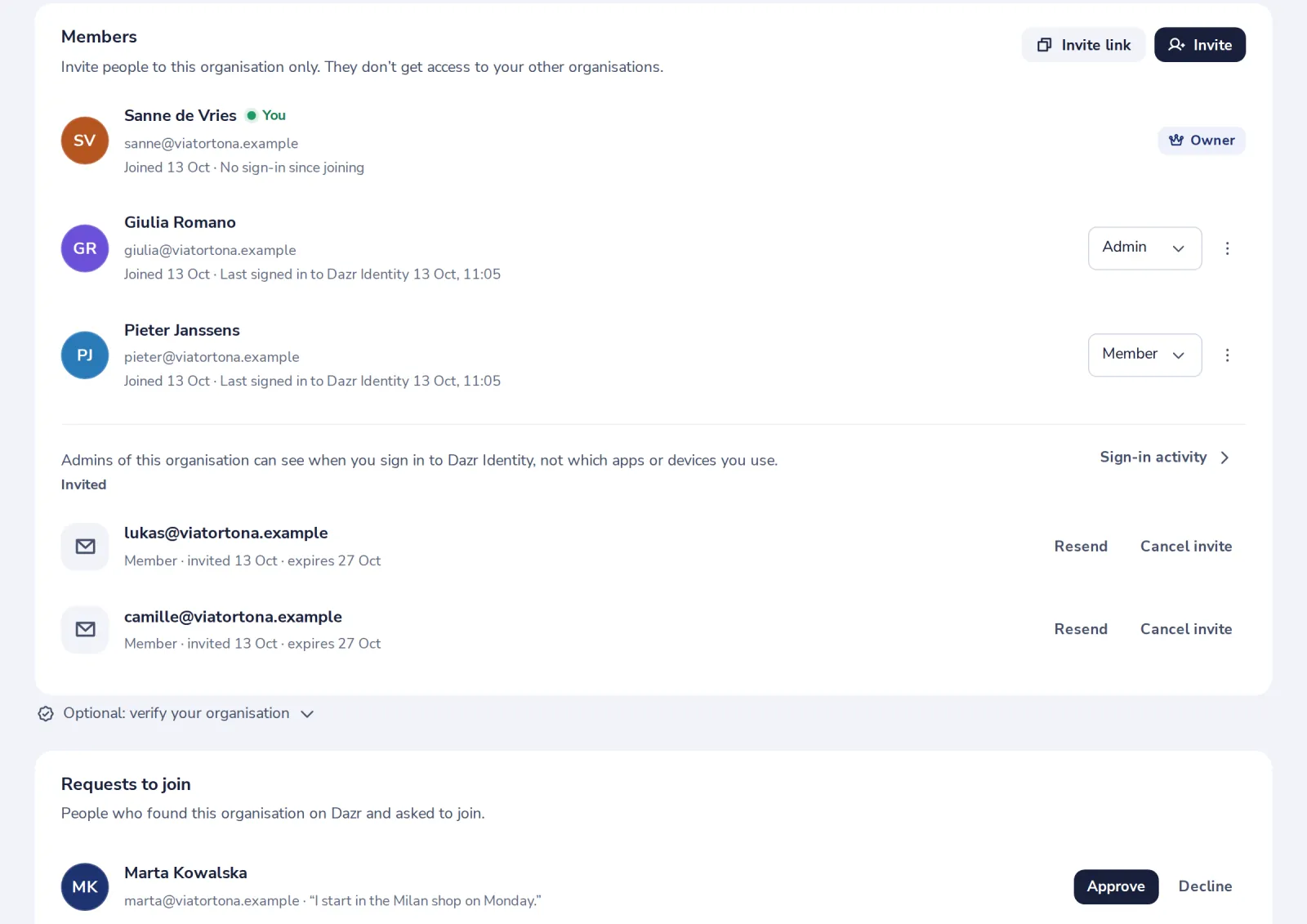
They get an email with a link that works for 14 days. They show under Invited until they join.
Was this helpful?
What was missing?
Thank you.
We count yes and no per article. Nothing about you is stored.