Put people on the plan
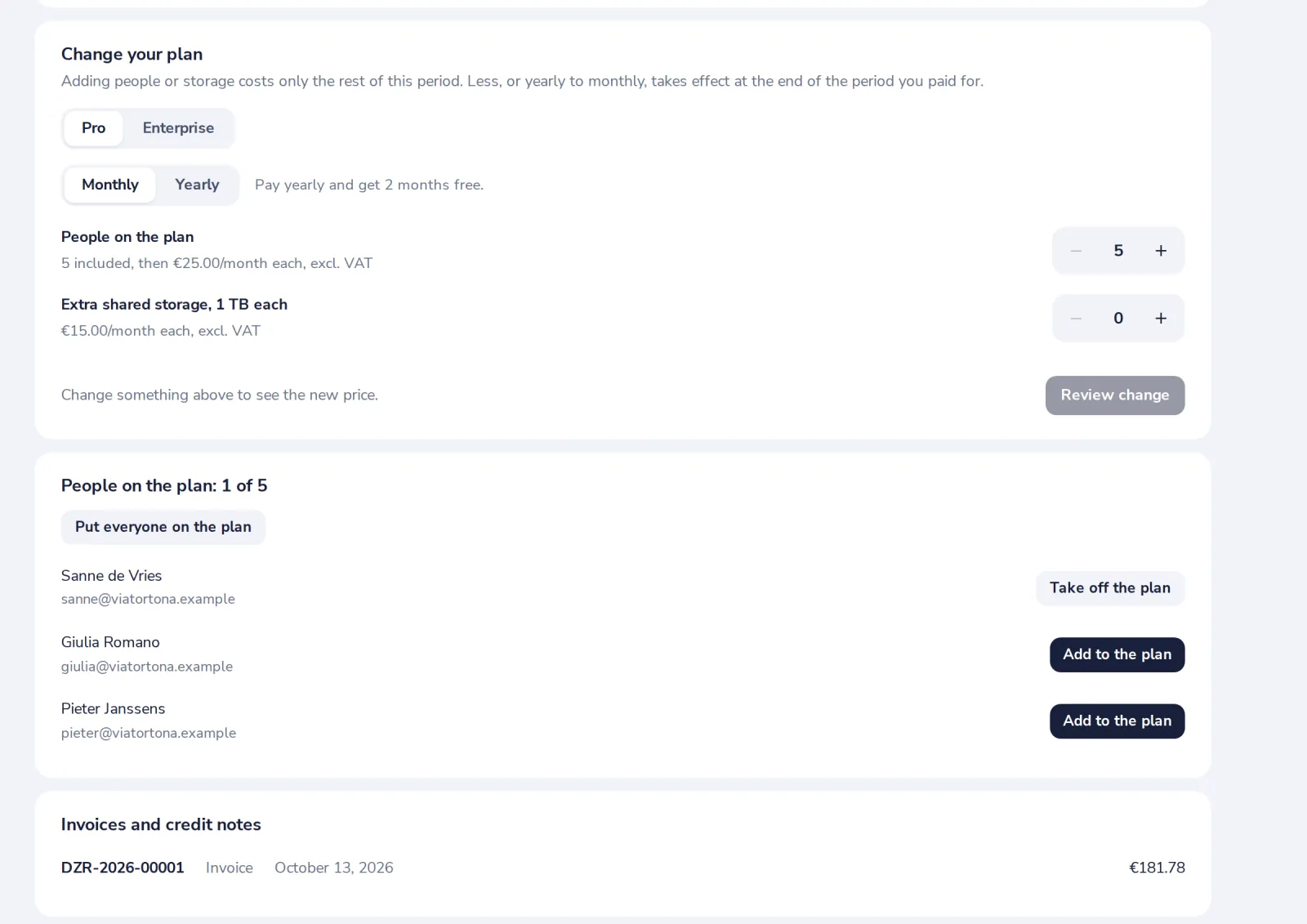
Members of the organisation get Pro when you put them on the plan. The plan shows how many places are in use.
- 1
Press Add to the plan
Next to their name, under People on the plan. Or Put everyone on the plan.
- 2
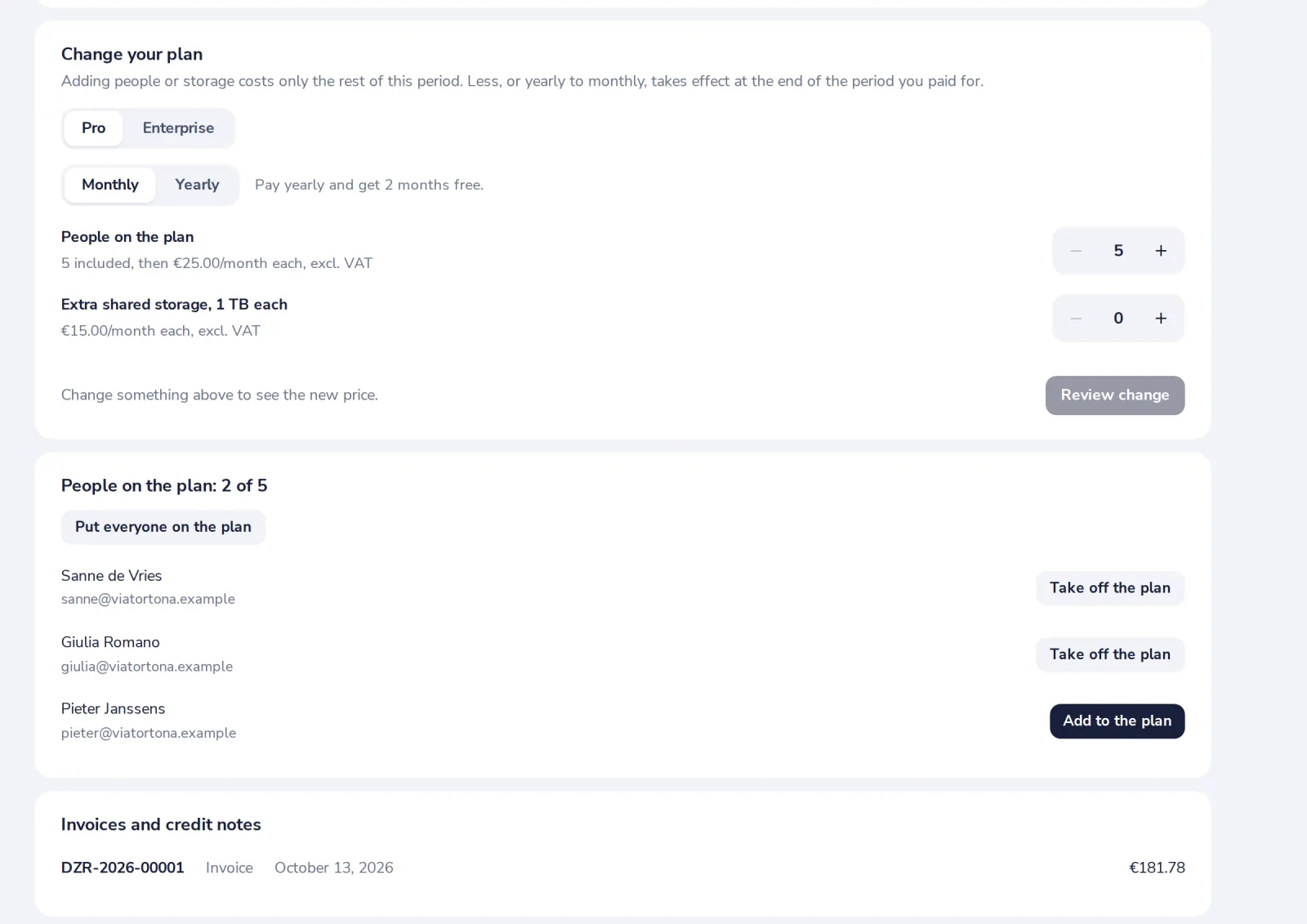
They are on the plan
Take off the plan gives the place back.
Was this helpful?
What was missing?
Thank you.
We count yes and no per article. Nothing about you is stored.