Ask for an ID-verified signature
An ID-verified signature is an advanced electronic signature. After signing, the signer verifies their ID with Dazr Identity. It is an option per signer, never the default.
- 1
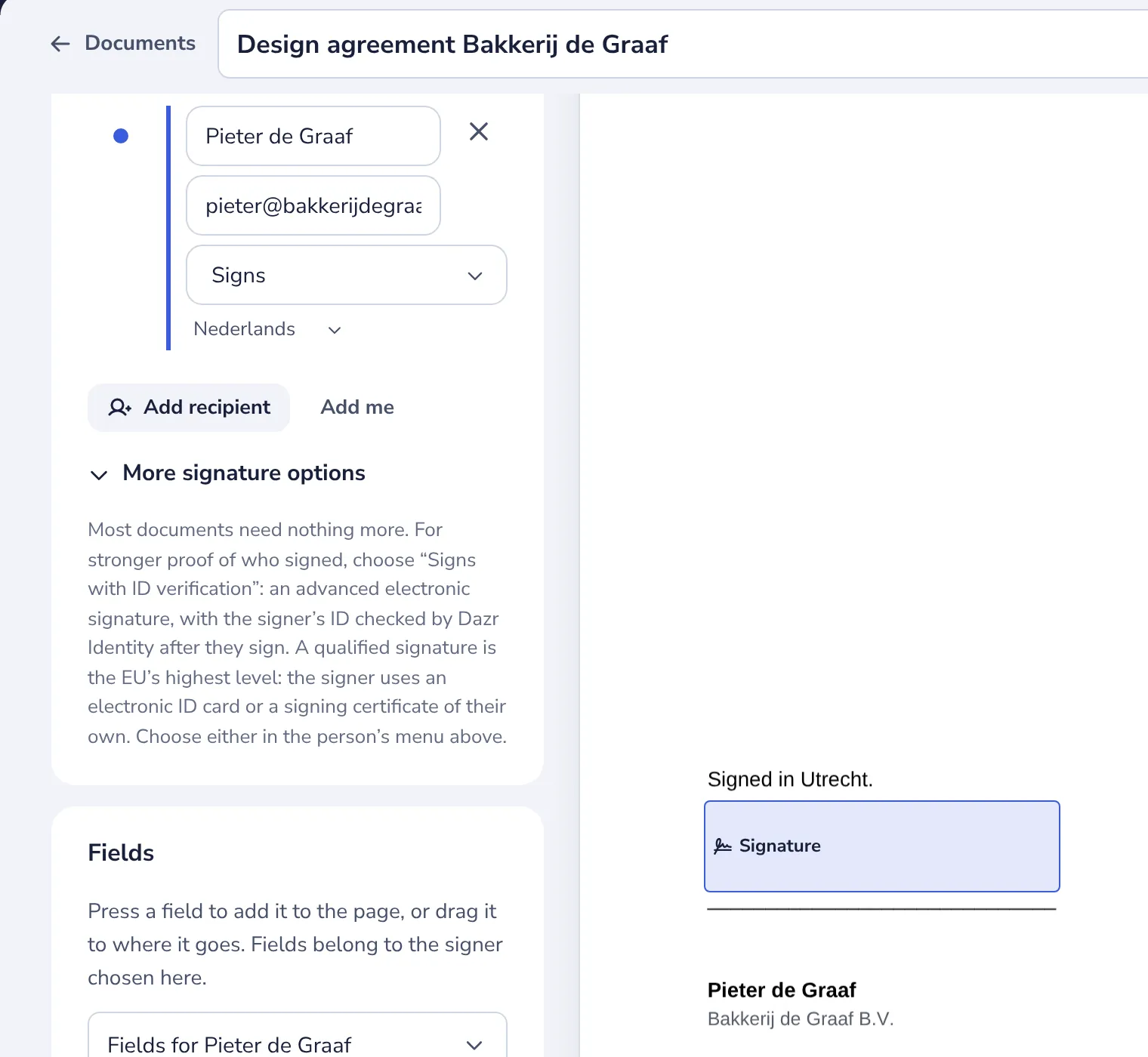
Open More signature options
In the editor, under the people.
- 2
Choose Signs with ID verification
In the person’s menu. Each ID check costs €1.50, excl. VAT, from your organisation’s balance.
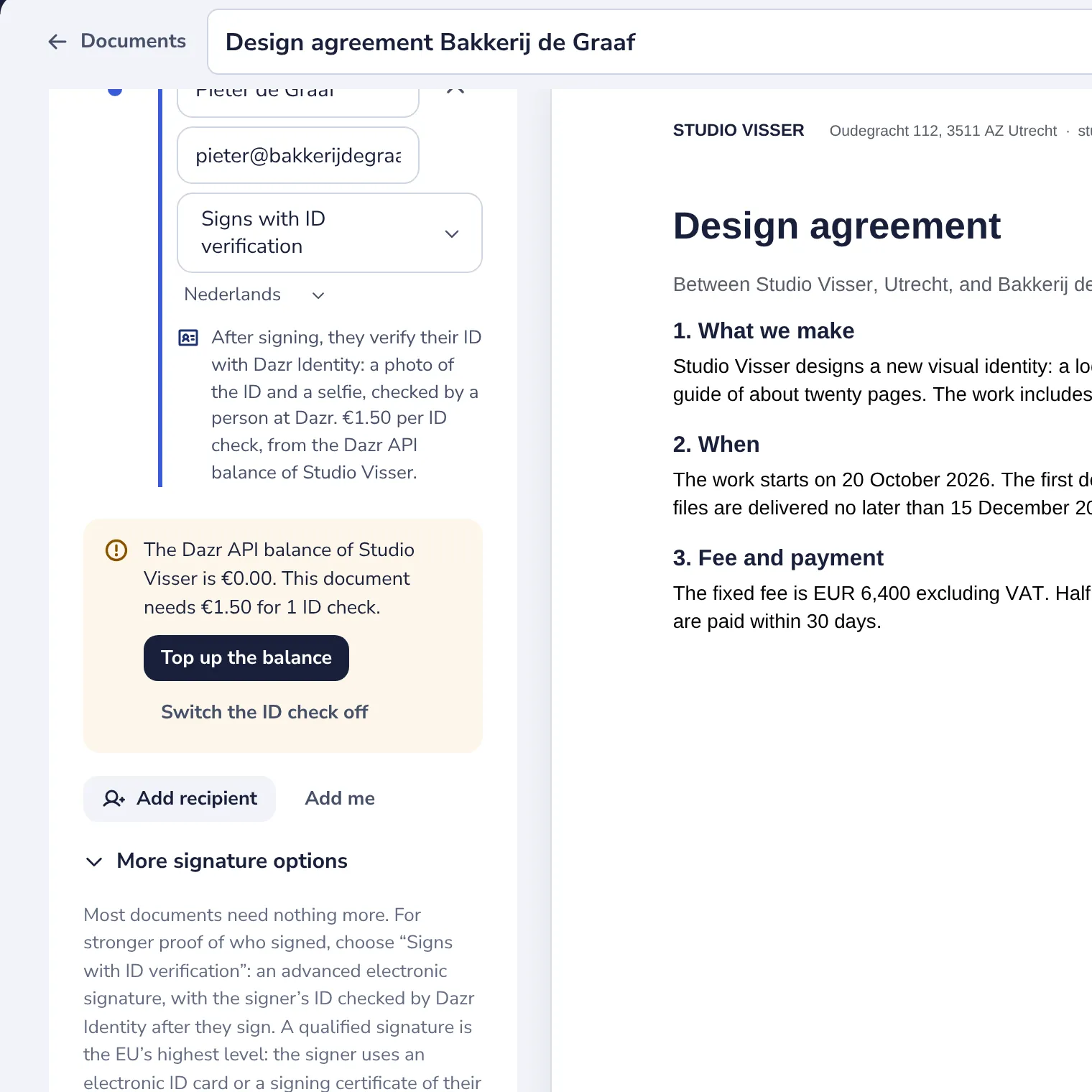
When the balance is short, a note says what it has and what this document needs.
- 3
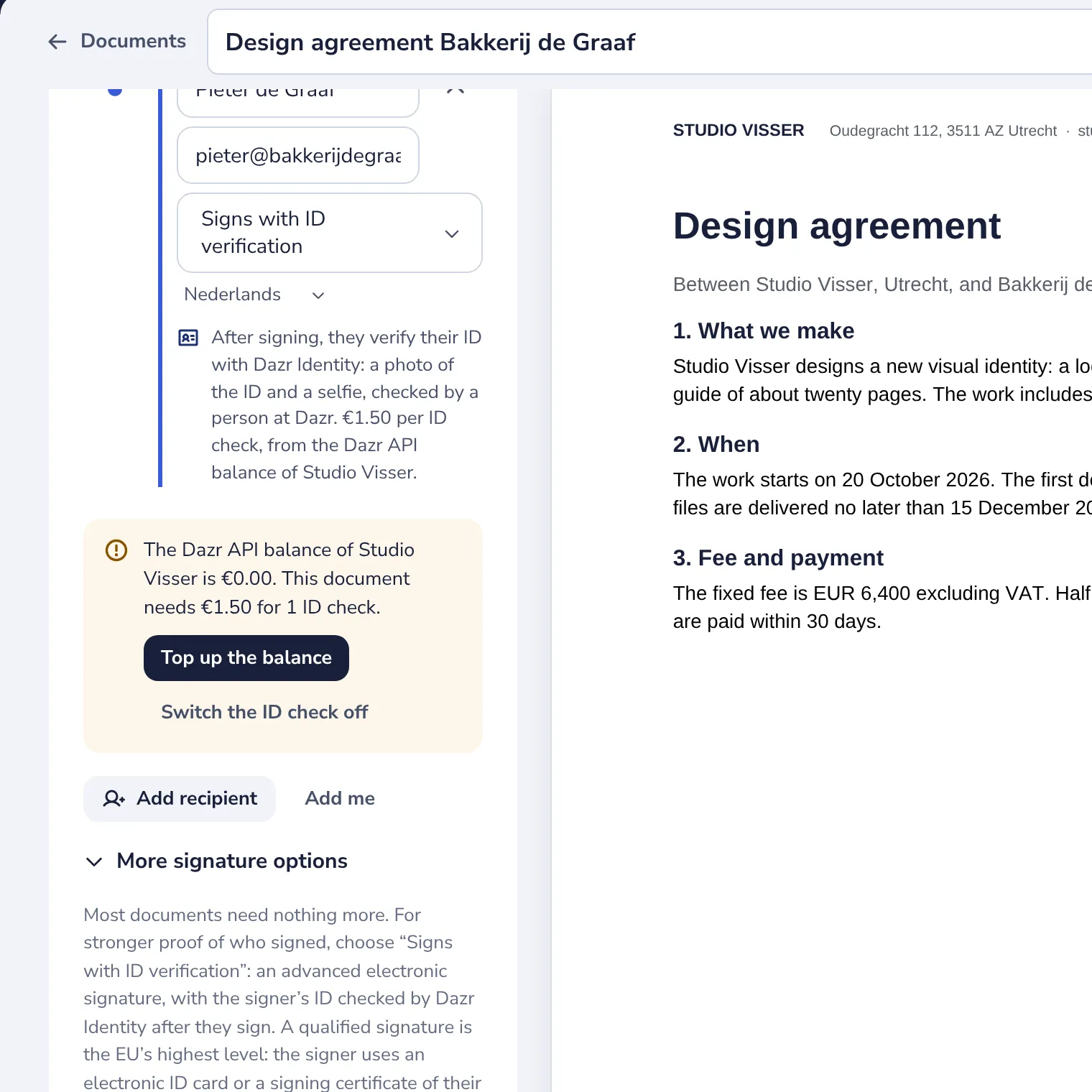
Top up the balance
Press Top up the balance. The balance page opens in a new tab; your draft stays here.
Deposits are for businesses only. Verify your organisation first, or add a VAT number that VIES confirms.
- 4
Back in the editor, send
The note is gone once the balance covers the ID checks. Press Send as usual.
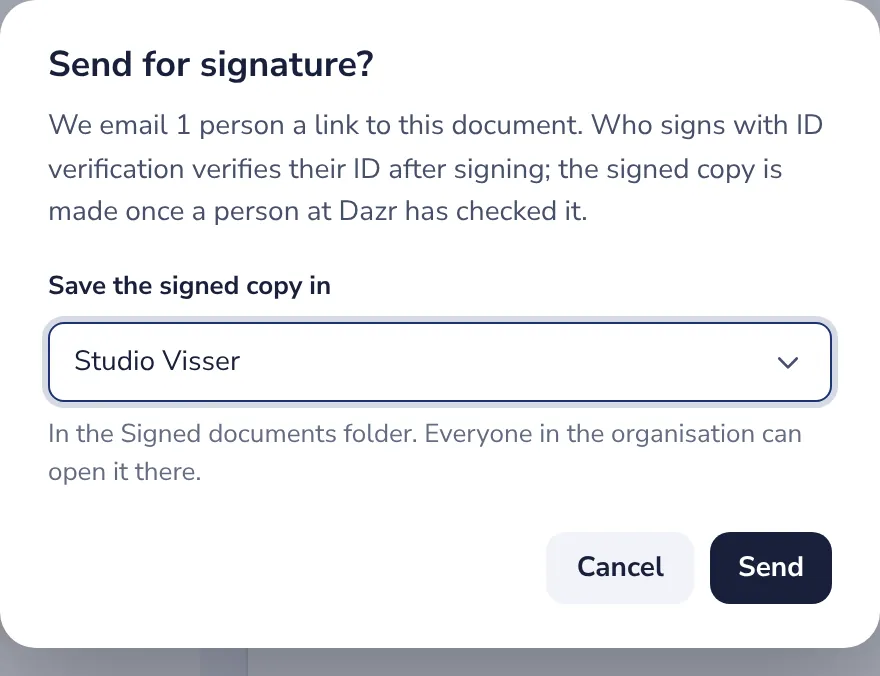
Is the balance short when you send? Dazr Sign says so, with Top up and a button to switch the ID check off.
Was this helpful?
What was missing?
Thank you.
We count yes and no per article. Nothing about you is stored.