Complete your first control
A control is one recurring check, like an access review. Completing it with a short note tells your auditor what you did and when.
- 1
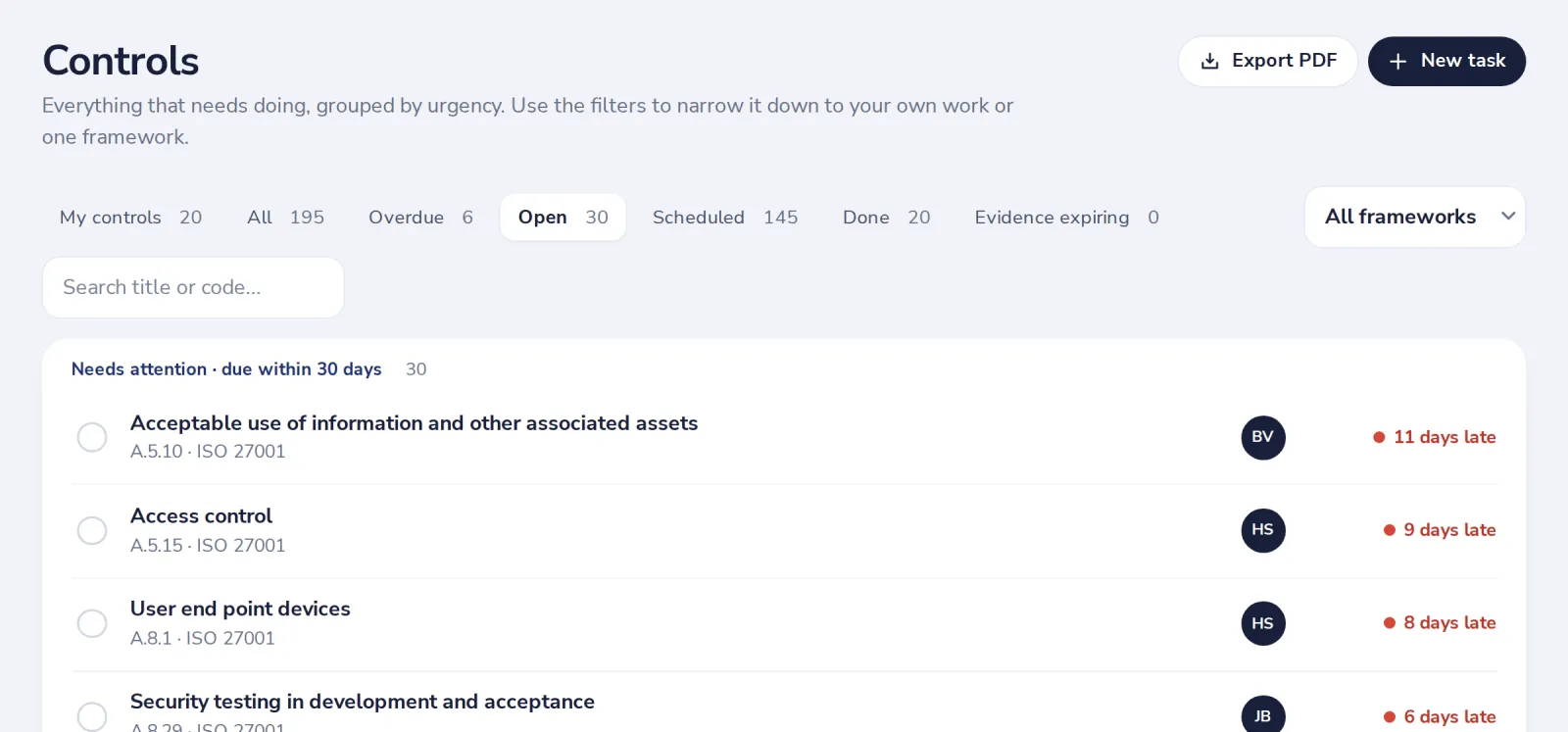
Open Controls
The ones that need you first are at the top. Click one to open it.
- 2
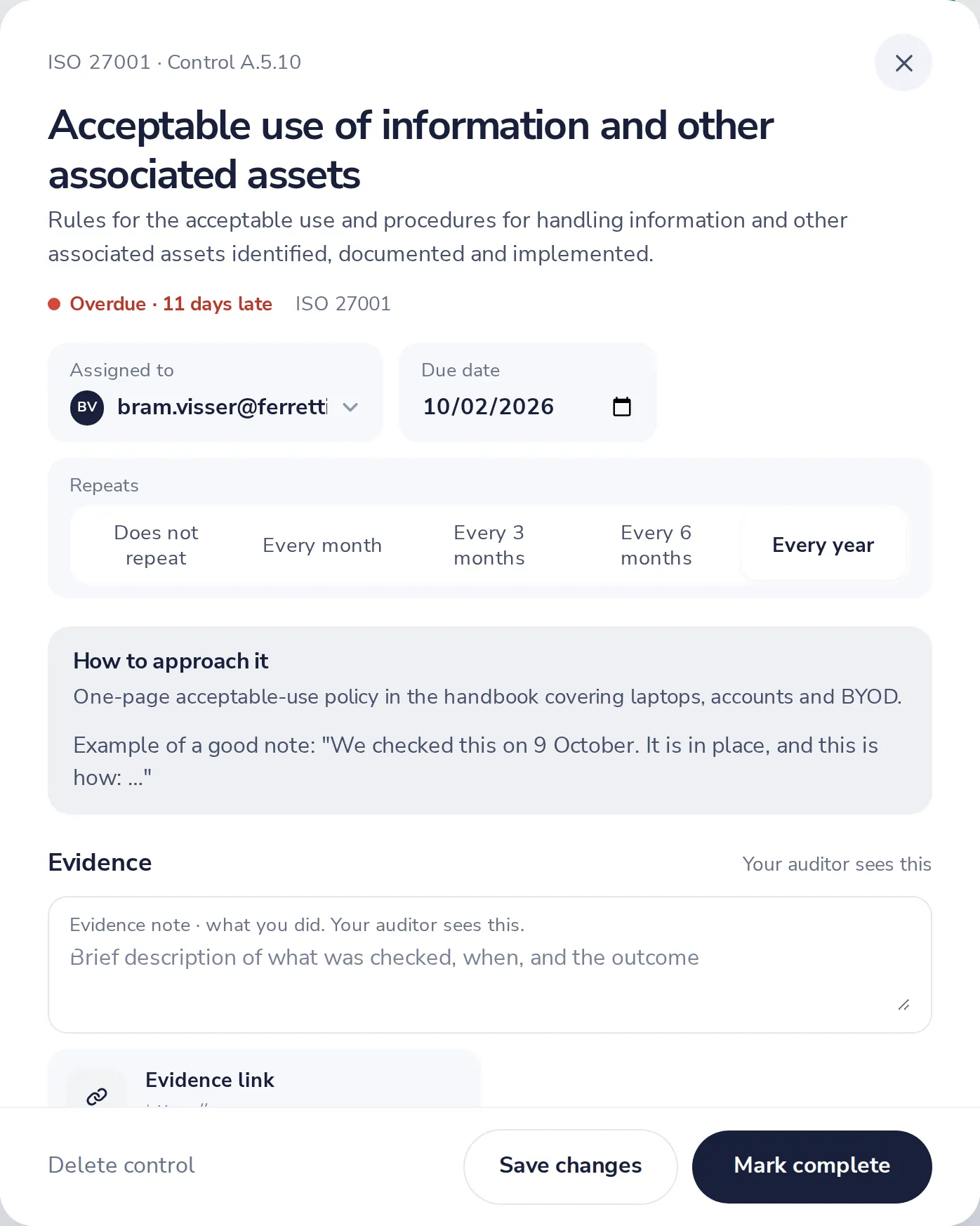
Read how to approach the control
Every control says what to do and gives an example of a good note.
- 3
Write what you did
One or two sentences under Evidence. Add a link or a file if you have one.
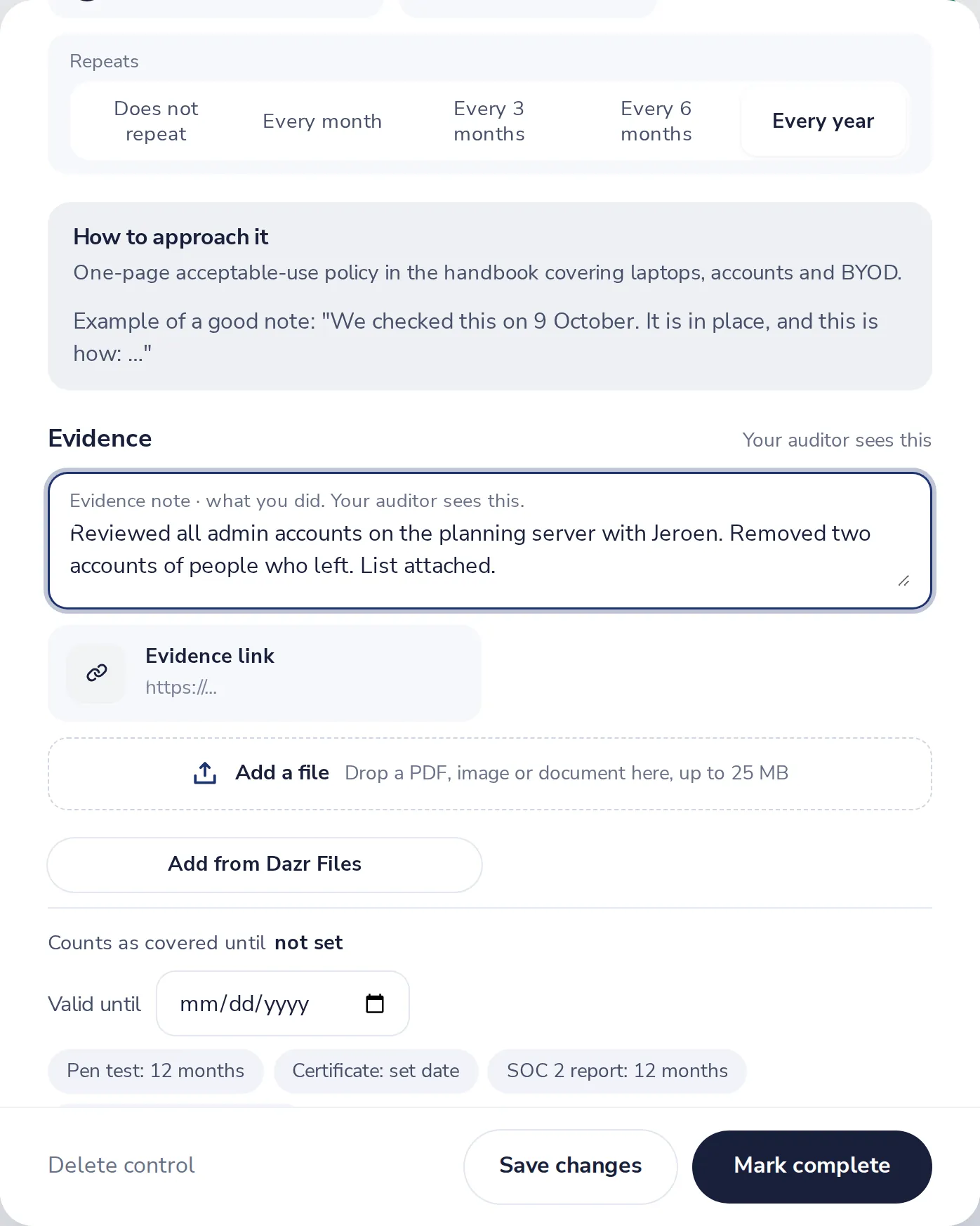
Write what you checked, when and what came out. Your auditor reads this.
- 4
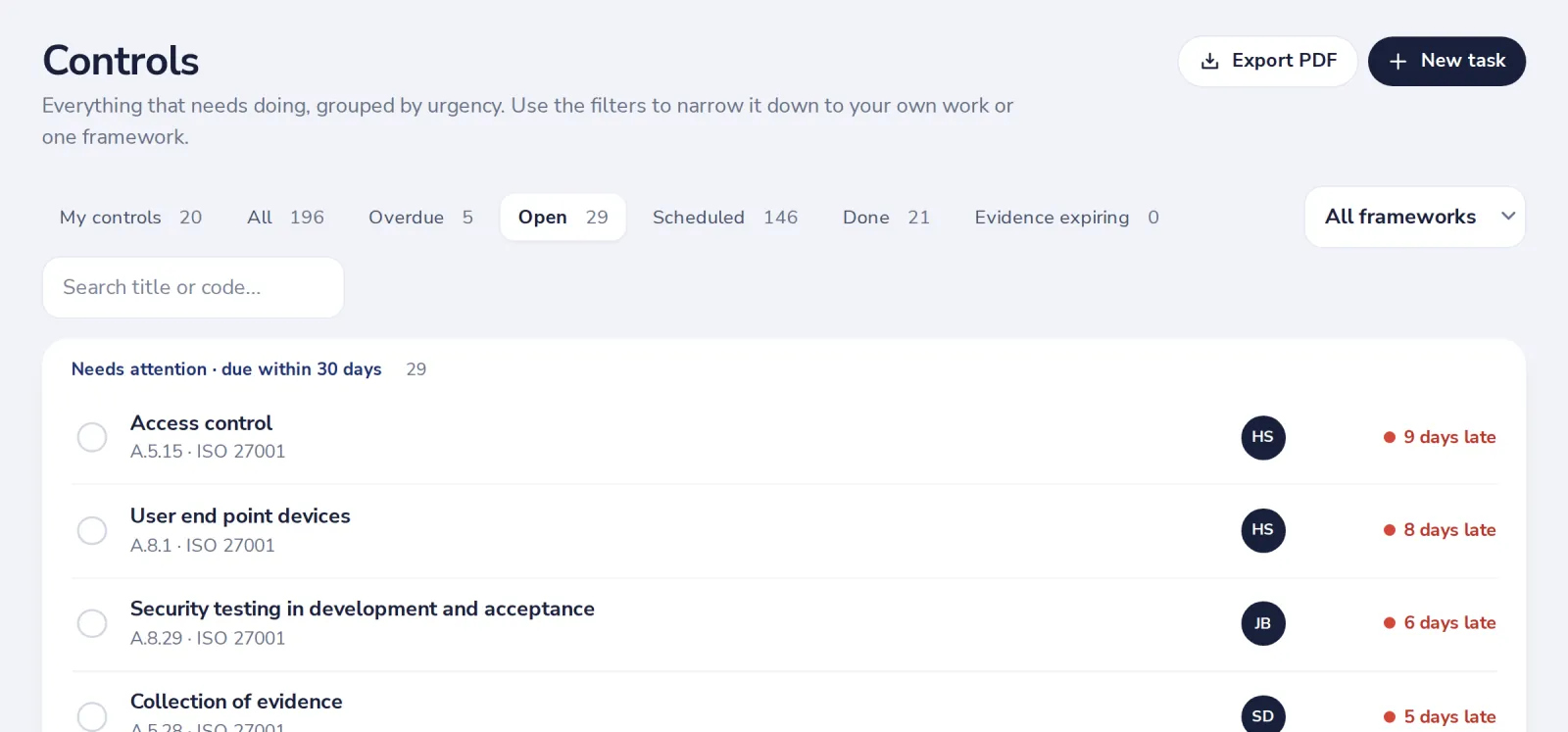
Press Mark complete
It moves to Done with the date and your note. The next one is scheduled by itself.
Was this helpful?
What was missing?
Thank you.
We count yes and no per article. Nothing about you is stored.