Invite an external auditor
Give your auditor a private link to look at your controls, risks, incidents and registers. They cannot change anything, and the access ends by itself.
- 1
Open Auditors
Under Workspace. Type their email and choose how long they need, up to 60 days.
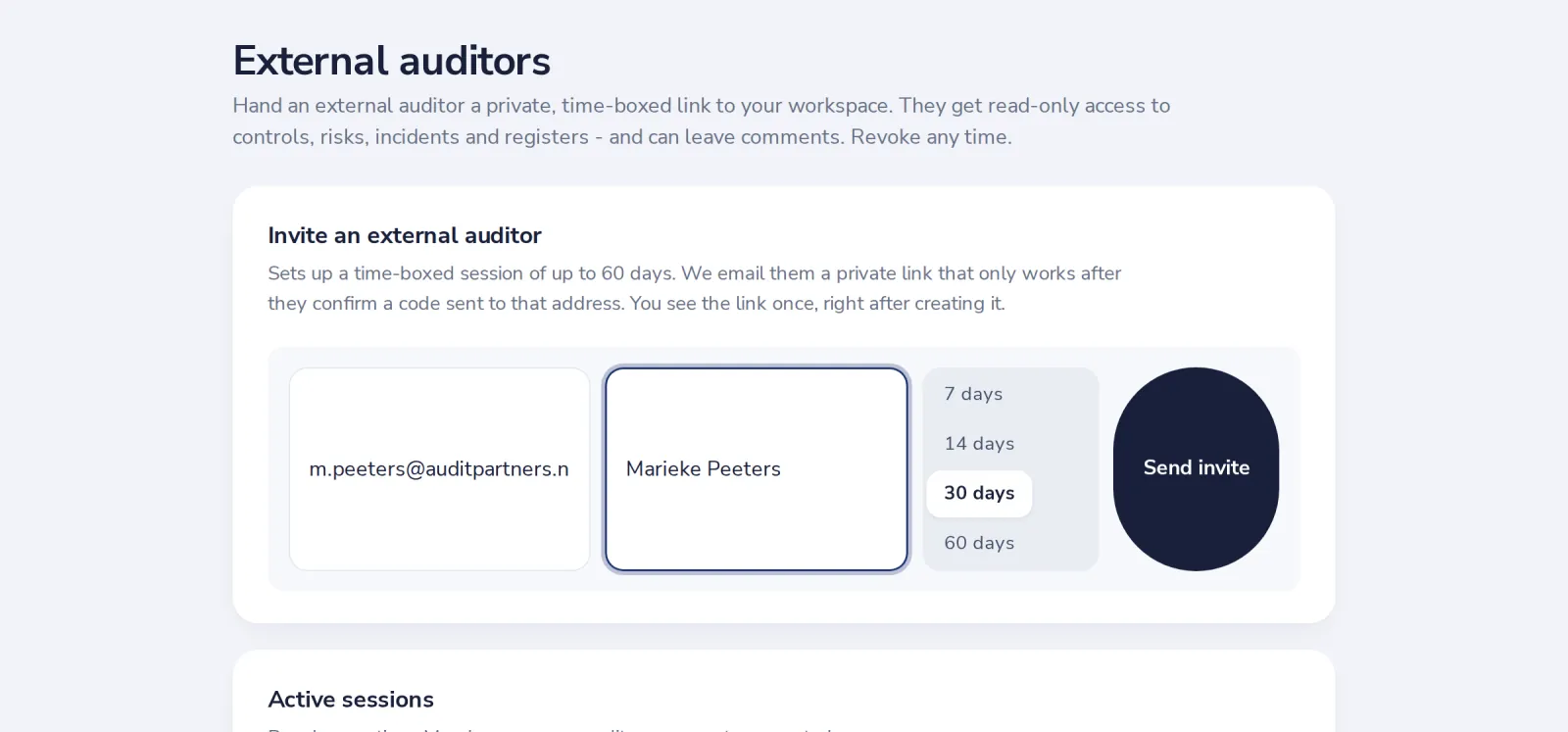
- 2
Press Send invite
We email them the link. It only works after they confirm a code sent to that address.
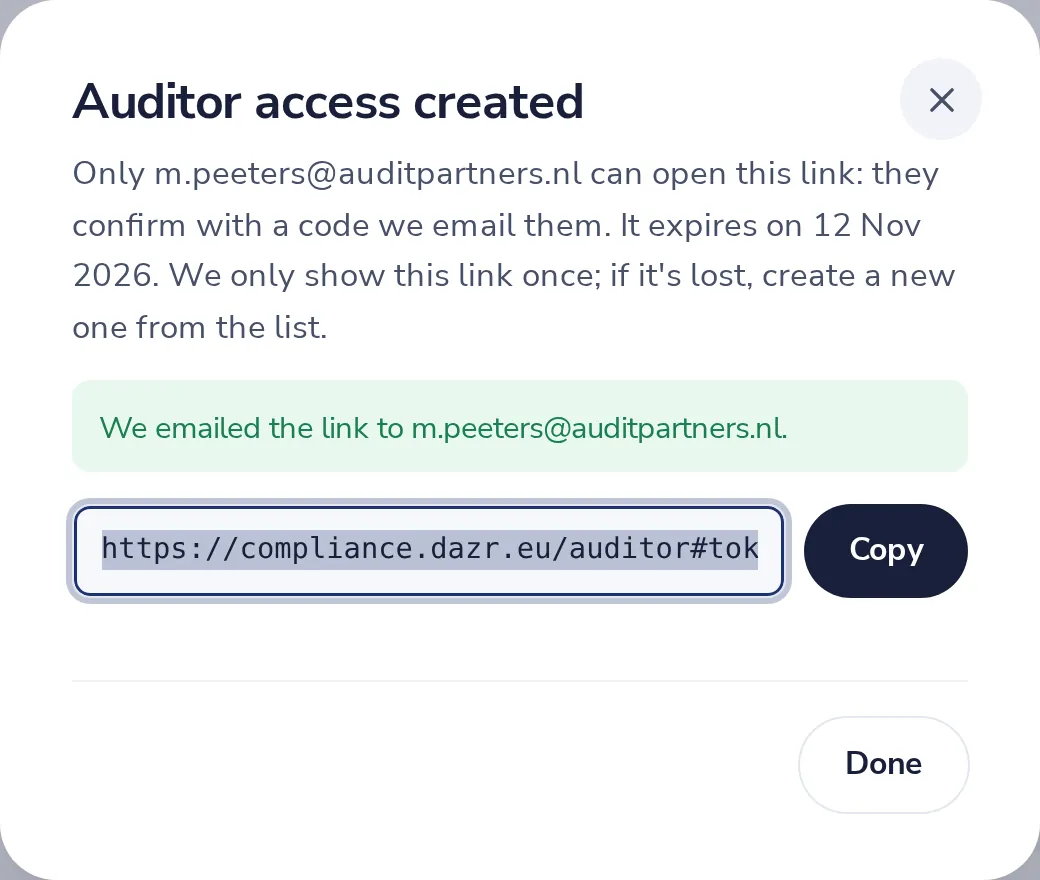
- 3
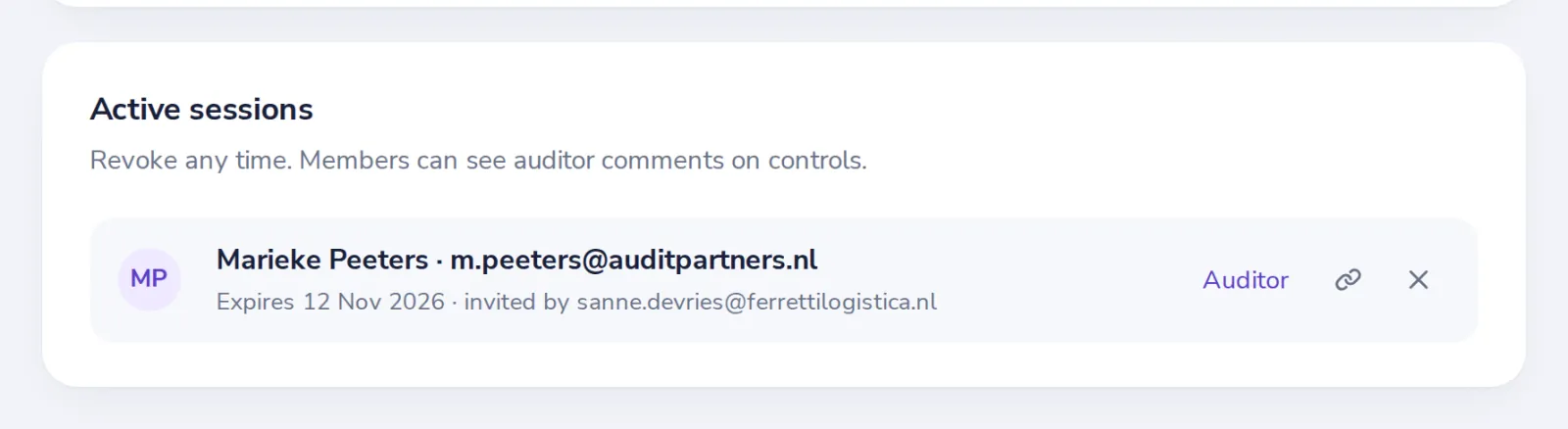
End the auditor’s access when you like
Active sessions lists every auditor. The cross ends the access at once.
Was this helpful?
What was missing?
Thank you.
We count yes and no per article. Nothing about you is stored.