Write your first policy from a template
A policy is a short set of rules for your team, like how backups are made. Start from a template, adapt it, and send it through review and approval.
- 1
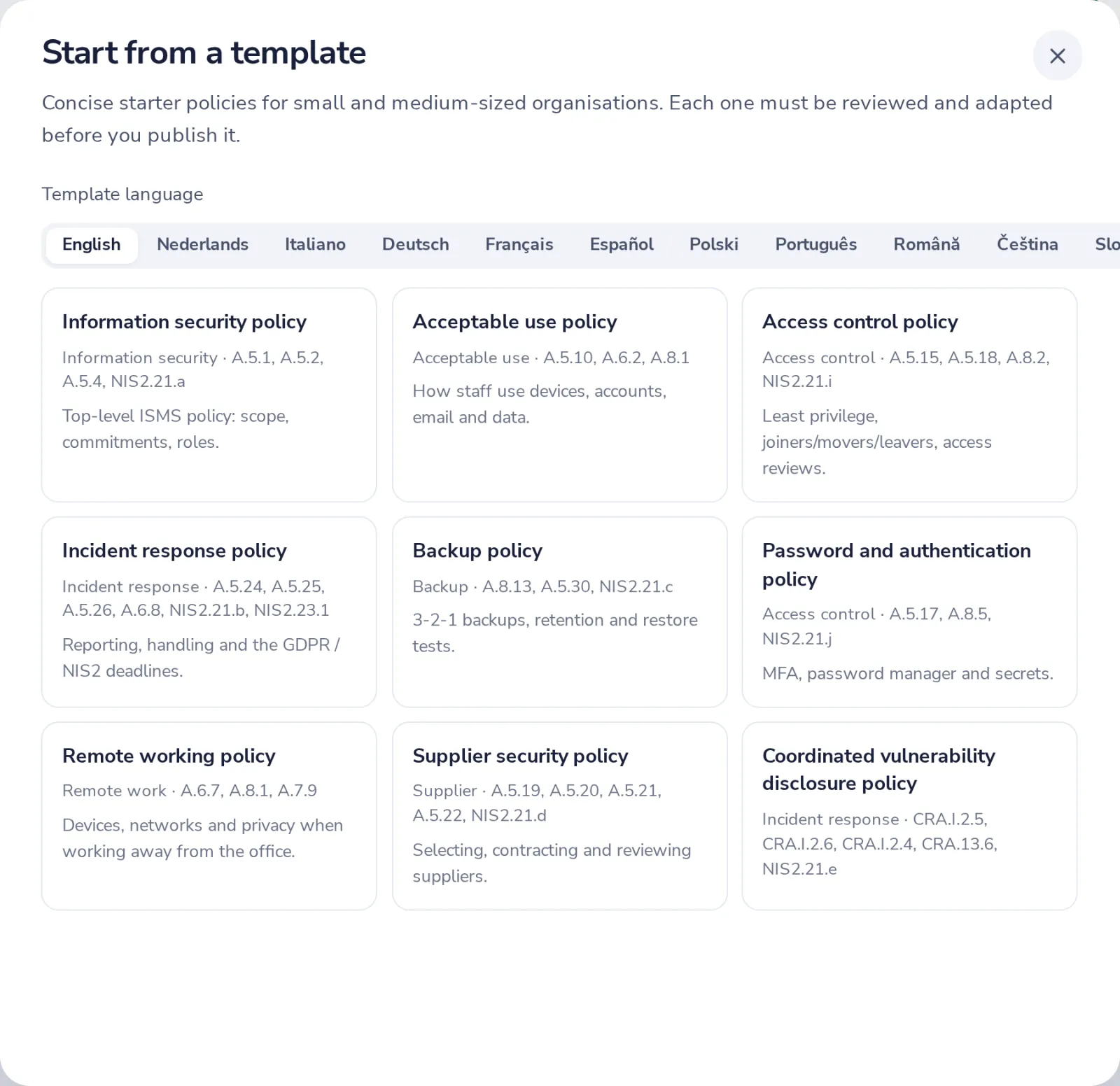
Press Start from a template
In Policies. Pick the template you need.
- 2
Adapt the draft
Your company name is filled in. Replace each {{placeholder}} and remove what does not apply.
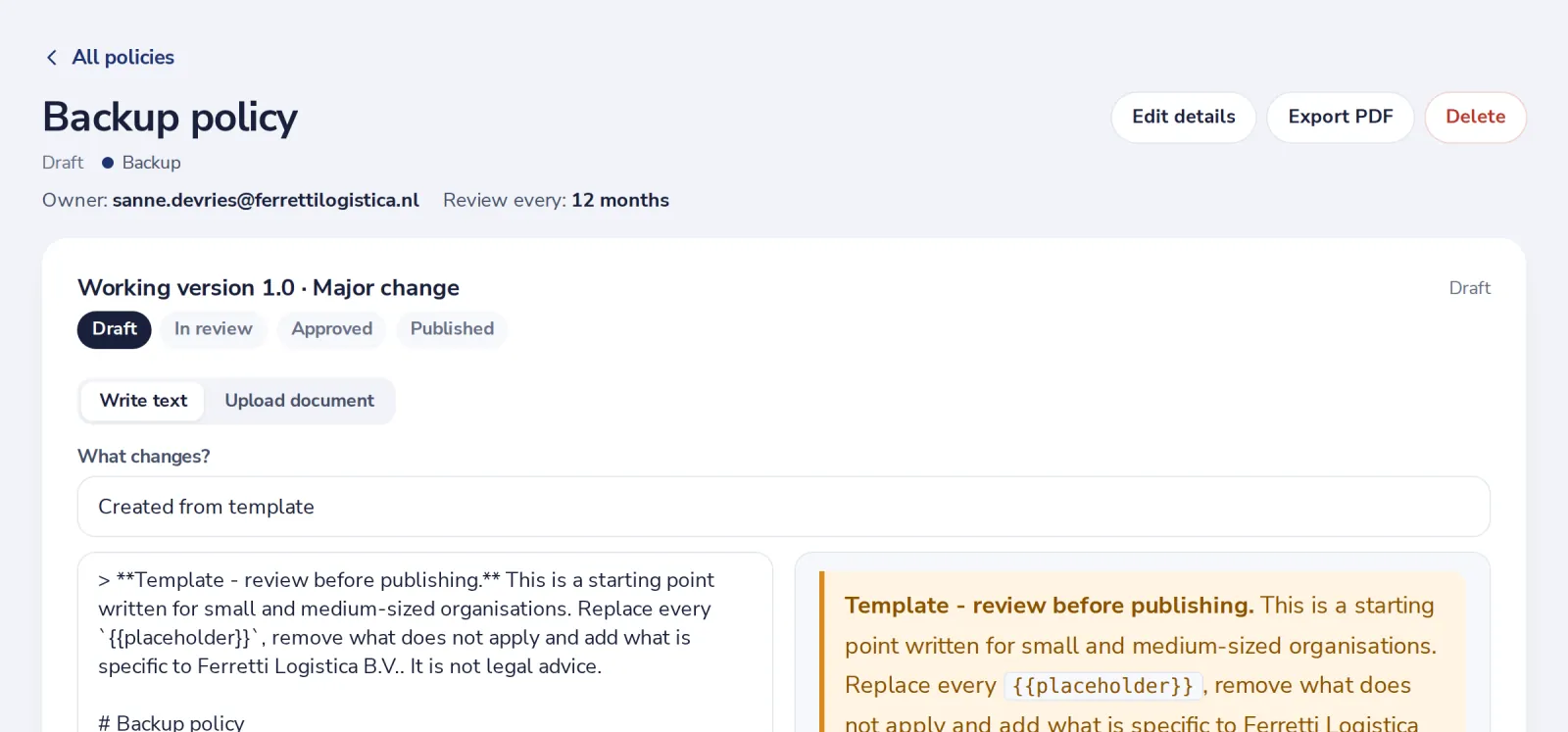
Templates are a starting point, not legal advice. Make them true for your company.
- 3
Submit for review
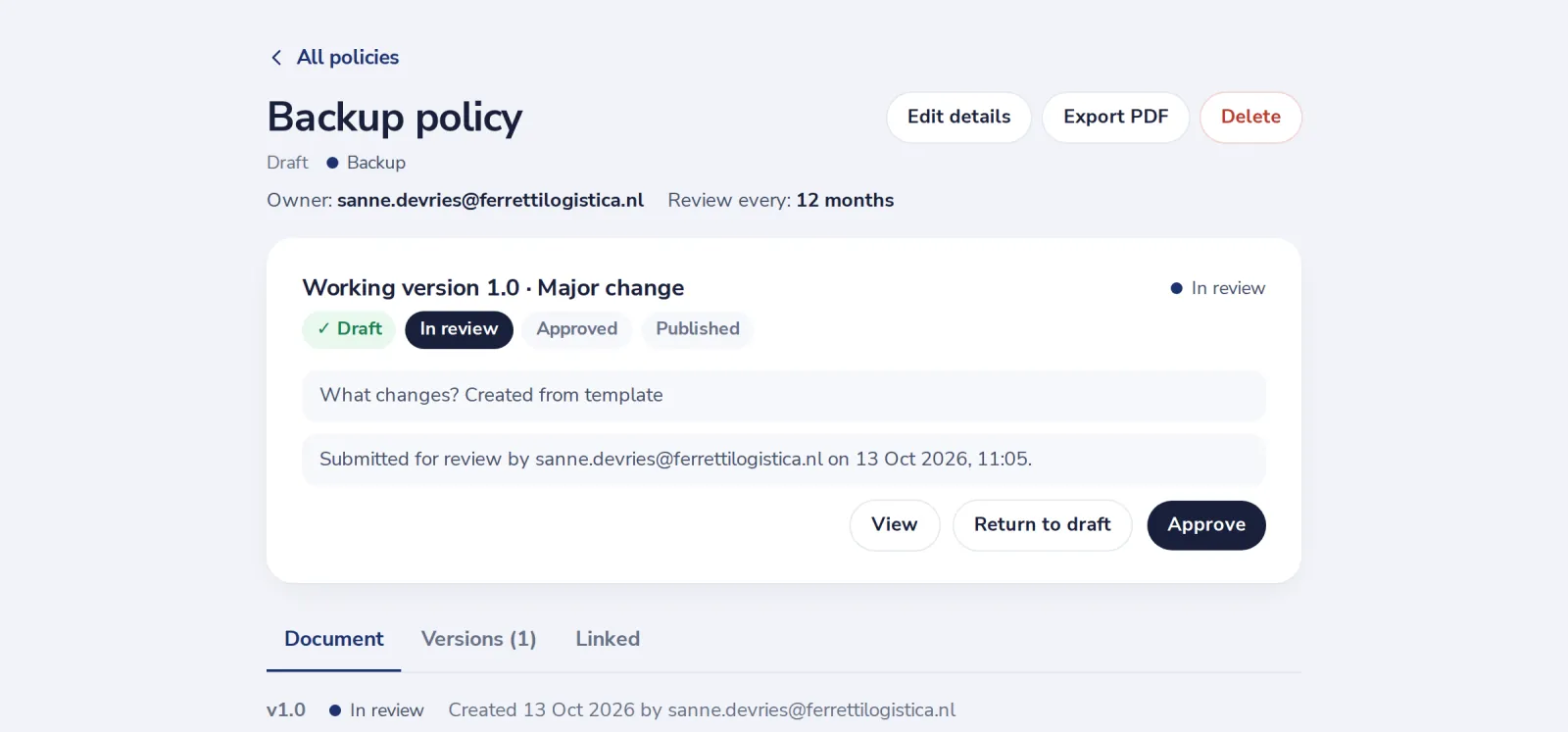
When the text is right, press Submit for review.
- 4
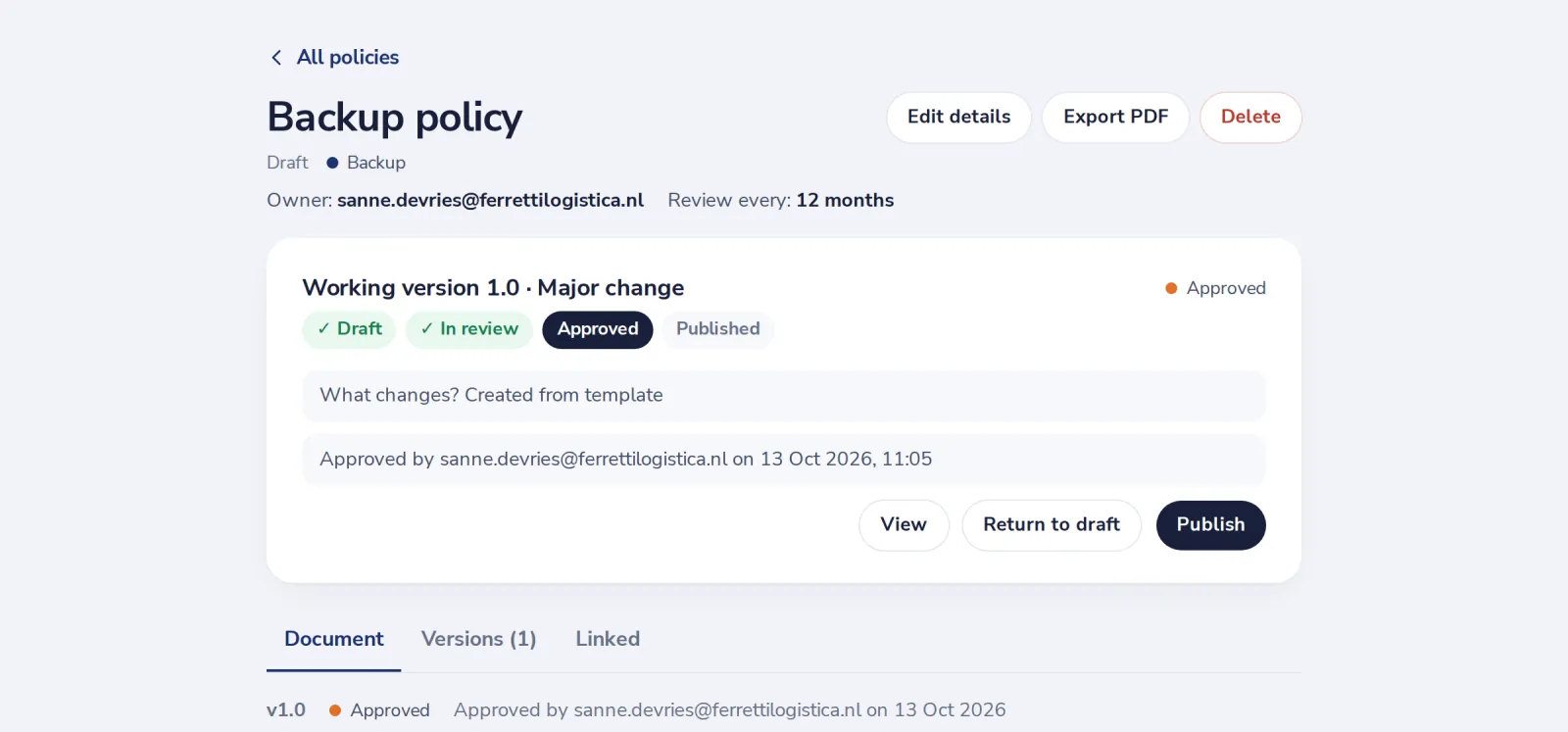
Have management approve the policy
Someone from management approves it. Their name and the date are recorded.
- 5
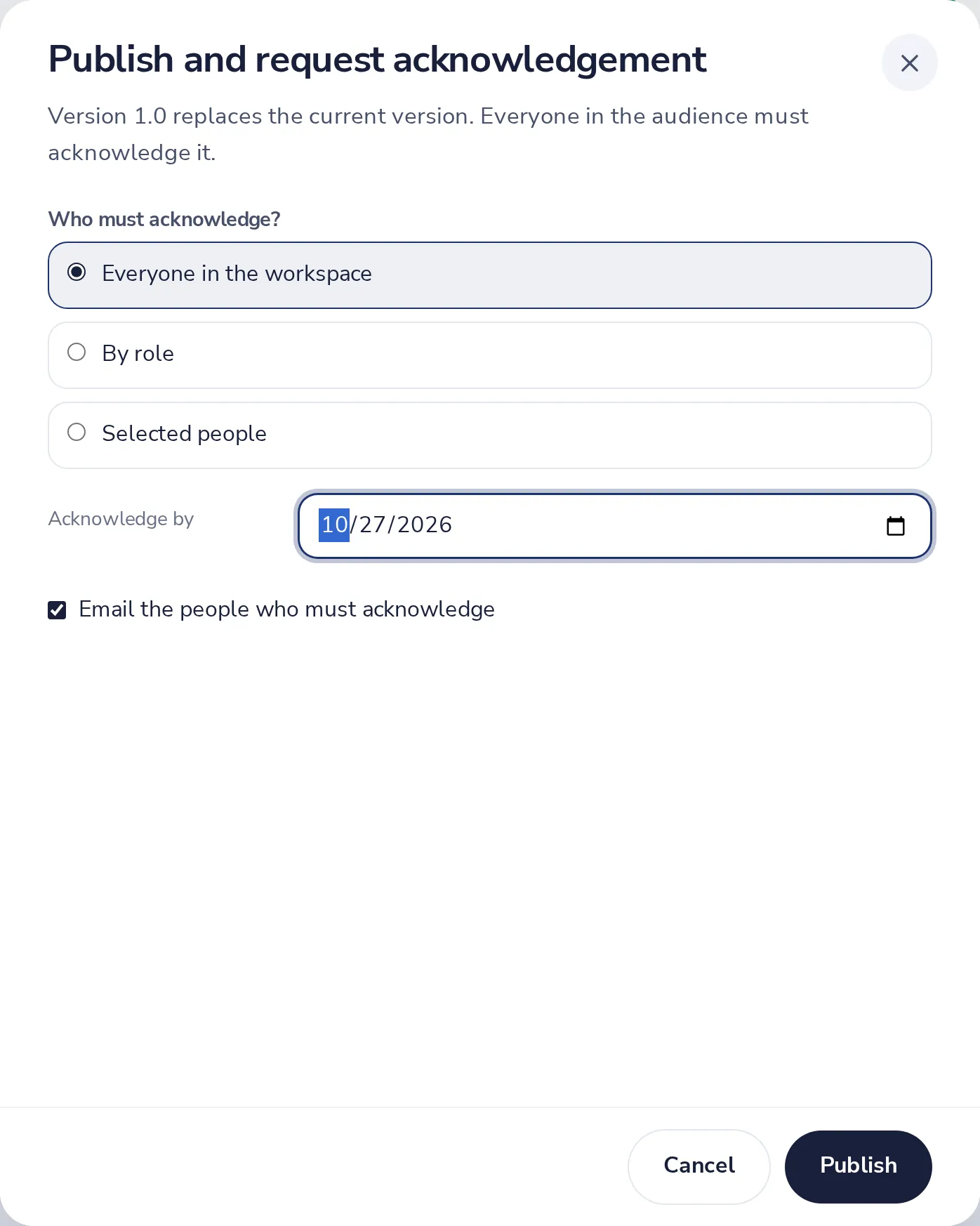
Publish the policy to your team
Choose who must read it and by when, then press Publish.
Was this helpful?
What was missing?
Thank you.
We count yes and no per article. Nothing about you is stored.