Ask your team to read a policy
When you publish a policy, the people you choose get it to read and confirm. Acknowledgements shows who has confirmed.
- 1
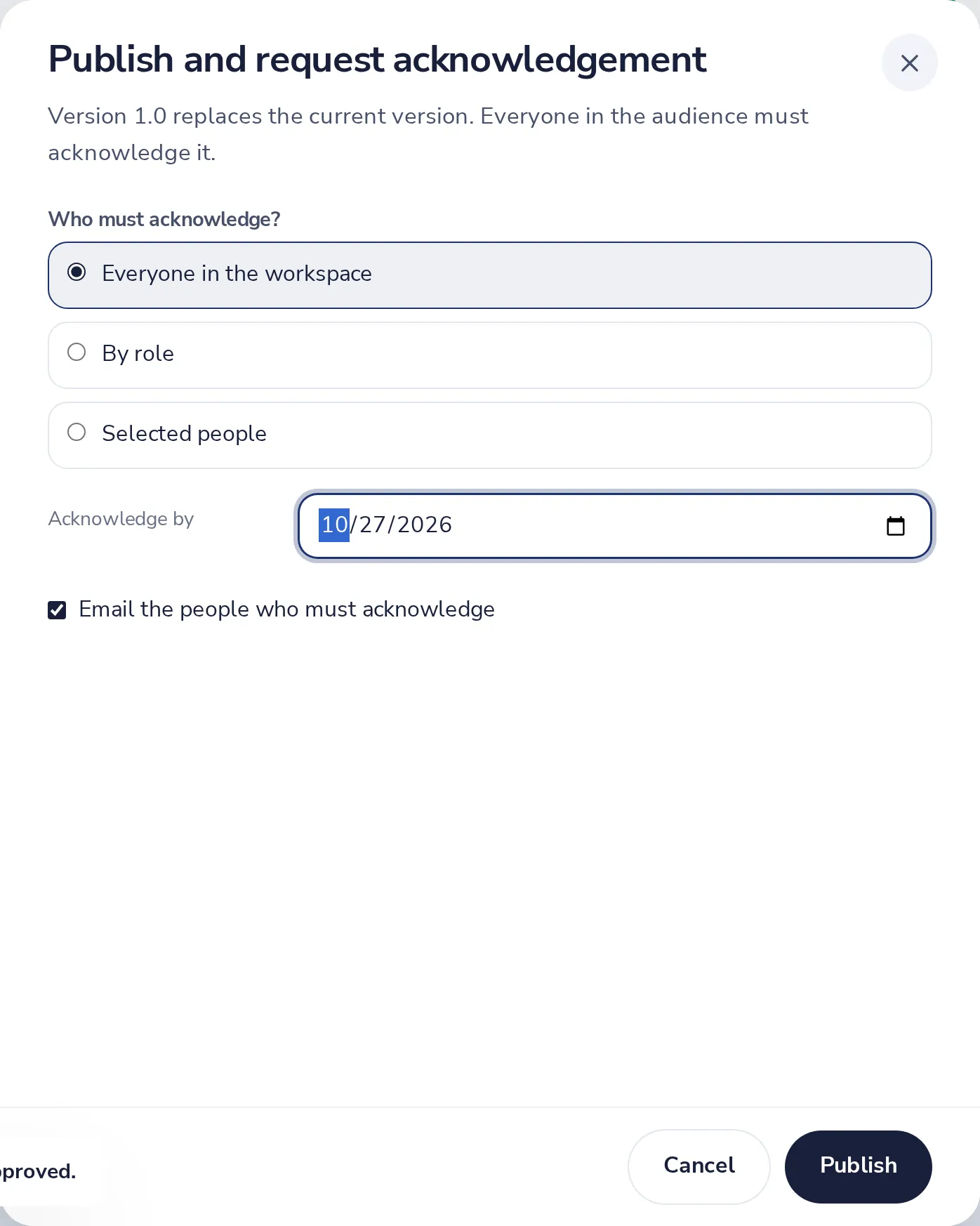
Choose who must read it
When you publish: everyone, by role, or selected people, and a due date.
- 2
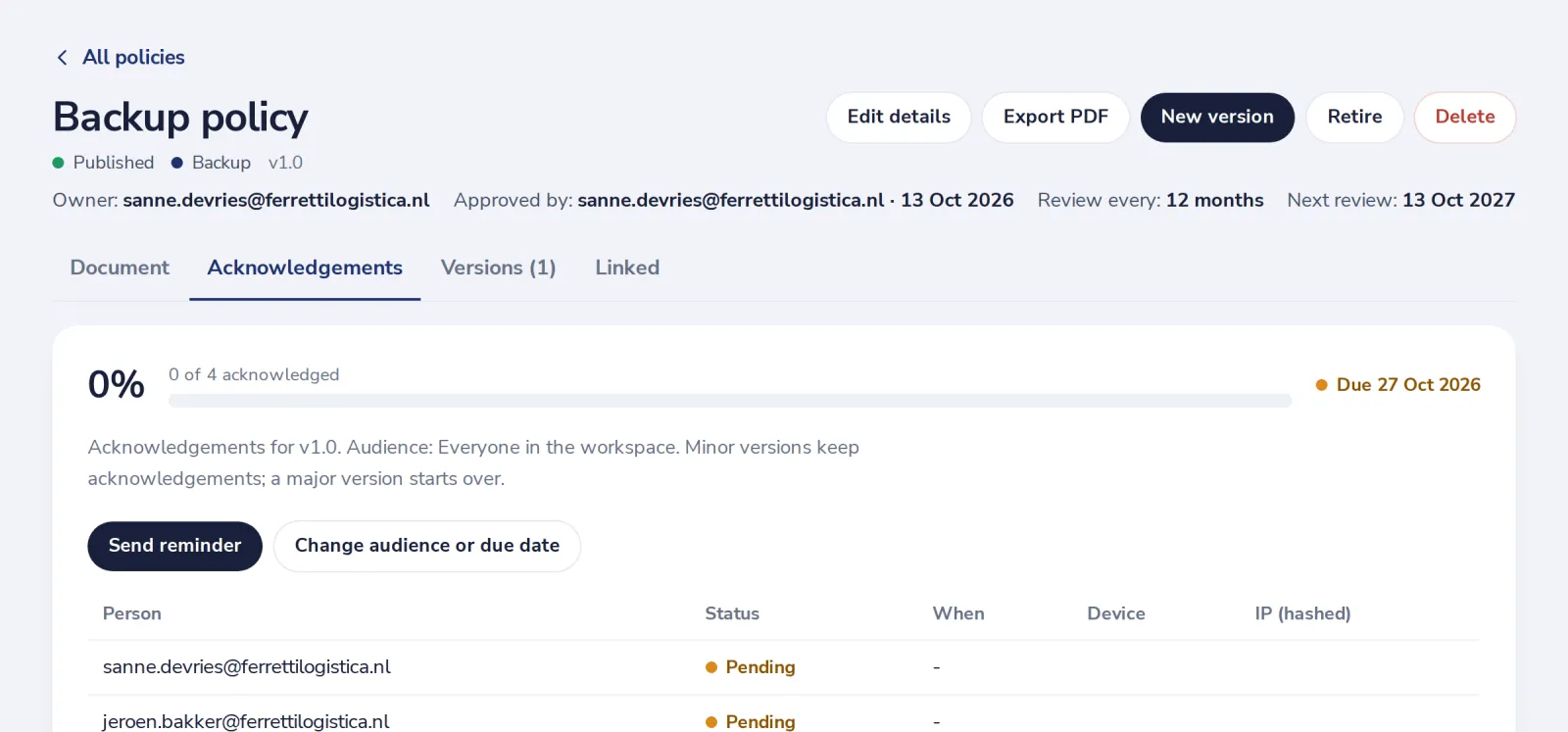
Follow the confirmations
The Acknowledgements tab shows who confirmed, and who is still pending.
People who read policies only can be added as Policy reader. They do not take a seat.
Was this helpful?
What was missing?
Thank you.
We count yes and no per article. Nothing about you is stored.