Add headings to a document
Headings make a document easy to scan. Put the cursor in a line and pick a style.
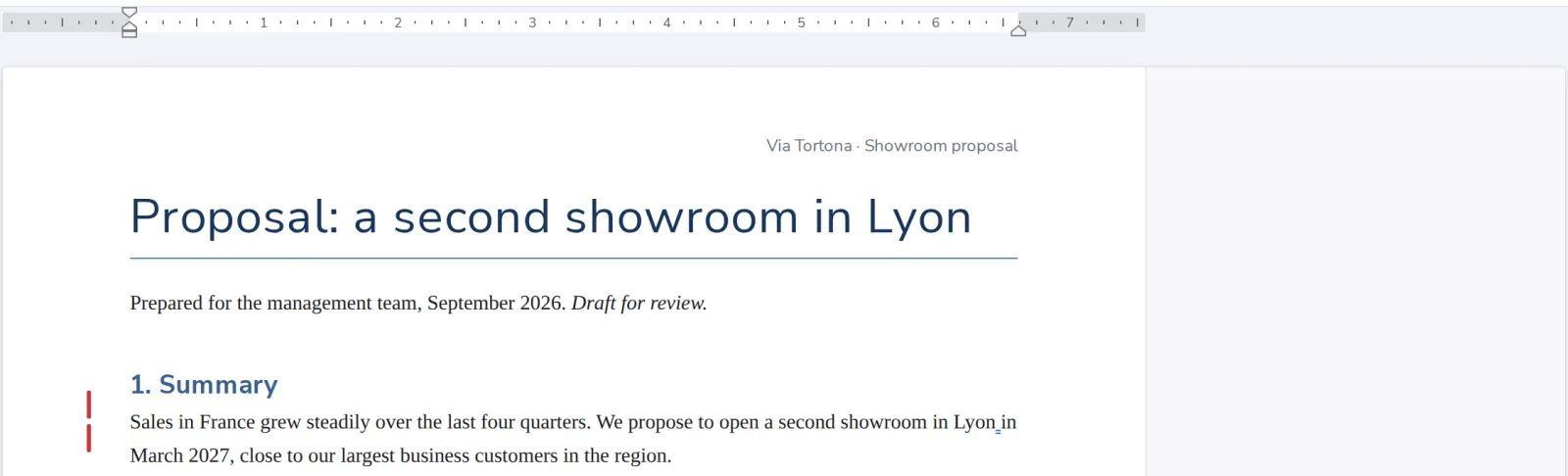
- 1
Click in the line
The line you want as a heading.
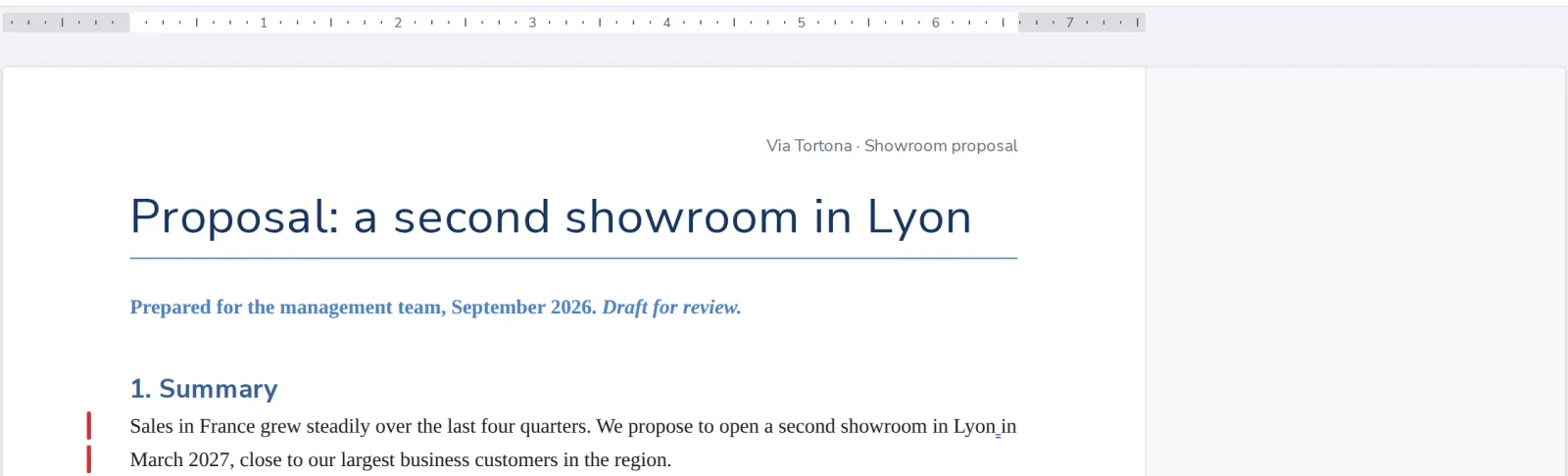
- 2
Pick Heading 1 or Heading 2
In Styles, on the Home tab.

- 3
The line is a heading
Normal turns it back into plain text.
Was this helpful?
What was missing?
Thank you.
We count yes and no per article. Nothing about you is stored.