Change the margins or page orientation
The Layout tab sets the page: margins, orientation, size and columns.
- 1
Open the Layout tab
At the top of Dazr Docs.

- 2
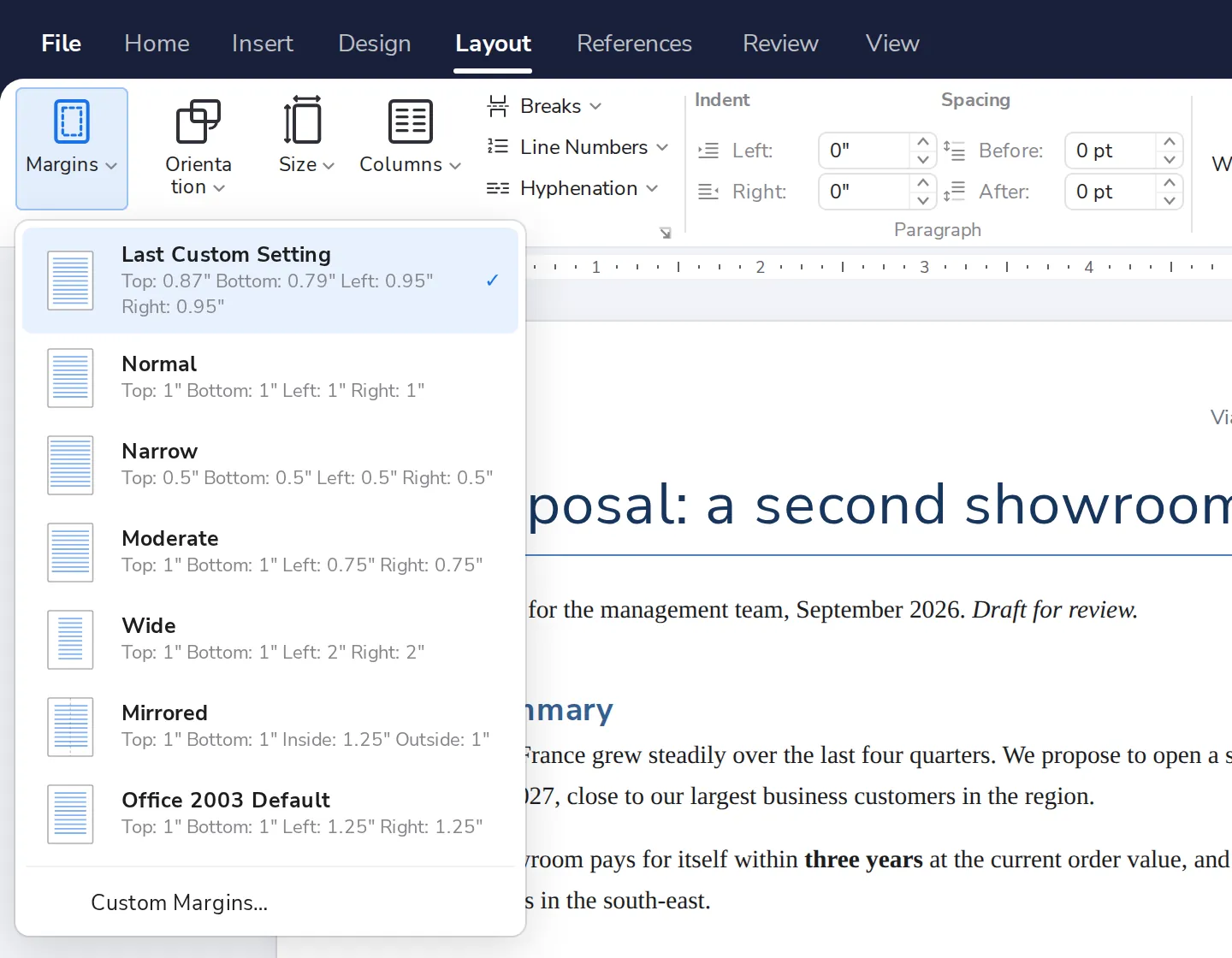
Press Margins
Pick Normal, Narrow, Wide or your own.
- 3
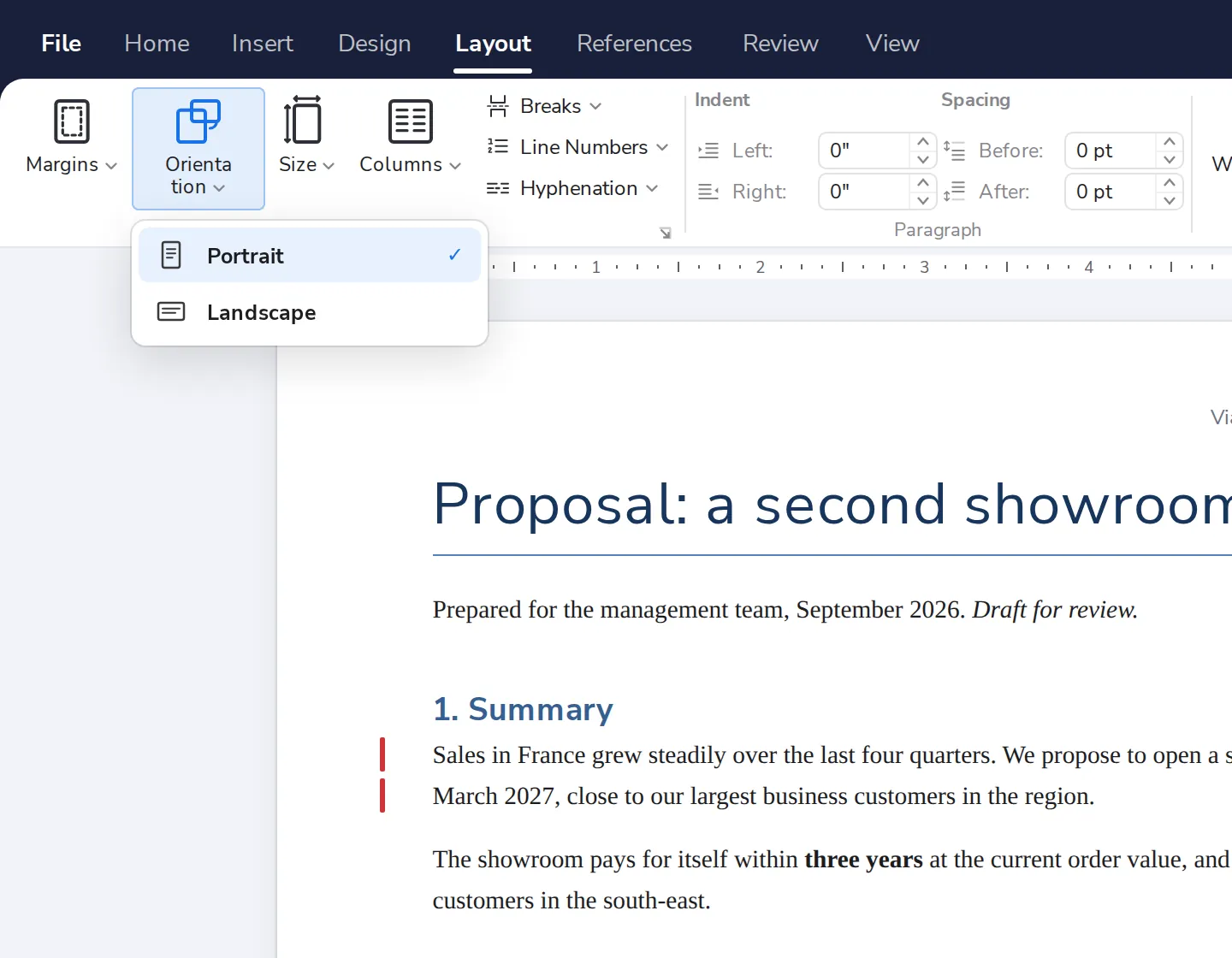
Or press Orientation
Portrait, or Landscape for a page on its side.
Was this helpful?
What was missing?
Thank you.
We count yes and no per article. Nothing about you is stored.