Start a new page
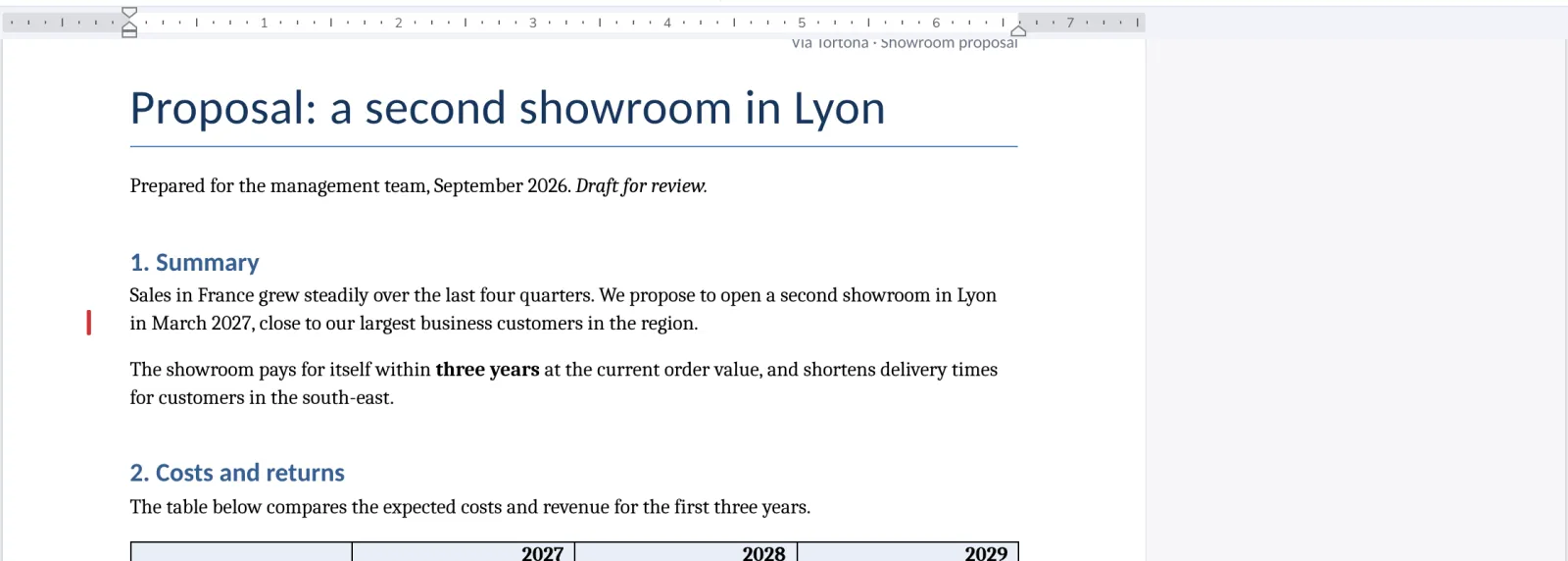
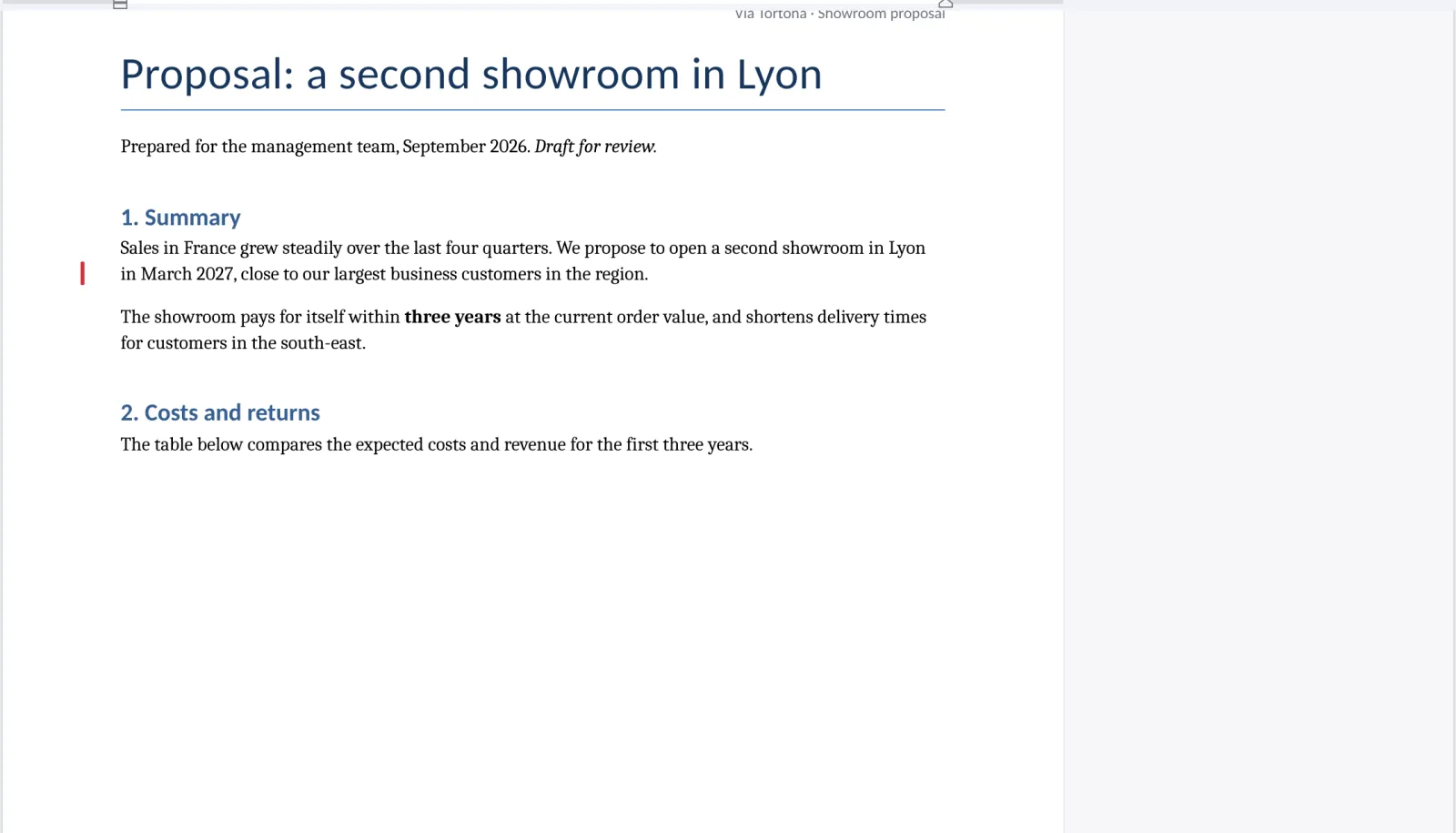
A page break keeps a chapter or a table on a page of its own, also when the text above it changes.
- 1
Click where the page should end
Everything after the cursor moves to the next page.
- 2
Press Page Break
On the Insert tab. Ctrl+Enter does the same.

- 3
The text goes on the next page
To undo it, press Backspace at the start of that page.
Was this helpful?
What was missing?
Thank you.
We count yes and no per article. Nothing about you is stored.