Comment on a file in your team's space
Files in your organisation's space can have comments. Everyone in the organisation can read them, reply and mark them resolved.
- 1
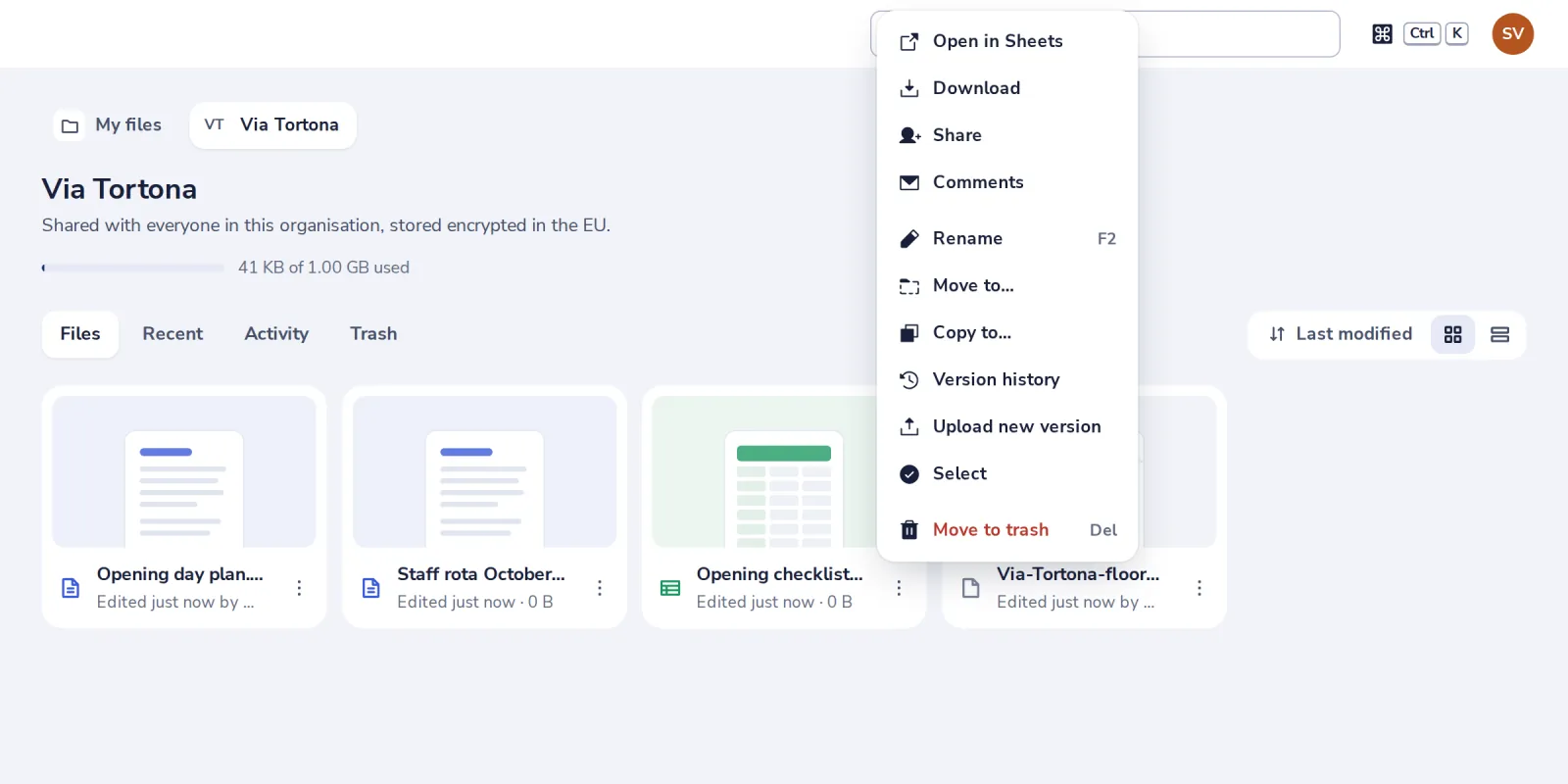
Choose Comments
In your organisation's space, press the three dots on the file, then Comments.
- 2
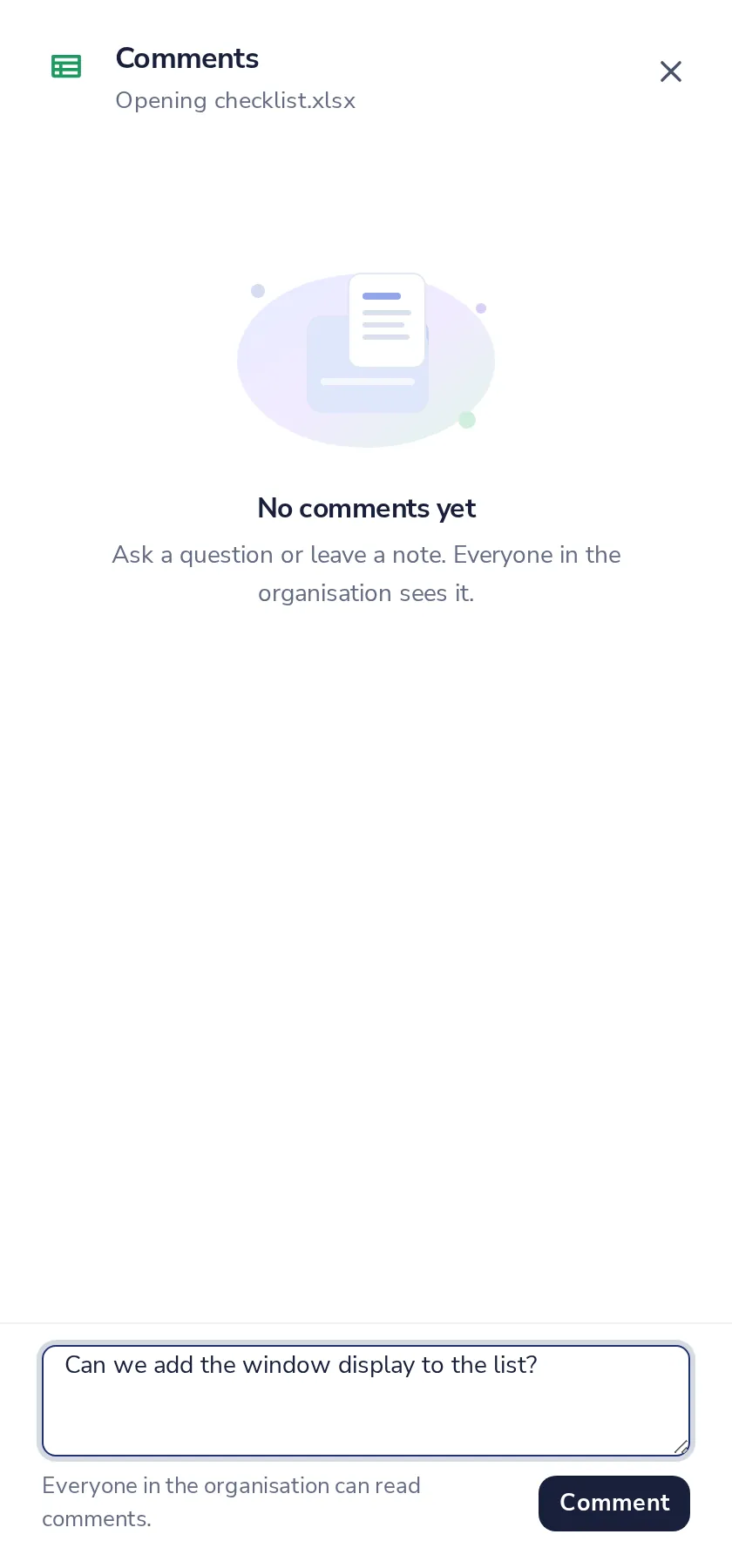
Write your comment
Then press Comment.
- 3
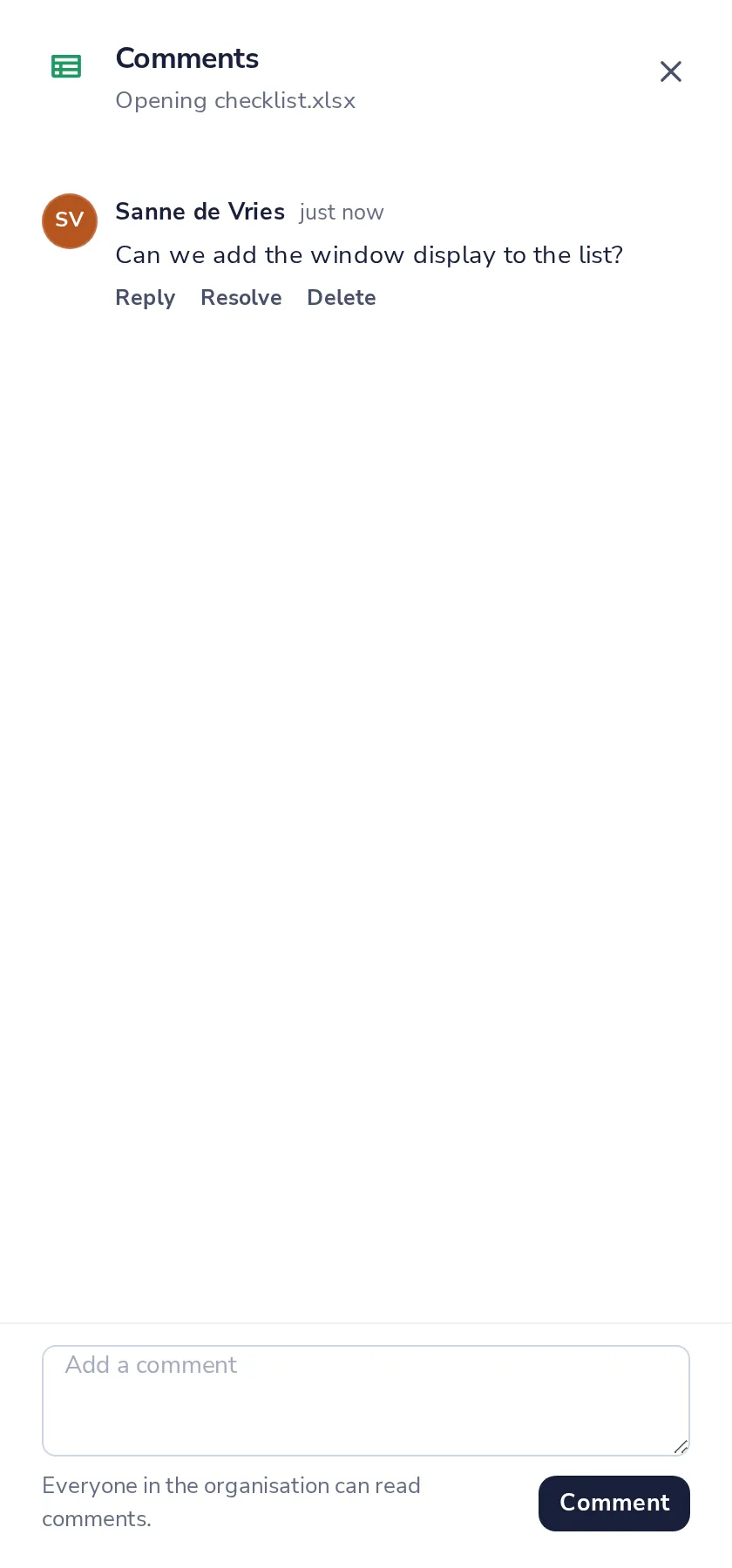
Reply or resolve
Under each comment. Resolved comments stay, marked with who resolved them.
Was this helpful?
What was missing?
Thank you.
We count yes and no per article. Nothing about you is stored.