Copy a file to your team's space
Copy to makes a copy in another folder, or in your organisation's shared space. The original stays where it is.
- 1
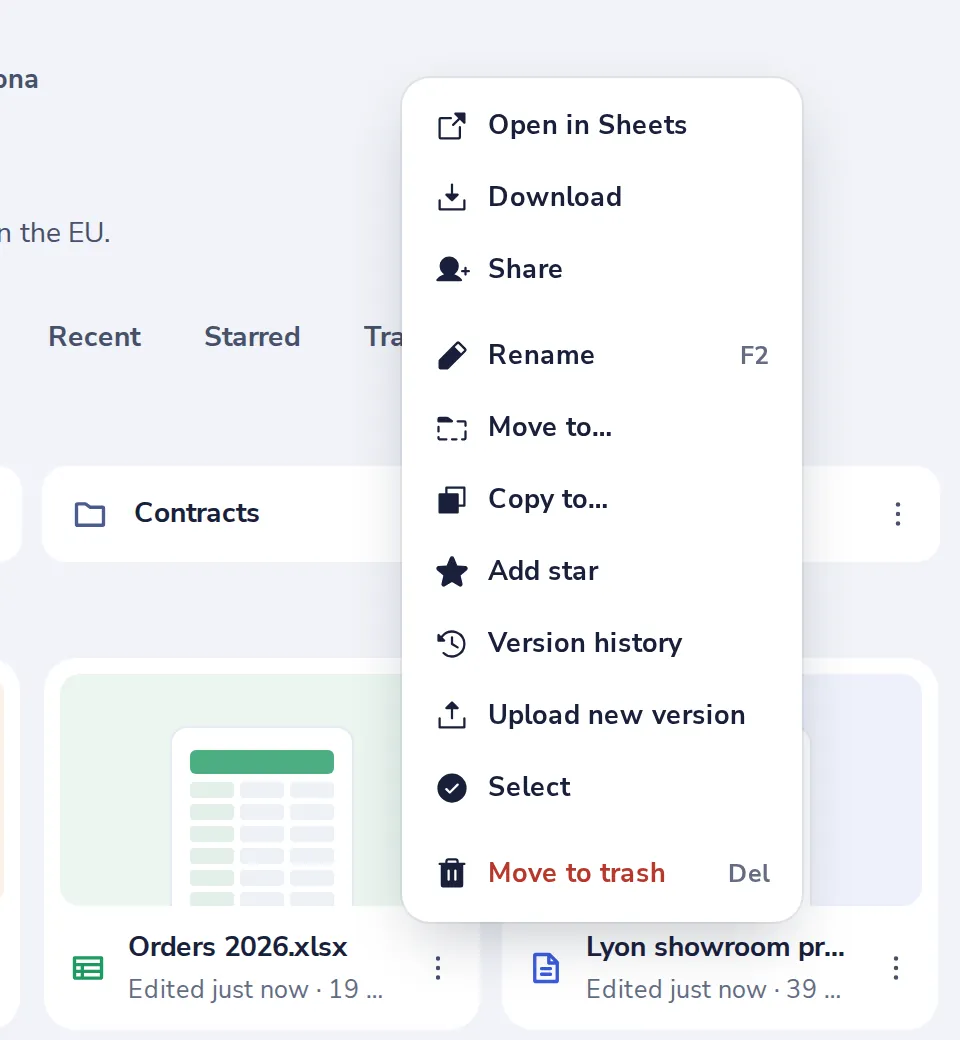
Choose Copy to
Press the three dots on the file, then Copy to.
- 2
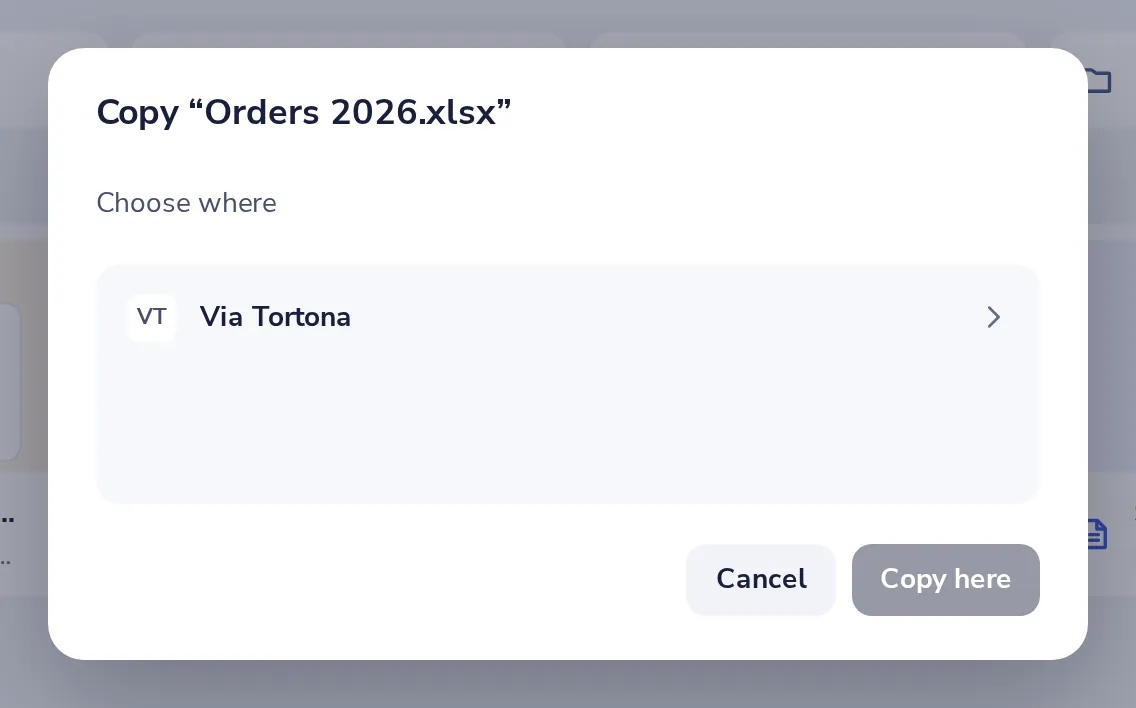
Choose where
Pick your organisation's space and a folder in it, then press Copy here.
Was this helpful?
What was missing?
Thank you.
We count yes and no per article. Nothing about you is stored.