Create your first document
New documents open in Dazr Docs, Sheets or Slides and save themselves while you type. You find them in Dazr Files.
- 1
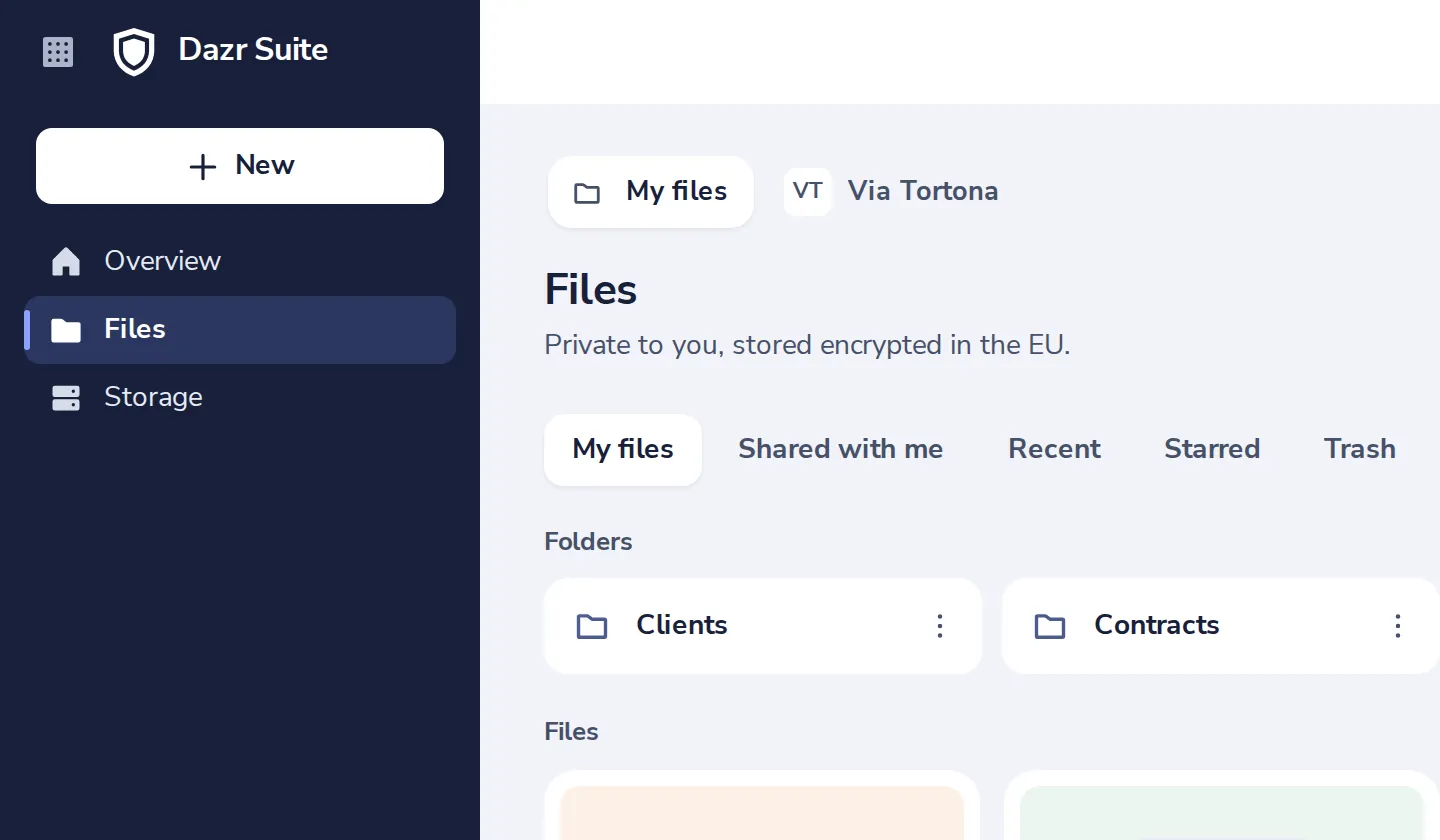
Press New
At the top left of Dazr Files.
- 2
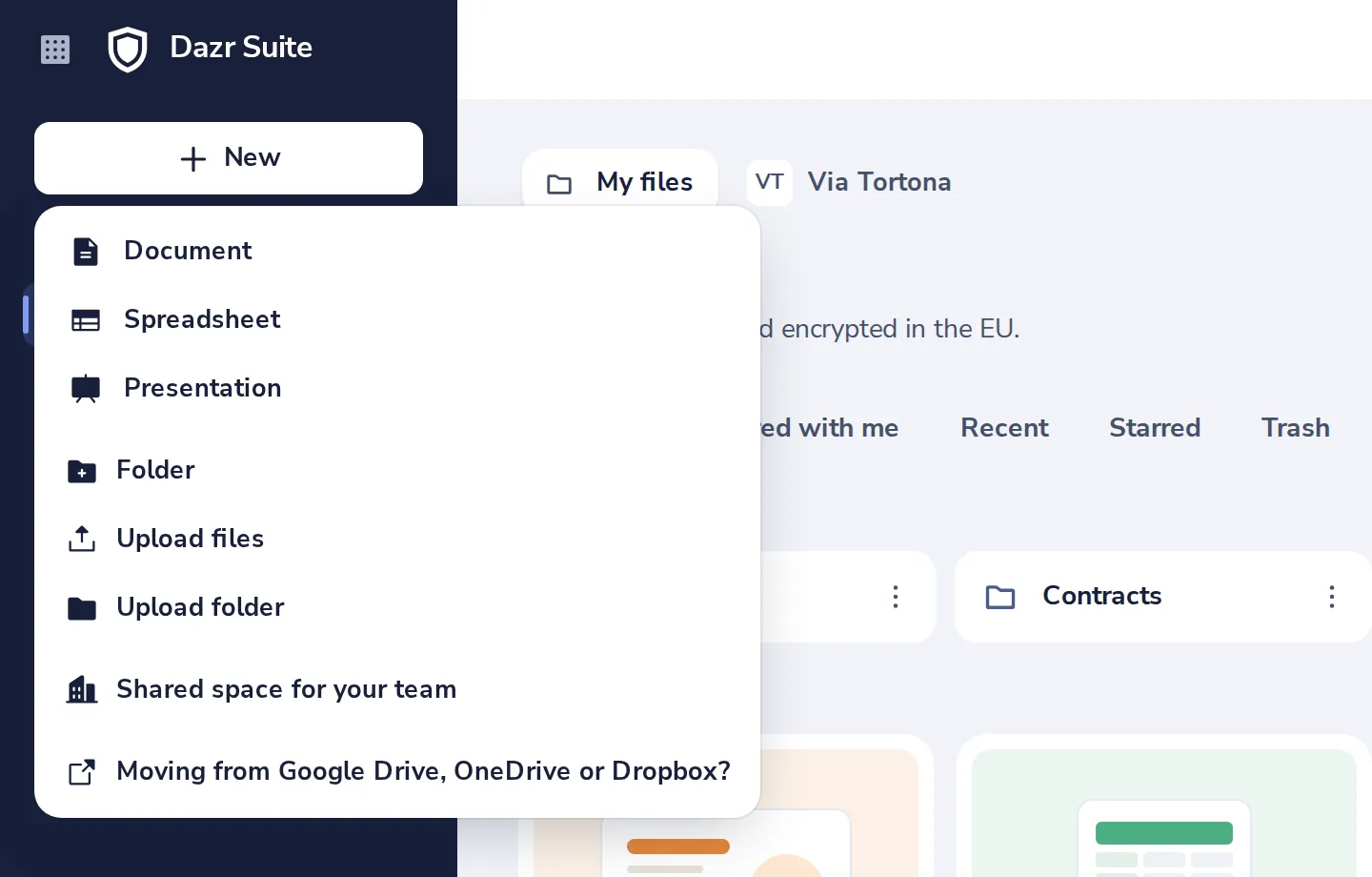
Choose Document
Or Spreadsheet, or Presentation.
- 3
Start typing your document
Dazr Docs opens. Everything you type is saved in Dazr Files right away.
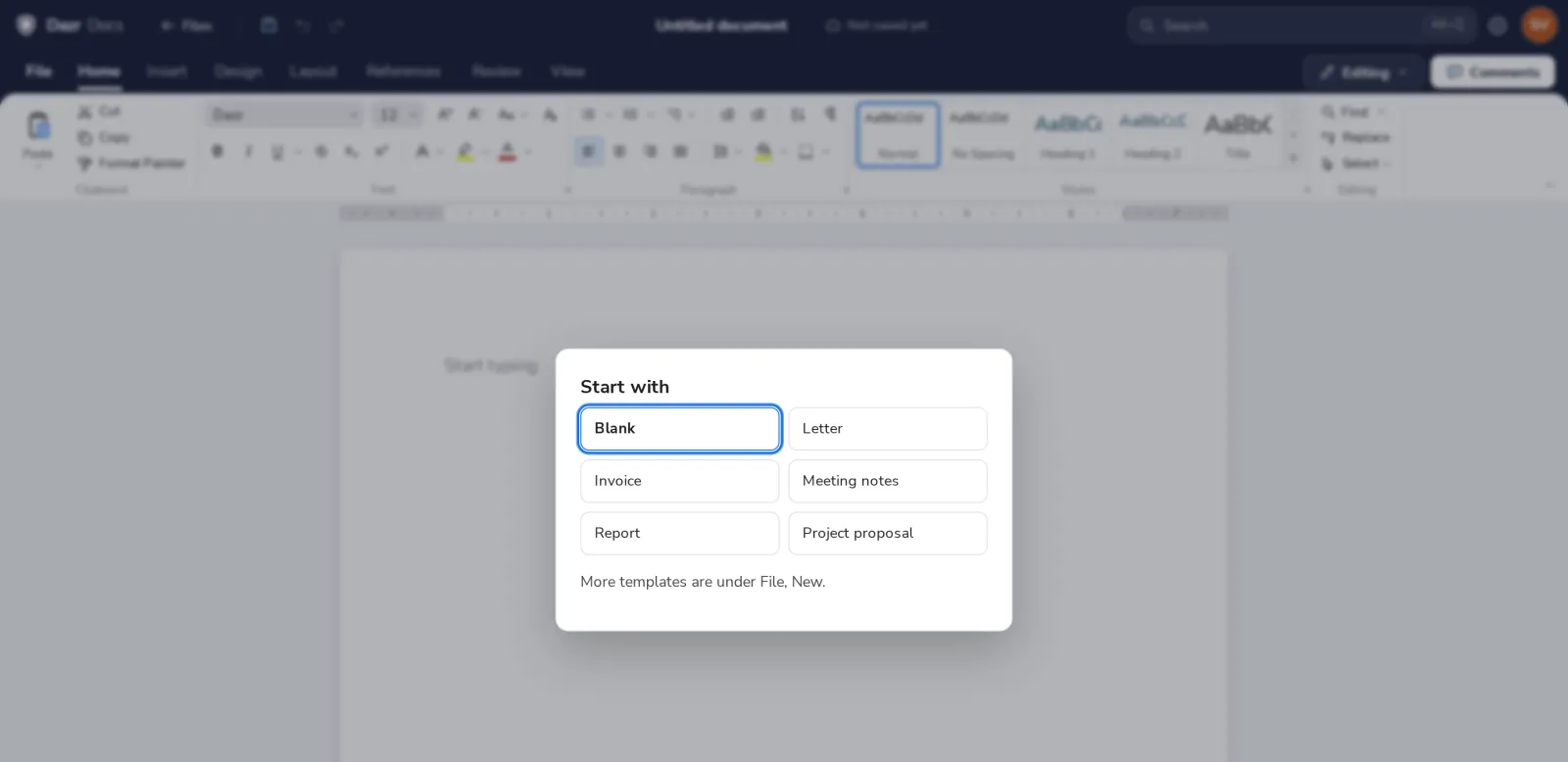
The first line becomes the file's name until you give it one.
- 4
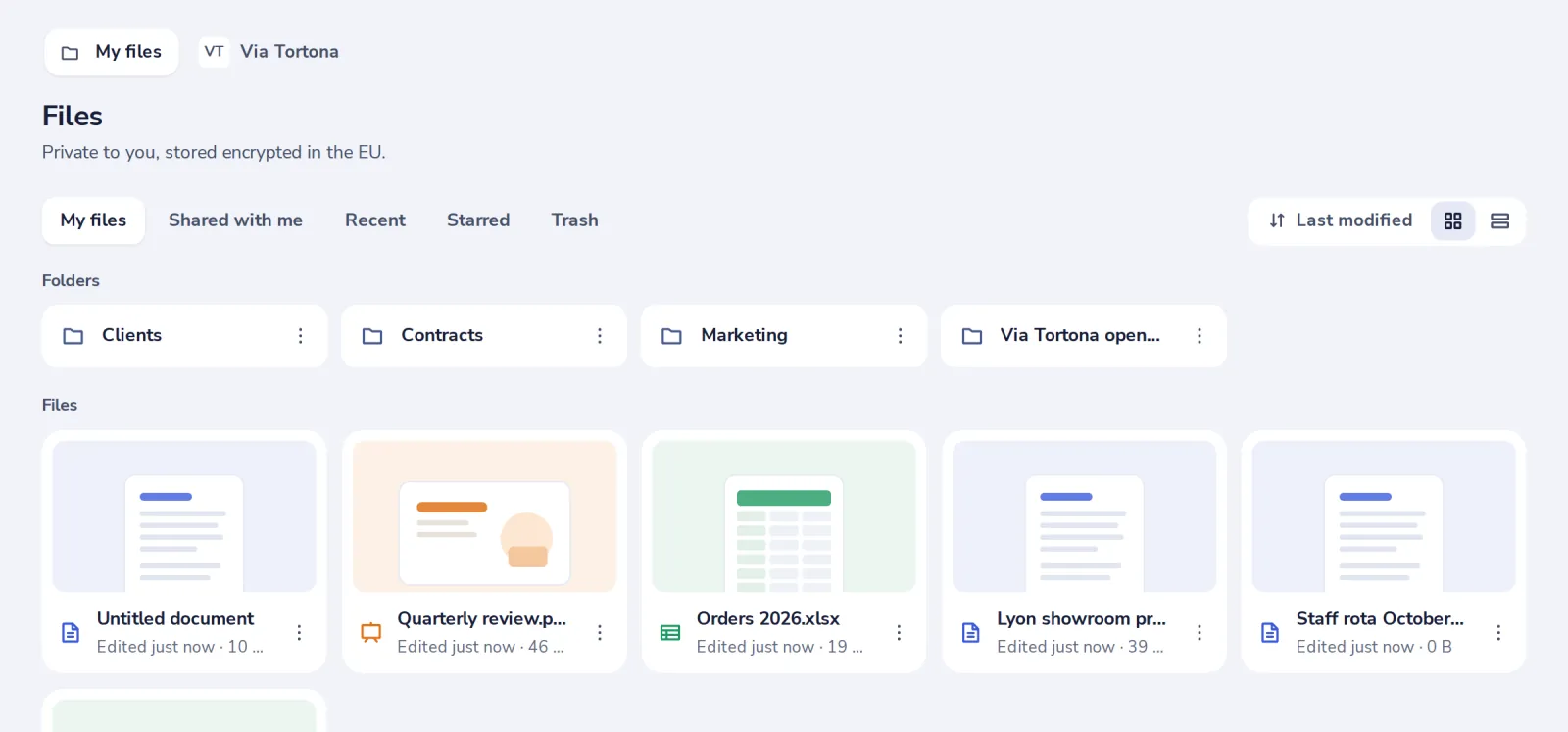
Find the new file in Dazr Files
Your new file is at the top of My files.
Was this helpful?
What was missing?
Thank you.
We count yes and no per article. Nothing about you is stored.