Share a file
Add people by email. Each one gets their own link. They can view it, or edit it with a free Dazr account.
- 1
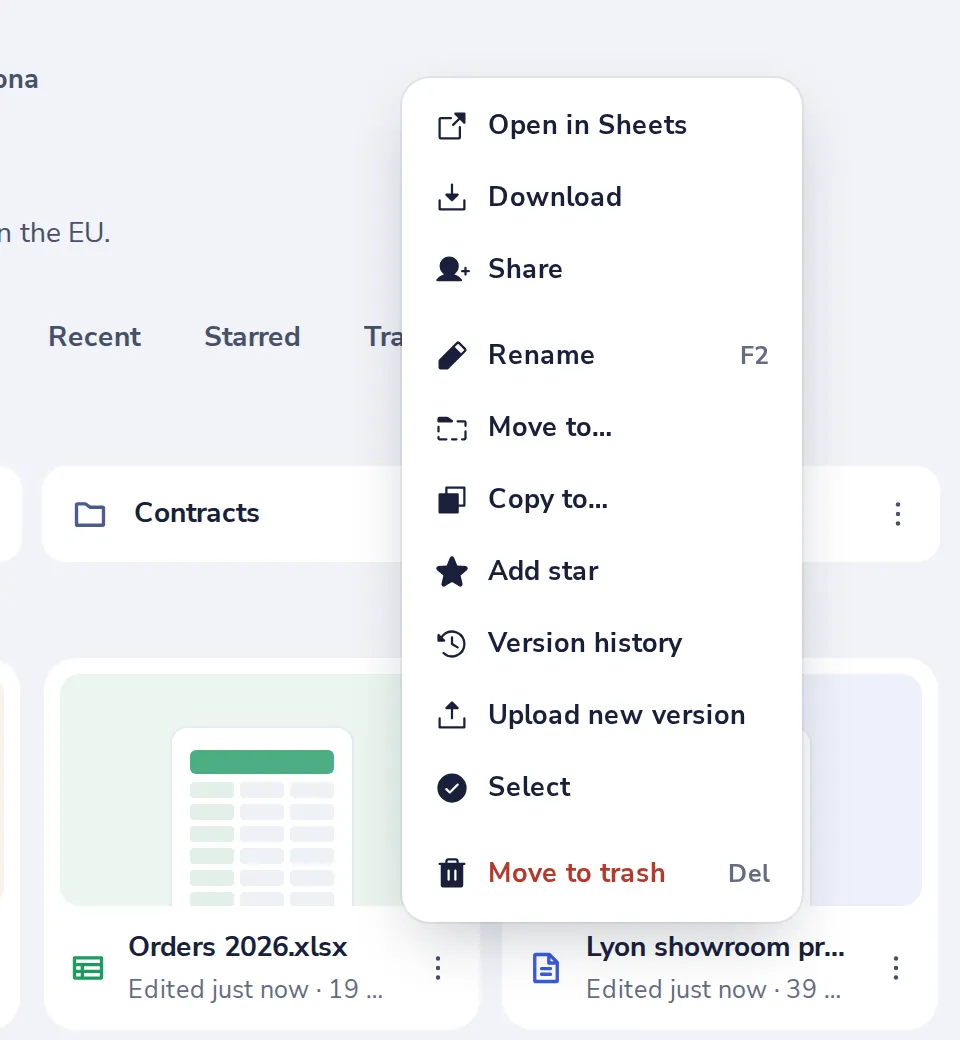
Open the file menu
Press the three dots on the file, then Share.
- 2
Add the person’s email address
Choose Can view or Can edit, and add a message if you like.
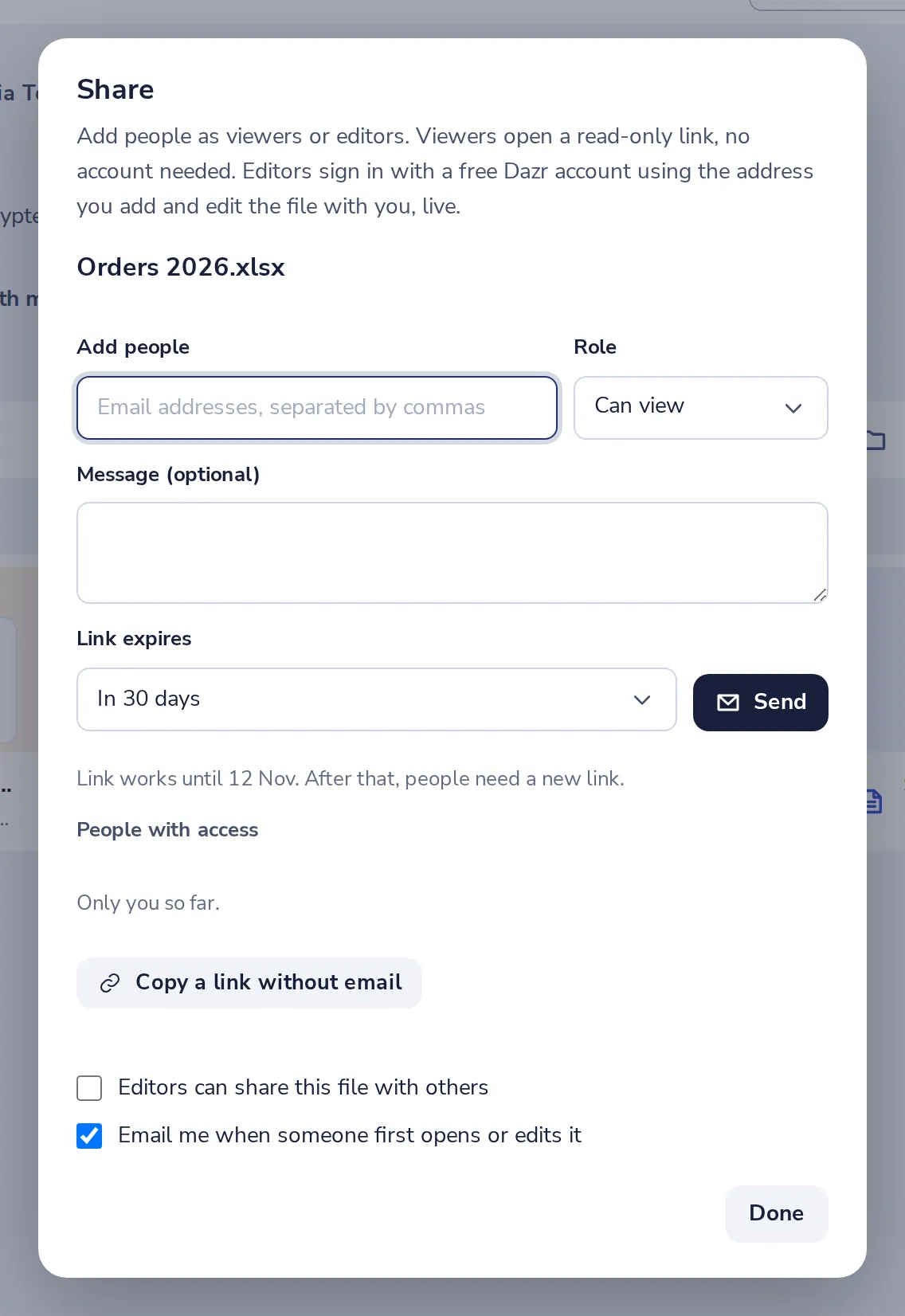
Can edit is there for documents, spreadsheets and presentations. Other files, like PDFs and pictures, are shared to view and download.
- 3
Press Send
We email each person their own link.
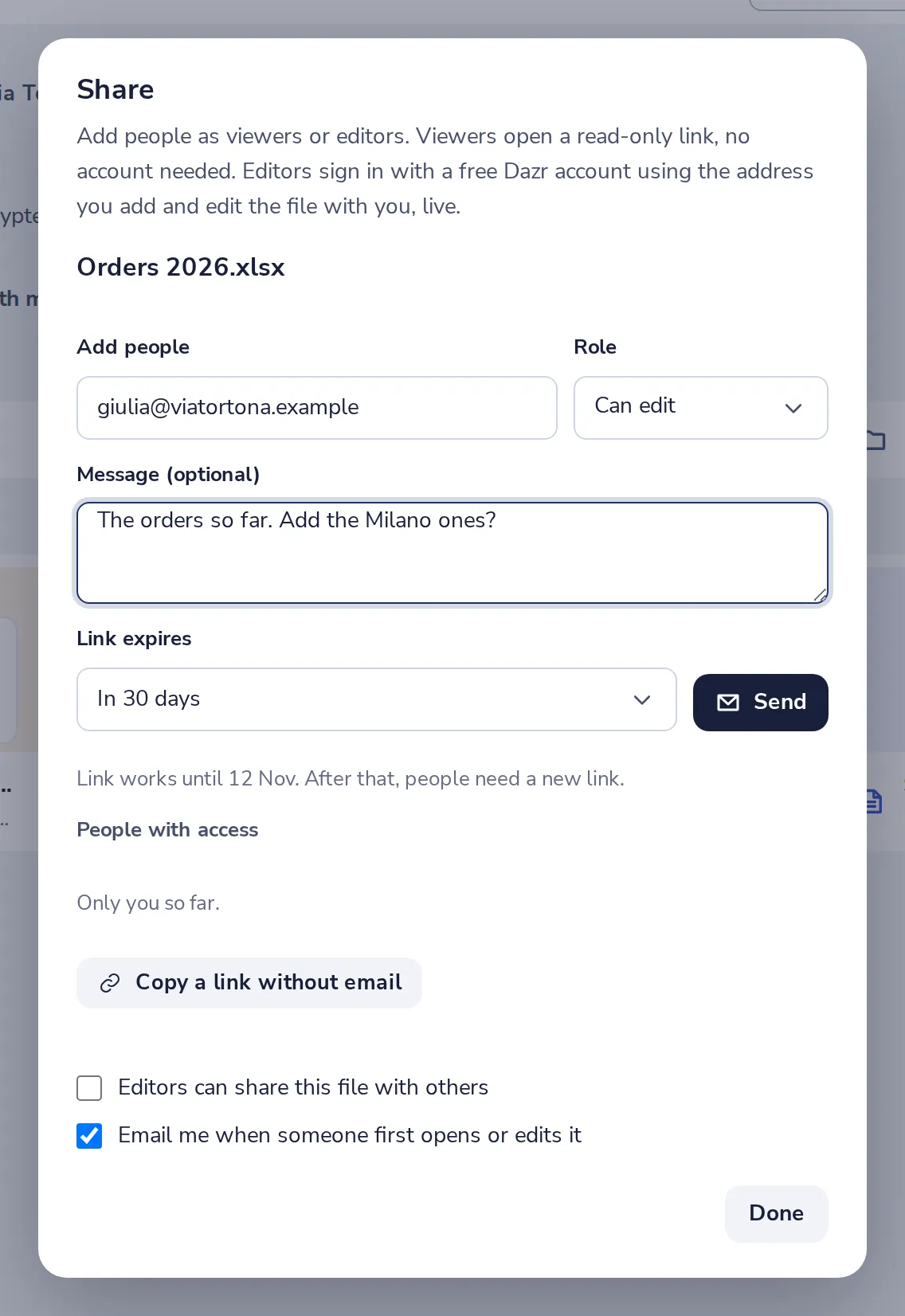
The link stops working after the time under Link expires. Send a new one when they need it again.
- 4
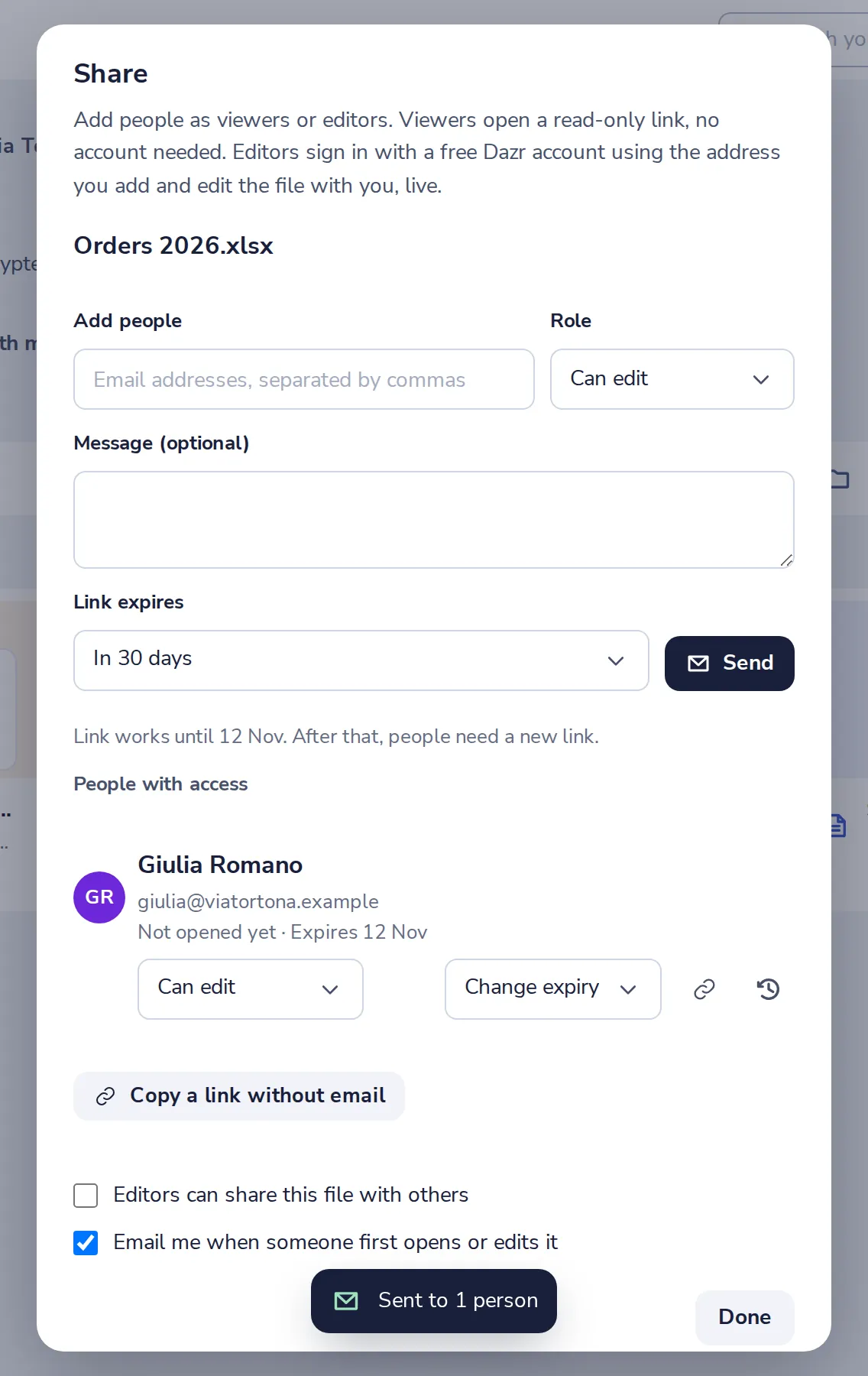
See who has access
People with access lists everyone, and whether they opened it yet.
A whole folder? Press the three dots on the folder, then Share.
Was this helpful?
What was missing?
Thank you.
We count yes and no per article. Nothing about you is stored.