Share a folder
Share a whole folder with a client or a supplier. They open it in their browser, no account needed, and view and download what is in it, one file or all at once, also files you add later.
- 1
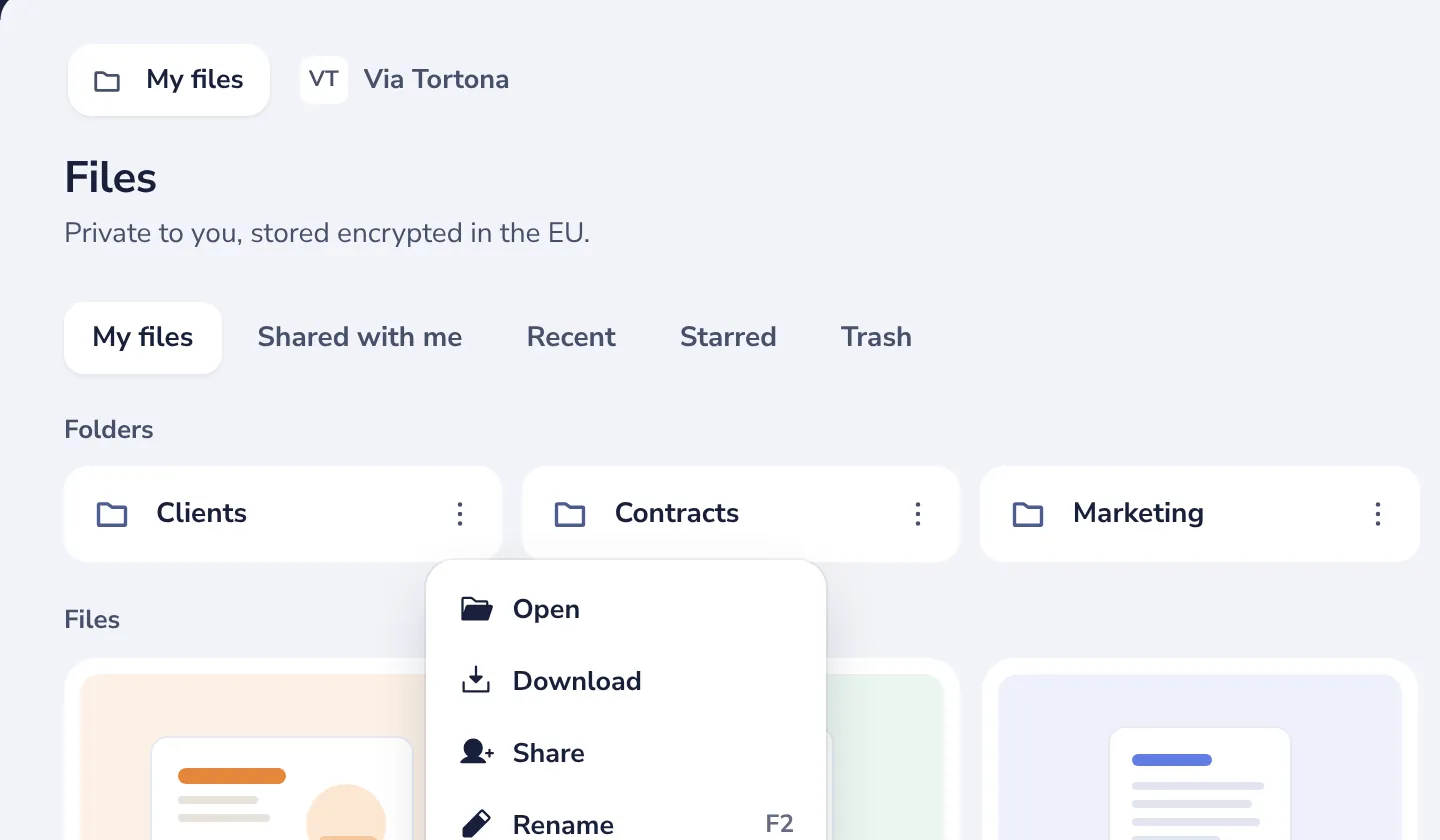
Open the folder menu
Press the three dots on the folder, then Share.
- 2
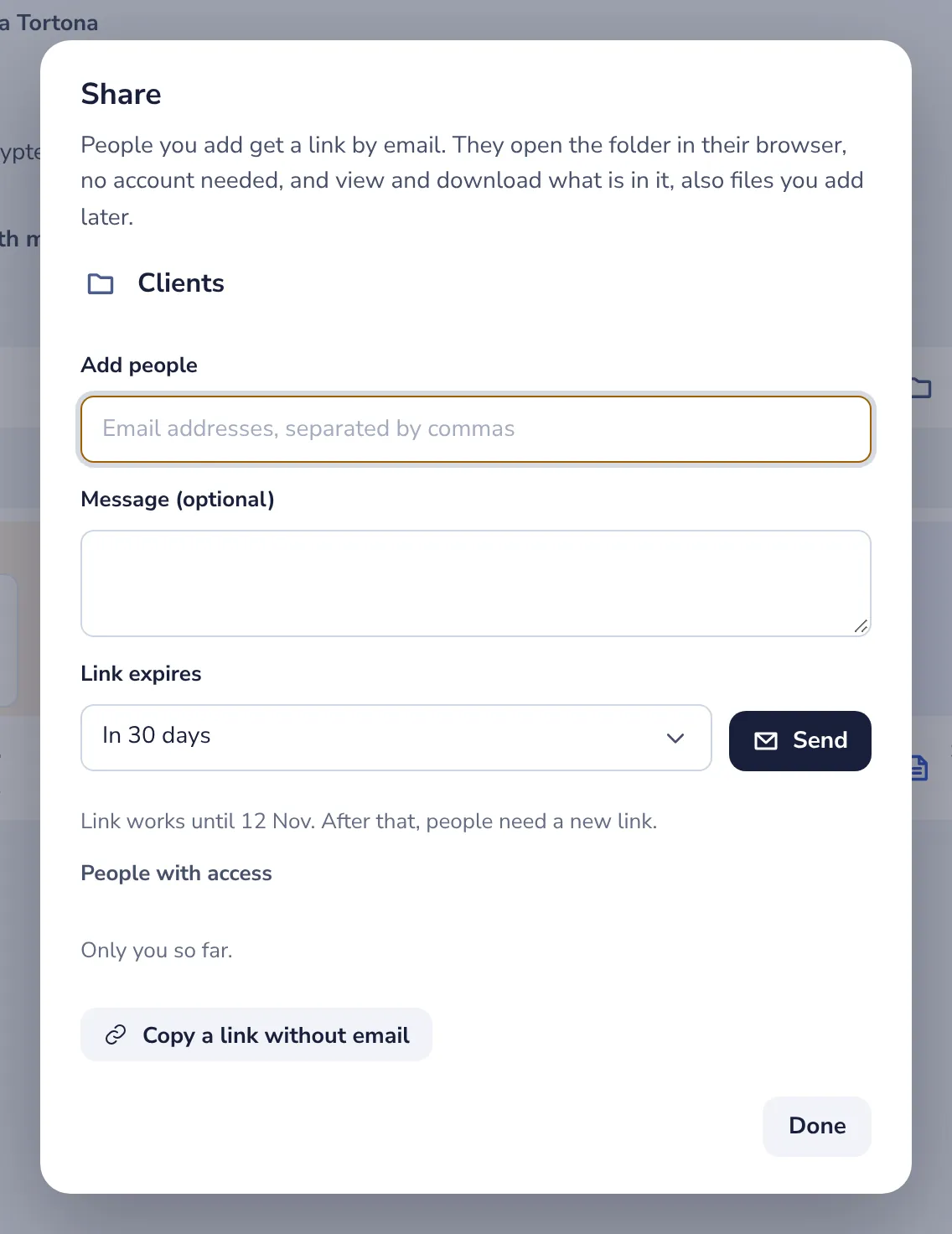
Add the person’s email address
Add a message if you like, and choose how long the link works.
- 3
Press Send
Each person gets their own link by email. They see this folder and what is in it, nothing else.
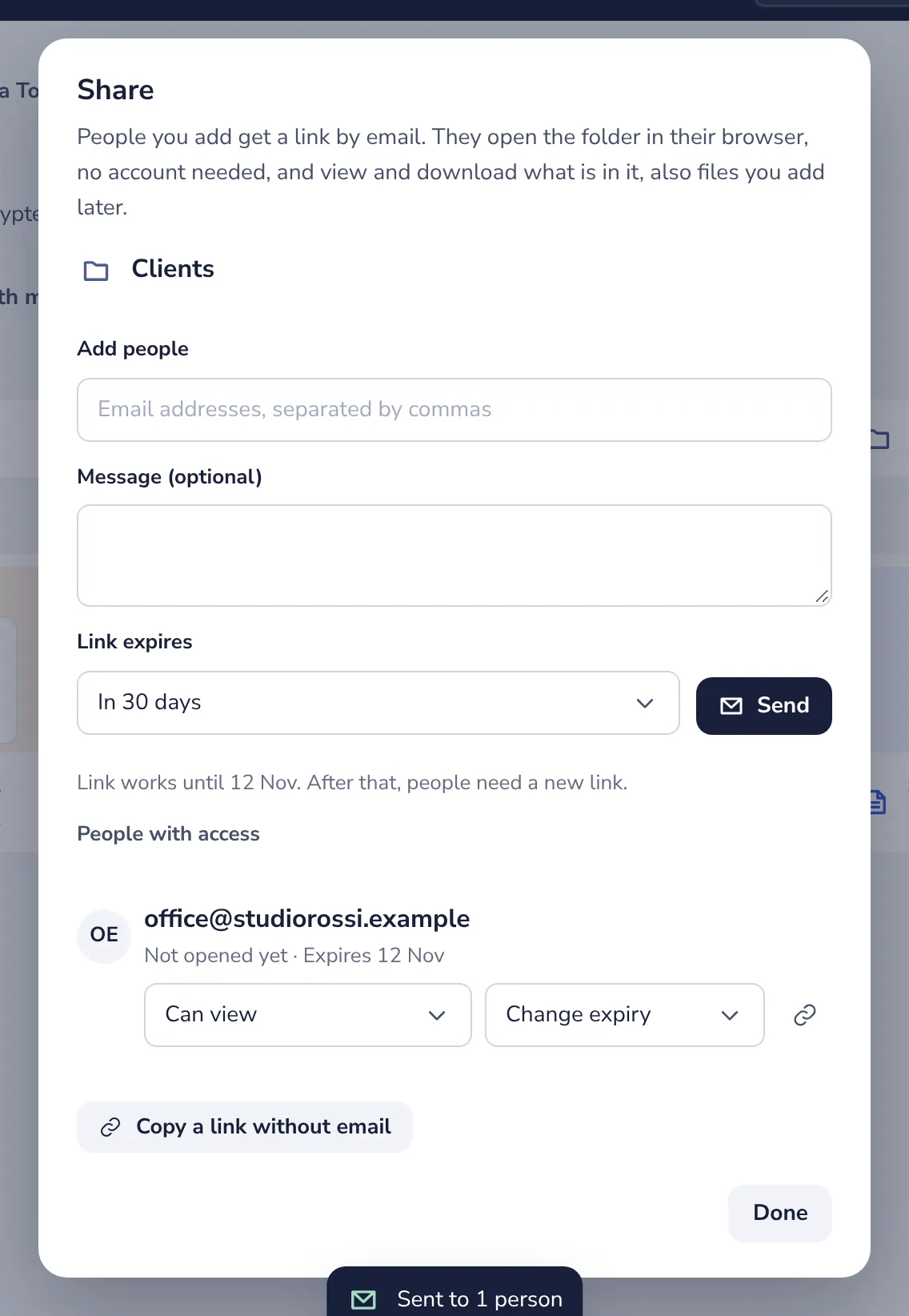
Files you add to the folder later are shared too, and files you move out of it are not. Remove access in the same place to end it at once.
Was this helpful?
What was missing?
Thank you.
We count yes and no per article. Nothing about you is stored.