Delete a file, or get it back
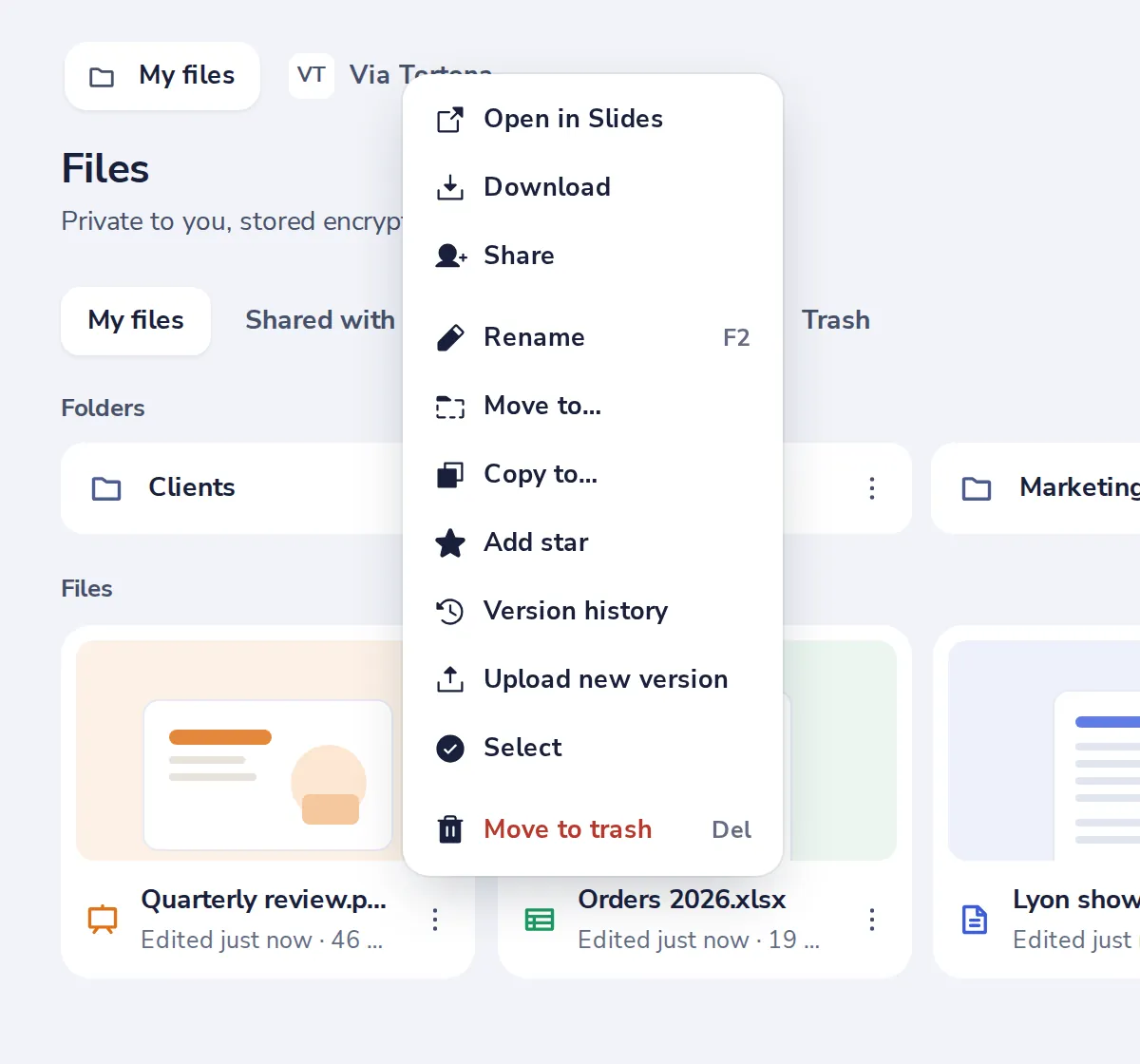
Move to trash takes a file away, but not for good. Restore it from Trash, or Undo right after.
- 1
Choose Move to trash
Press the three dots on the file. Or select it and press Delete.
- 2
Changed your mind?
Press Undo in the message at the bottom.

- 3
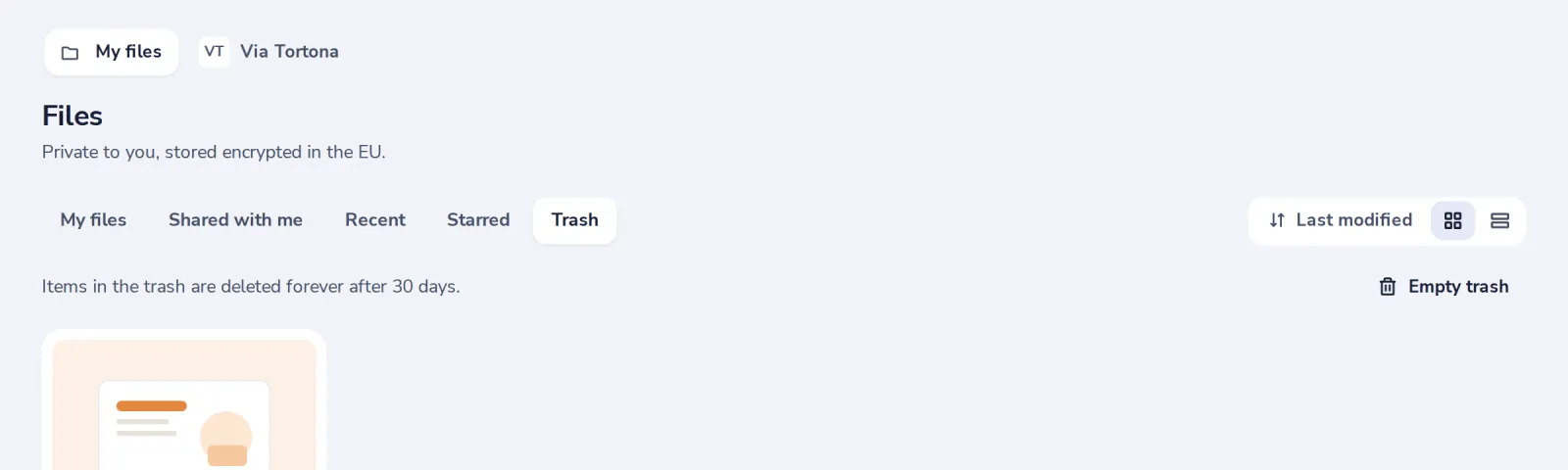
Open Trash later
Files in the trash are deleted forever after 30 days.
- 4
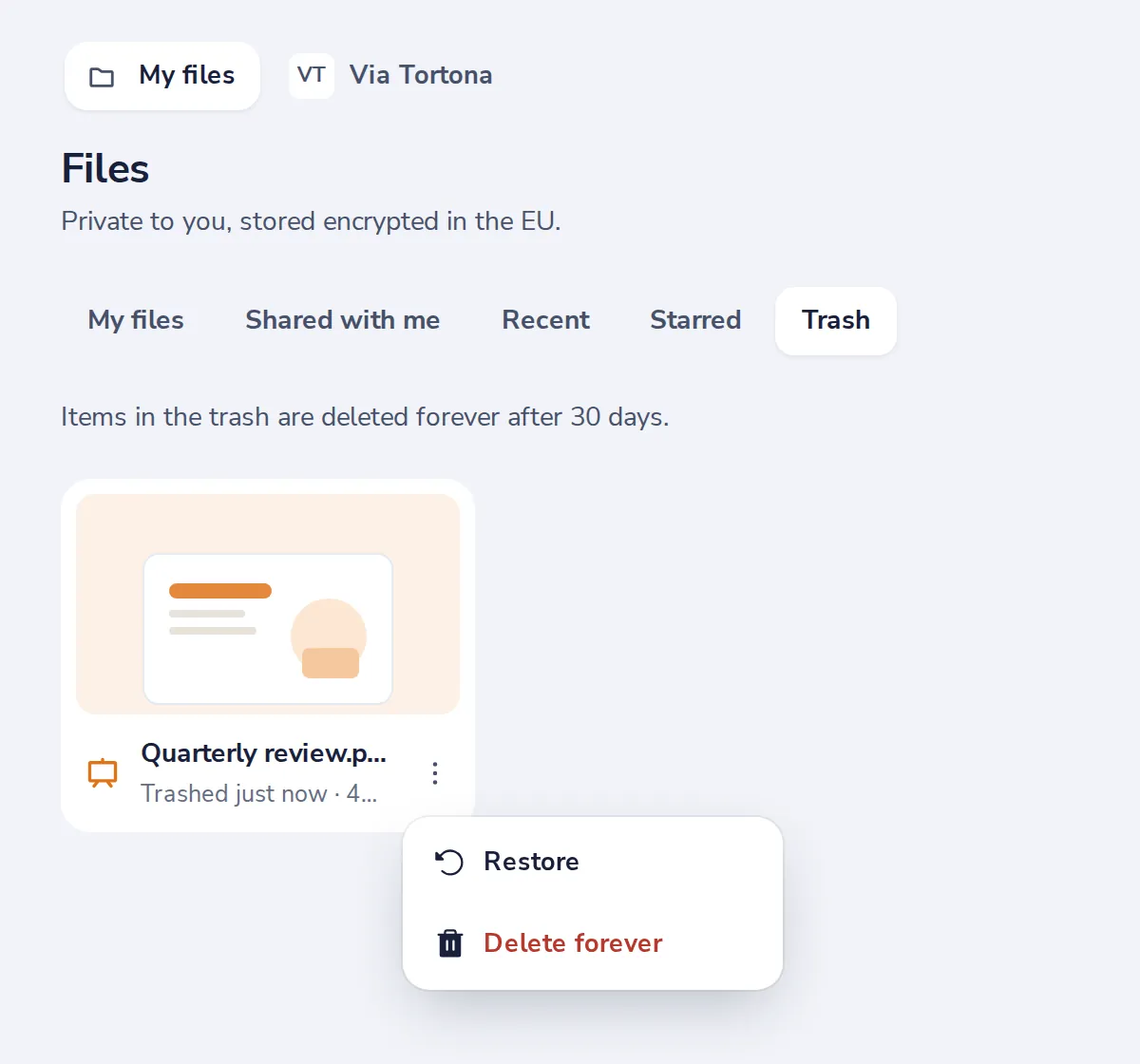
Press Restore
In the file's menu. It goes back to its folder.
Was this helpful?
What was missing?
Thank you.
We count yes and no per article. Nothing about you is stored.