Work with several files at once
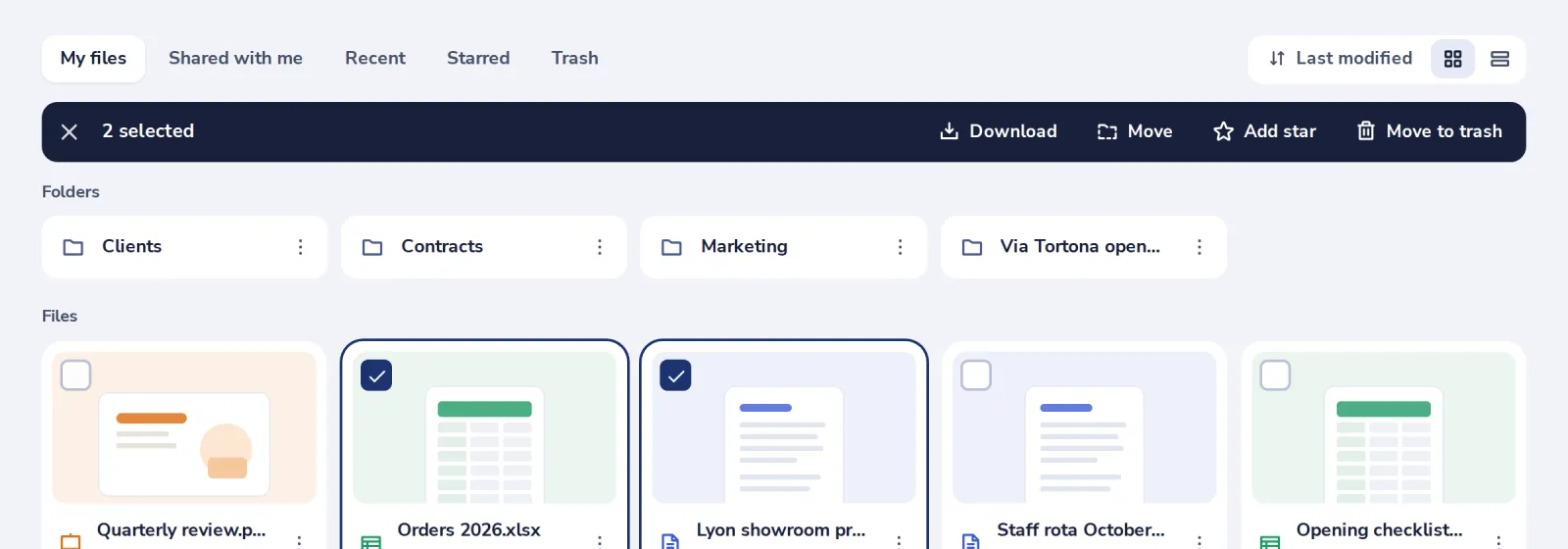
Tick the box on each file, or use Ctrl and A to select everything in the folder. A bar with actions shows above the files.
- 1
Tick the files
Point at a file and a box takes the place of its icon. A click on the box selects, a click on the file opens it.
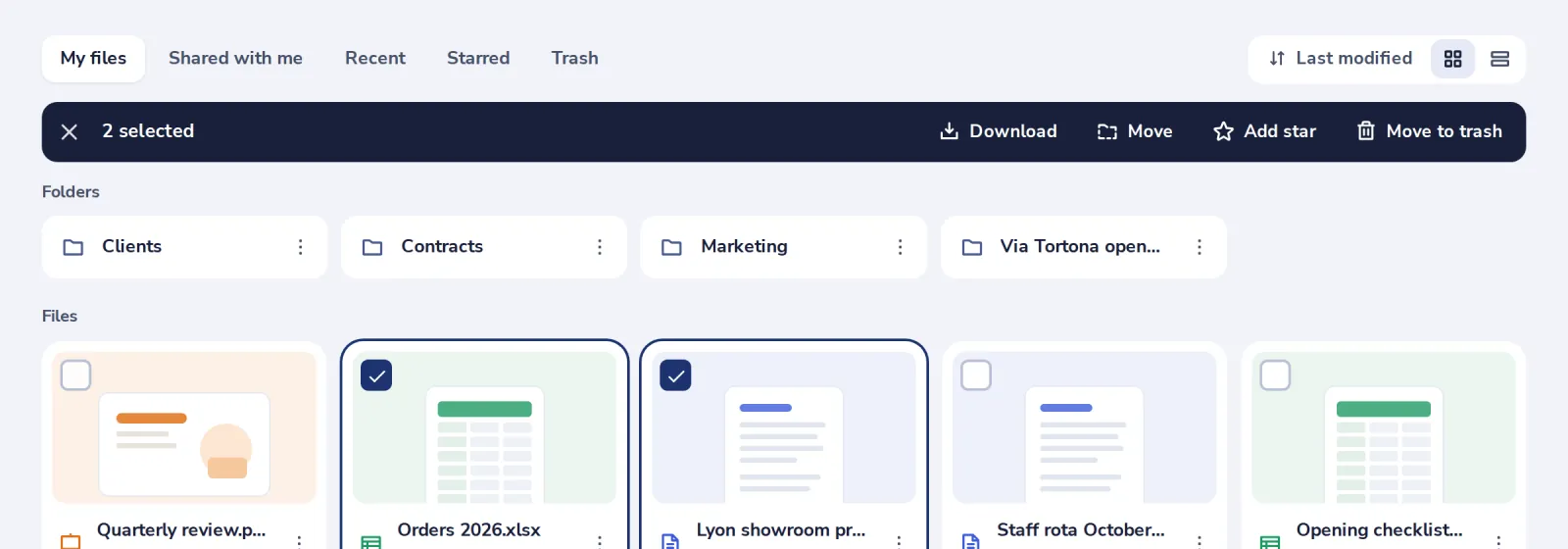
Shift-click a second box to select everything in between. On a phone, press and hold a file to start selecting.
- 2
Choose what to do
Download, Move, Add star or Move to trash, for all of them.
Was this helpful?
What was missing?
Thank you.
We count yes and no per article. Nothing about you is stored.