Approve or reject a request
When a form names you as an approver, the request is in Waiting for you and you get an email. The link only opens the request; you answer in Dazr Forms, signed in.
- 1
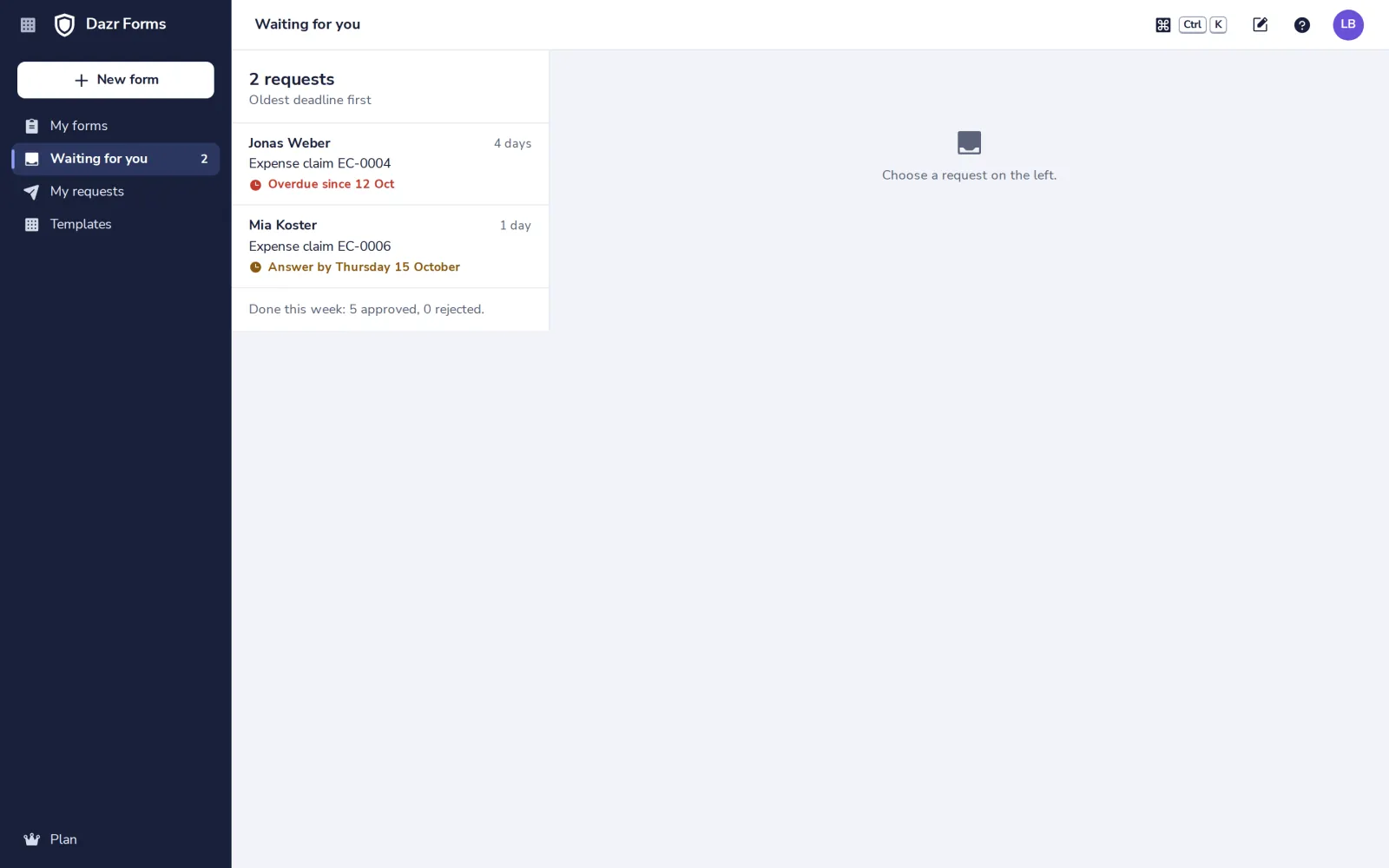
Open Waiting for you
In the side panel. The oldest deadline is at the top.
- 2
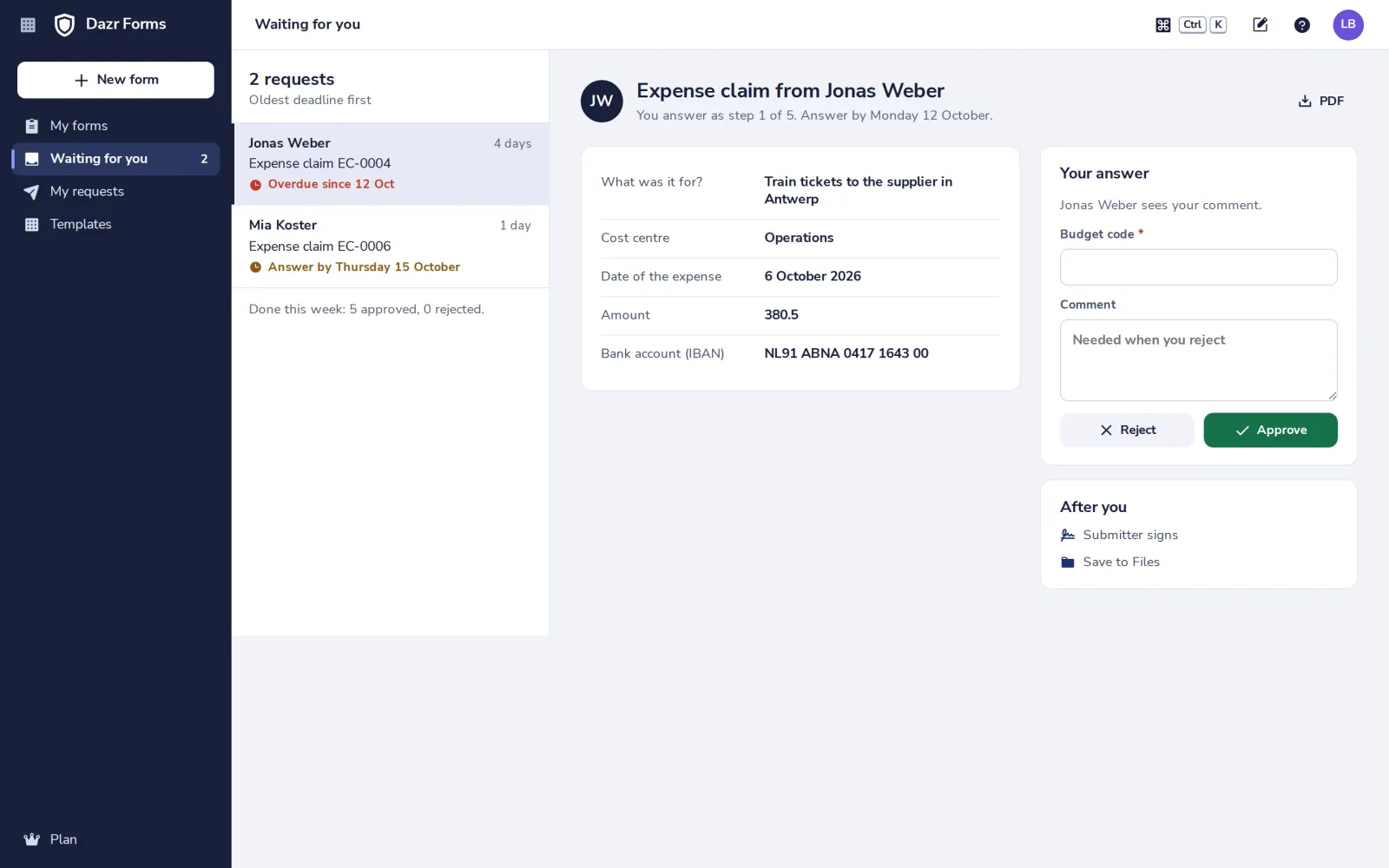
Open the request
The answers are on the left, what comes after you on the right.
- 3
Approve or reject
Fill in what the step asks for, add a comment and press Approve or Reject.
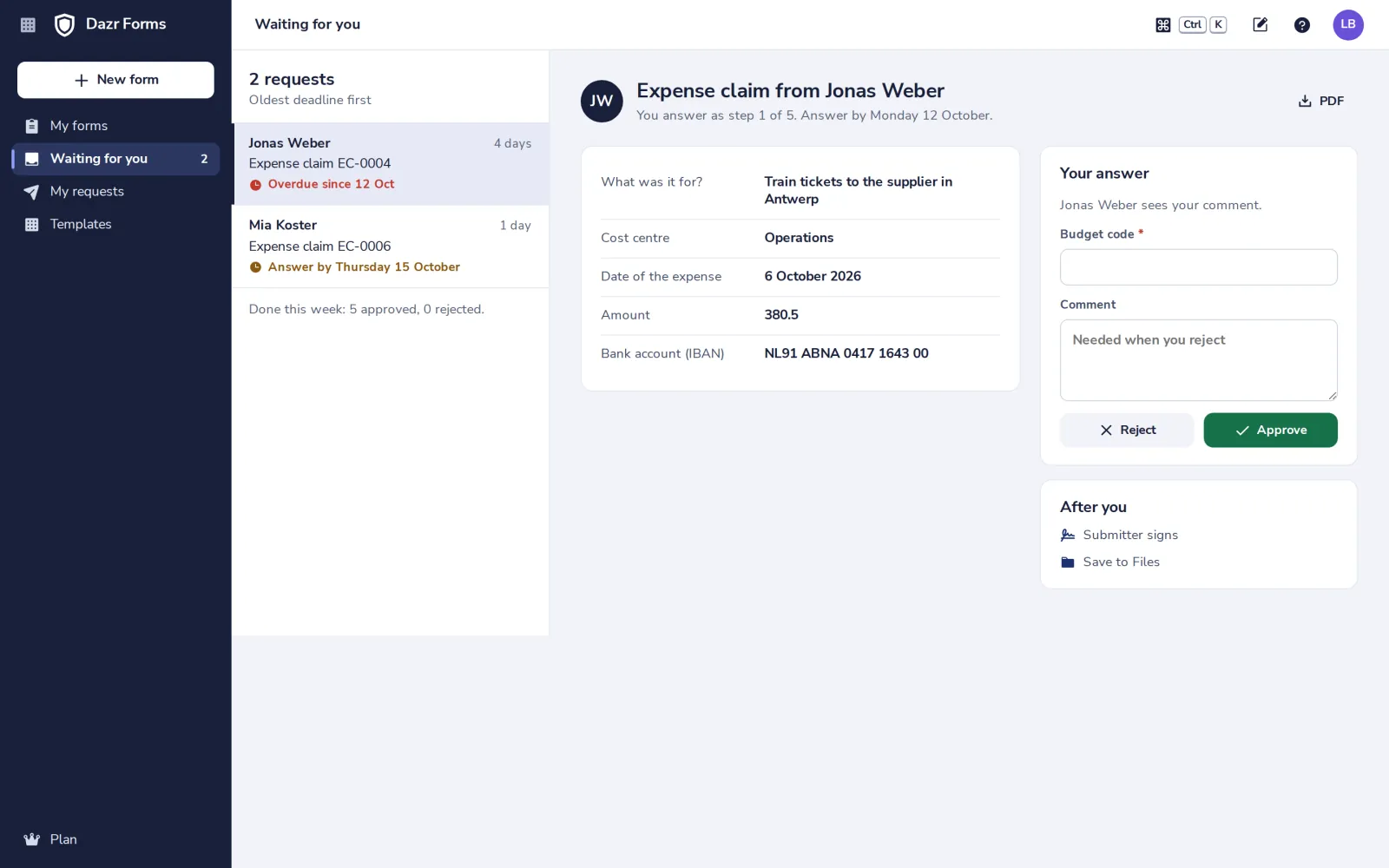
A rejection needs a comment. The person who sent the request sees it.
- 4
Follow your own requests
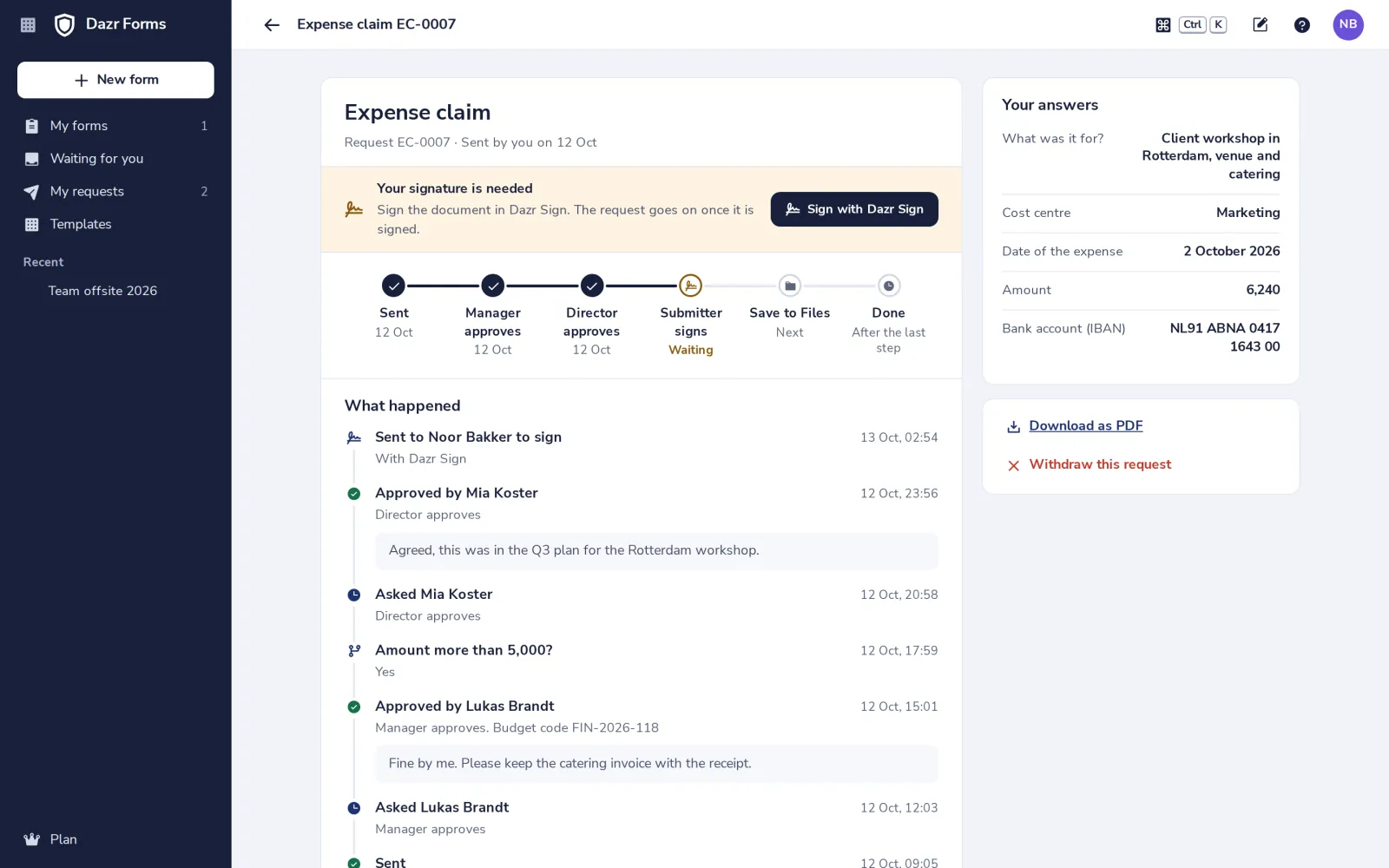
My requests shows where each of yours is, step by step, with every comment.
Was this helpful?
What was missing?
Thank you.
We count yes and no per article. Nothing about you is stored.