Decide what happens after Submit
Add steps to a form: a manager approves, the person who sent it signs with Dazr Sign, a PDF goes to a folder. Every response becomes a request that you follow in Requests.
- 1
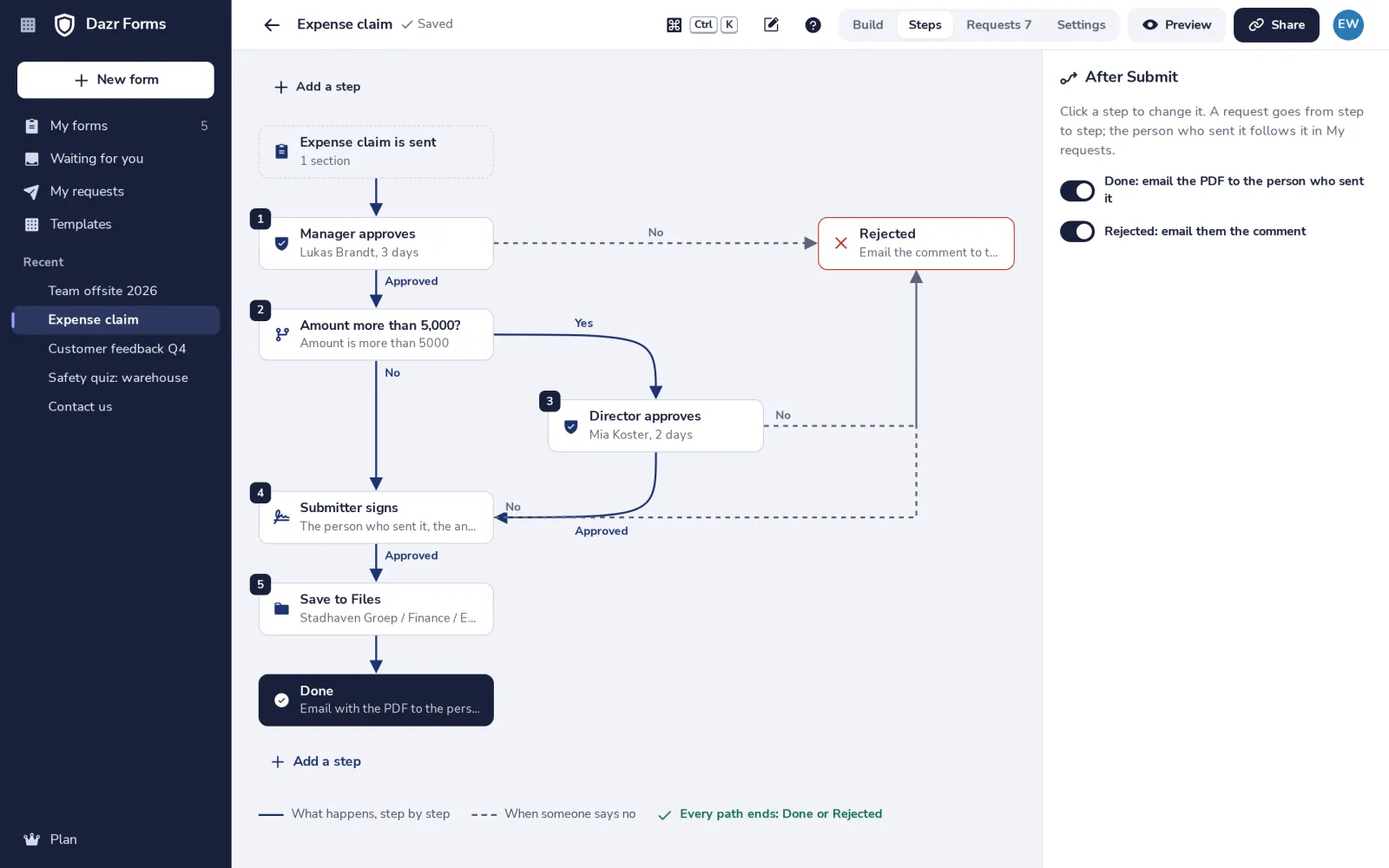
Open Steps
In your form, press Steps at the top.
- 2
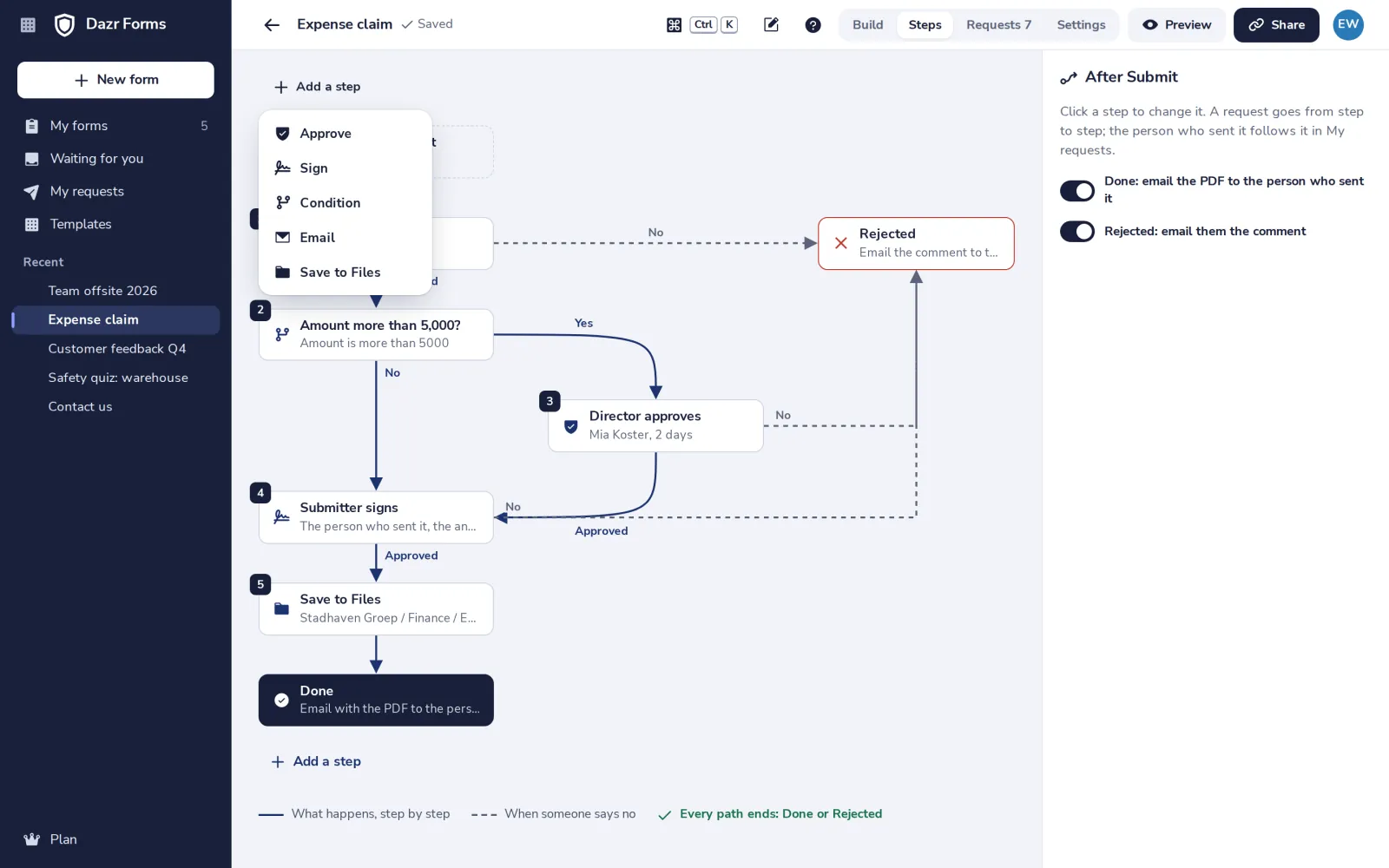
Add a step
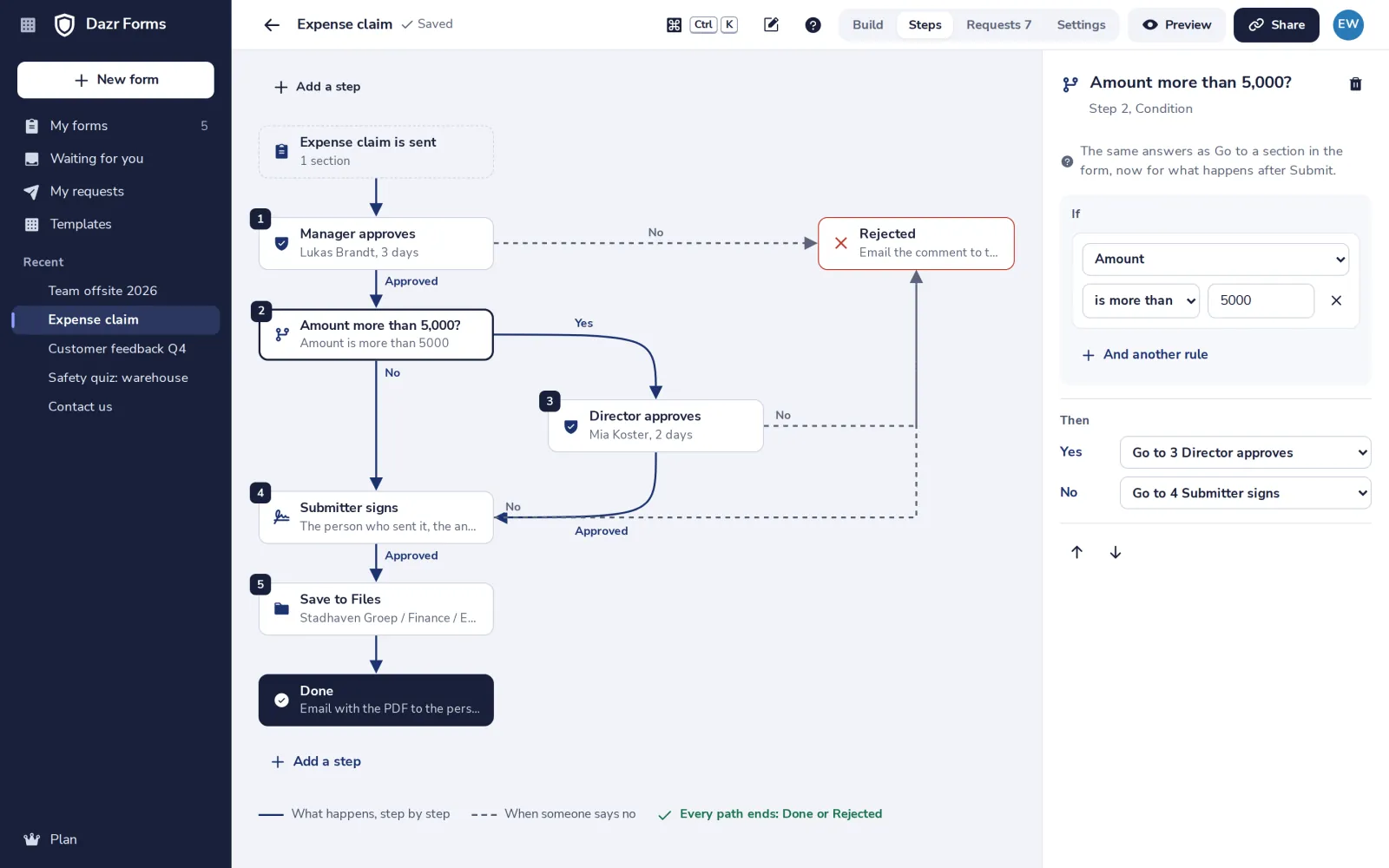
Press Add a step and choose Approve, Sign, Condition, Email or Save to Files.
- 3
Choose who approves
Click the step. Pick people from your organisation, a deadline and reminders.
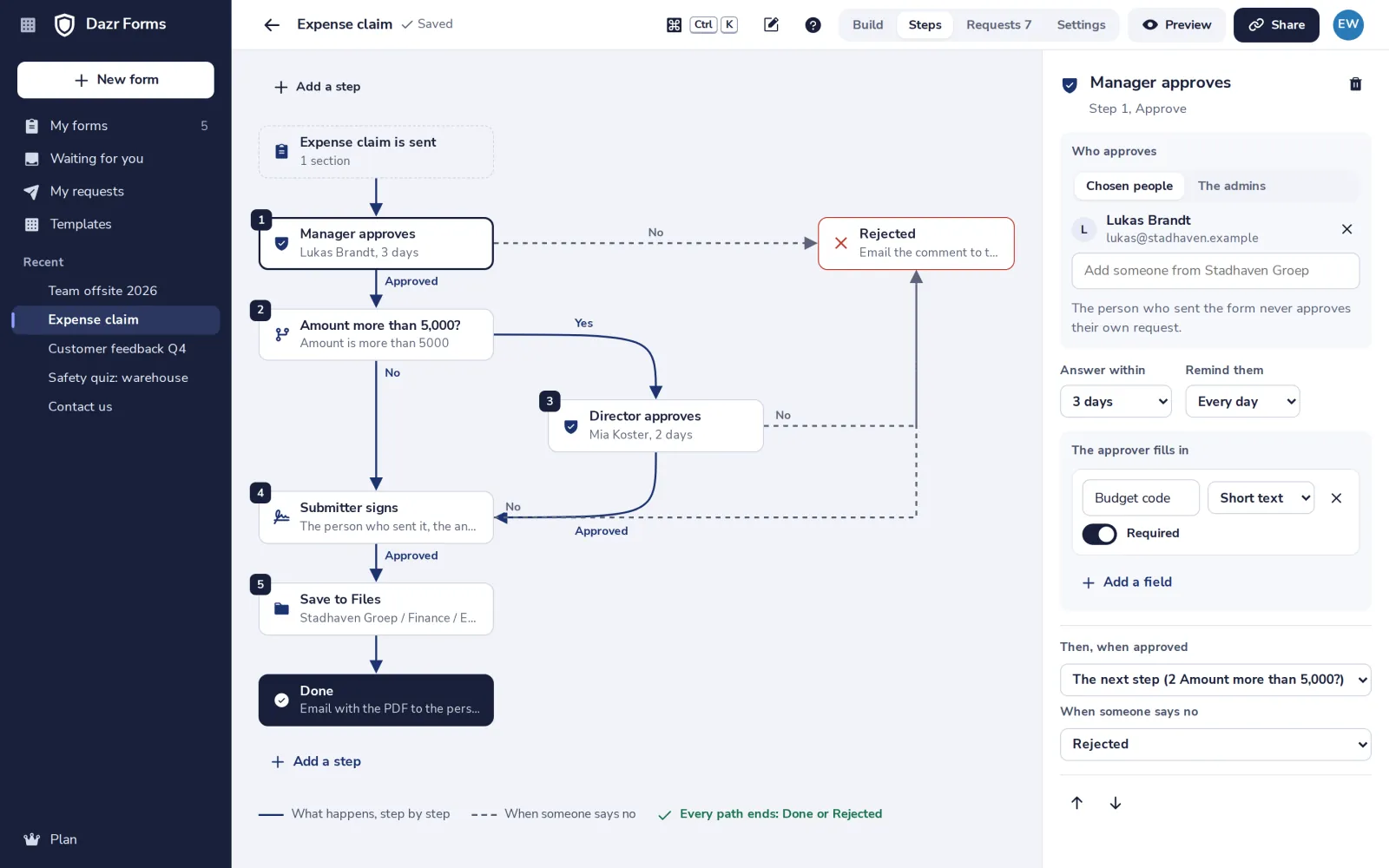
The person who sent the form never approves their own request.
- 4
Go one way or another
A condition uses the answers, like Go to a section. Over 5,000, the director approves too.
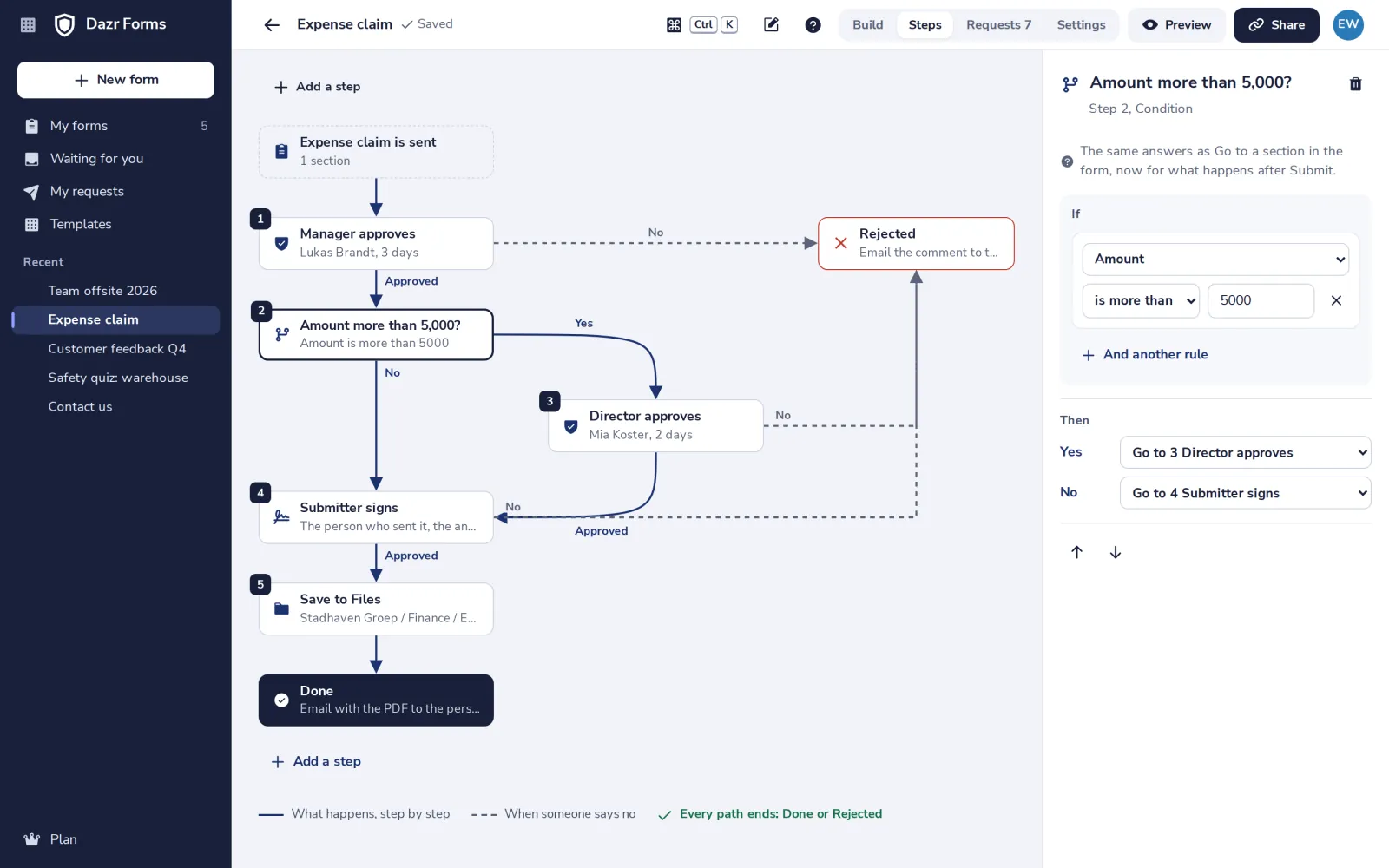
Conditions and approvals by all of them come with Enterprise.
- 5
Check that every path ends
Under the steps, the check says when every path ends at Done or Rejected.
- 6
Follow the requests
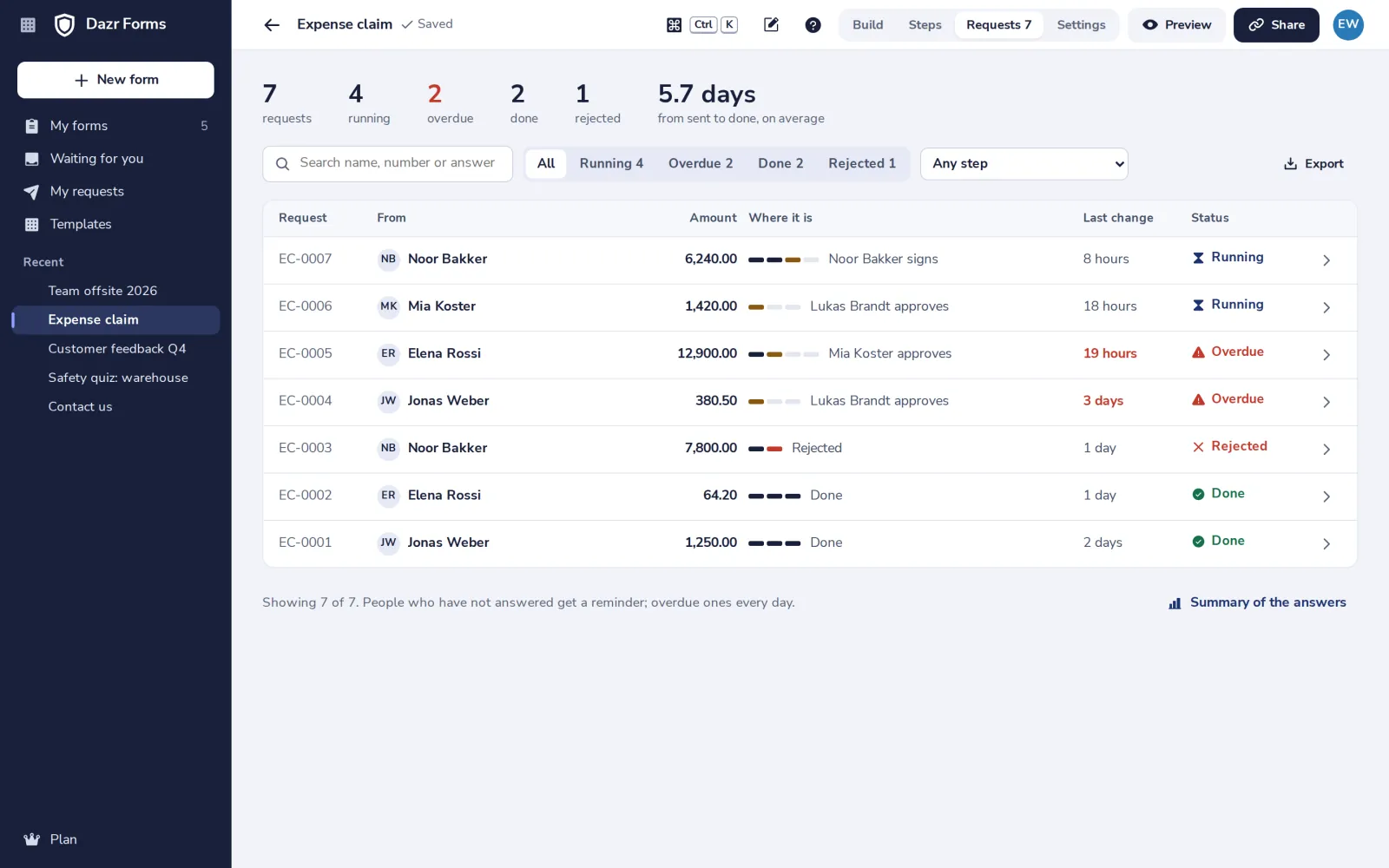
Requests shows where each one is and who is late. Export to CSV, a ZIP of PDFs or Dazr Sheets.
Was this helpful?
What was missing?
Thank you.
We count yes and no per article. Nothing about you is stored.