Send people down different paths
Split a form into sections. On a one-choice or dropdown question, each answer can go to a later section or straight to Submit, so people only see what applies to them.
- 1
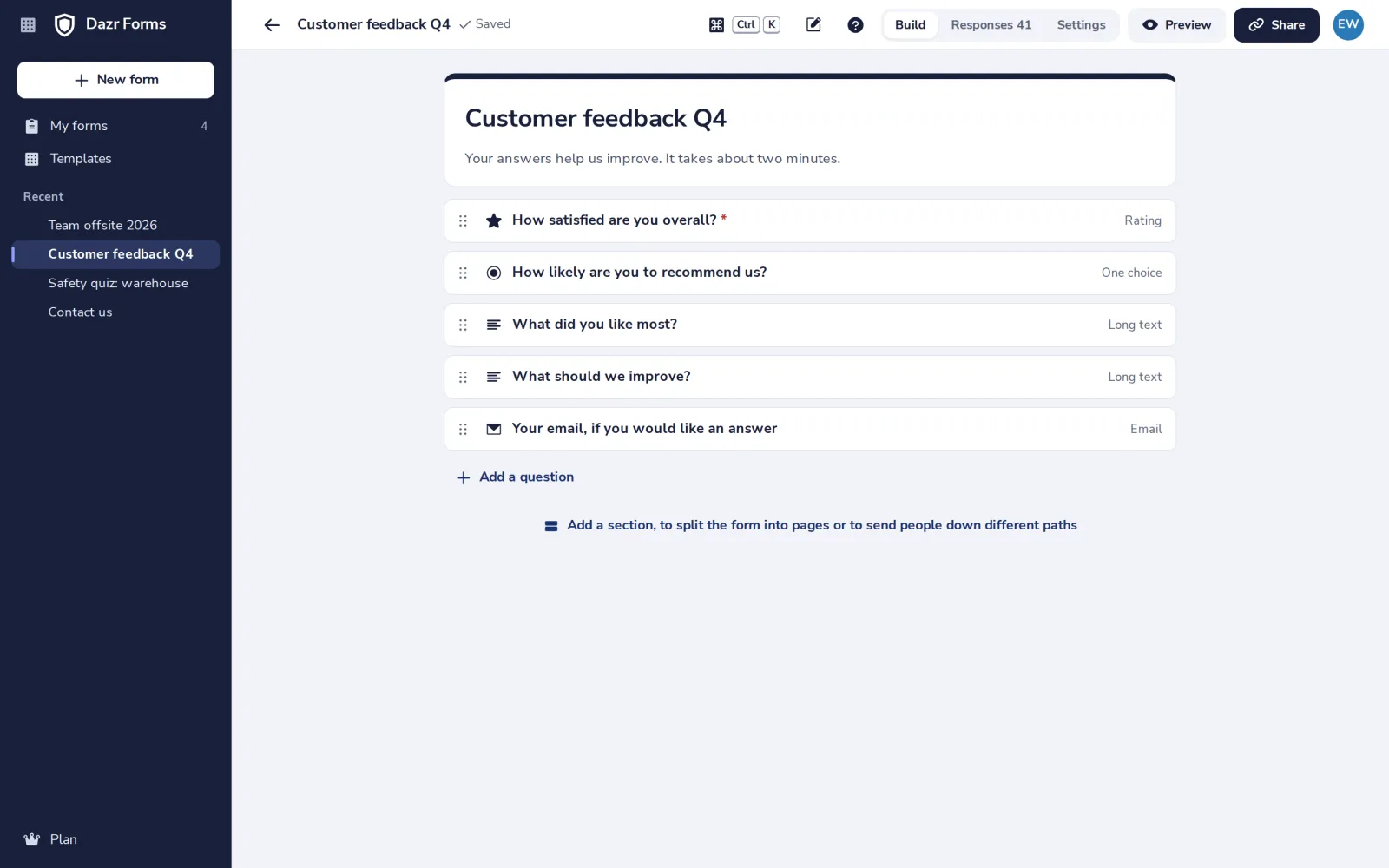
Press Add a section
Under the last question. Each section is a page of the form.
- 2
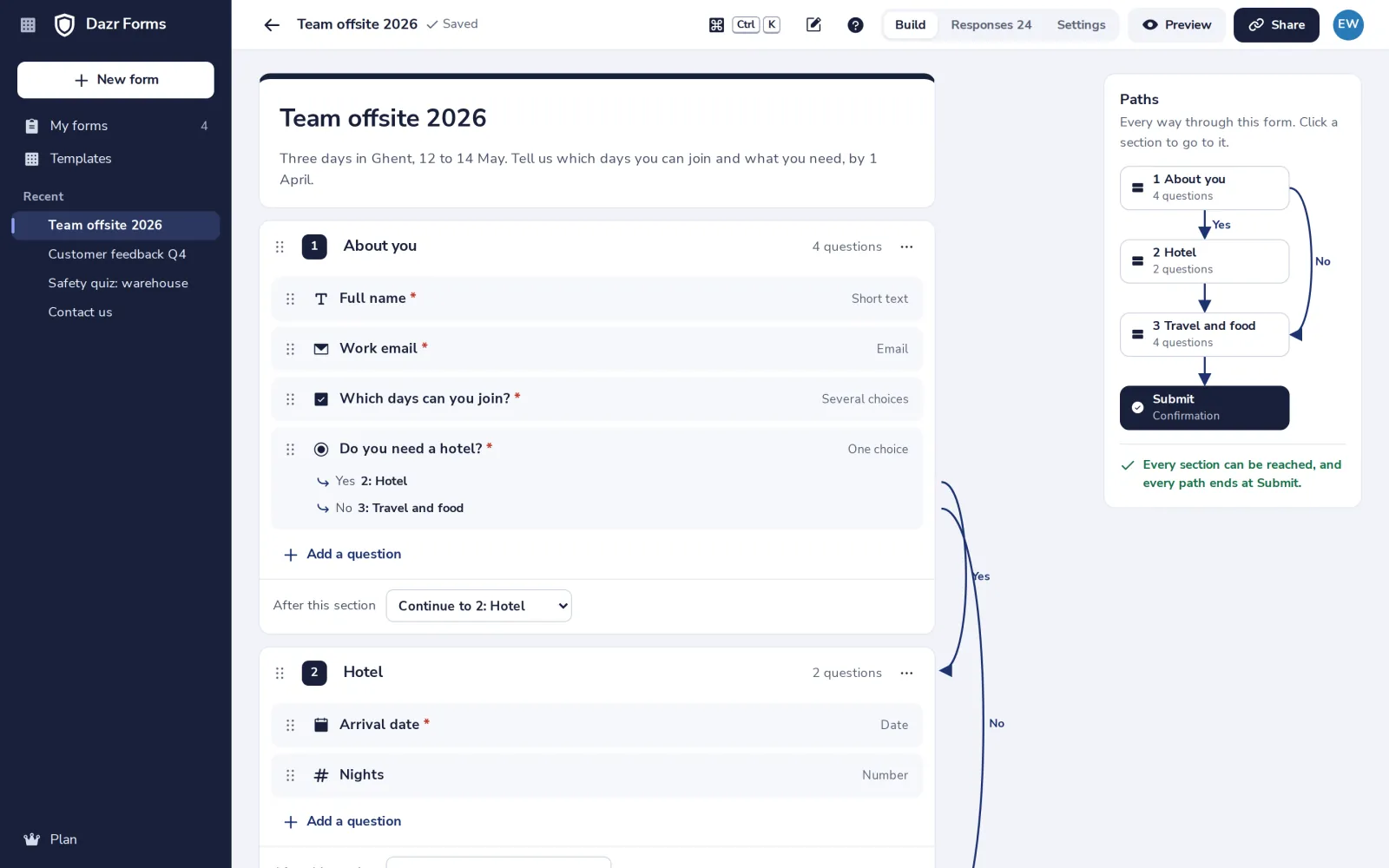
Open a one-choice question
Turn on Go to a section based on the answer.
- 3
Choose where each answer goes
Next to each answer, pick a later section or Submit.
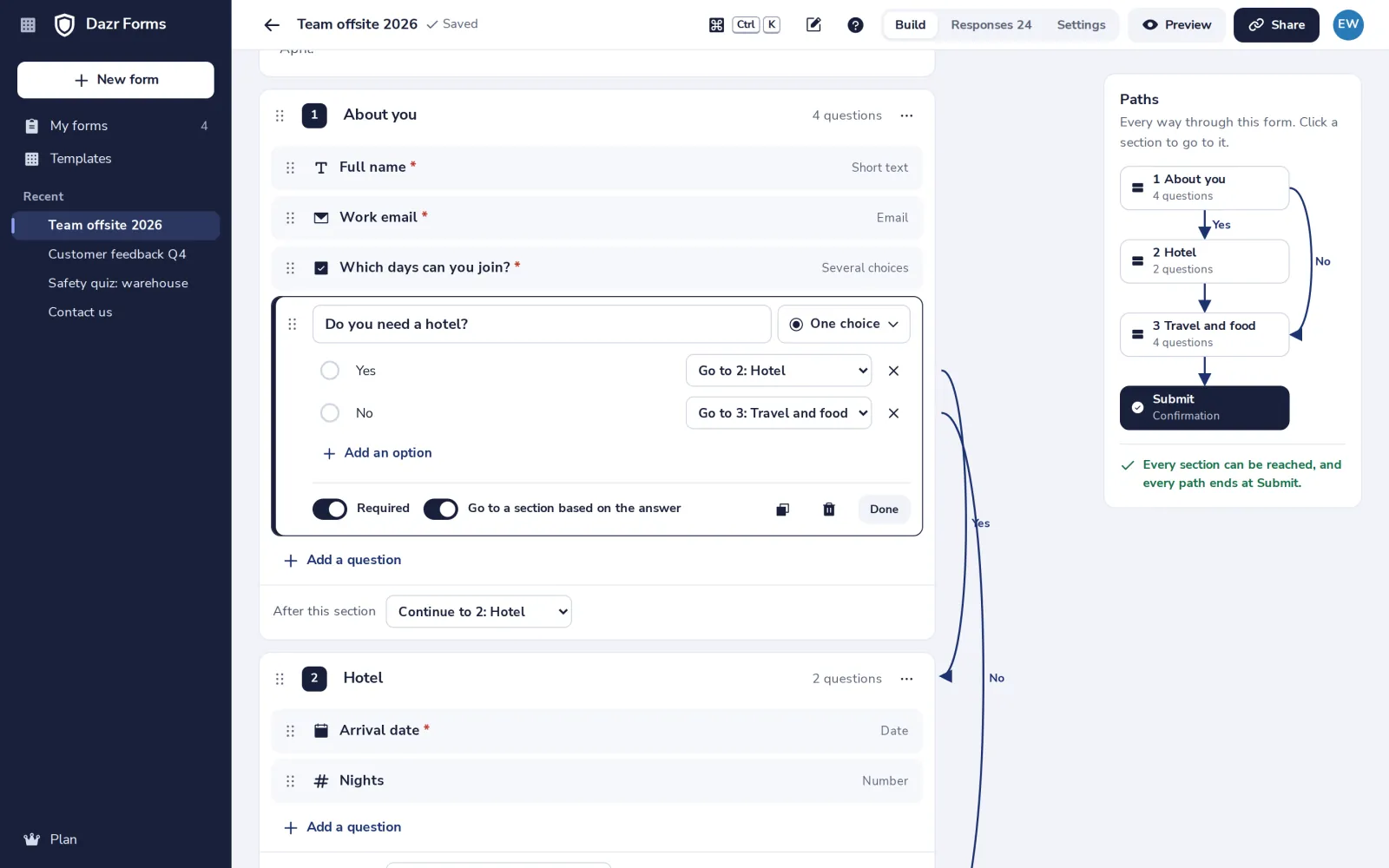
Each section can also say where to go after it, under its last question.
- 4
Check the paths
The map shows every path through the form, and warns when a section can never be reached.
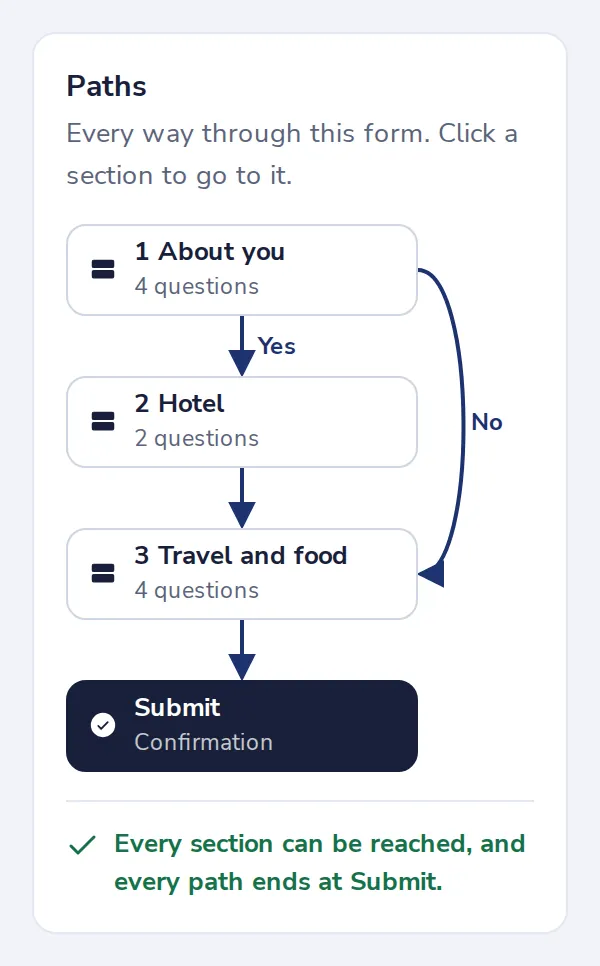
Logic only goes forward, so every path ends at Submit.
Was this helpful?
What was missing?
Thank you.
We count yes and no per article. Nothing about you is stored.