Set up a customer step by step
The onboarding workspace of a customer leads you through six phases: access, organisation and domain, people and groups, security and settings, data and migration, automations and hand-over. Each step shows its live state.
- 1
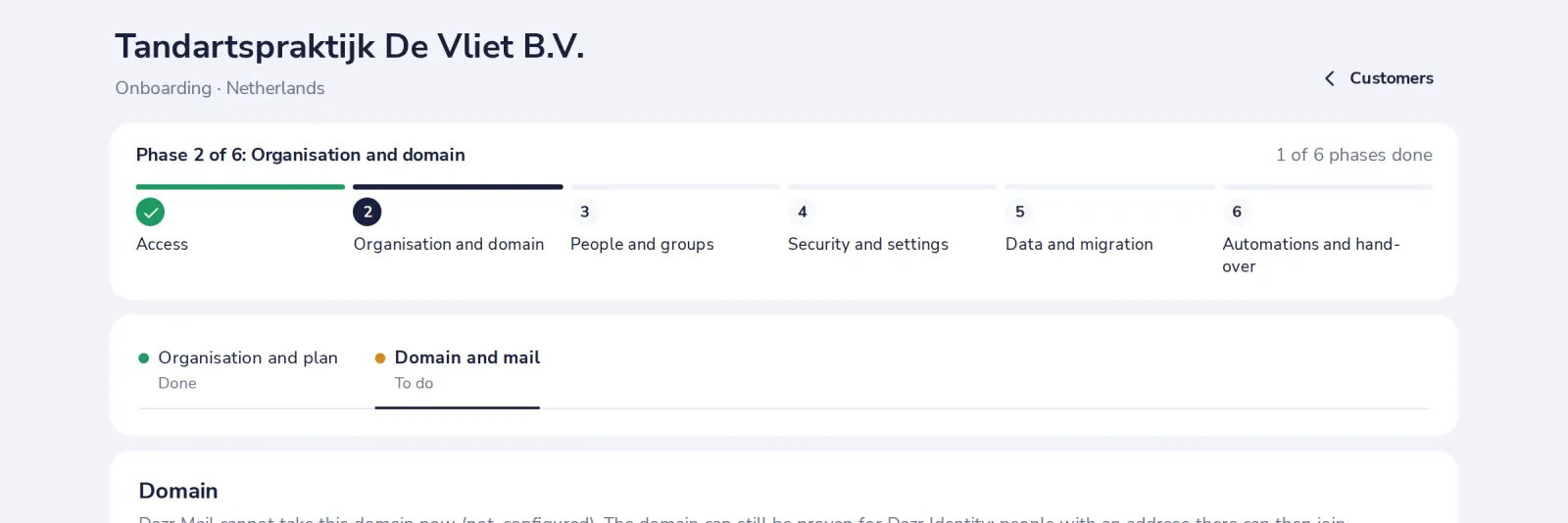
Open the customer in Customers
A customer you onboarded opens its workspace. The bar at the top shows the phase you are in.
- 2
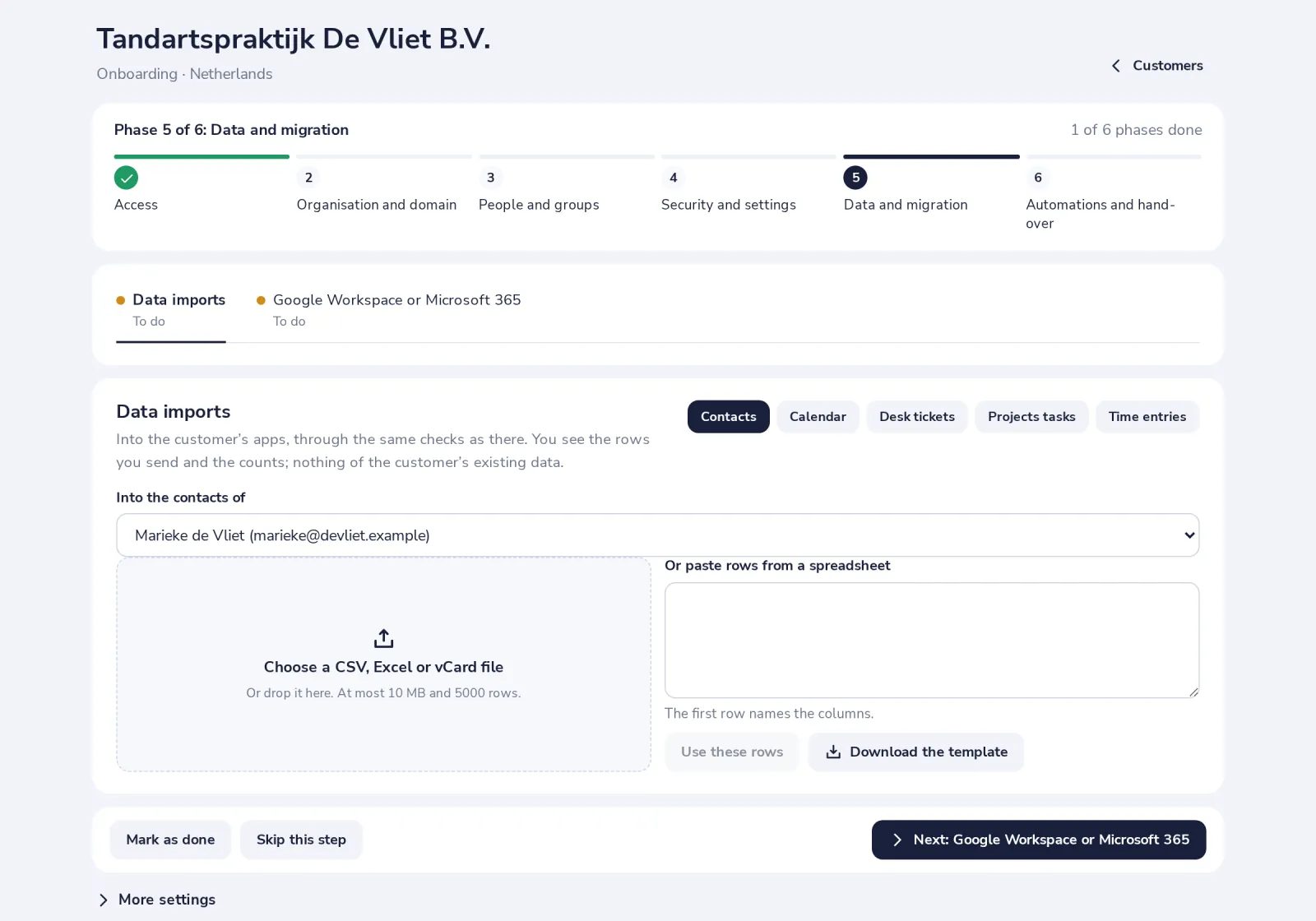
Work through the steps of a phase
Each step shows what is done and what is to do. Mark a step as done or skip it when it does not apply.
- 3
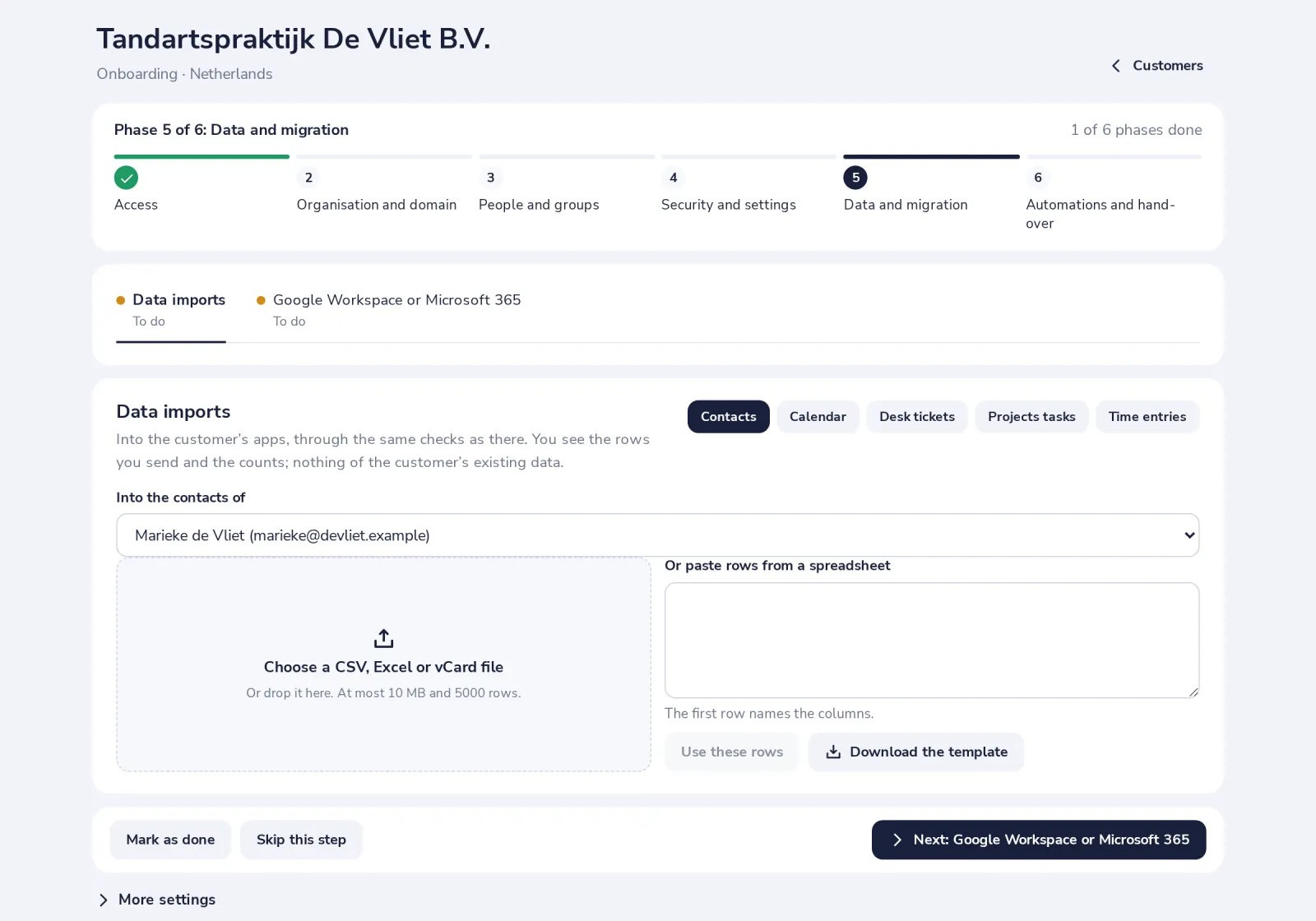
Press Next to go on
The next step, or the next phase when this one is done.
- 4
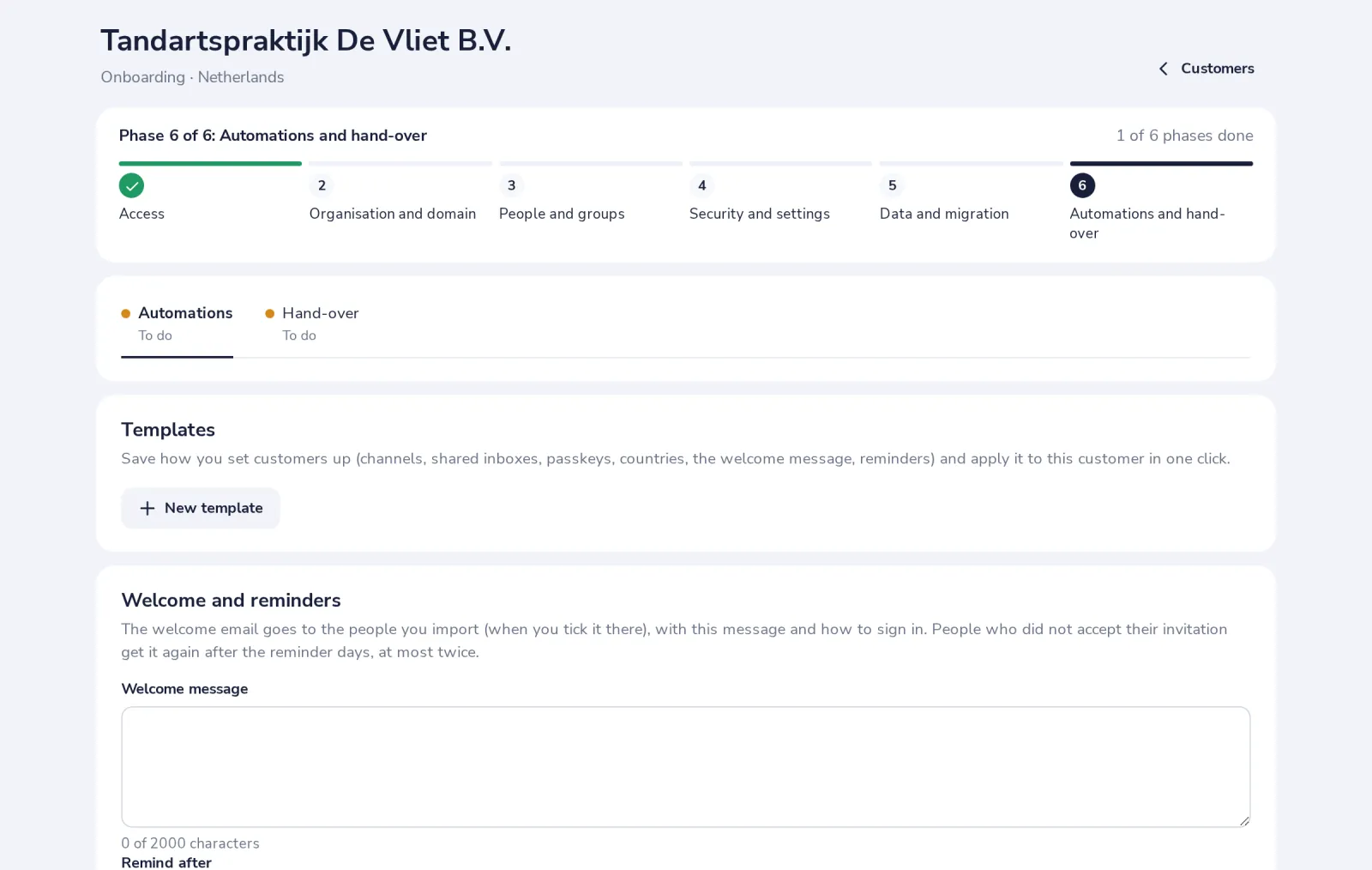
Save how you set customers up
In the last phase, a template keeps your channels, shared inboxes, passkey rule, countries, welcome message and reminders, for the next customer.
Under More settings are the customer's own admin pages and the log of what you did, which the customer reads too.
Was this helpful?
What was missing?
Thank you.
We count yes and no per article. Nothing about you is stored.