What moves to Dazr, and what does not
The move from Microsoft 365 copies each person's own files, mail, contacts and calendar into their own Dazr account, on Dazr's servers. It only reads; nothing changes at Microsoft.
- 1
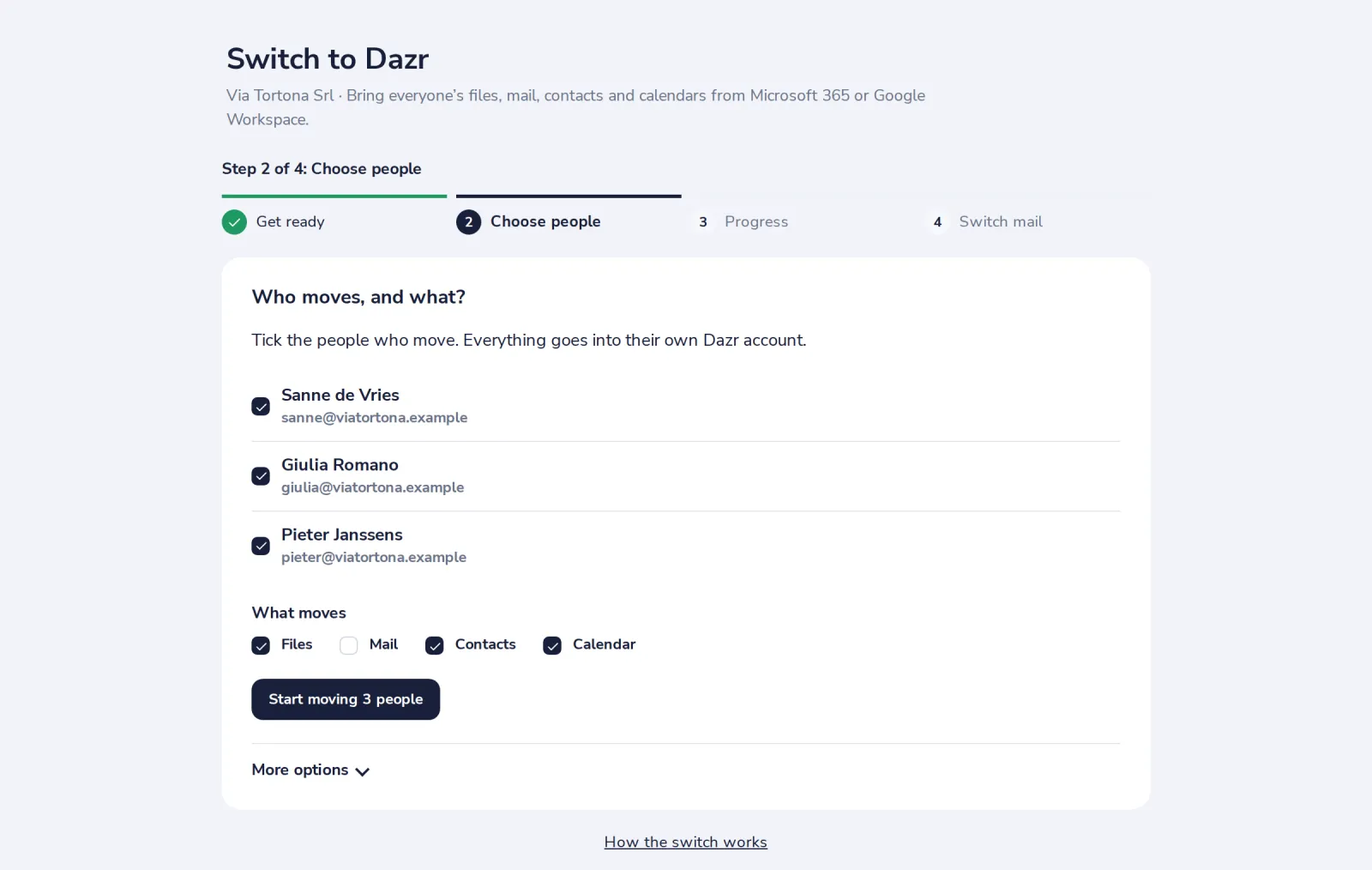
Tick what moves for each person
Files, Mail, Contacts and Calendar. Everything goes into that person's own Dazr account.
- 2
Know what comes with it
Files keep their folders. Mail keeps its folders, read and flagged state and drafts. Calendars move from a year back to two years ahead.
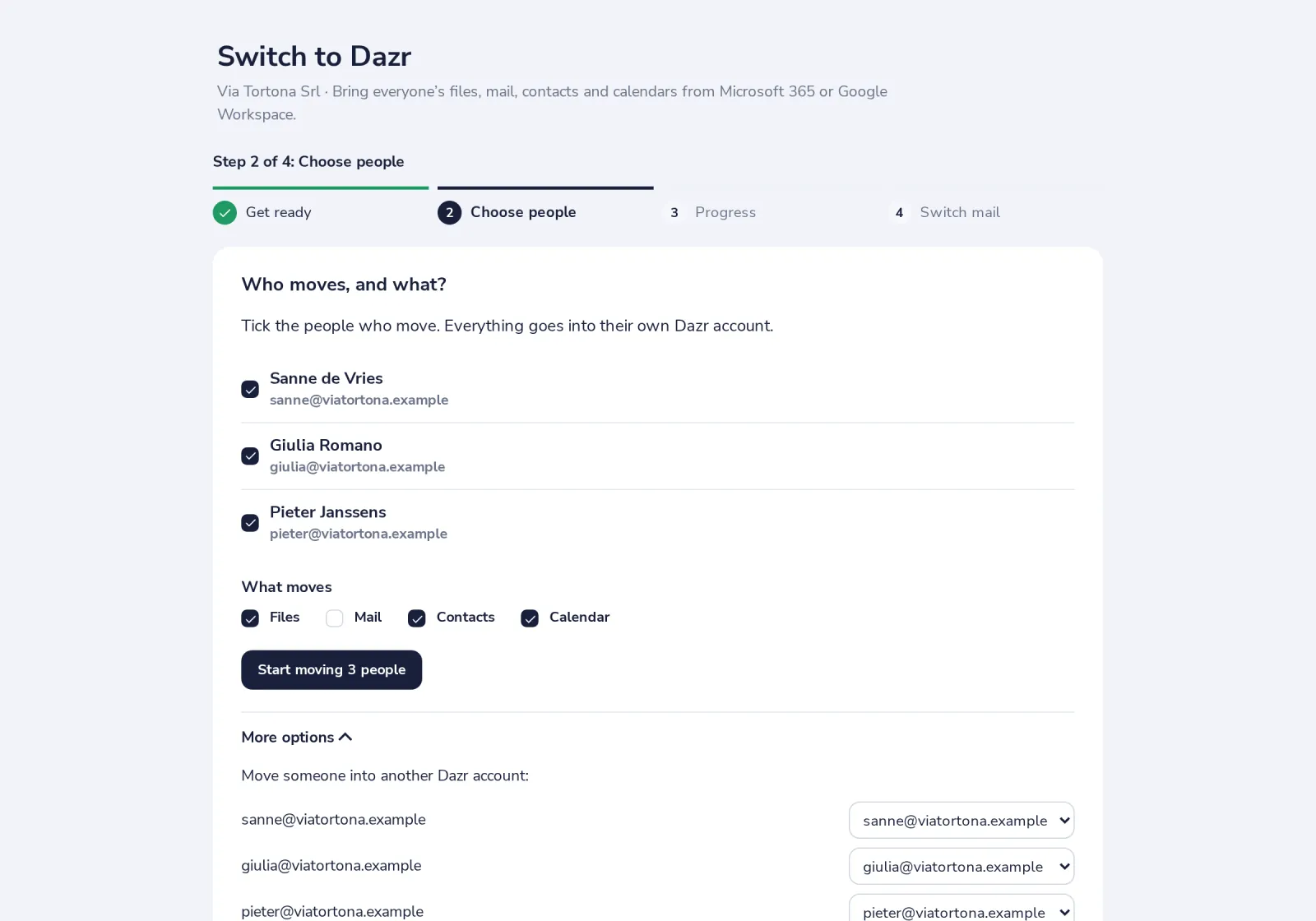
Under More options you choose how much old mail moves, or move someone into another Dazr account.
- 3
New mail keeps coming until you switch
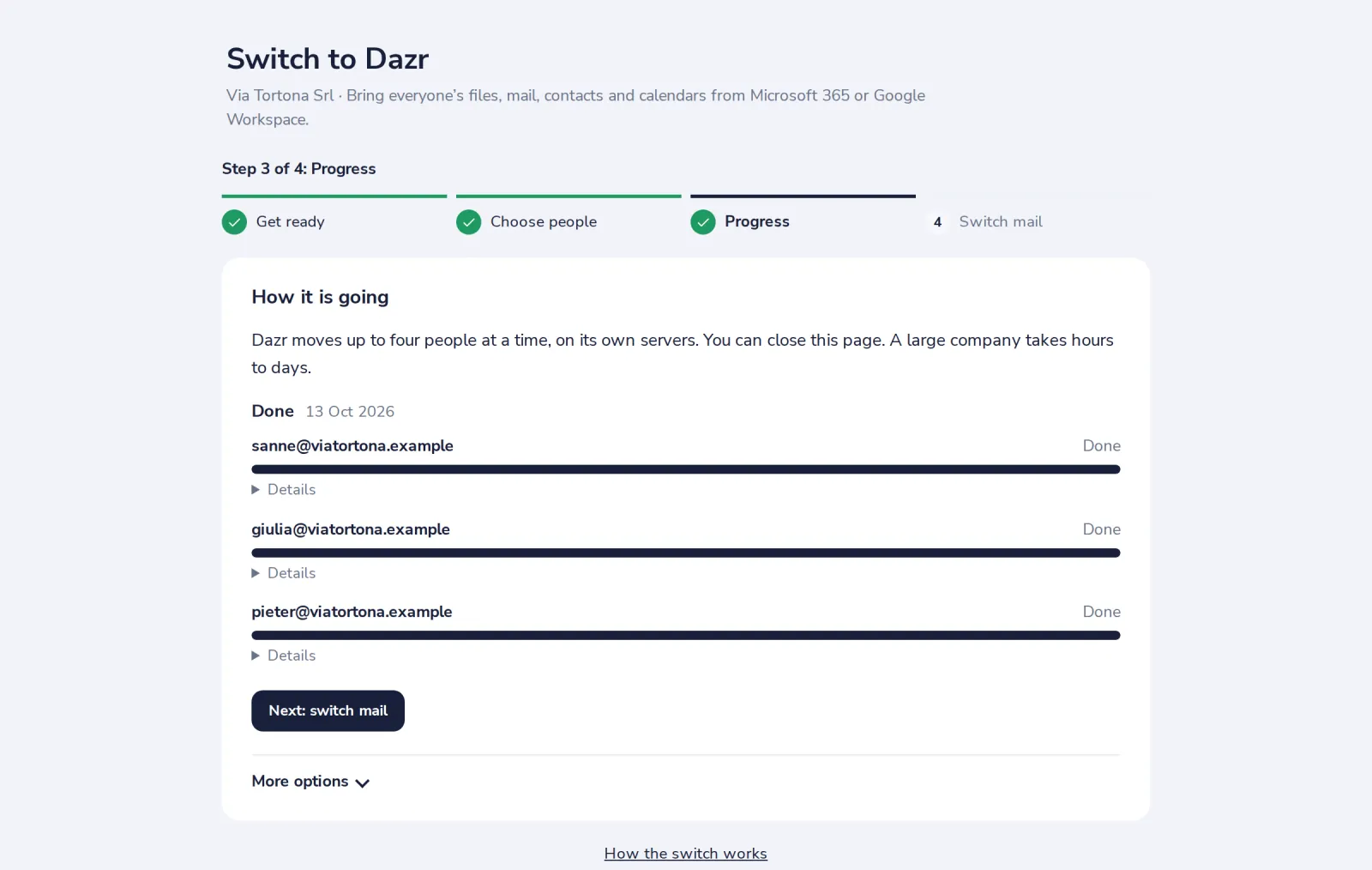
After the first pass, new mail is copied again until you switch your mail to Dazr. It stops by itself 14 days after the switch.
Not moved: Teams chats and channels, SharePoint sites (only each person's own OneDrive moves), mail rules, signatures and other settings, and passwords. Set these up again in Dazr. Messages larger than 40 MB are skipped and counted.
Was this helpful?
What was missing?
Thank you.
We count yes and no per article. Nothing about you is stored.