Move your company from Google Workspace
Google Workspace moves with a guided export and import for now, with no admin approval needed. Each person brings their own Gmail, Drive files, calendar and contacts. Microsoft 365 moves automatically instead.
- 1
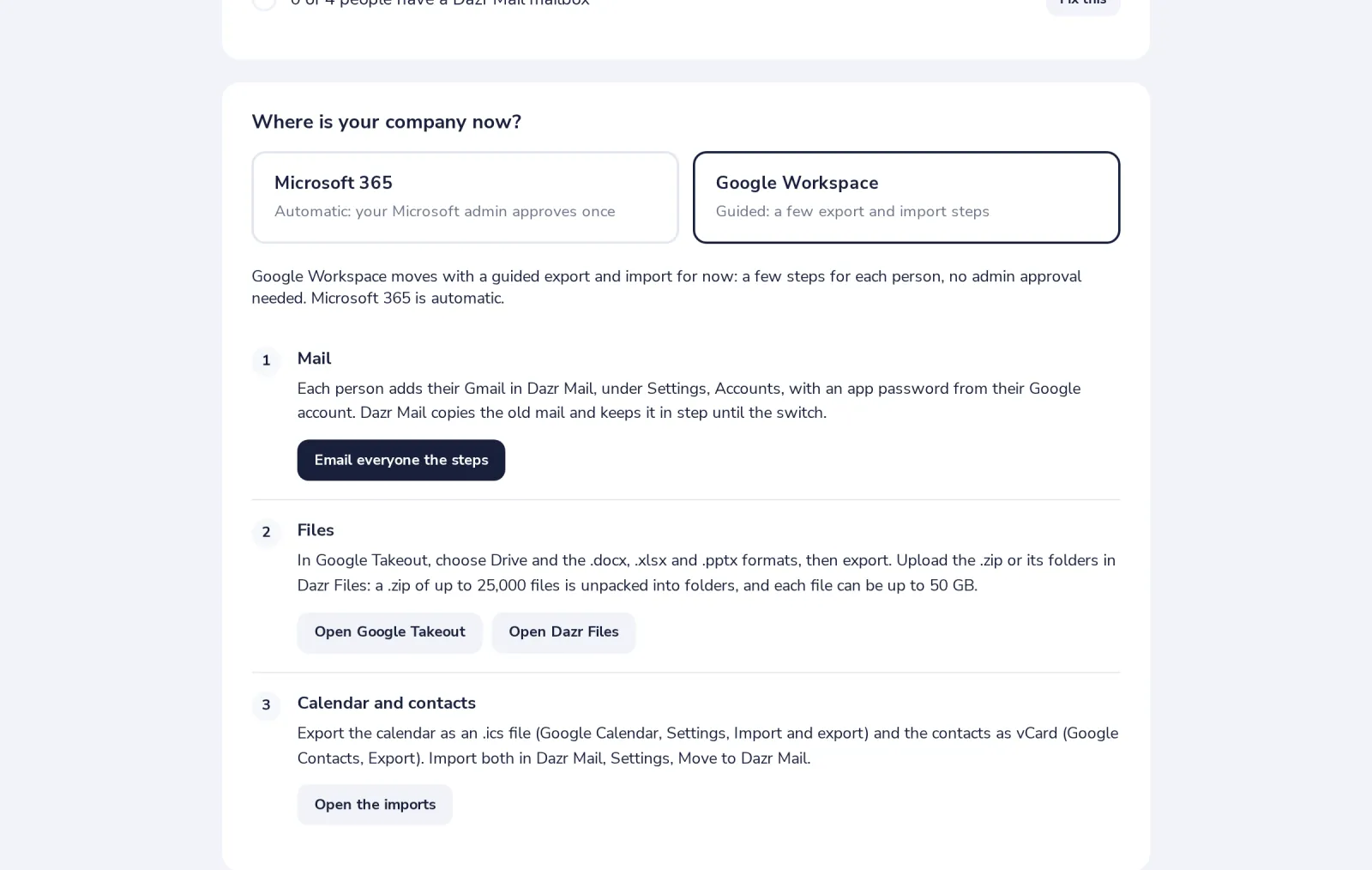
Choose Google Workspace in step 1
In Switch to Dazr, under Where is your company now?
- 2
Mail, with Dazr Mail's import
Each person adds their Gmail in Dazr Mail, Settings, Accounts, with an app password from Google. Old mail is copied and kept in step until the switch.
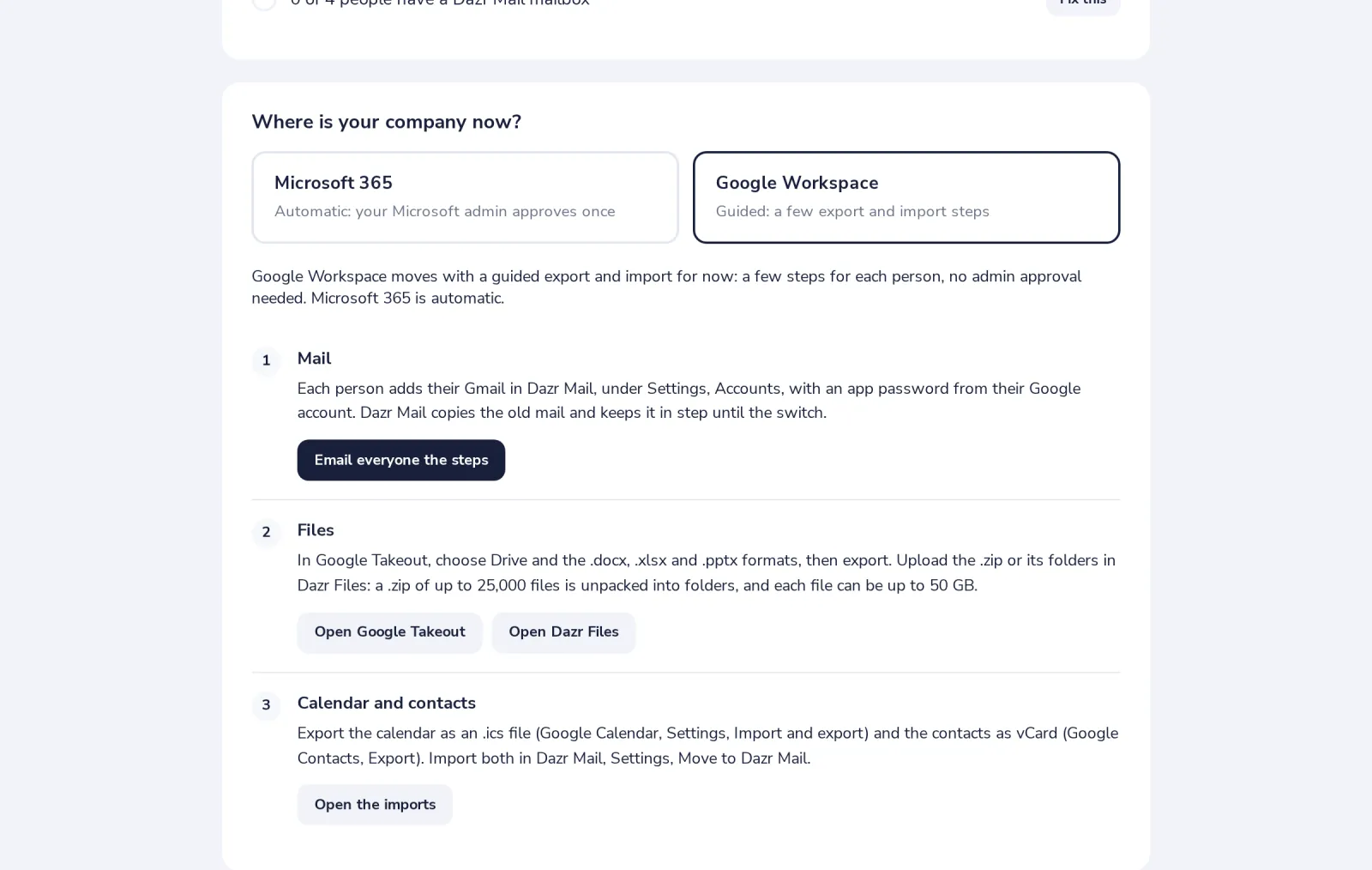
Email everyone the steps sends each person what to do.
- 3
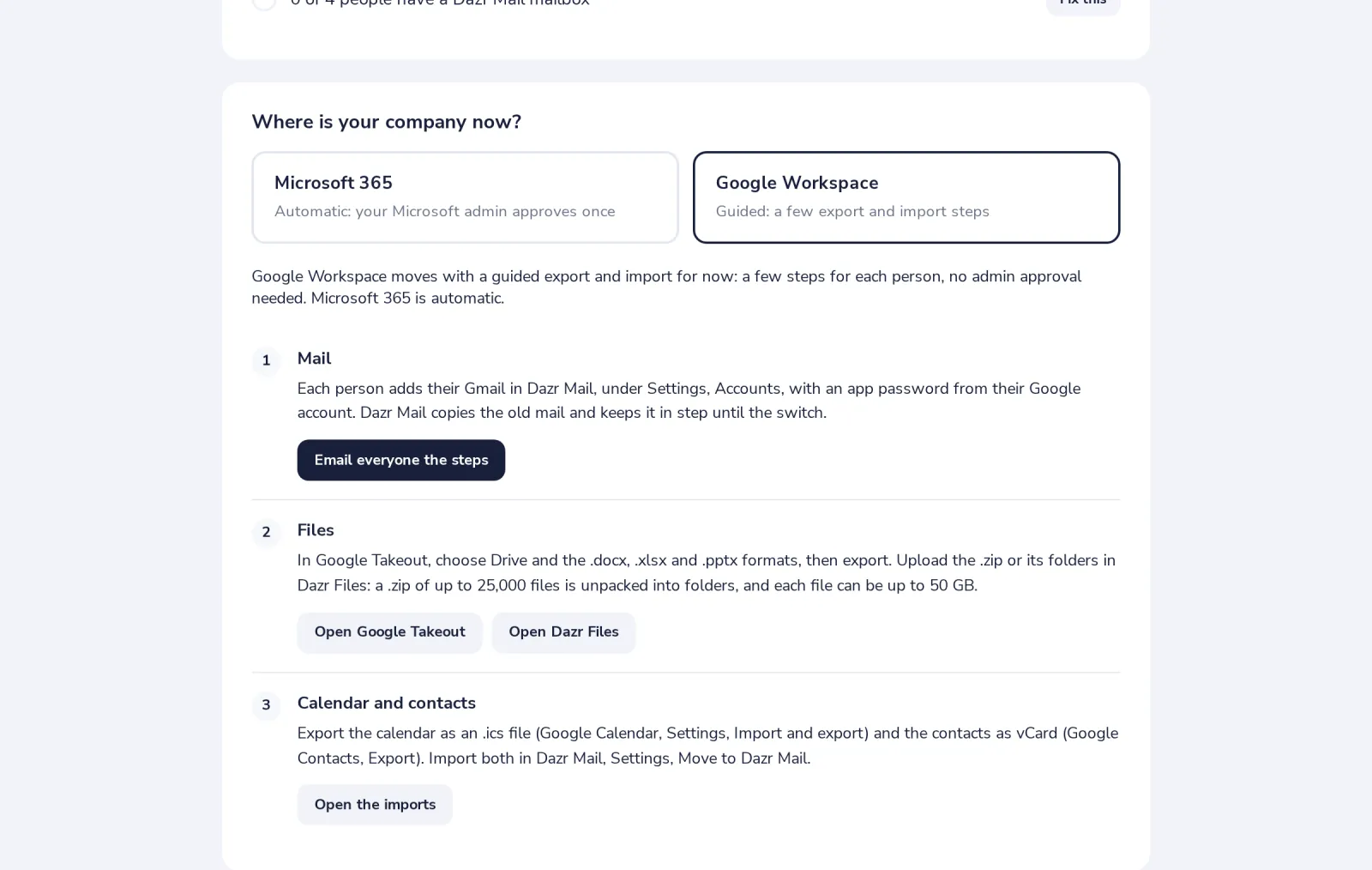
Files, with Google Takeout
Export Drive in Takeout with the .docx, .xlsx and .pptx formats, then upload the .zip in Dazr Files. It is unpacked into folders.
- 4
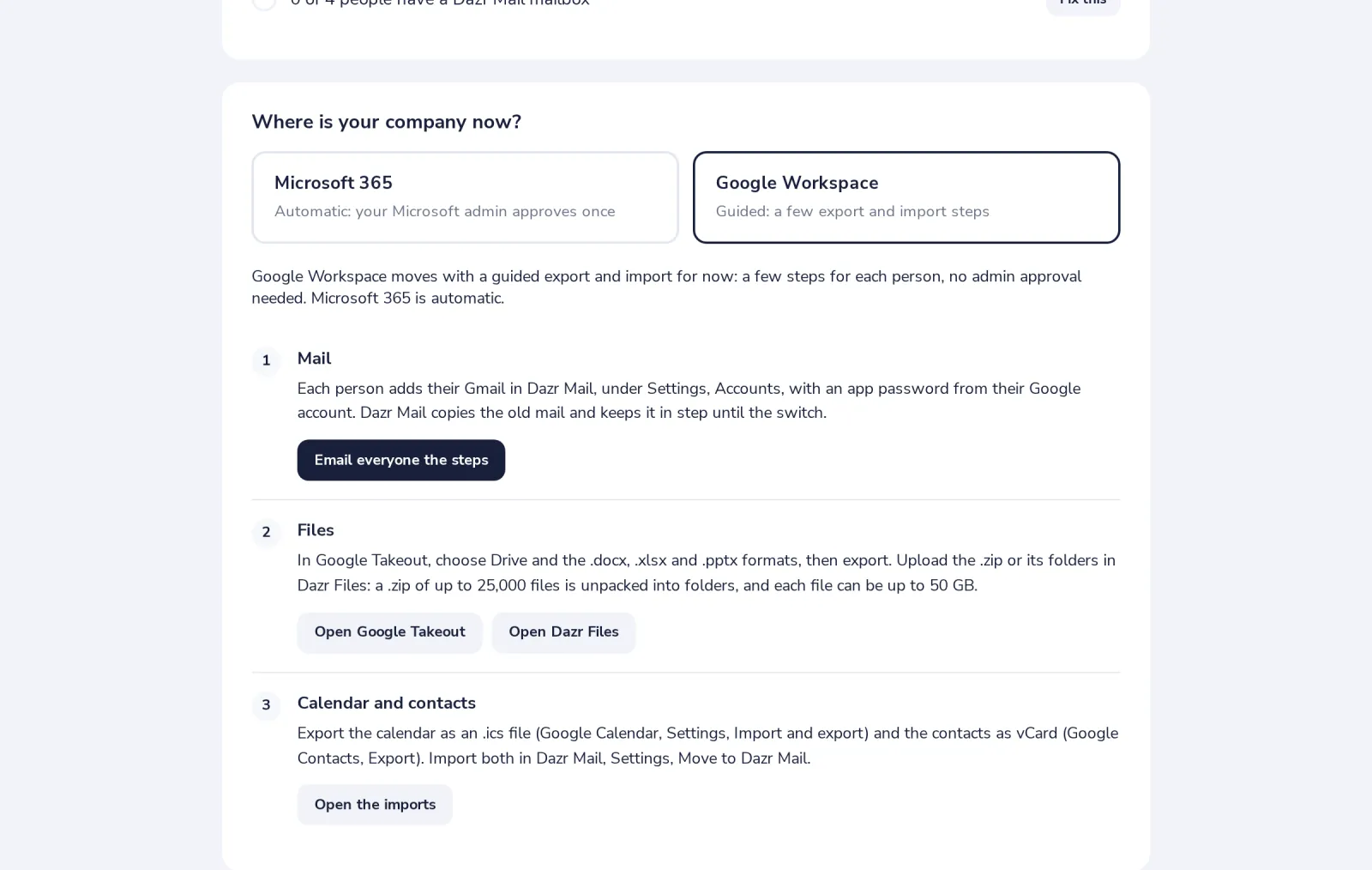
Calendar and contacts, as files
Export the calendar as .ics and the contacts as vCard, then import both in Dazr Mail, Settings, Move to Dazr Mail.
Was this helpful?
What was missing?
Thank you.
We count yes and no per article. Nothing about you is stored.