Find the files of a chat
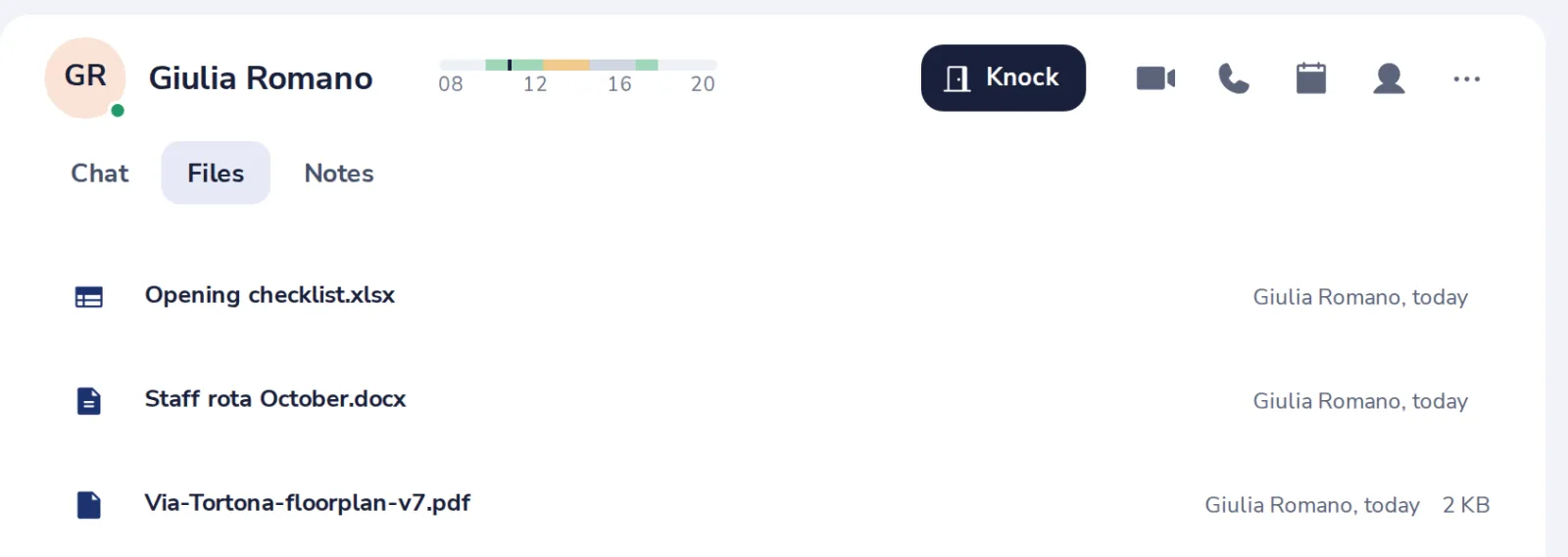
You do not have to scroll back. The Files tab lists everything shared in the chat, newest first.
- 1
Open the Files tab
At the top of the chat.

- 2
Press a file to open it
Documents, spreadsheets and presentations open in Dazr Docs, Sheets and Slides.
- 3
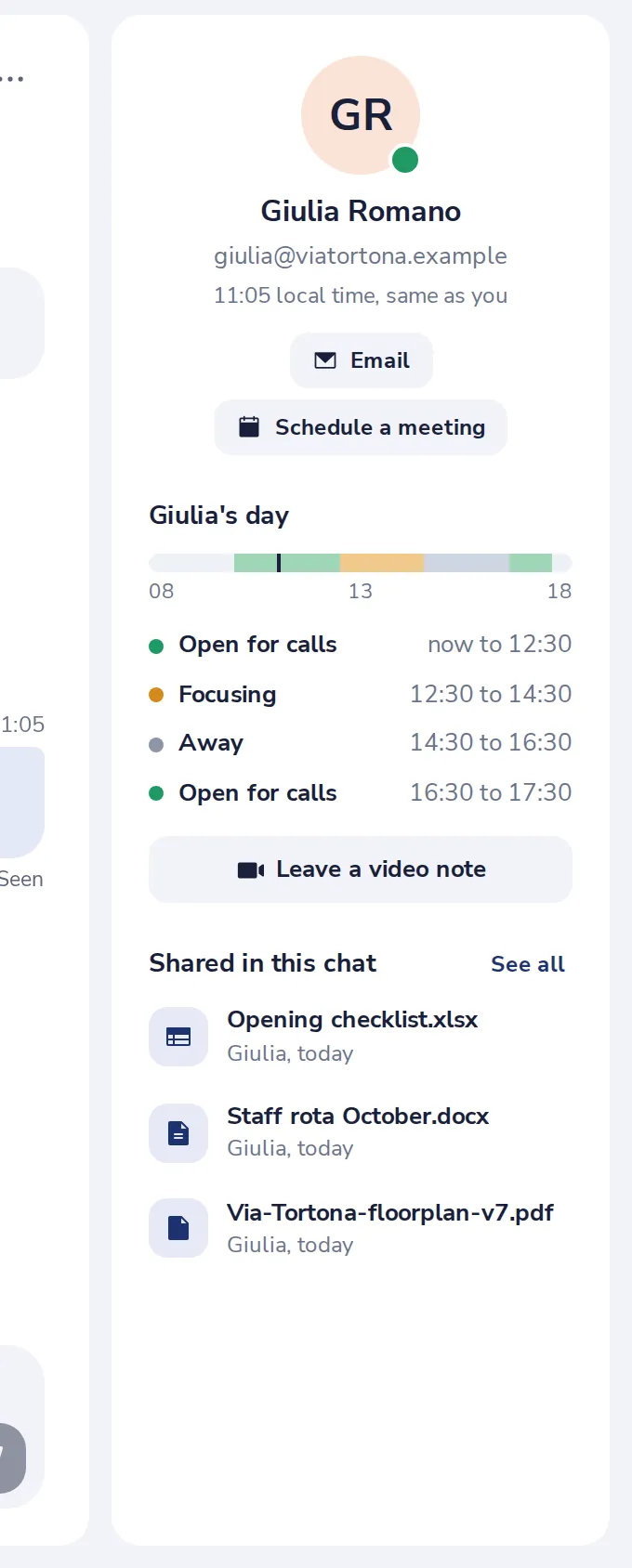
Or look in the side panel
Press the person at the top right. Shared in this chat lists the latest files.
Was this helpful?
What was missing?
Thank you.
We count yes and no per article. Nothing about you is stored.