Share a file in a chat
Attach a file from Dazr Files and choose whether the others can view it or edit it.
- 1
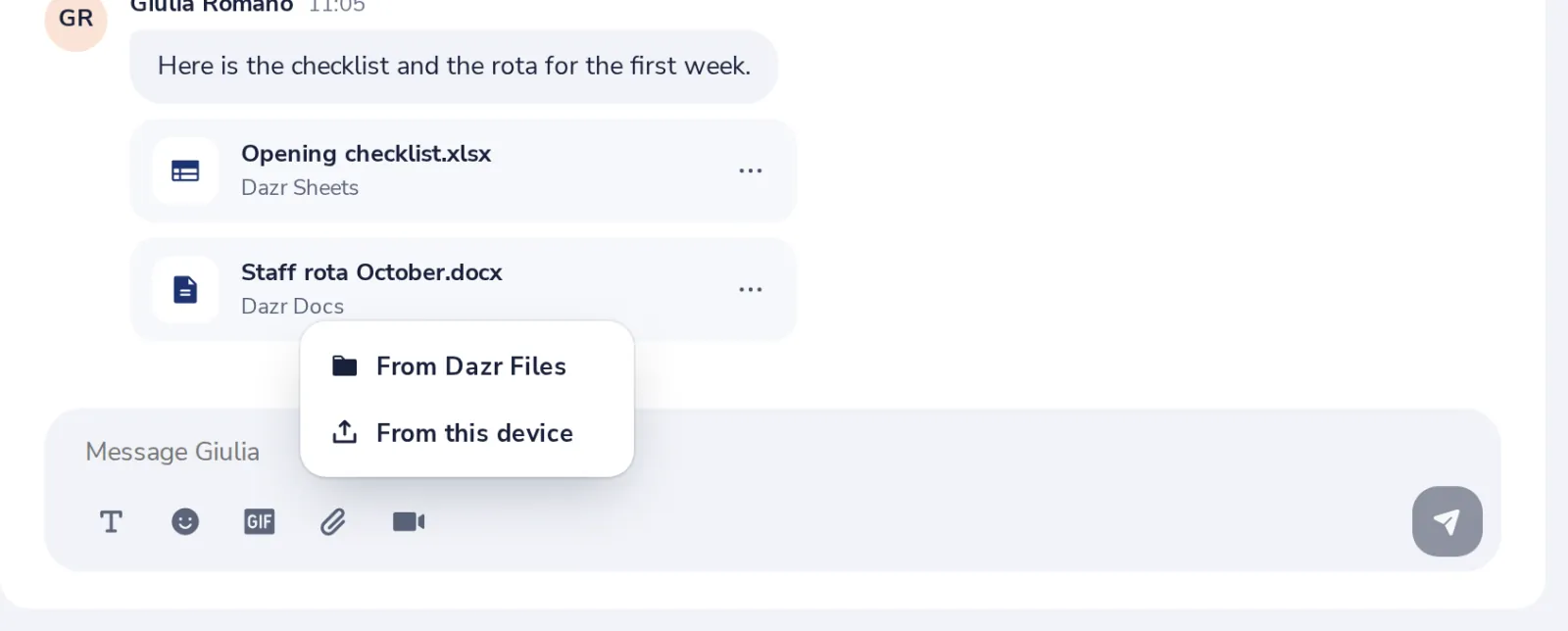
Press the paper clip
Under the message box, then choose From Dazr Files.
- 2
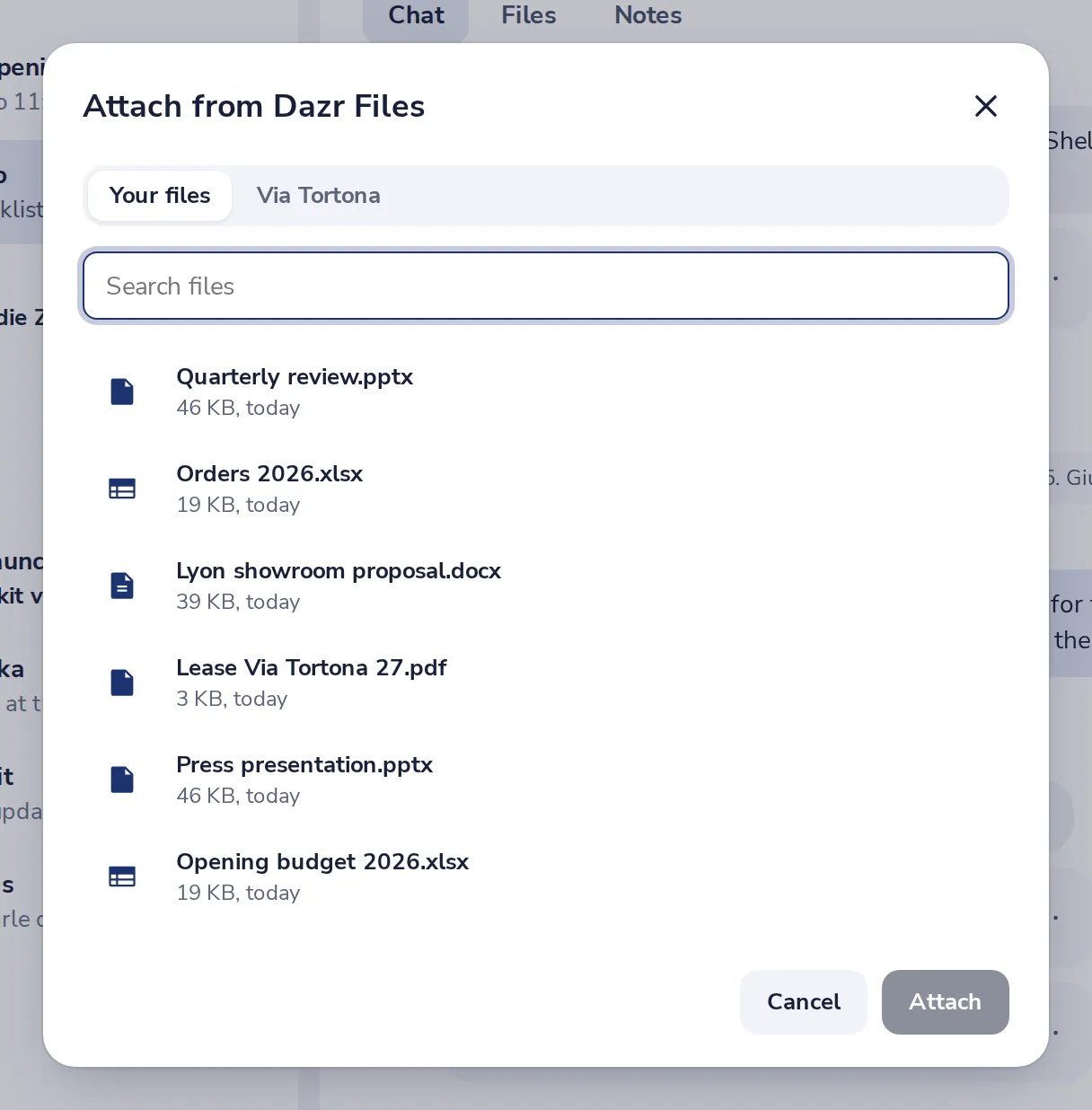
Pick the file
Your files and your team's space show here. Search if you have many.
- 3
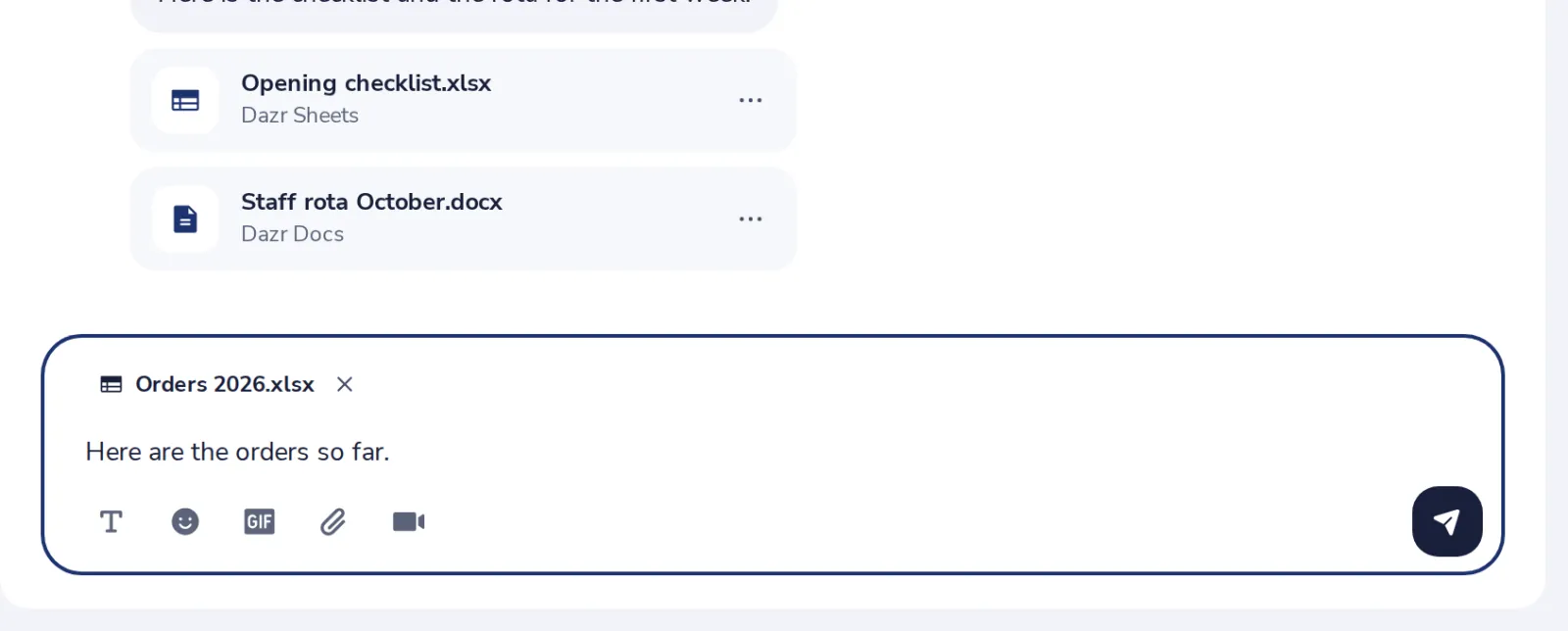
Press Send
Add a line if you like, then send.
- 4
Choose what they can do
Can view, or Can edit for documents, spreadsheets and presentations. Then press Share.
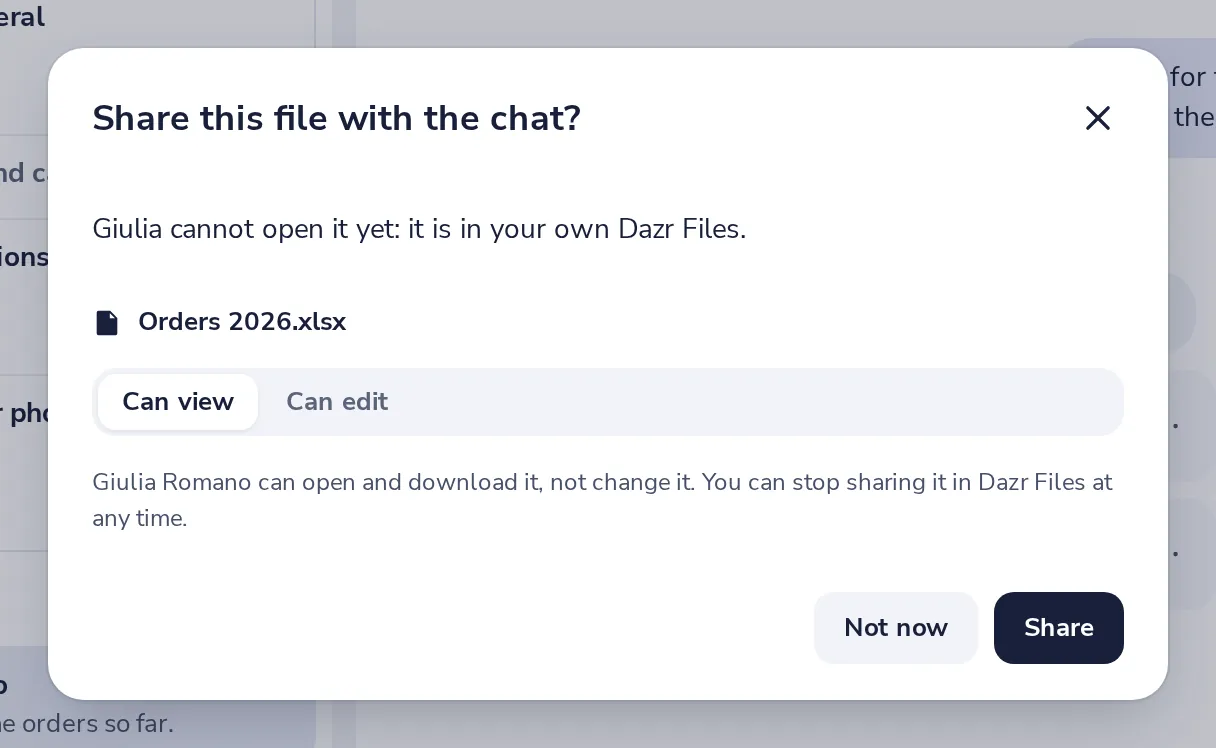
You can stop sharing at any time in Dazr Files.
- 5
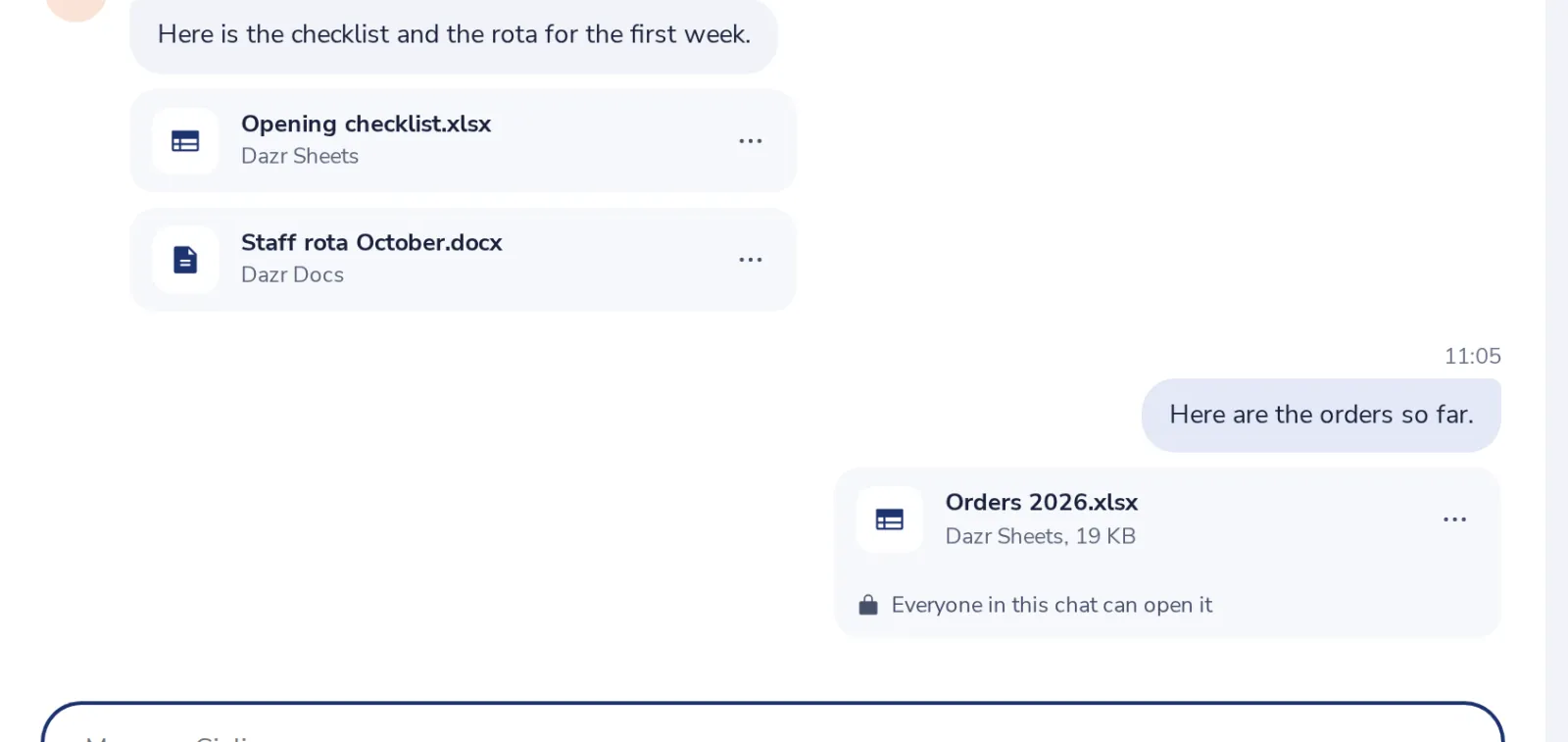
It is in the chat
Everyone in the chat can open it now.
Was this helpful?
What was missing?
Thank you.
We count yes and no per article. Nothing about you is stored.