Set your focus and call times
Your day has blocks: open for calls, focusing and away. People see them next to your name, and knocks wait while you focus.
- 1
Open My day
In the list on the left of Dazr Teams.
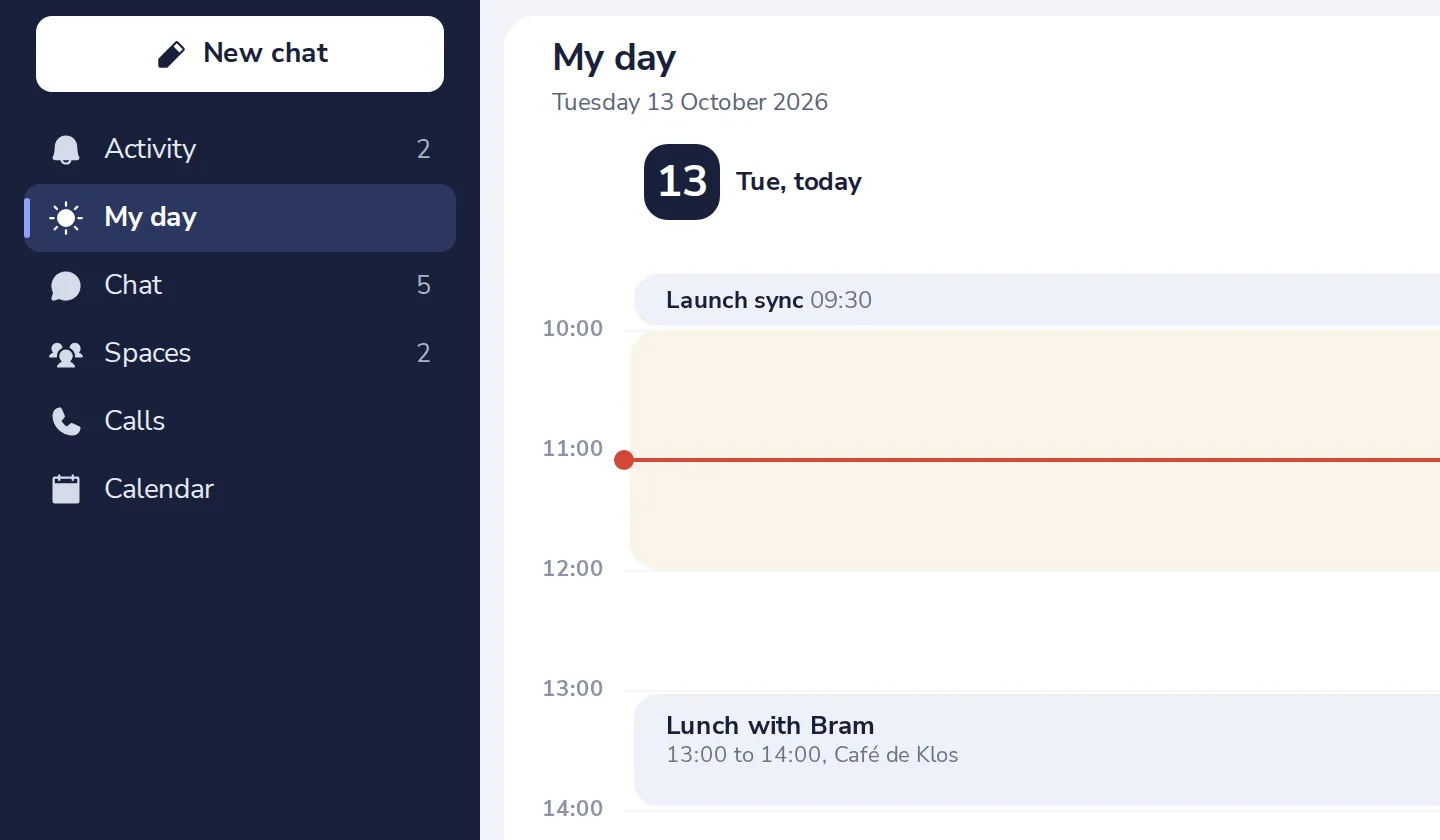
- 2
Press Change availability
Under What people see now.
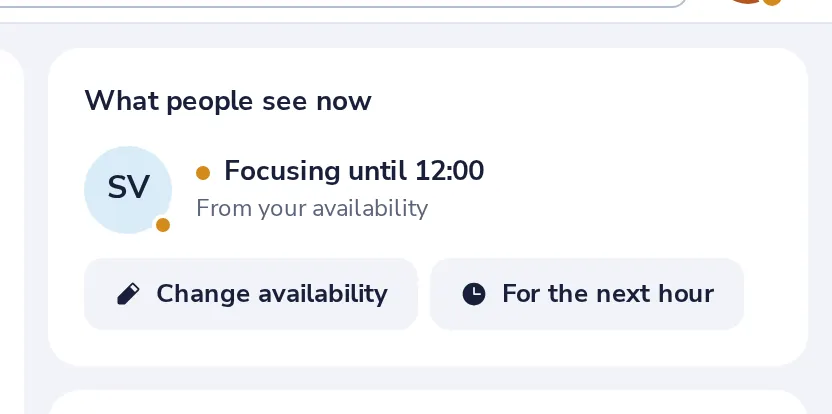
- 3
Set your blocks for today
Choose Focusing, Open for calls or Away, with a start and an end time.
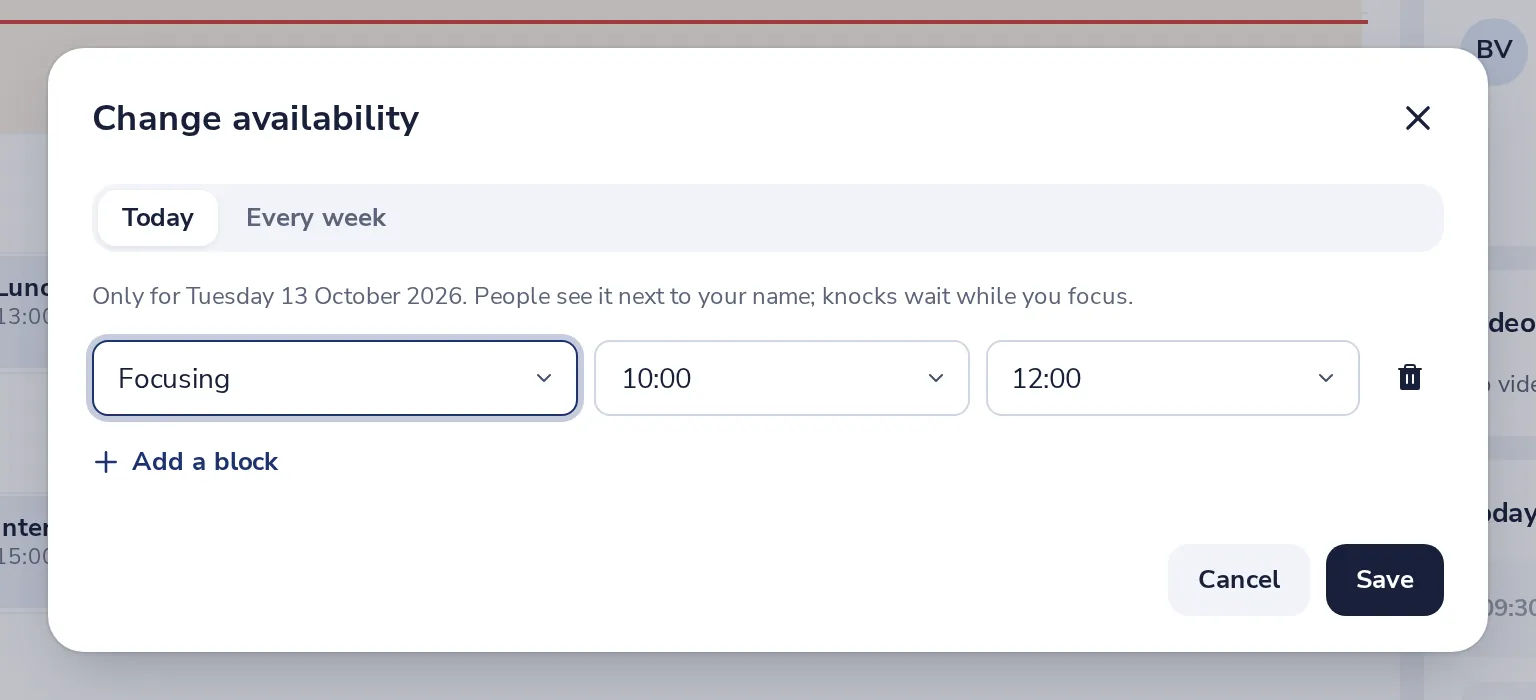
- 4
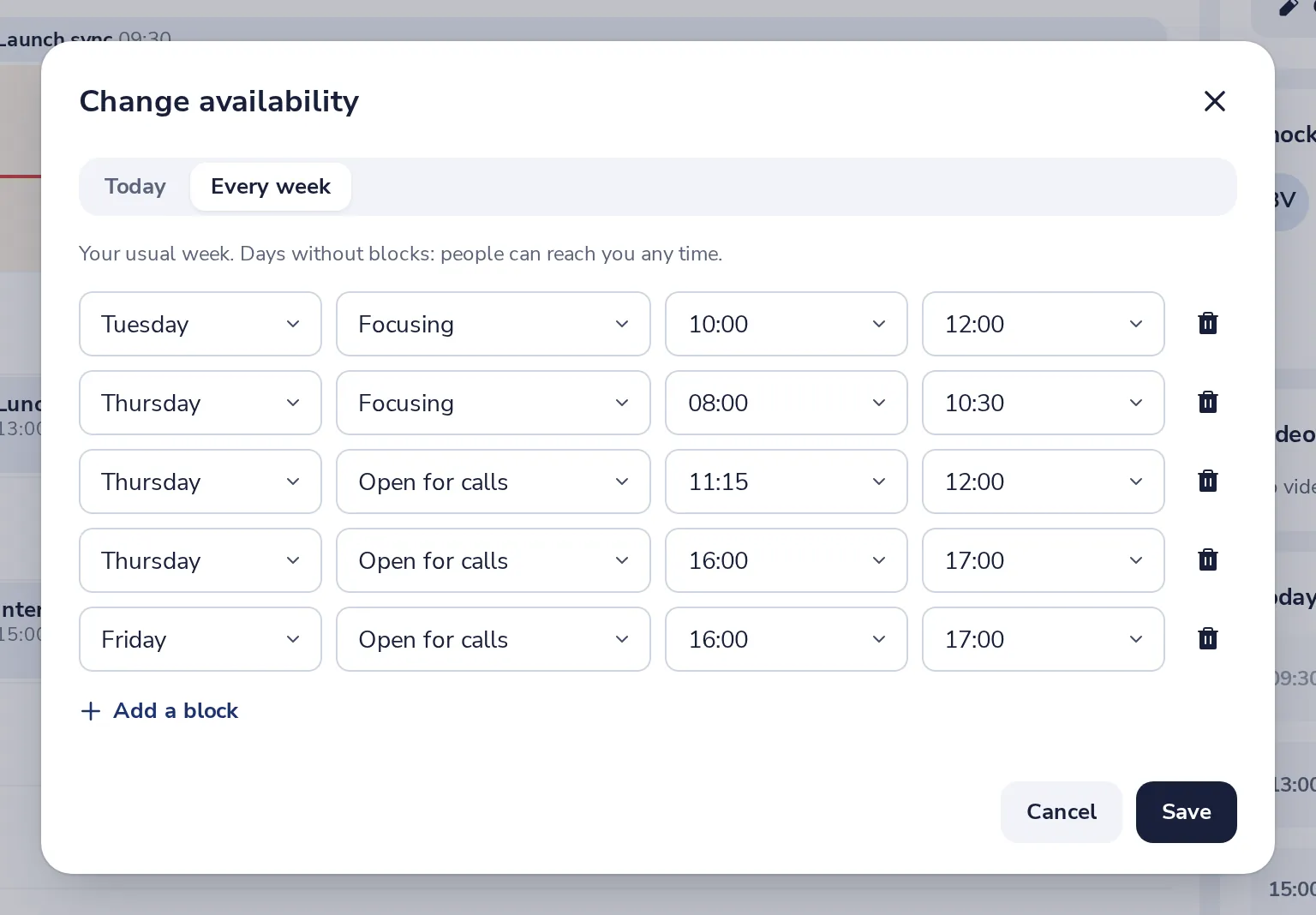
Or for every week
Choose Every week to set the same times for each working day. Then press Save.
Your availability is the same in Dazr Calendar.
- 5
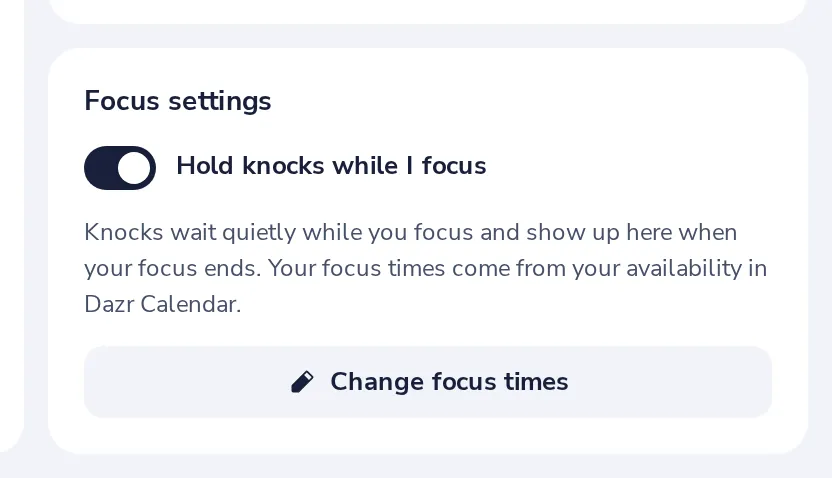
Hold knocks while you focus
With this on, knocks wait quietly and show up when your focus ends.
Was this helpful?
What was missing?
Thank you.
We count yes and no per article. Nothing about you is stored.