Rename a group or add people
In a group chat, you can rename it, add people, remove people or leave it.
- 1
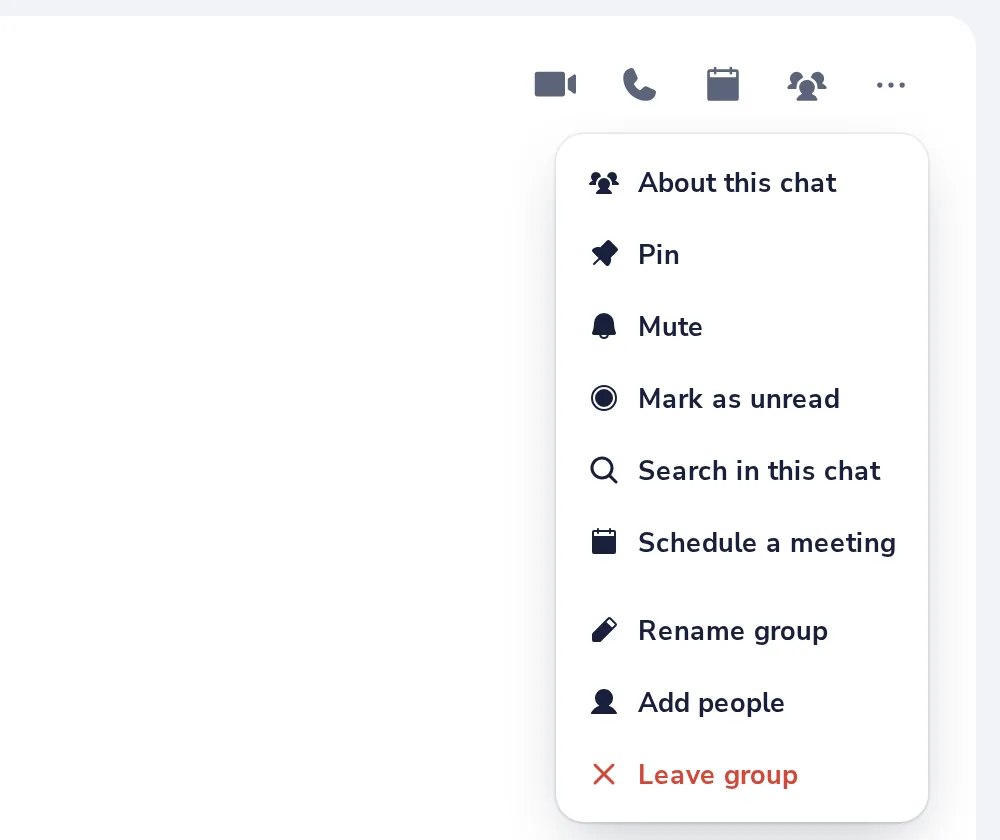
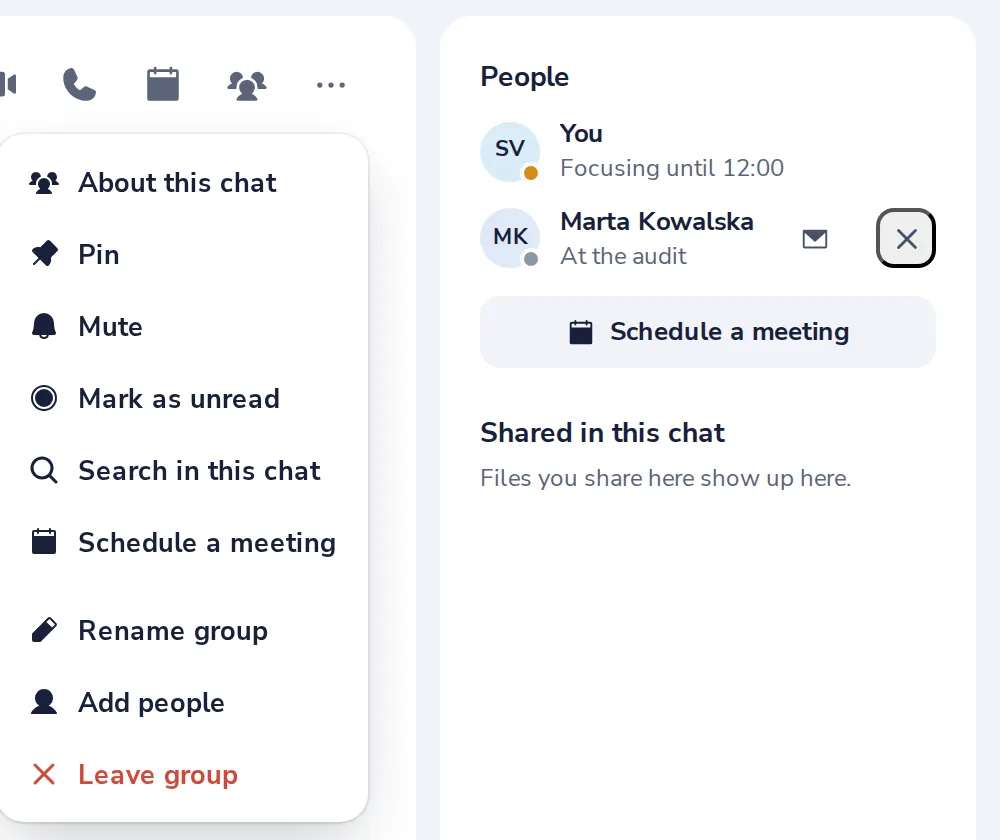
Open the group menu
Press the three dots at the top right of the group.
- 2
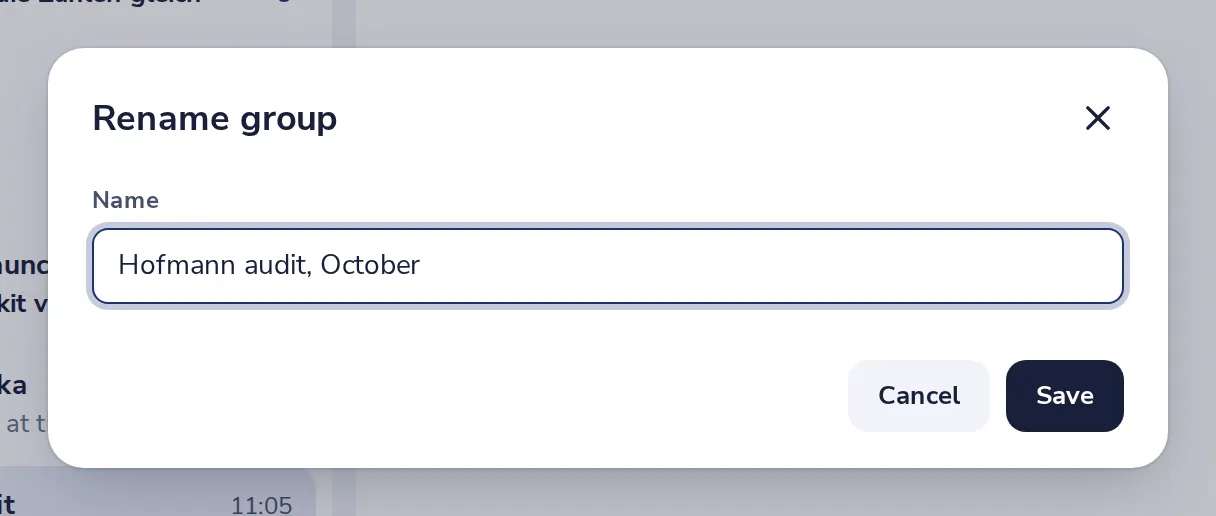
Type a new name
Then press Save. Everyone sees the new name.
- 3
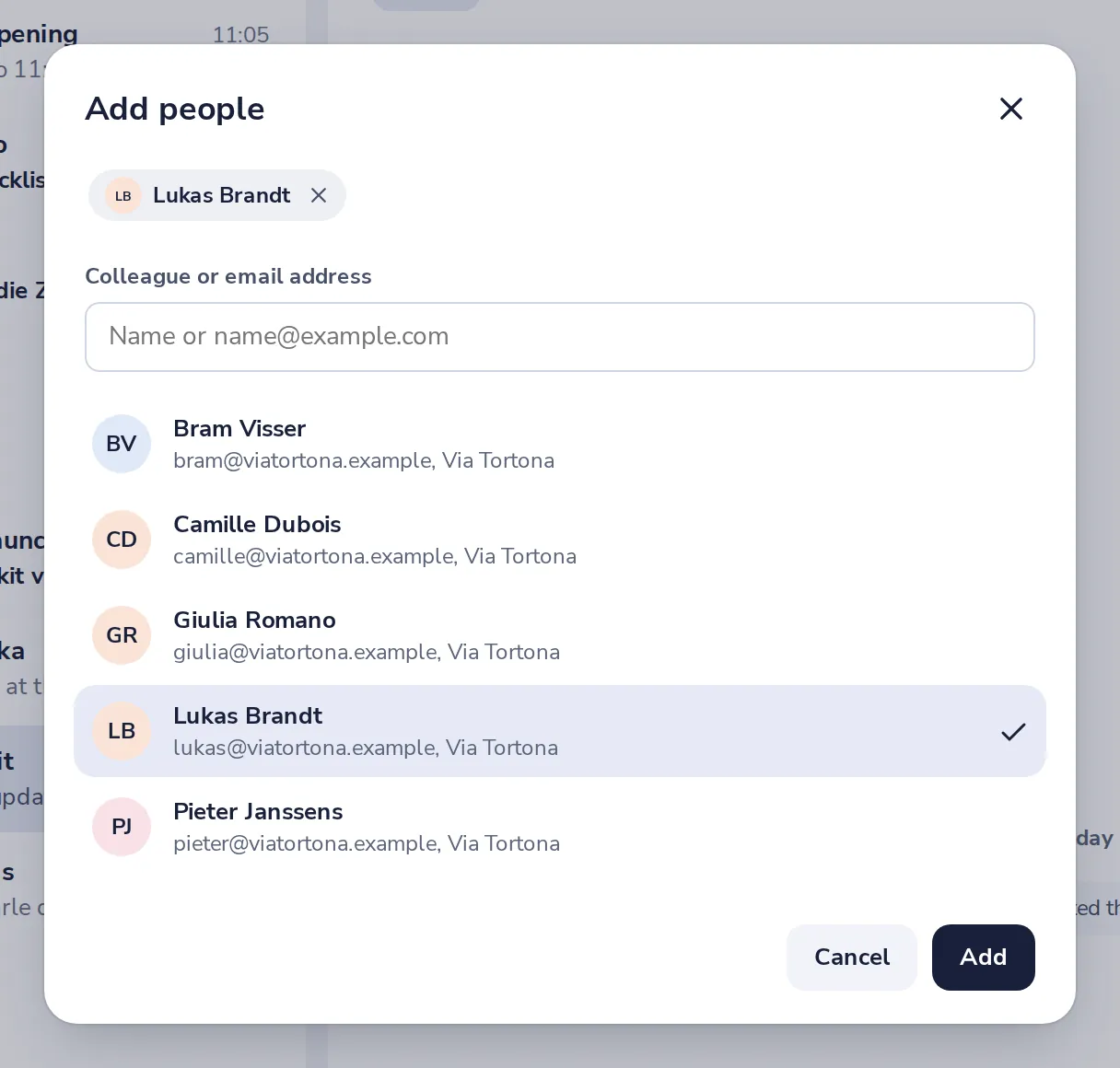
Add people
Choose Add people in the same menu, and pick a colleague or type an email address.
- 4
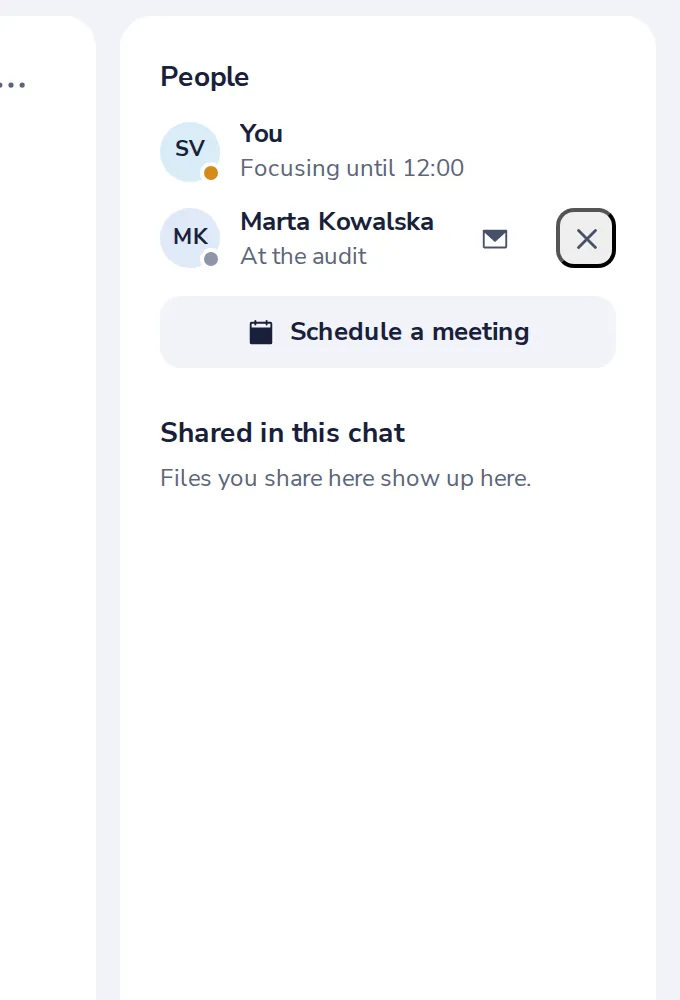
See who is in the group
The side panel lists everyone. Press the cross next to a name to remove them.
- 5
Leave the group
Choose Leave group in the menu. The others keep the chat.
Was this helpful?
What was missing?
Thank you.
We count yes and no per article. Nothing about you is stored.