Save a message for later
Saved messages stay in one list, on every device, until you remove them.
- 1
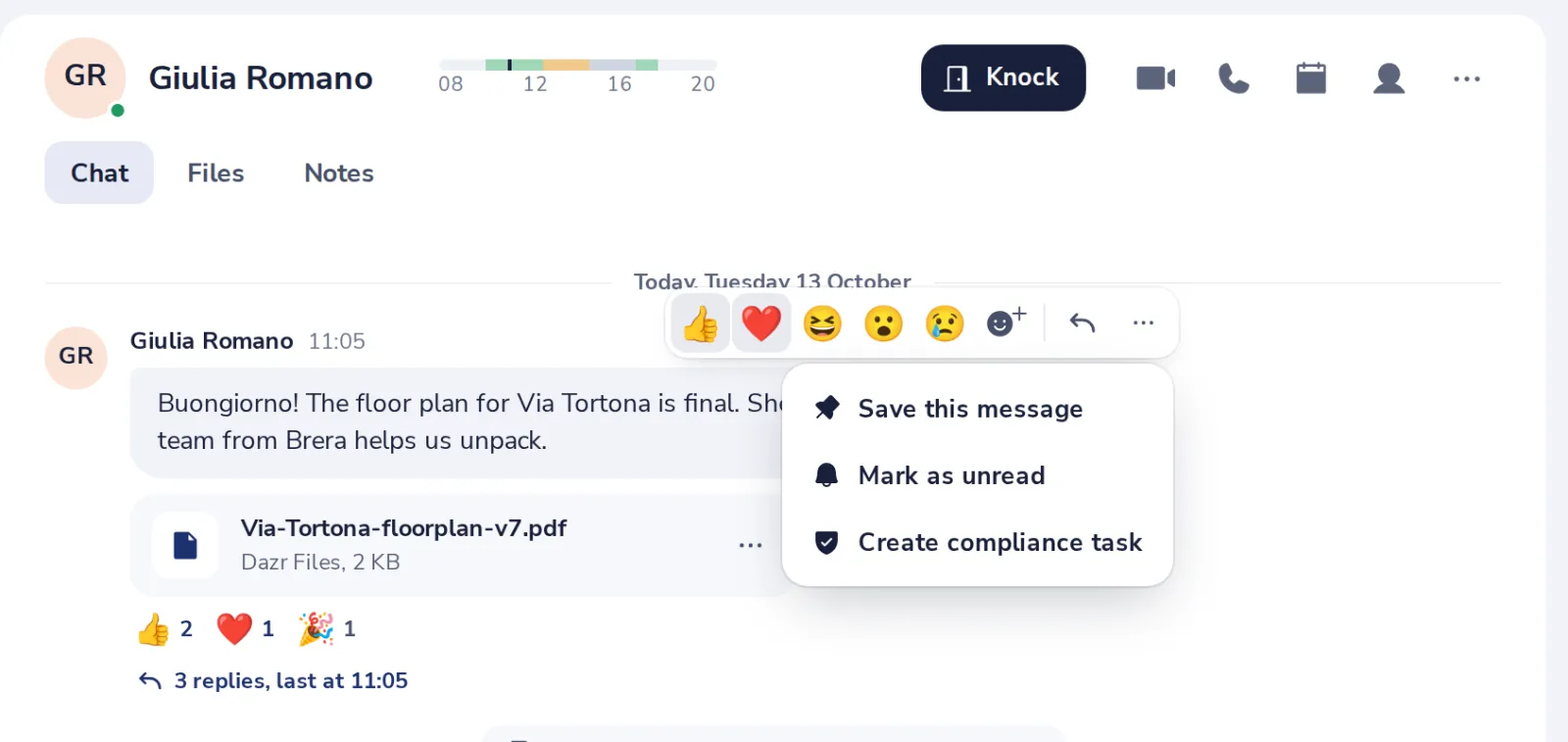
Open the message menu
Point at the message, press the three dots, then Save this message.
- 2
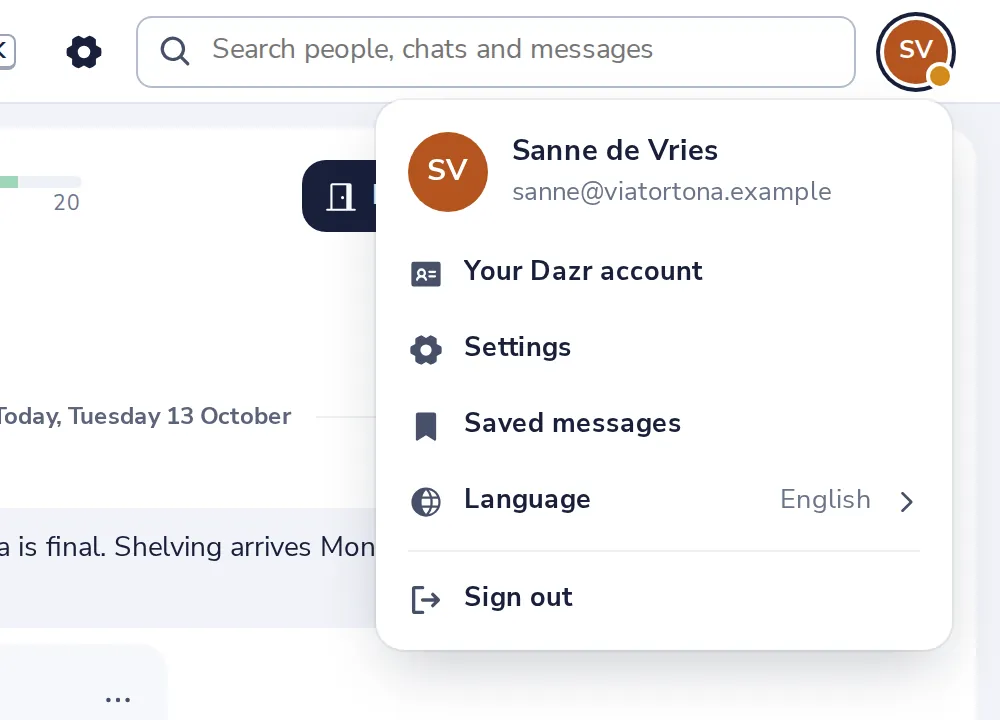
Open Saved messages
Press your picture at the top right, then Saved messages.
- 3
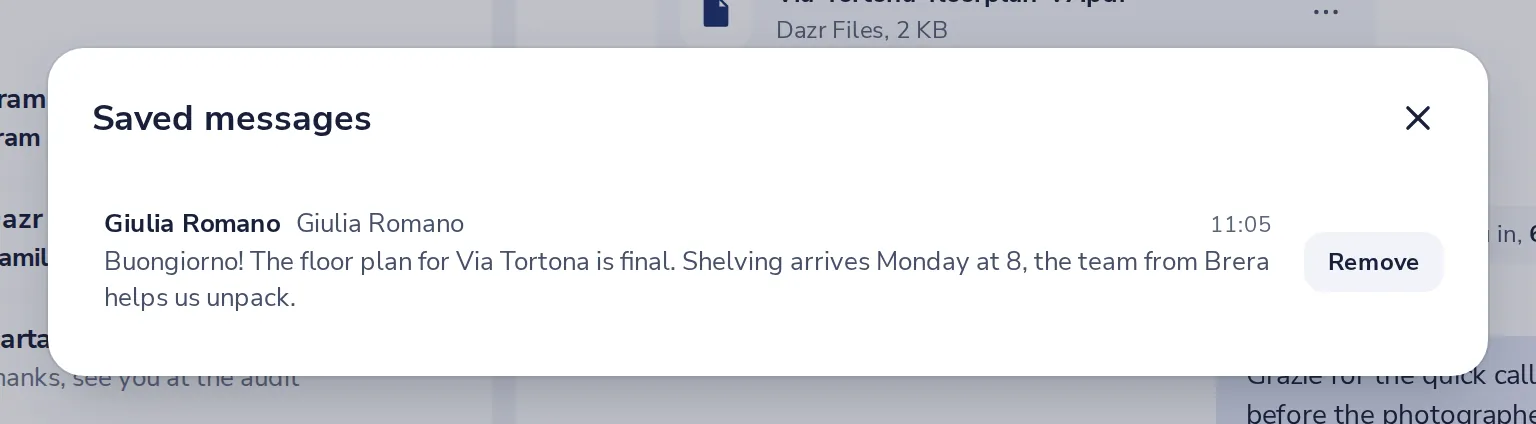
Everything you saved
Press a message to jump to it in its chat.
Was this helpful?
What was missing?
Thank you.
We count yes and no per article. Nothing about you is stored.