Start a chat
Everyone in your organisation is already in Dazr Teams. Pick a name and start writing.
- 1
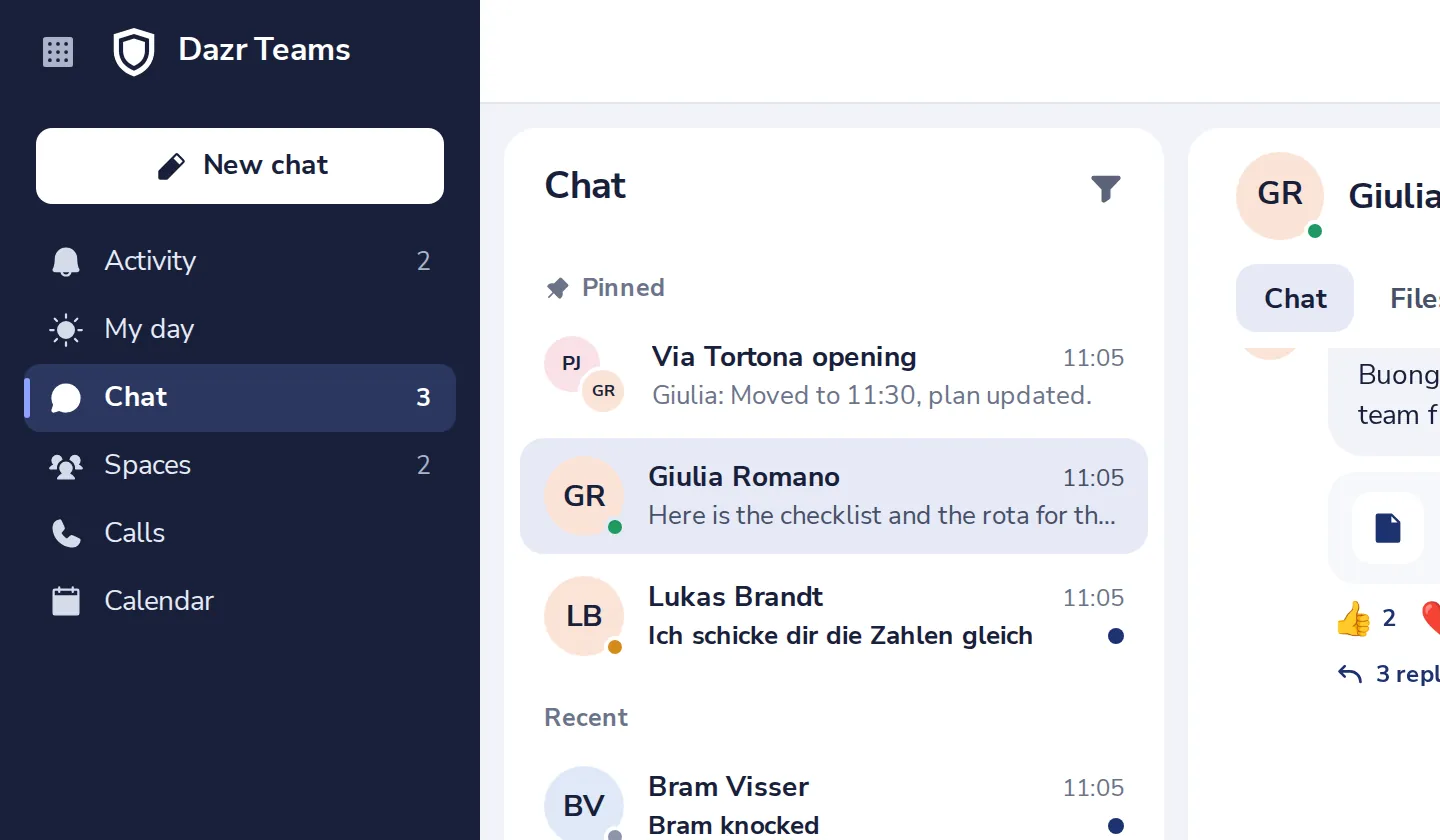
Press New chat
At the top left of Dazr Teams.
- 2
Pick a colleague
Type a name, or pick someone from the list.
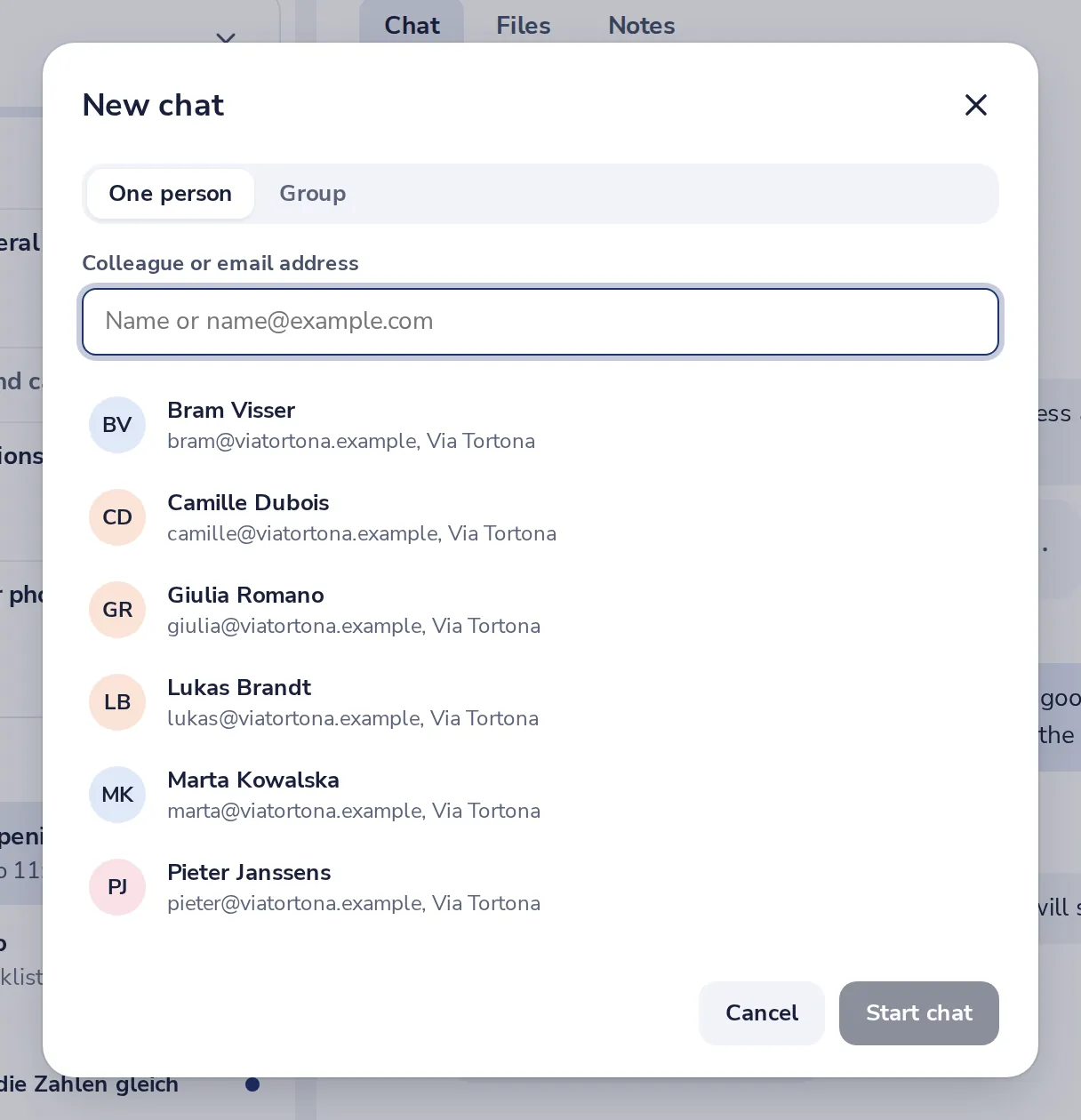
Everyone in your organisation is in the list.
- 3
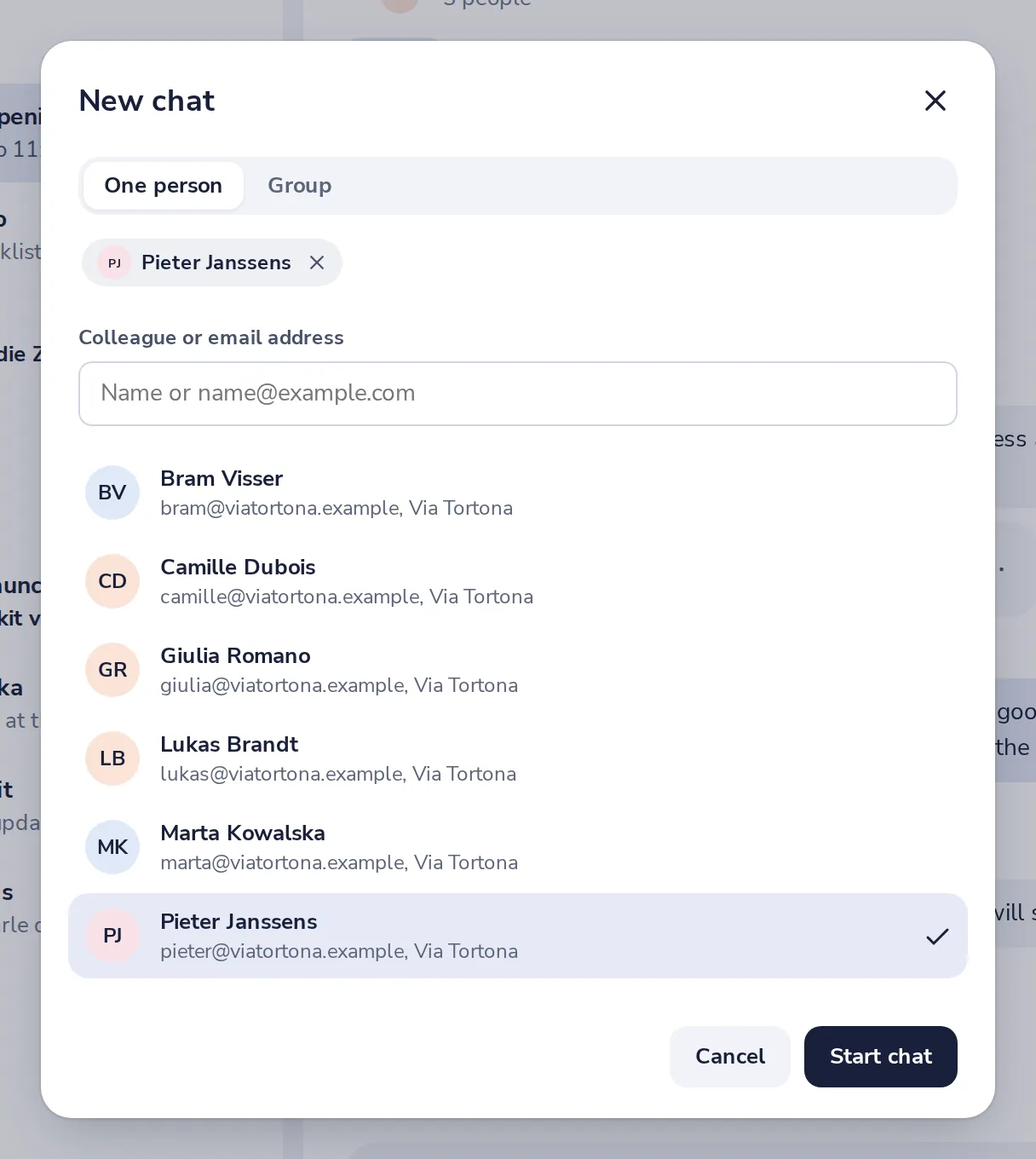
Press Start chat
The chat opens right away.
- 4
Write and send
Type your message and press Enter to send it.
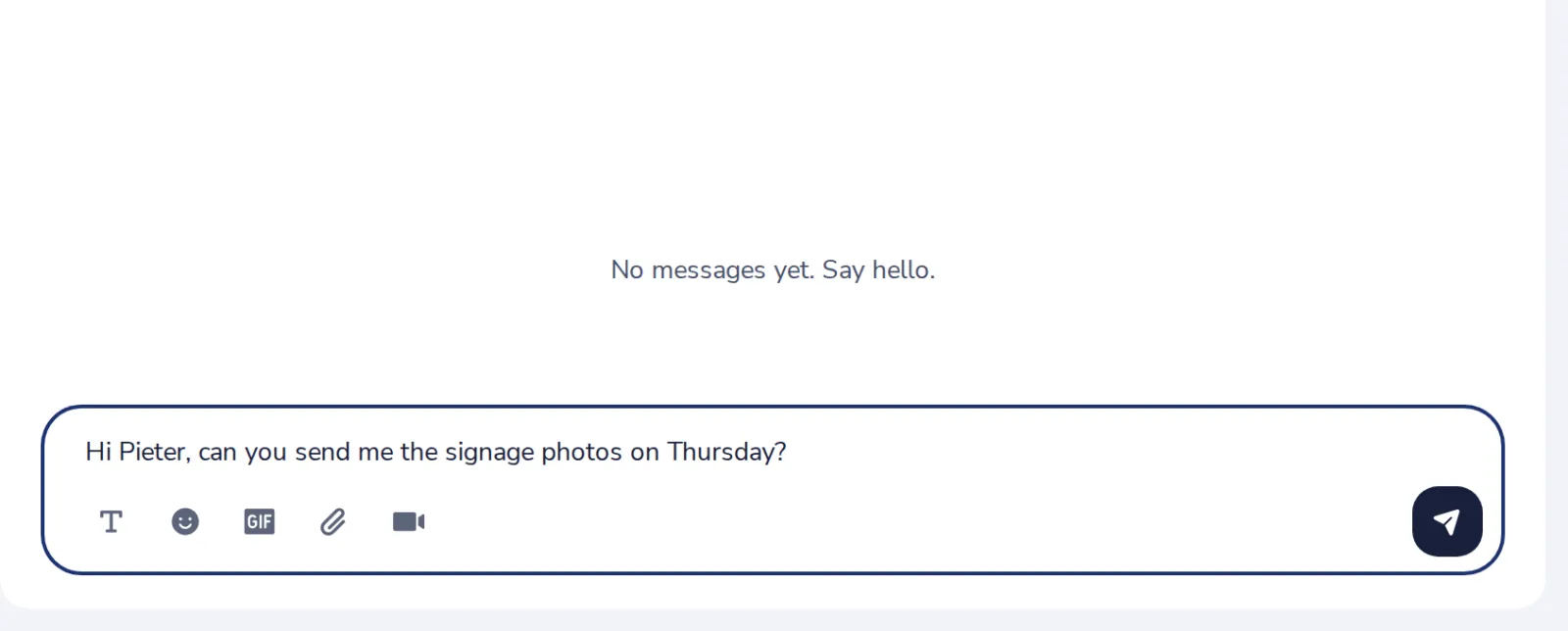
Shift and Enter starts a new line.
Was this helpful?
What was missing?
Thank you.
We count yes and no per article. Nothing about you is stored.