Invite your team
Type their email address in a new chat. A colleague joins your company and your plan when they accept. A guest joins only that chat.
You needTheir email addressTo invite a colleague you are an admin of your company
- 1
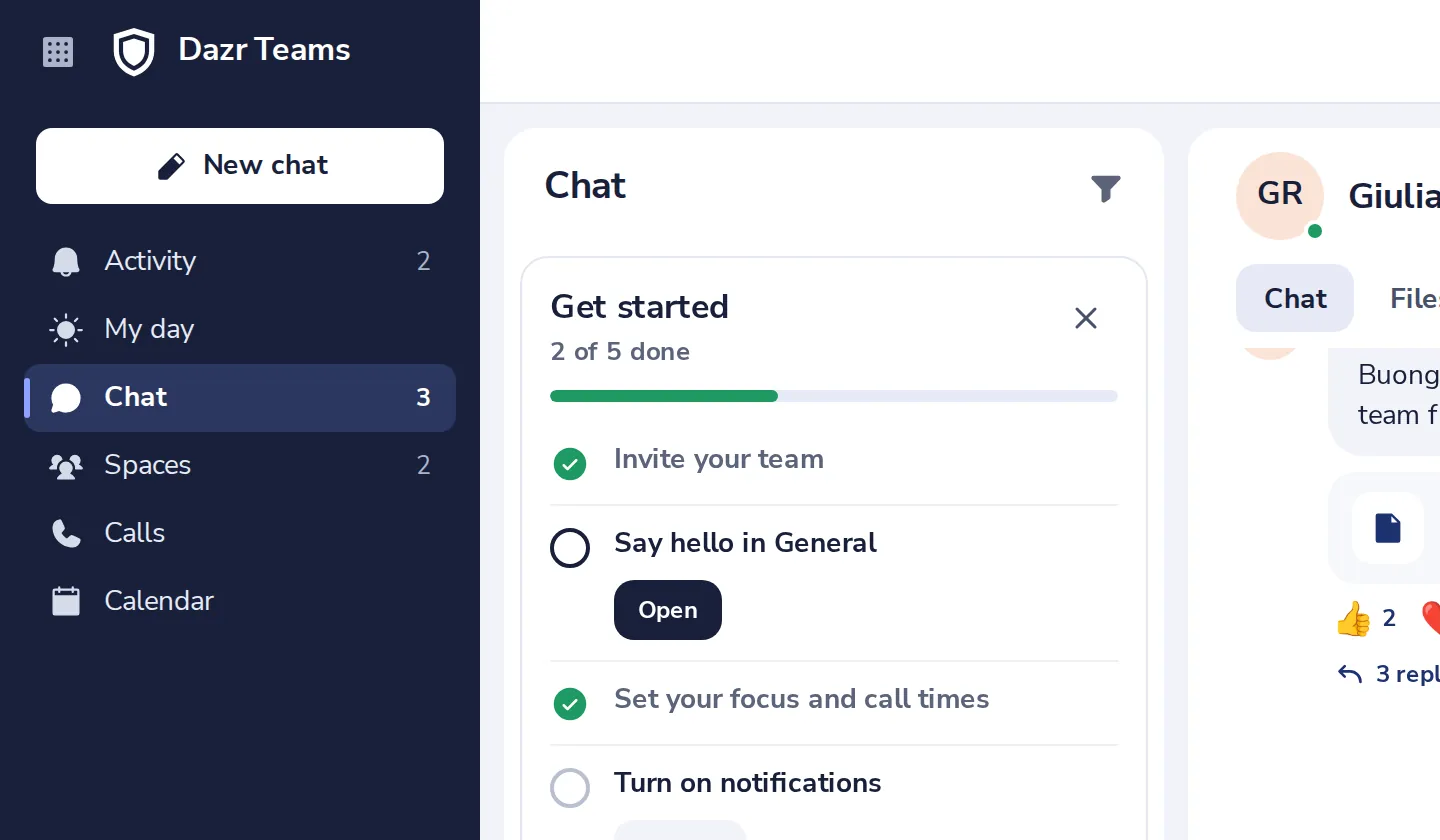
Press New chat
At the top left of Dazr Teams.
- 2
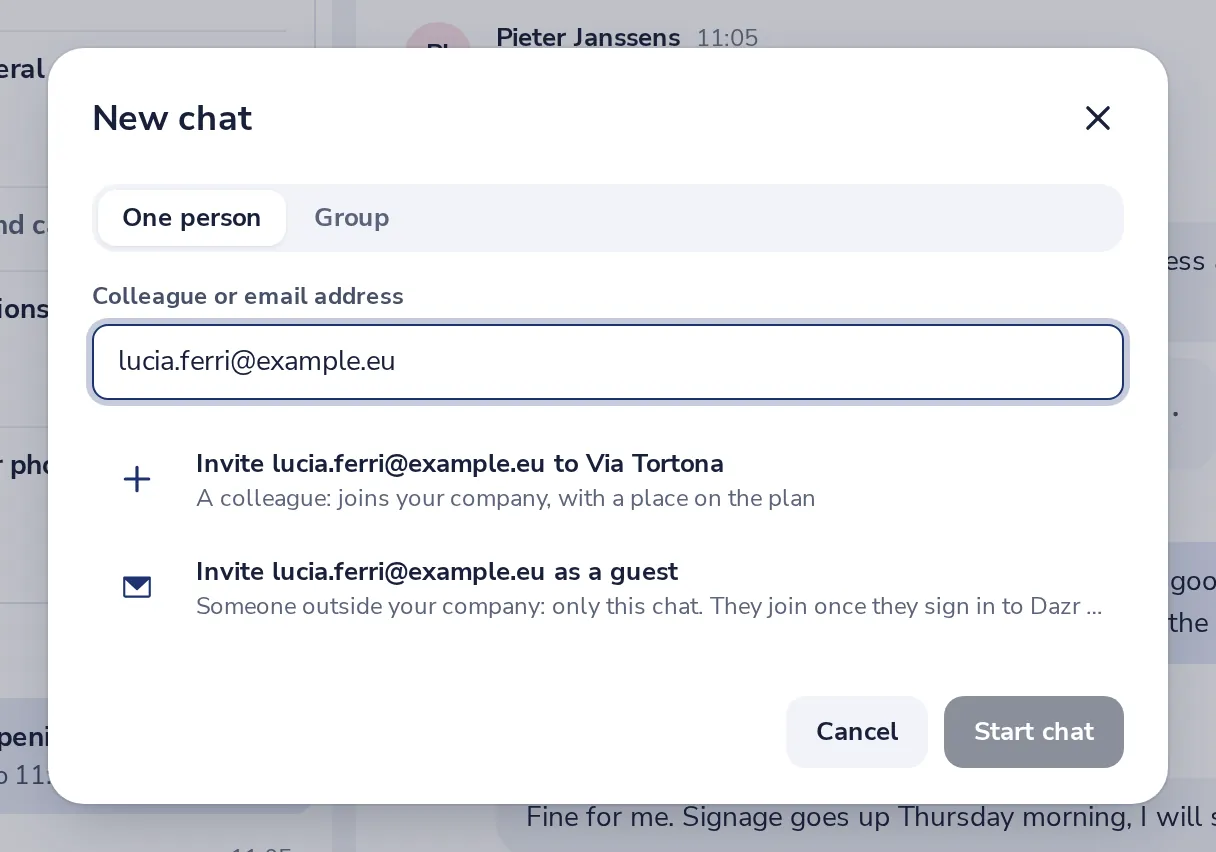
Type your colleague’s email address
For a colleague, choose Invite to your company under the field. Only admins see it.
- 3
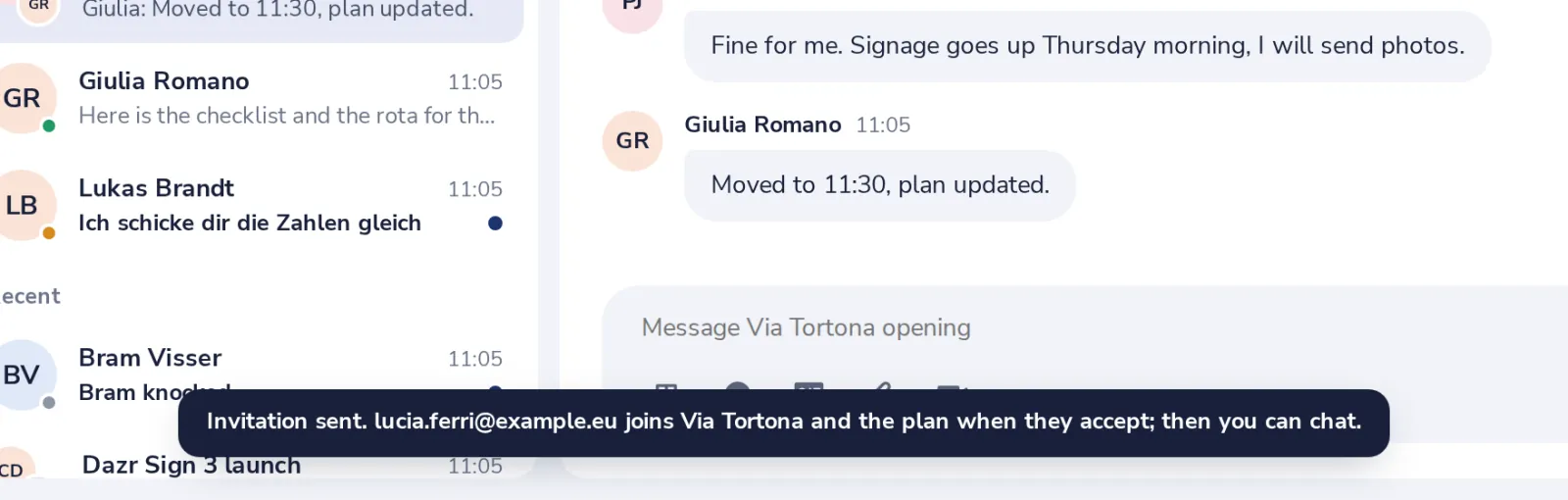
Your colleague gets an invitation by email
They join your company and get a place on your plan when they accept. Then you can chat.
- 4
Invite a guest to one chat
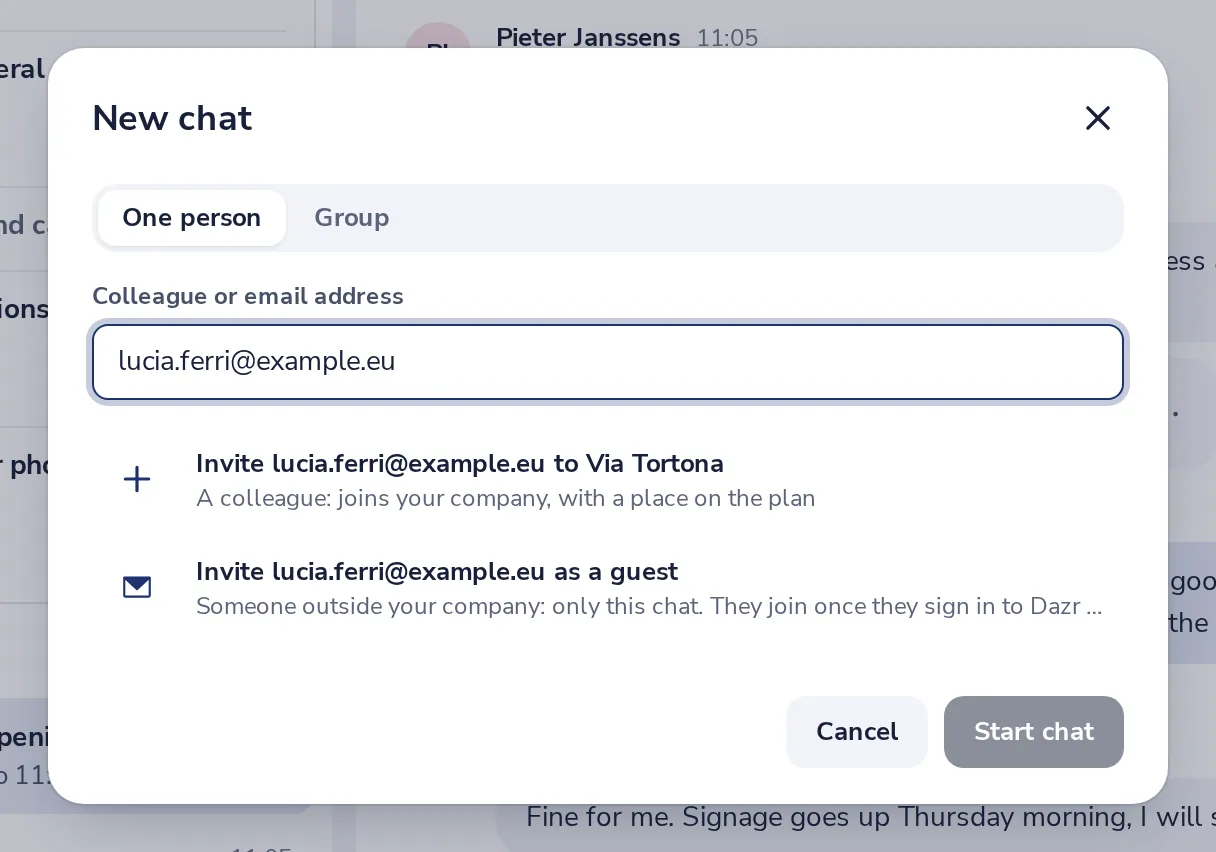
For someone outside your company, choose Invite as a guest, then press Start chat.
- 5
The guest joins after signing in
You can already write. They read it once they sign in to Dazr with that address.

To write back, a guest needs a plan with Dazr Teams. They can read the chat without one.
Was this helpful?
What was missing?
Thank you.
We count yes and no per article. Nothing about you is stored.