Find a time that works
Find a time shows your day next to the free and busy times of the people you invite, and the next times when everyone is free.
- 1
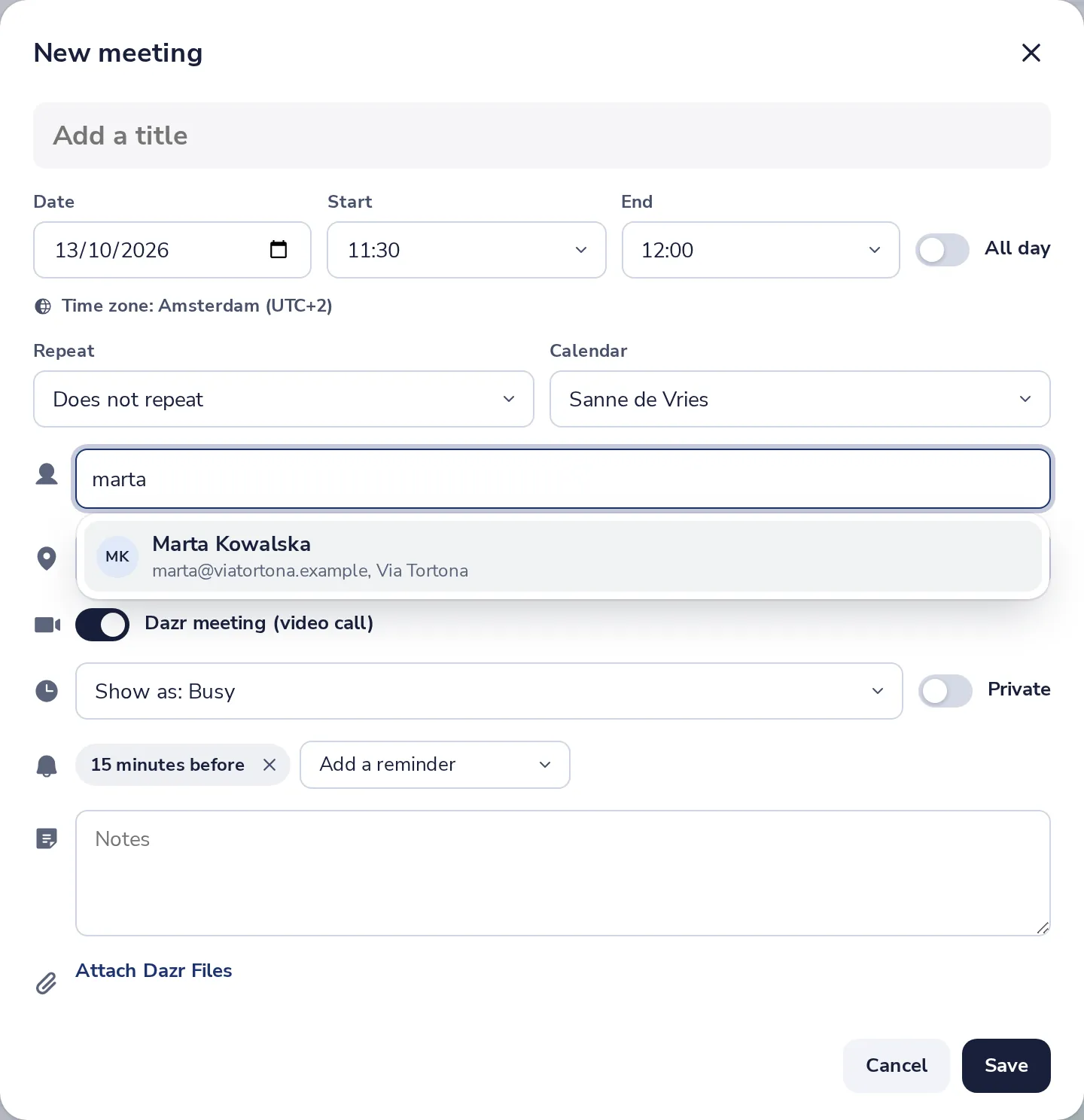
Invite the people first
In New meeting, add everyone who should be there.
- 2
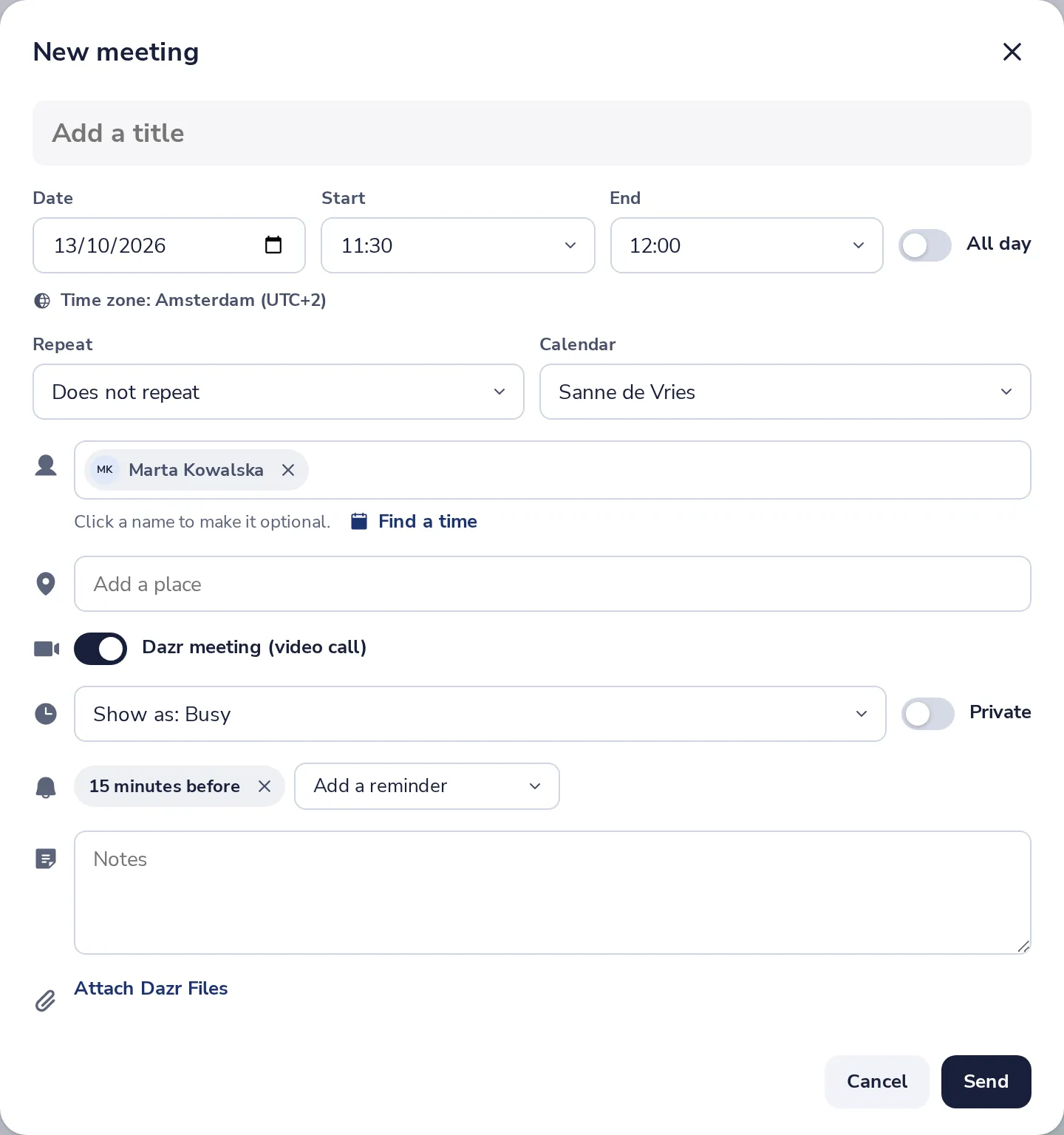
Press Find a time
It is just under the people you invited.
- 3
See who is busy when
Each person has a row for the day. Dark blocks are busy, the green frame is your meeting.
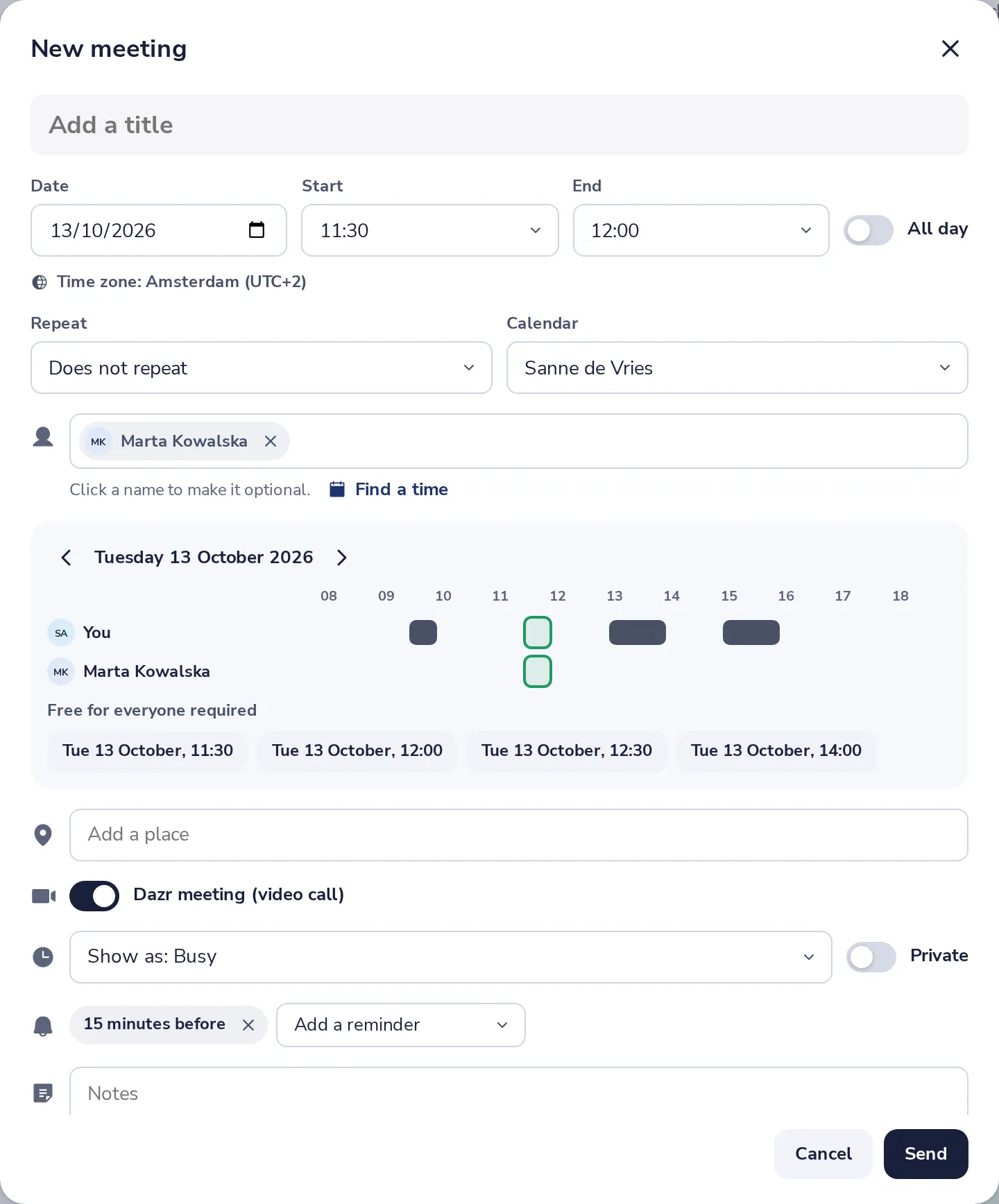
Use the arrows next to the date to look at another day.
- 4
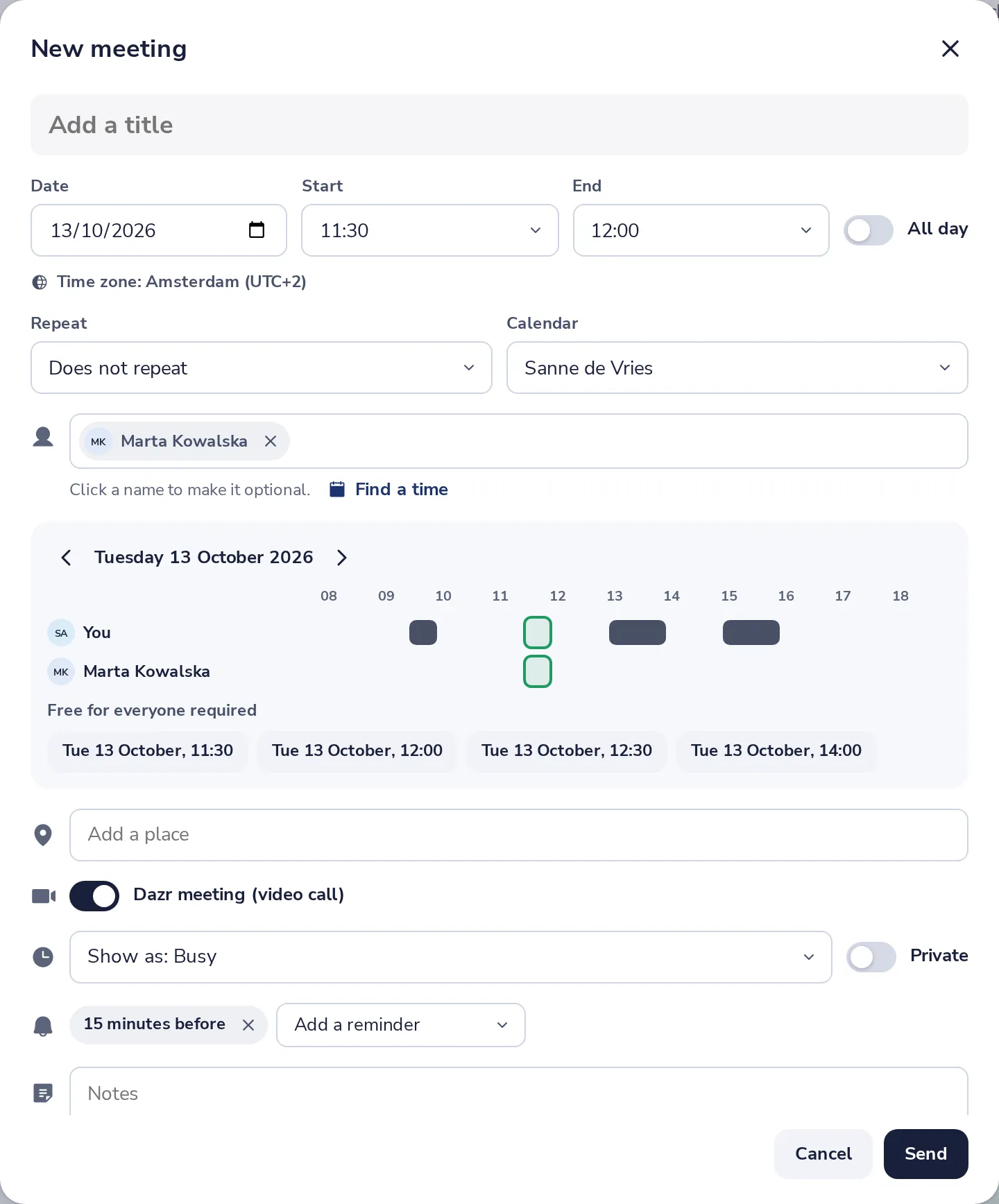
Pick a free time
Under Free for everyone required, press a time. The meeting moves there.
Was this helpful?
What was missing?
Thank you.
We count yes and no per article. Nothing about you is stored.