Create your first meeting
Make a meeting in a minute. Everyone you invite gets an invitation they can answer.
- 1
Press New meeting
It is at the top of the dark side panel.
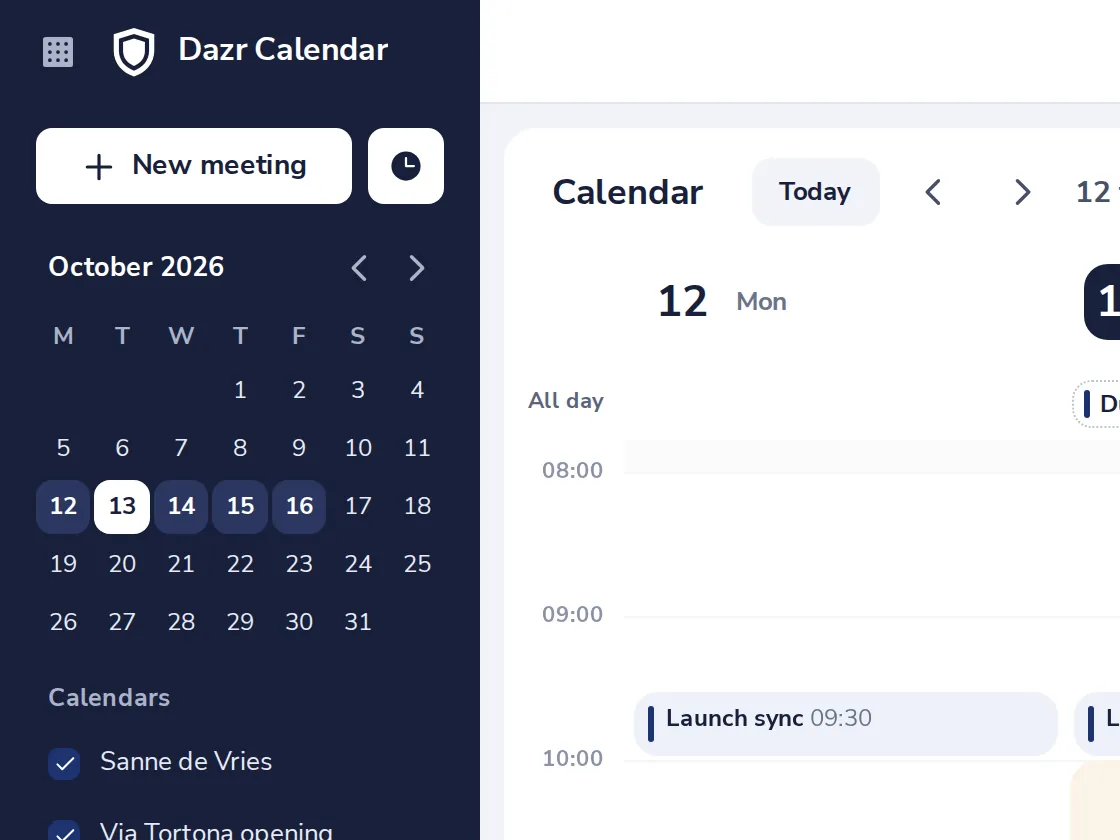
Or click a free time in the week, or drag over the hours you want.
- 2
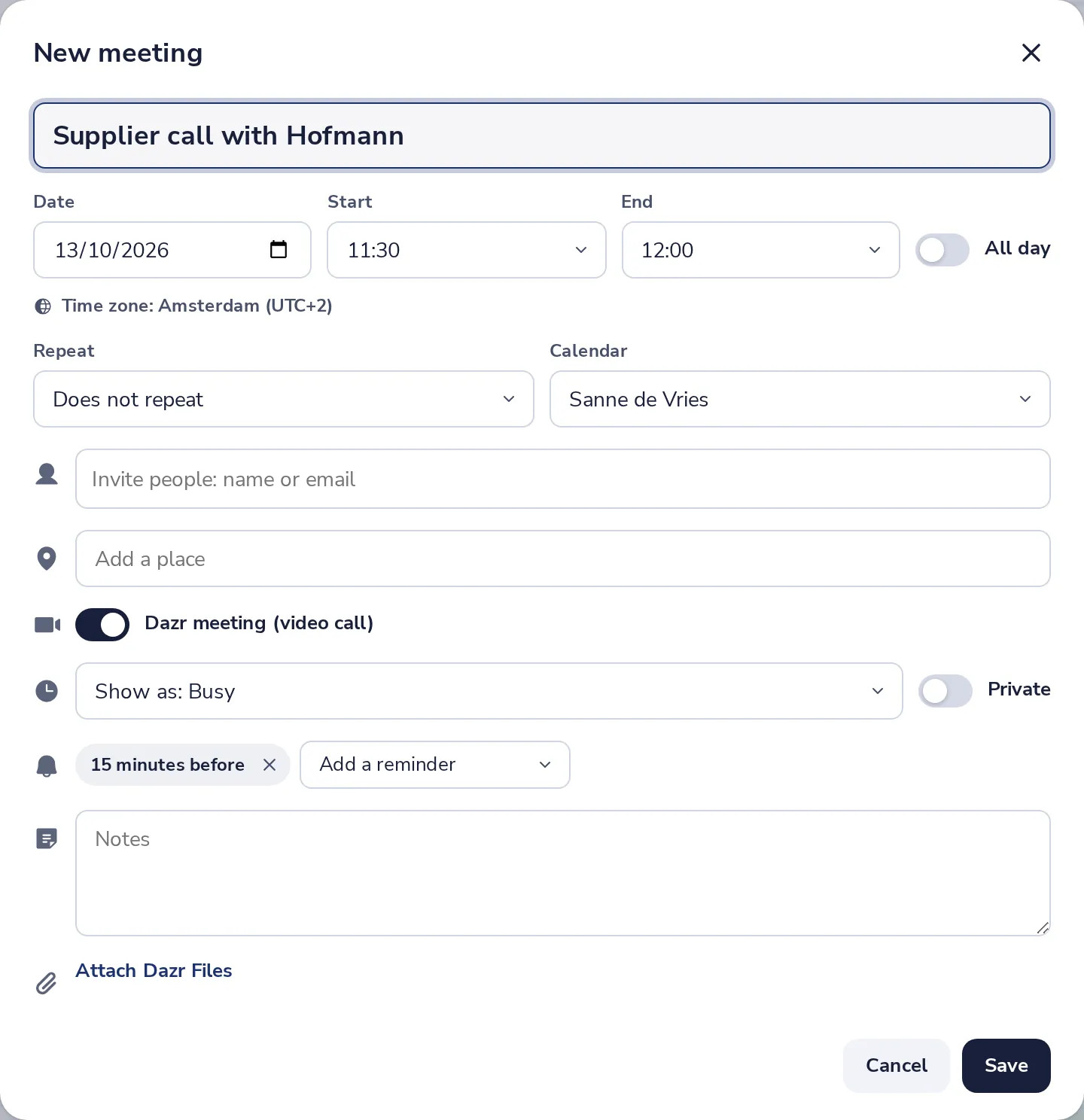
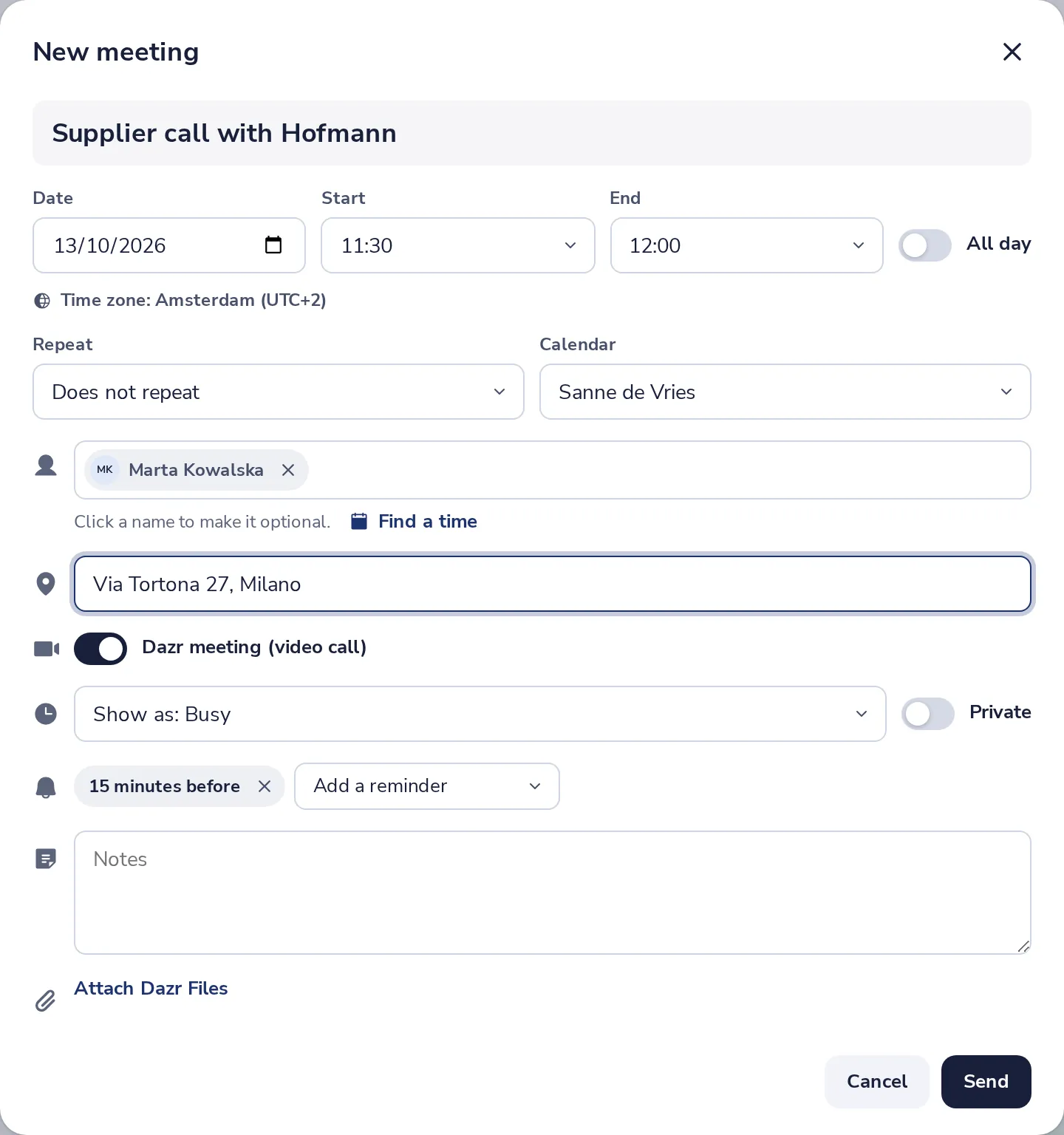
Give it a title and a time
Type what it is about. Then pick the date, the start and the end.
- 3
Invite people
Type a name or an email address, and pick the person from the list.
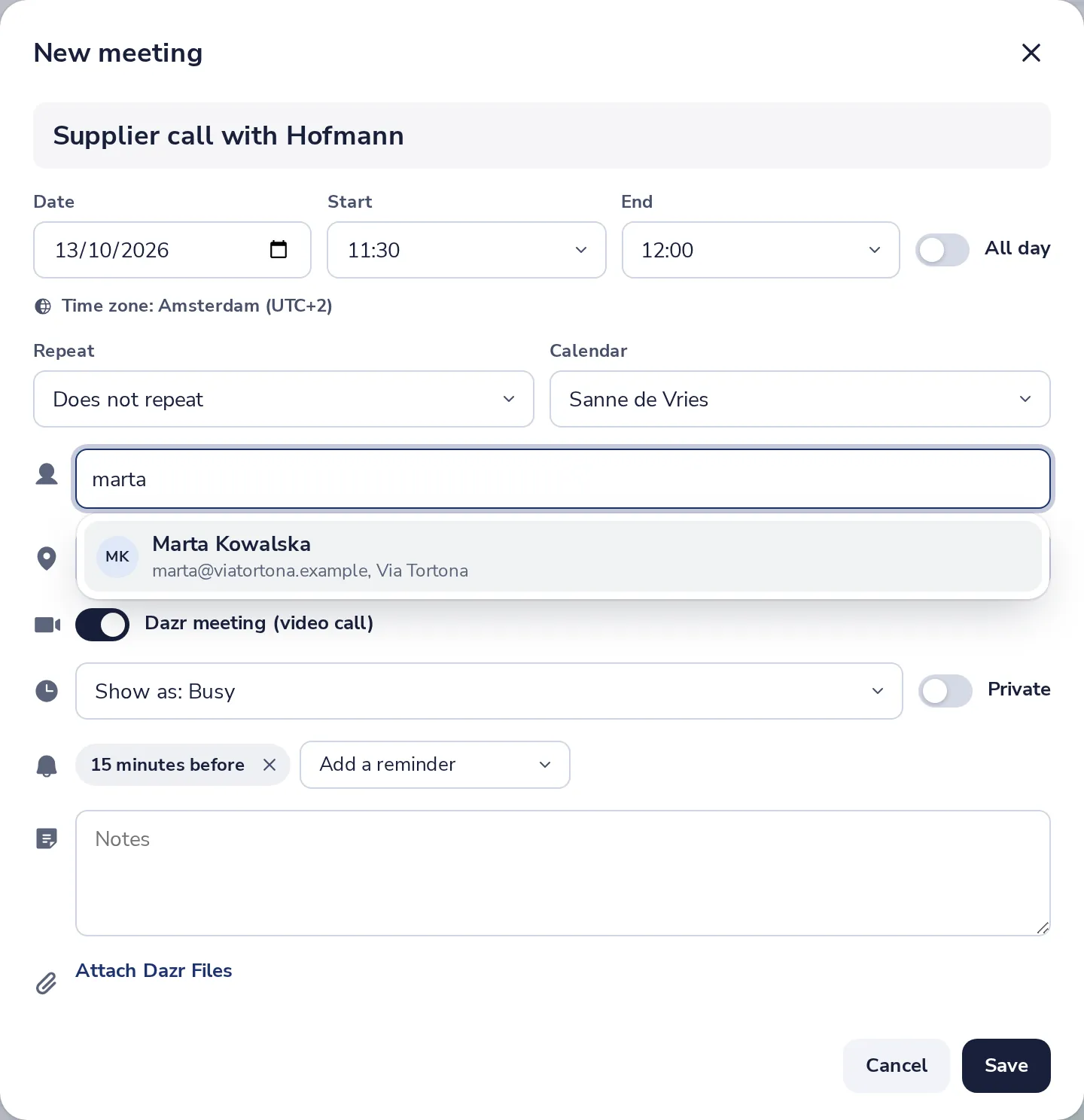
People in your organisation and in your Dazr Contacts are found by name.
- 4
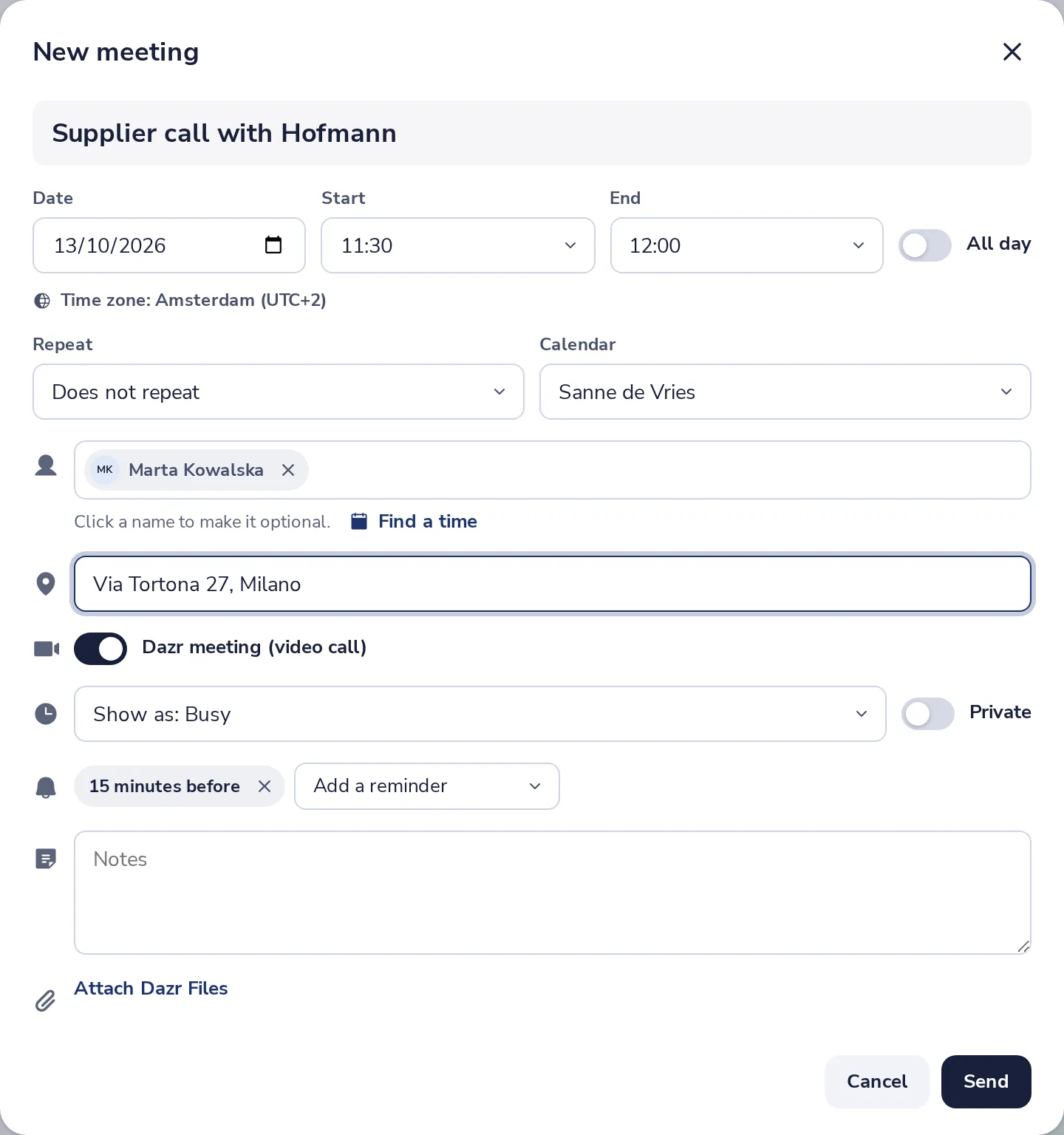
Add a place
An office, an address, or the link of the call you usually use.
- 5
Press Send
Everyone gets an invitation by email. The meeting is in your calendar right away.
- 6
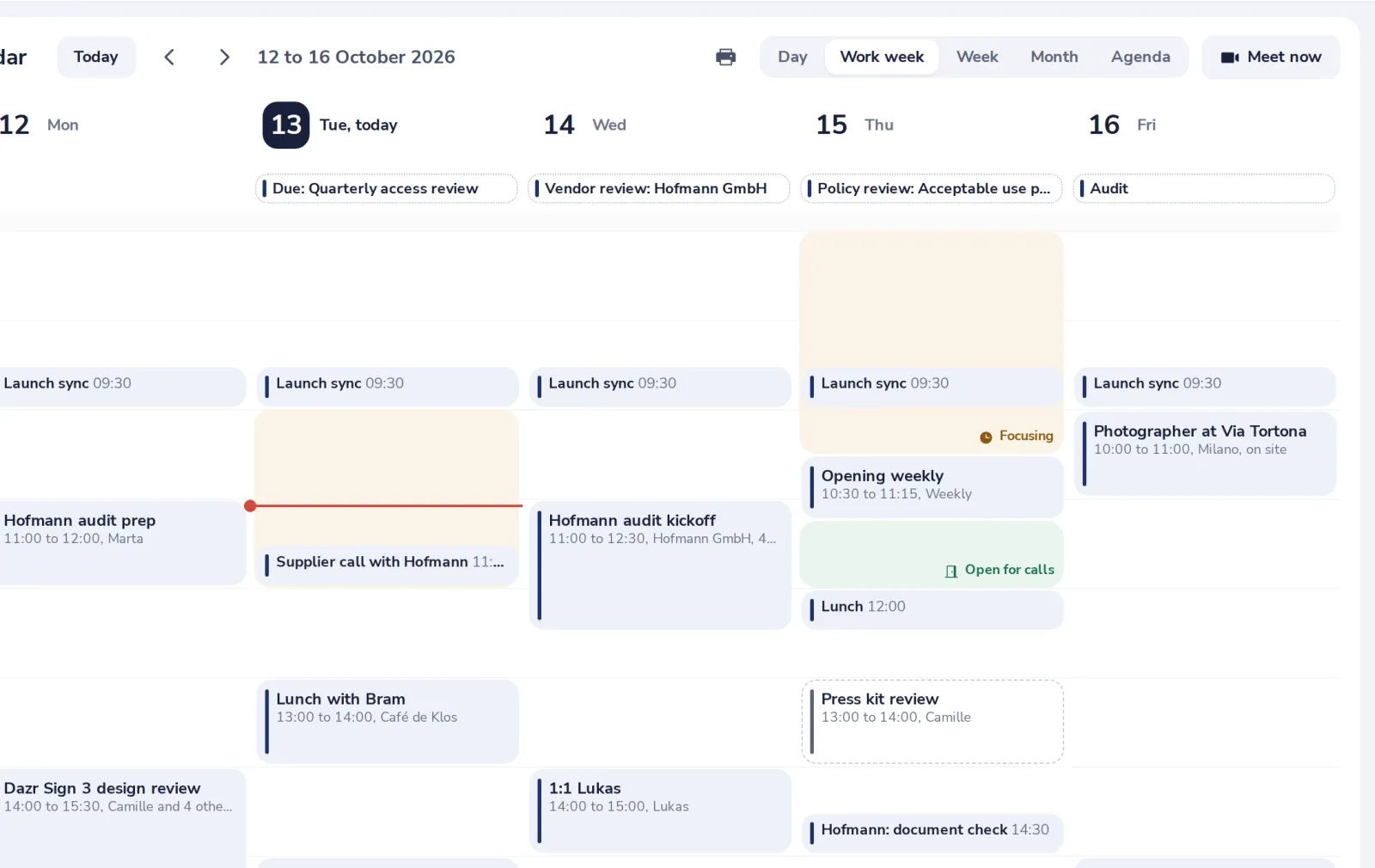
Find it in your week
Click the meeting to see who is coming, change it or join the call.
Video calls in Dazr Teams are coming soon. Until then, put the link of the call you usually use in the place.
Was this helpful?
What was missing?
Thank you.
We count yes and no per article. Nothing about you is stored.