Get started with your Dazr account
One account for every Dazr app. These are the first things to do. The same list is in Help, under Get started, and ticks itself off as you go.
- 1
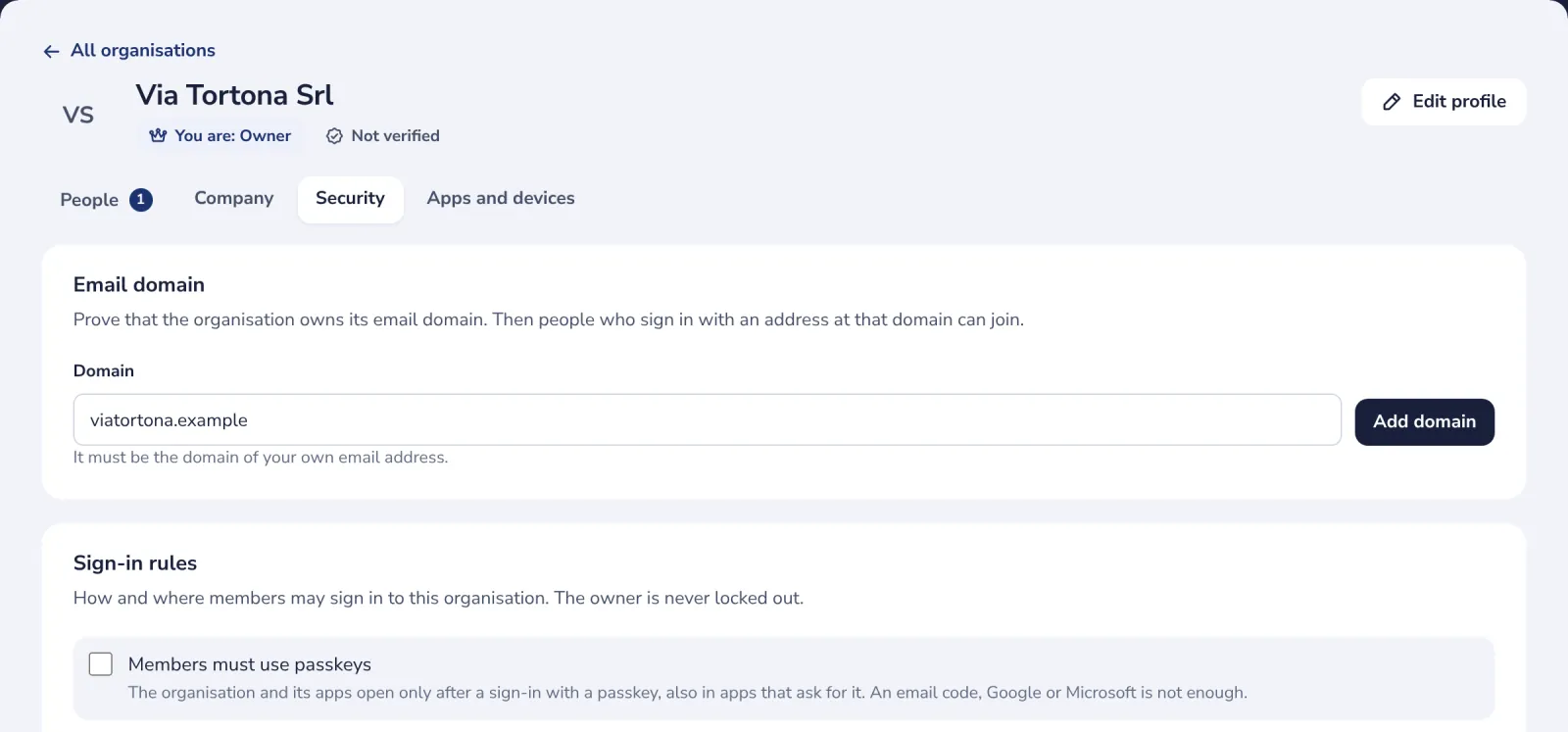
Two-step sign-in
Require passkeys for your members. Only phone or security-key sign-ins for your apps.
- 2
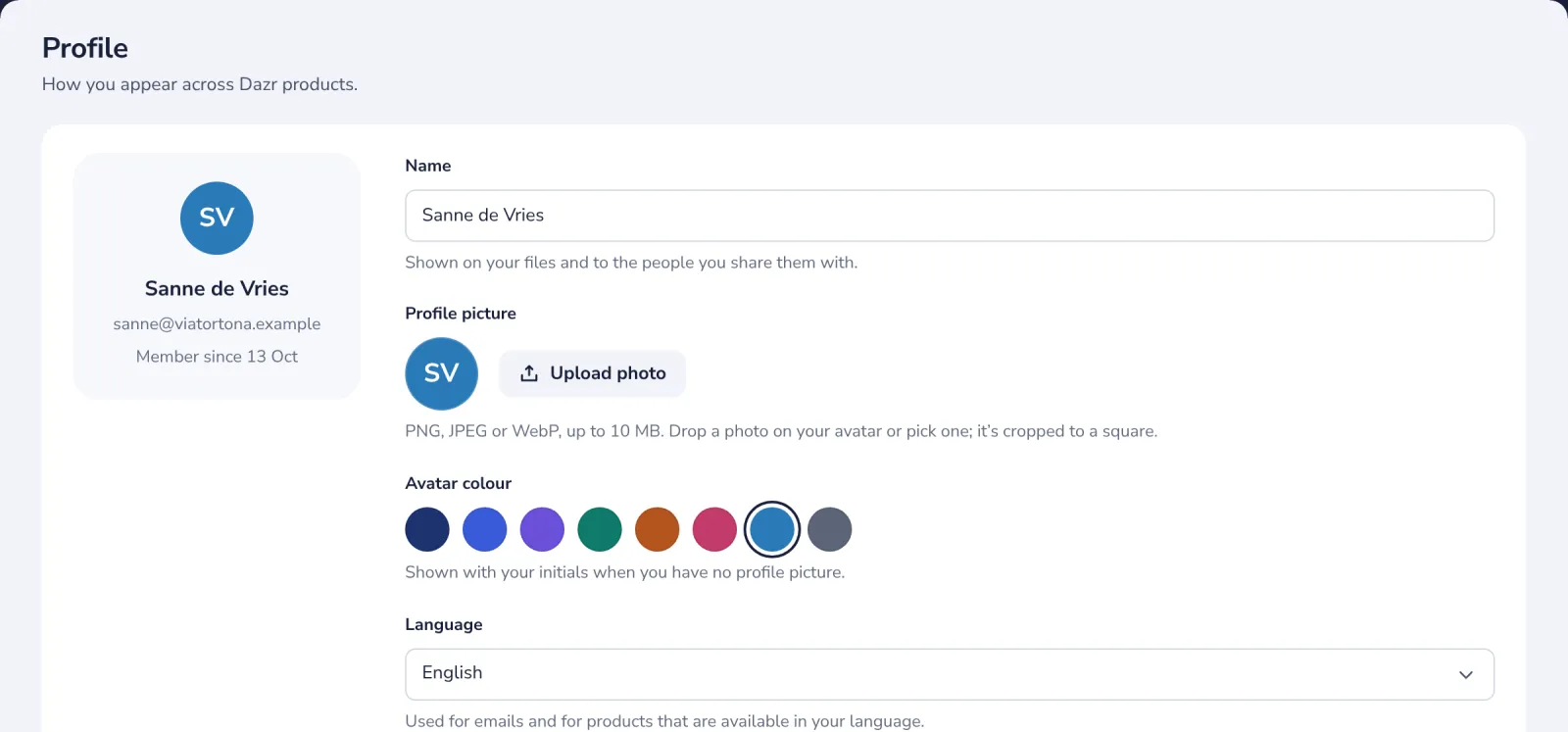
Your profile
Change your name and photo. How you appear in every Dazr app.
- 3
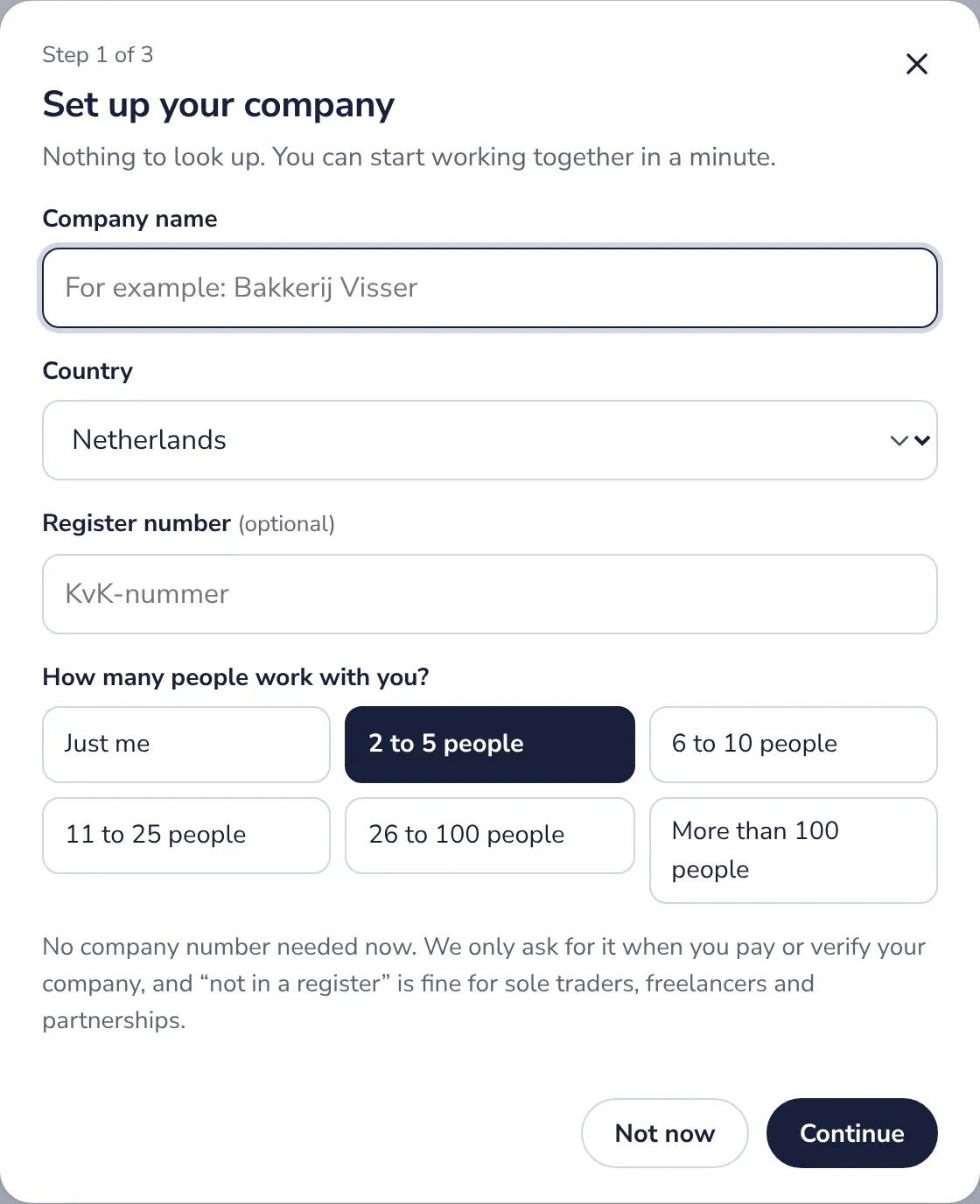
Your organisation
Set up your company. Your company on Dazr in a minute, for every app.
- 4
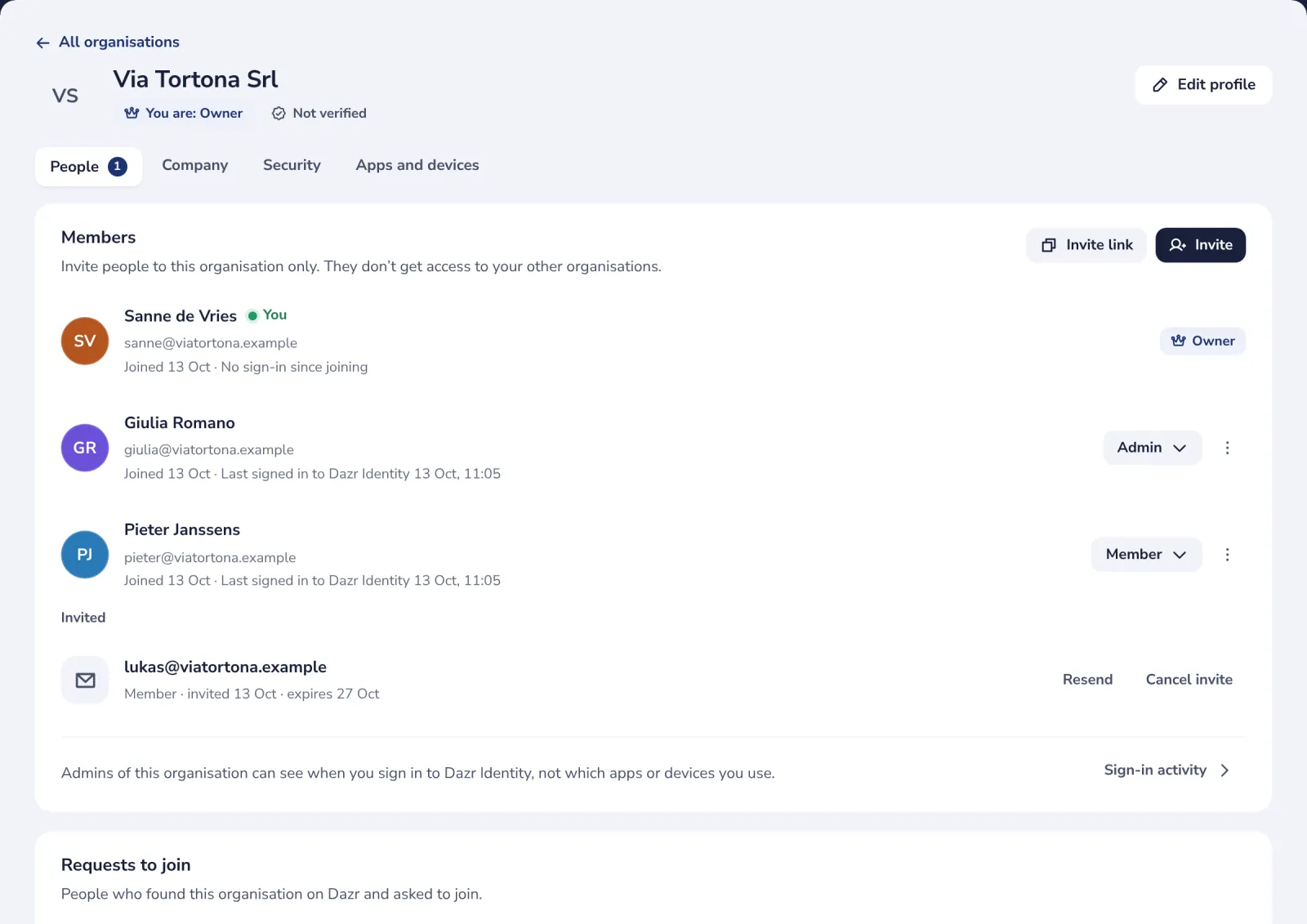
Invite people
Invite people to your organisation. Colleagues join with an email invitation.
Stuck? Press ? at the top of Dazr Identity: Get started, a Show me tour for each step, and search. Or write to us: people answer, not a bot.
Was this helpful?
What was missing?
Thank you.
We count yes and no per article. Nothing about you is stored.