Organise your notes in notebooks
A notebook keeps the notes that belong together in one place. A note is in one notebook at most, and All notes always shows every note.
- 1
Make a notebook
Press + next to Notebooks in the sidebar.

- 2
Give it a name
Type the name and press Make the notebook.
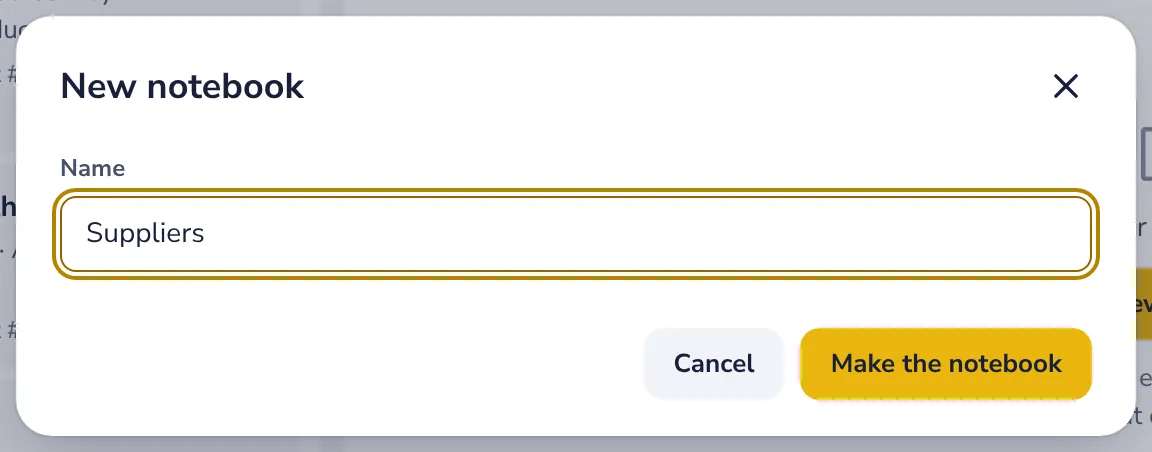
A new note you make while a notebook is open goes straight into it.
- 3
Move a note into it
Drag the note onto the notebook, or choose Move to a notebook in the note's menu.
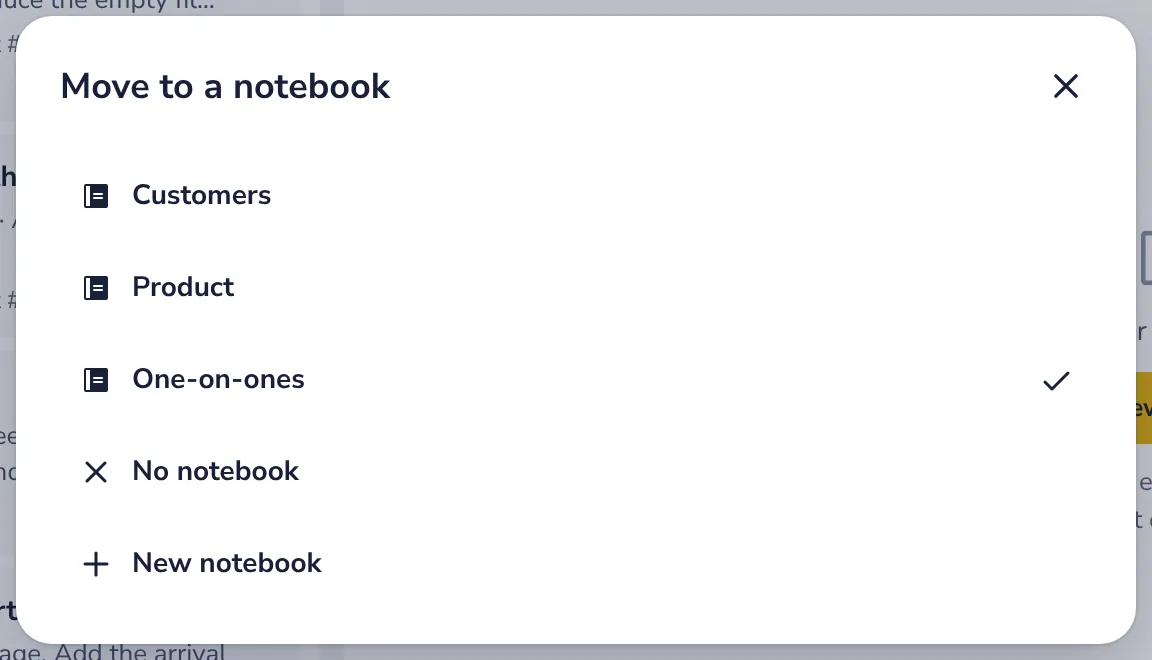
In a notebook, drag the notes to put them in your own order.
- 4
Rename it, share it or delete it
In the notebook's menu, the dots next to its name.
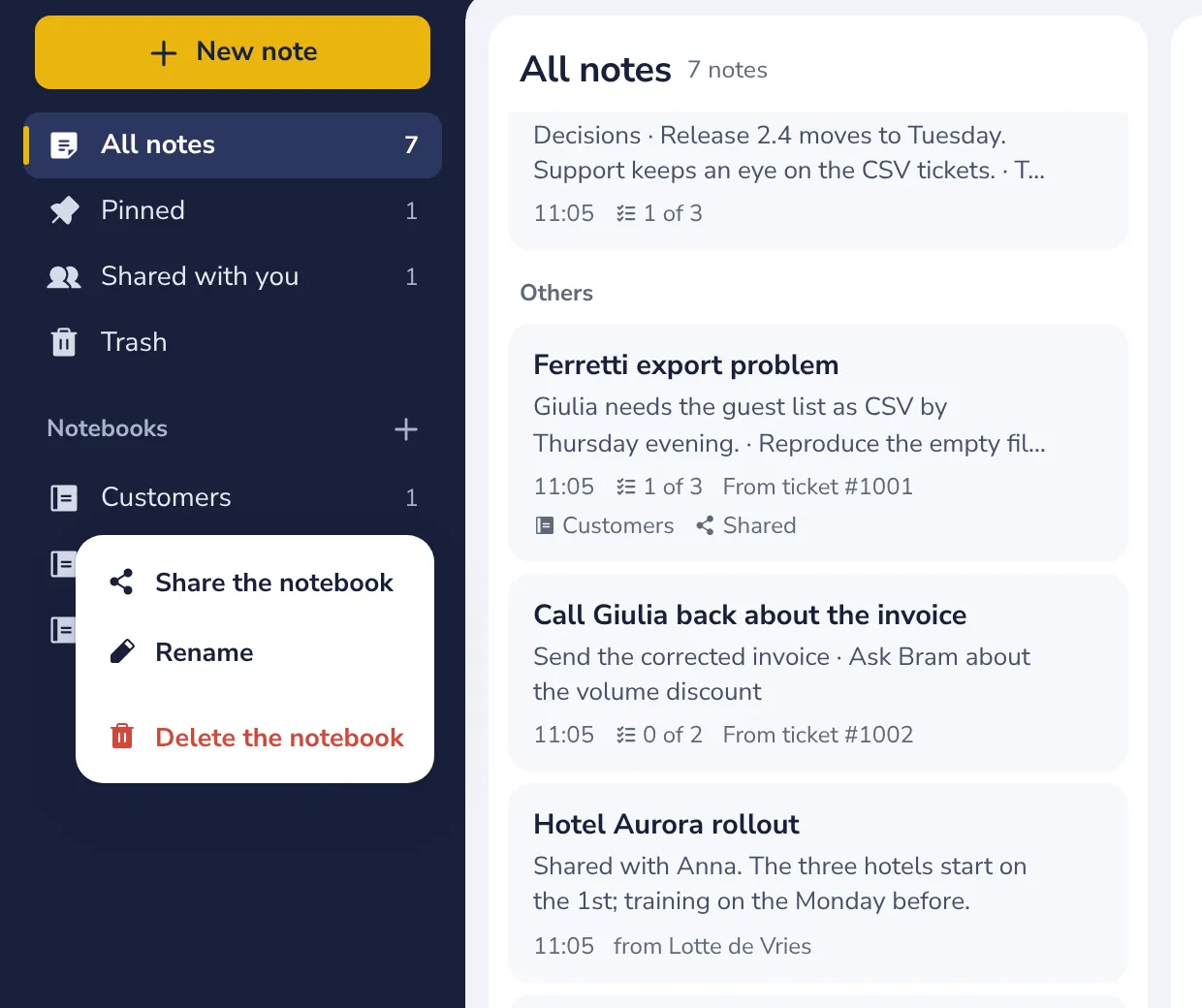
Deleting a notebook keeps its notes, outside any notebook.
Was this helpful?
What was missing?
Thank you.
We count yes and no per article. Nothing about you is stored.