Take your first note
Dazr Notes keeps every note you take in Dazr in one place. A new note saves itself while you type, there is no Save button.
- 1
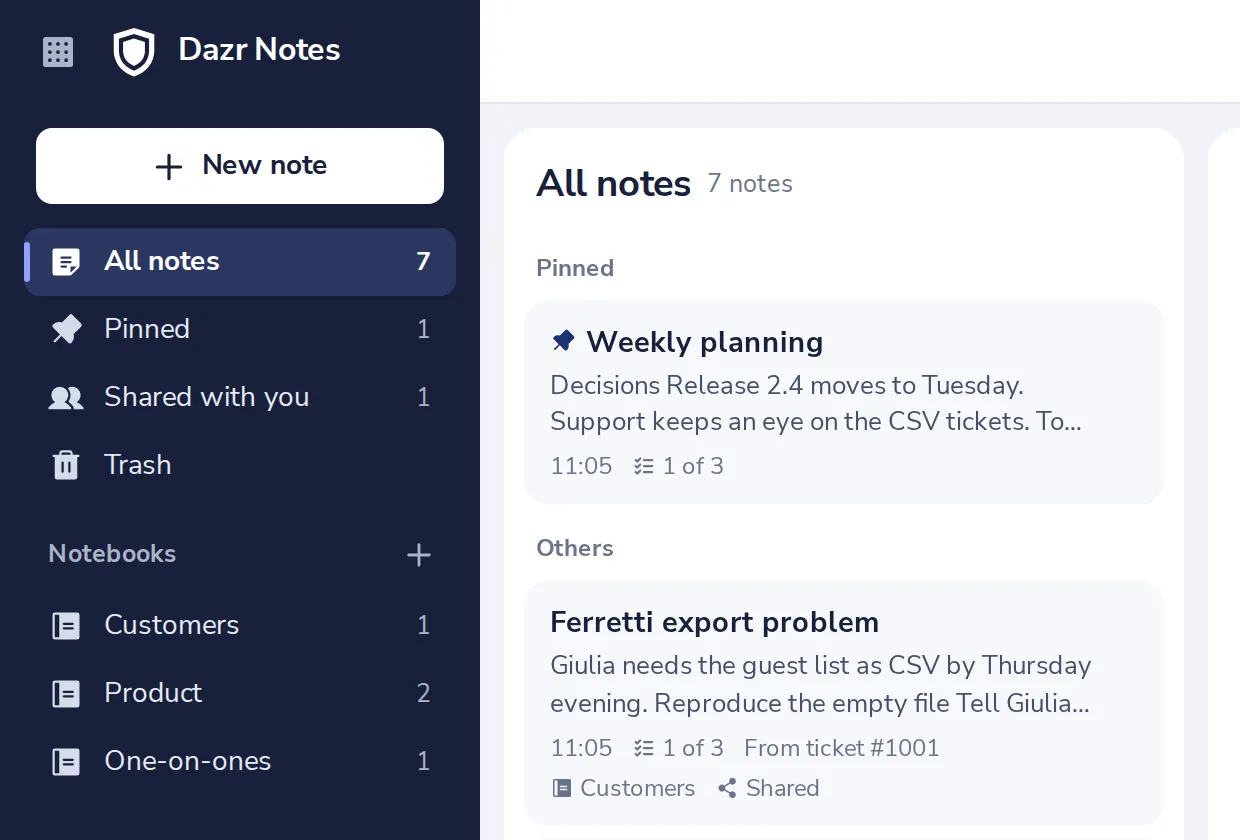
Press New note
At the top of the sidebar. Or press Alt and N.
- 2
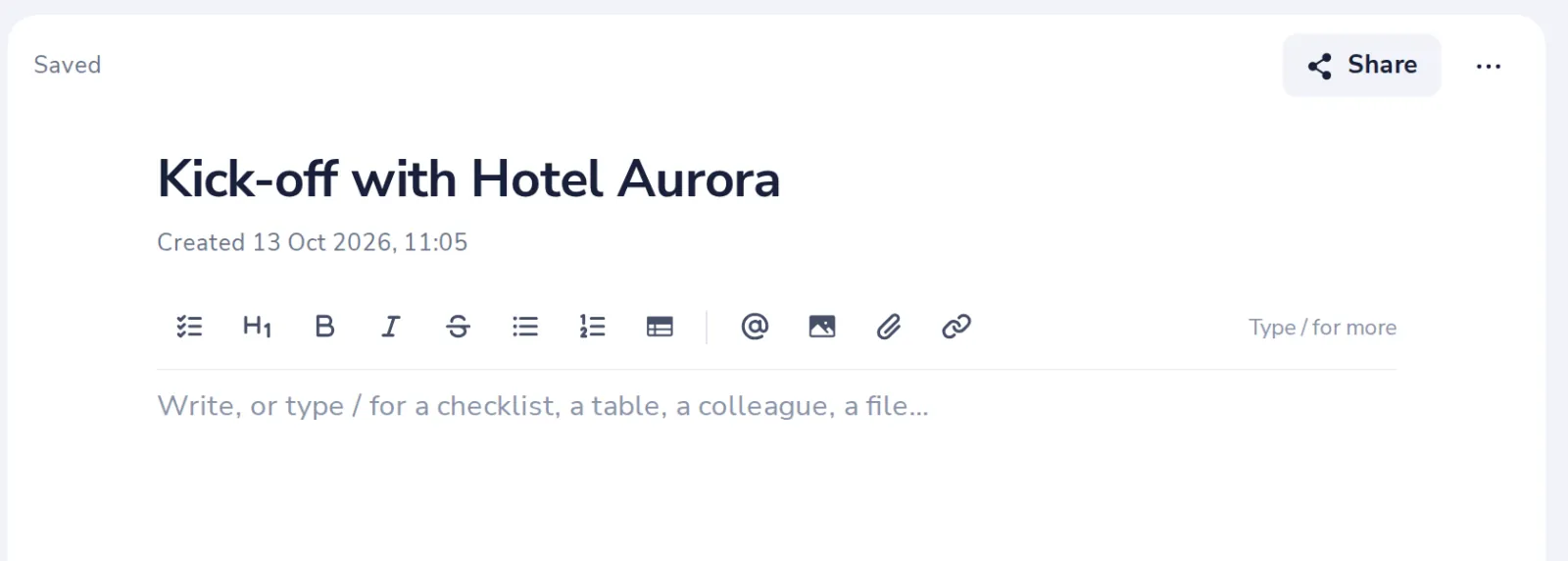
Give it a title
Press Enter to go on to the text.
- 3
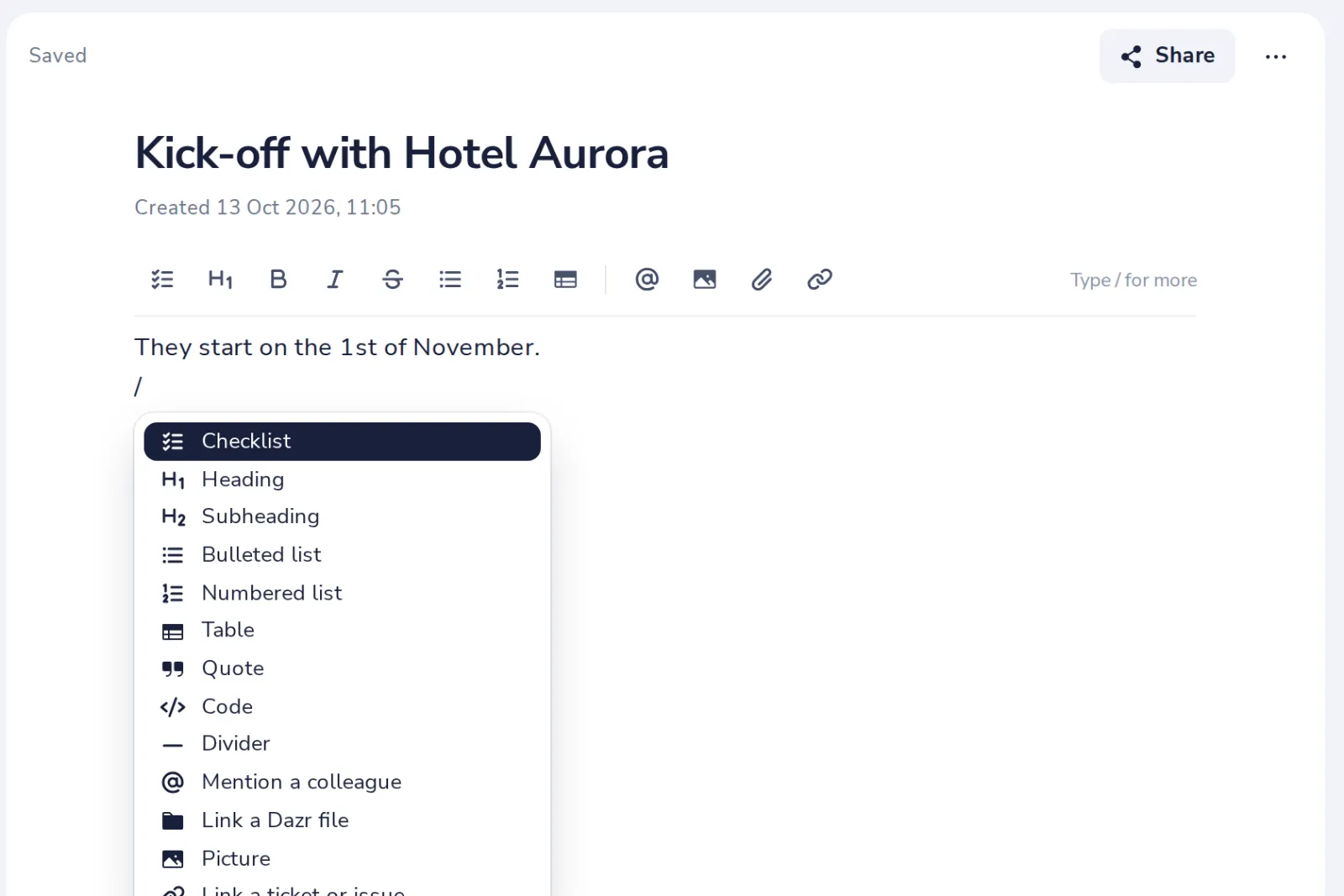
Write, or type /
The slash adds a checklist, a heading, a table, a picture or a colleague.
- 4
It saves by itself
Saved shows at the top of the note a moment after you stop typing.

Offline, the note waits in the page and saves as soon as you are back online.
Was this helpful?
What was missing?
Thank you.
We count yes and no per article. Nothing about you is stored.