Take a note in Teams, Desk or Projects
In a meeting, on a ticket, on an issue or in a chat, a note you take there goes into Dazr Notes, with a link back to that meeting, ticket, issue or chat.
- 1
Press Alt, Shift and N
Or the note button in the top bar. A small note opens over the app.
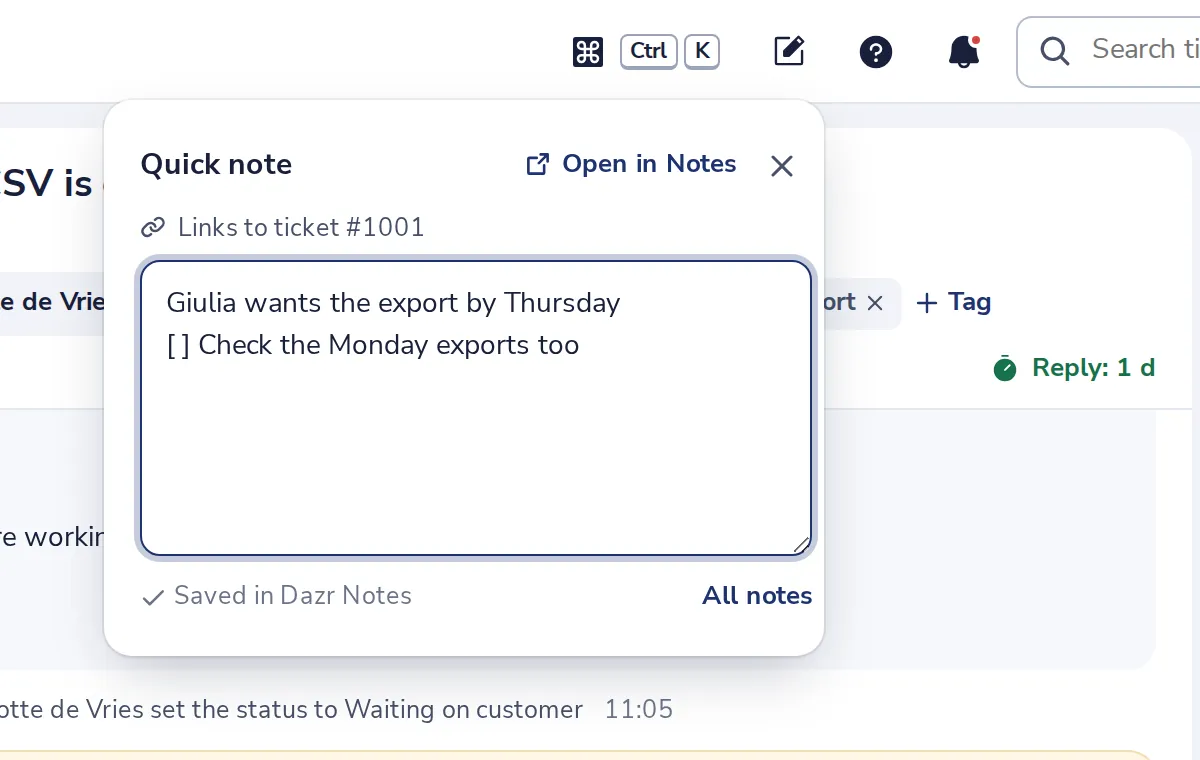
- 2
It links to what is open
Here the ticket. Remove link takes it off before you write.
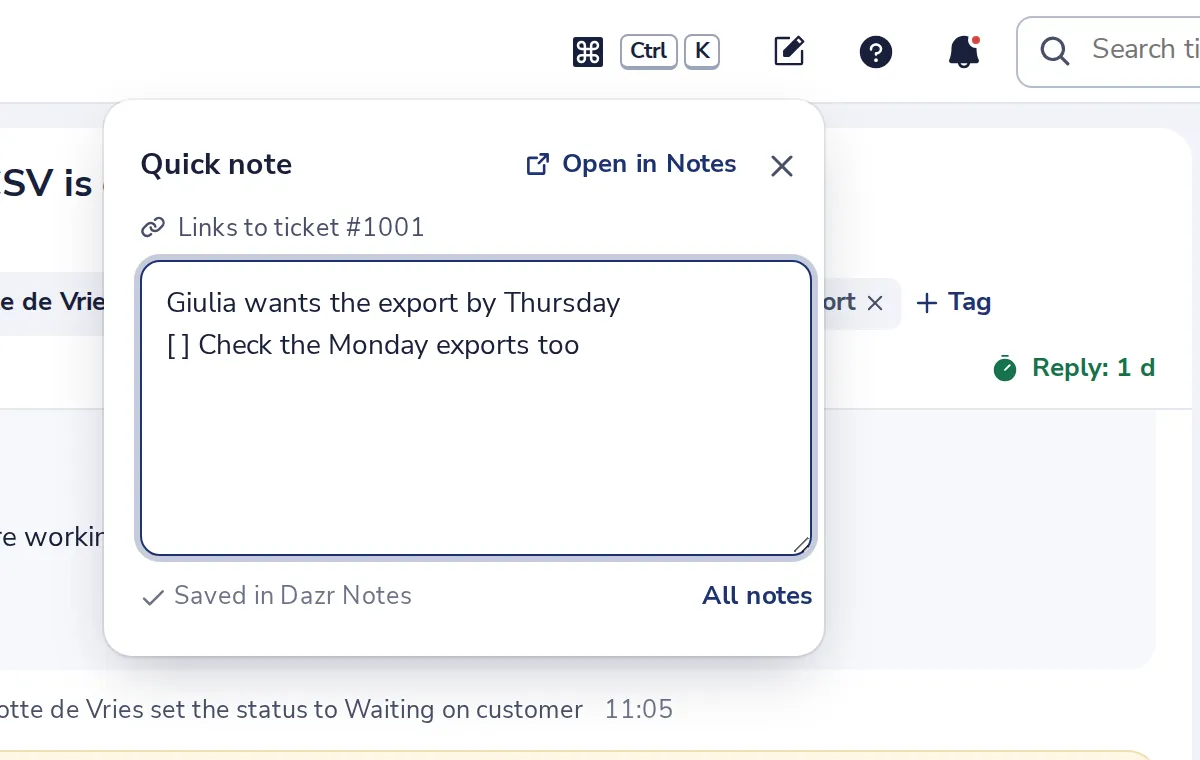
- 3
Or write under Your notes
On a ticket, an issue and a project, in a chat's Notes tab and in a meeting's Notes panel.
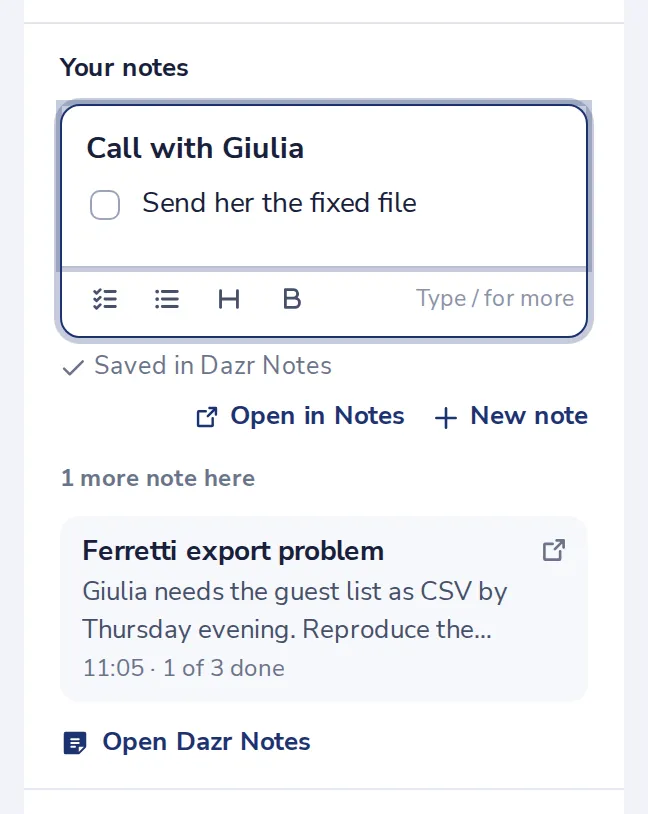
The first line is the note's title. Start a line with [ ] for a to-do.
- 4
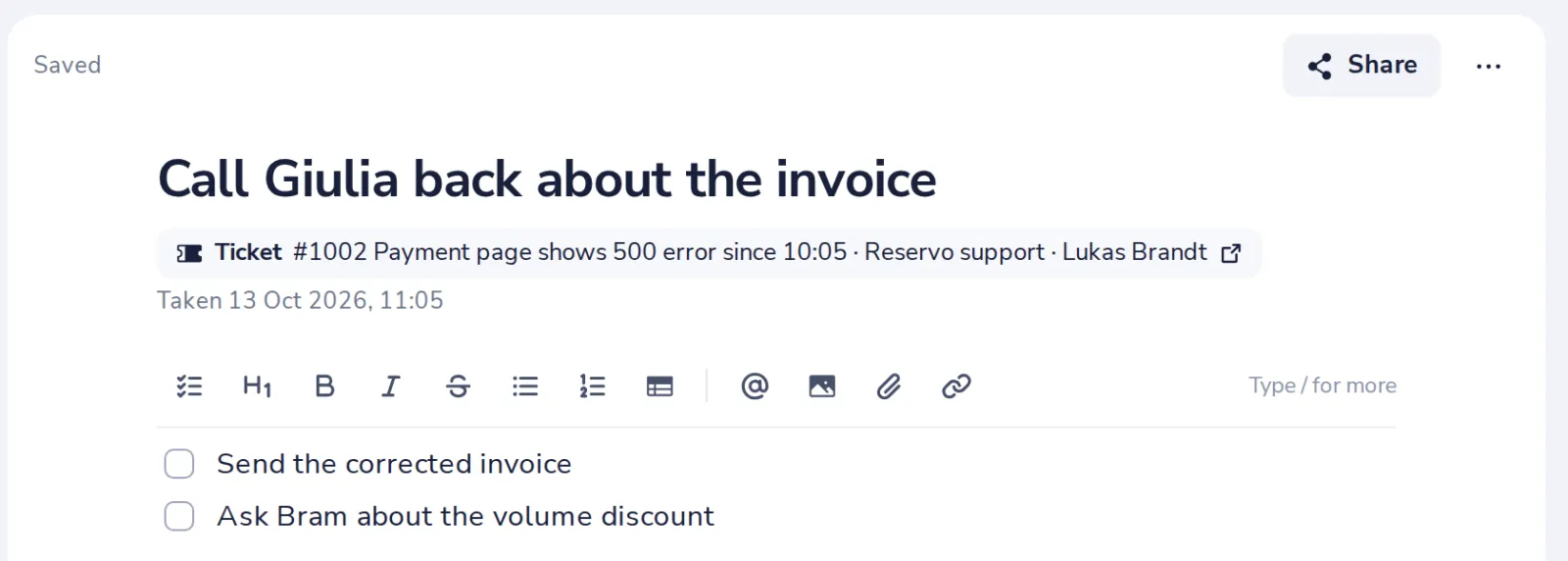
Find it in Dazr Notes
The note shows where it was taken. Only people who can open that ticket see its title.
Was this helpful?
What was missing?
Thank you.
We count yes and no per article. Nothing about you is stored.