Invite a colleague to your team
The owner of a partner invites colleagues by email, with a role. Each colleague signs in with their own Dazr account, and what they do for a customer is in that customer's log under their name.
- 1
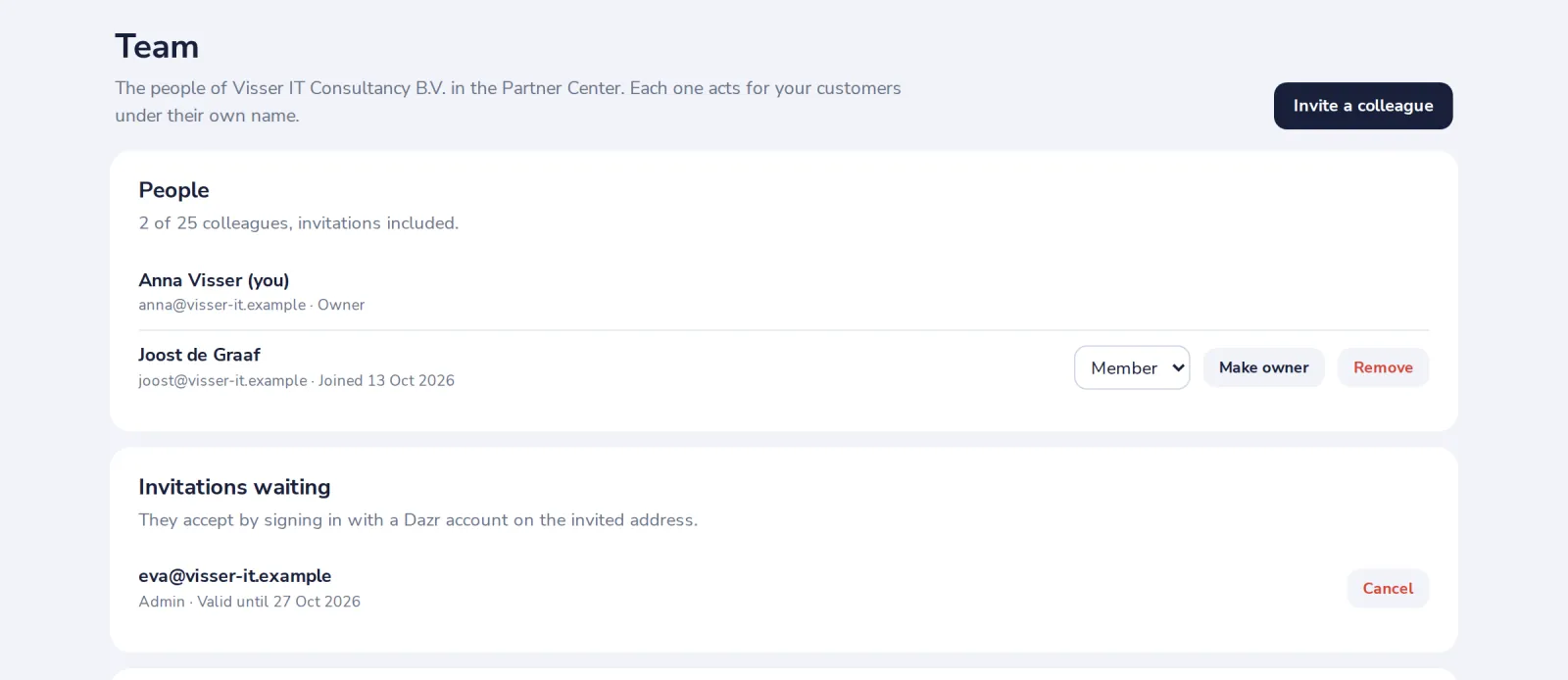
Open Team and press Invite a colleague
Only the owner manages the team. Up to 25 people, invitations included.
- 2
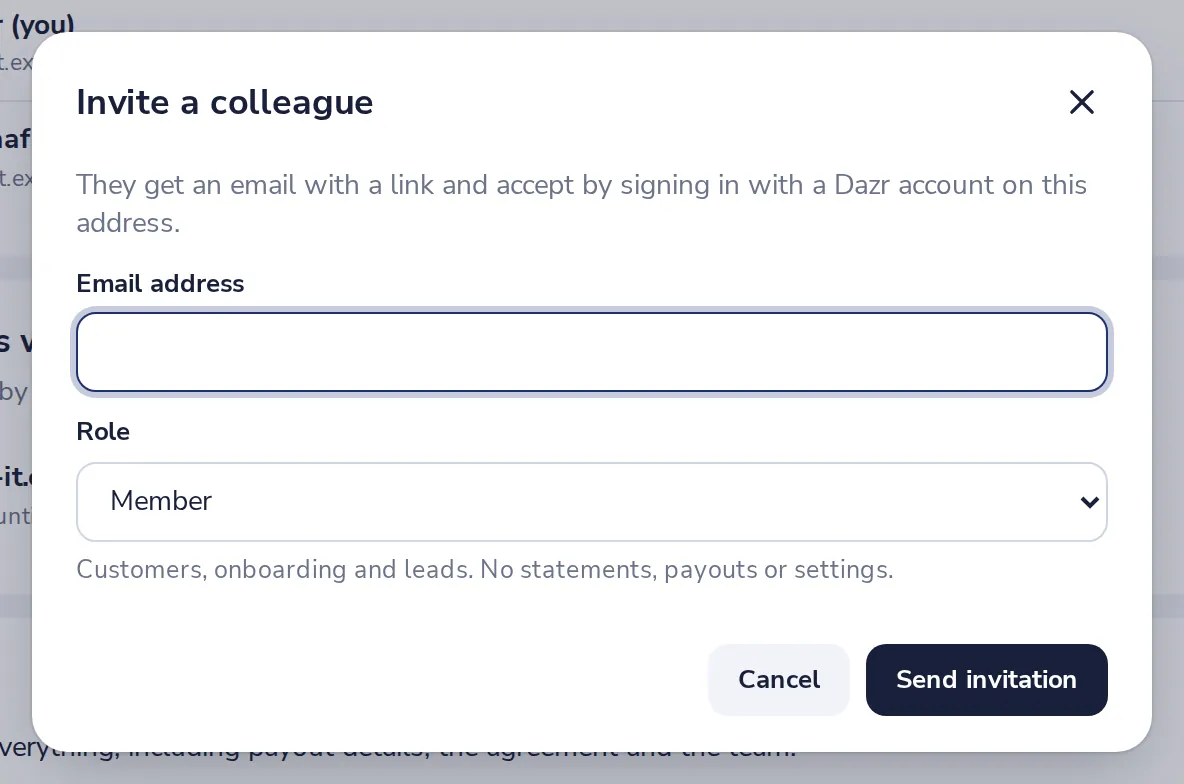
Type their address and pick a role
They get an email and accept by signing in with a Dazr account on that address. The invitation is valid for 14 days.
- 3
Know the roles
Admins do everything but payouts, ownership and the agreement. Members handle customers, onboarding, leads and the demo.
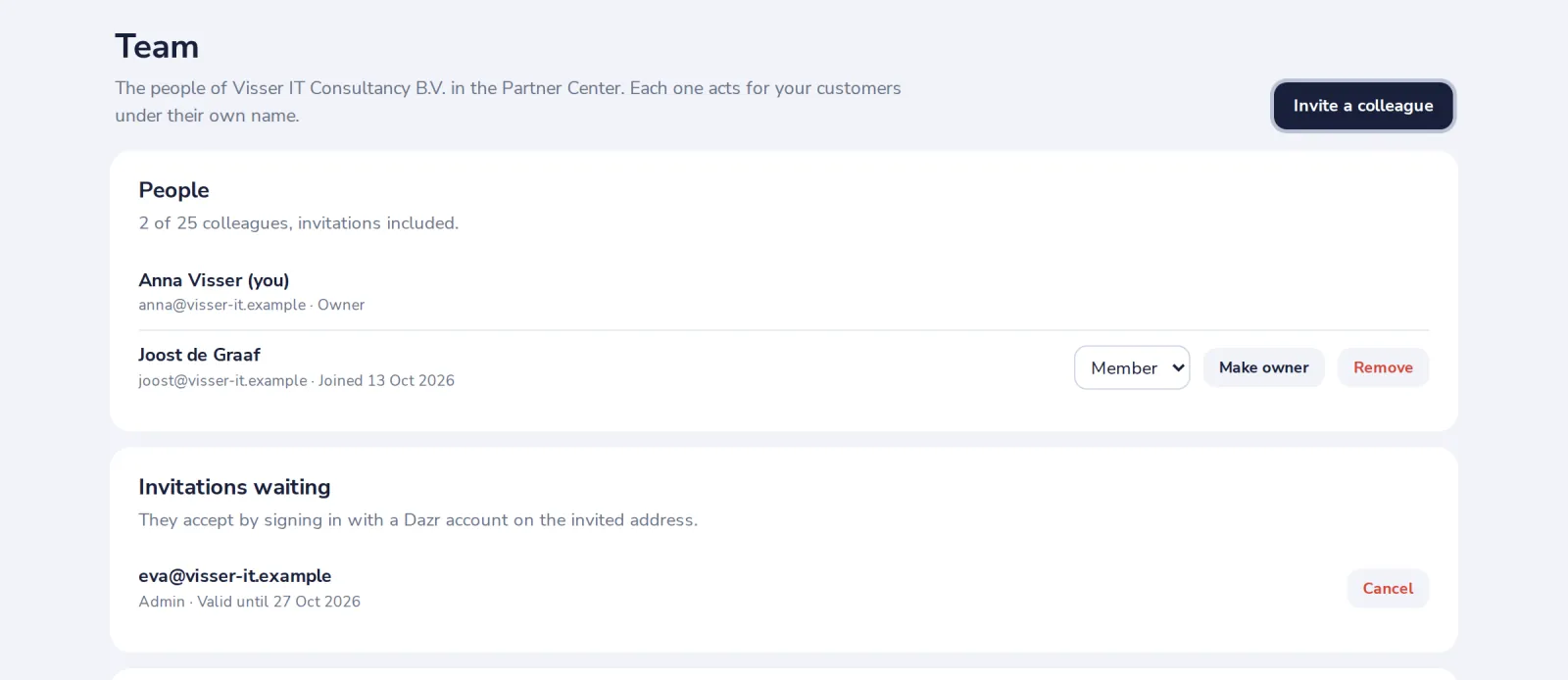
Removing a colleague ends their access to your customers at once. Make owner hands the ownership over.
Was this helpful?
What was missing?
Thank you.
We count yes and no per article. Nothing about you is stored.