Bring your work over
Export your tasks from your old tool and import the file. You see which column is what and the first issues before anything is made, and you can undo the whole import at once.
- 1
Export from your old tool
Jira, Asana and any spreadsheet export a CSV; Trello exports a board as JSON. Nothing connects to them.
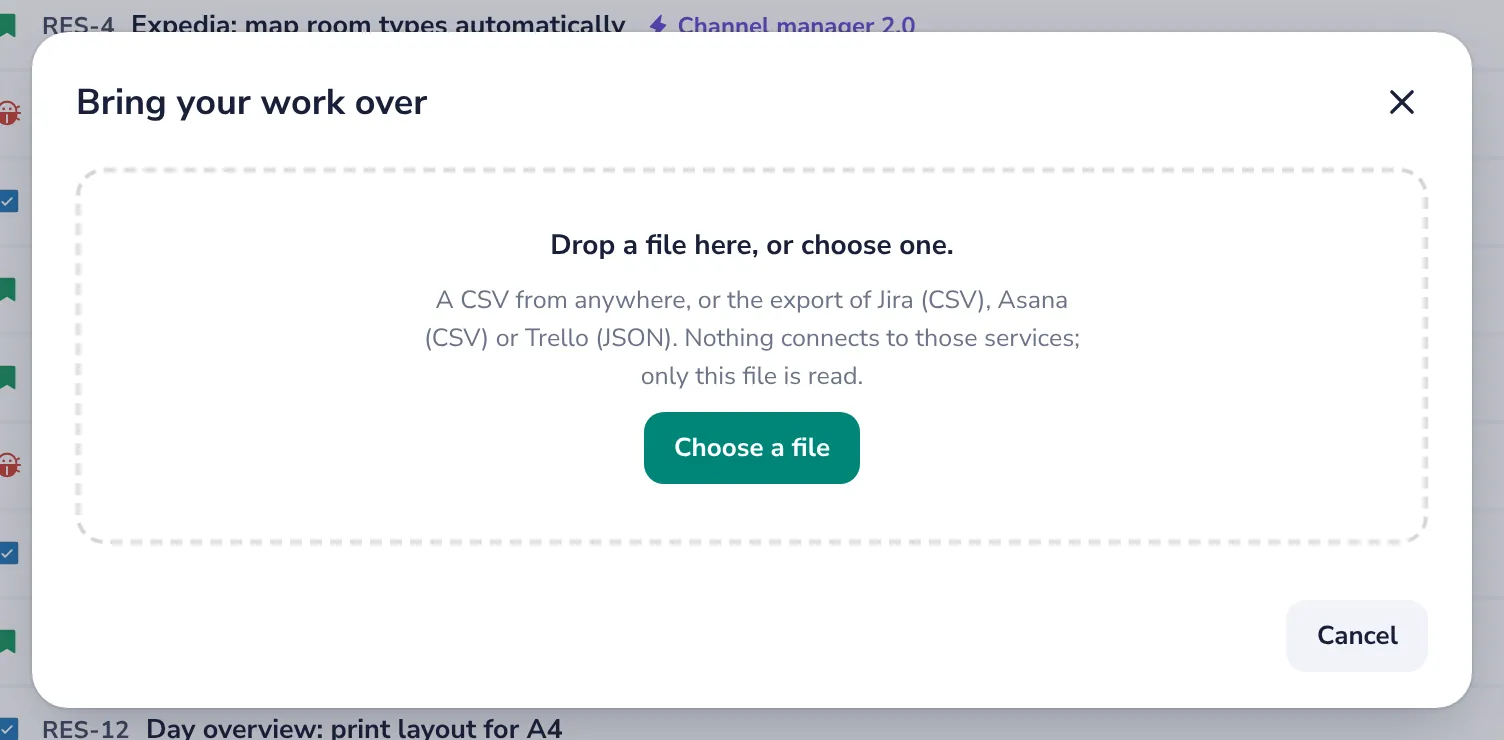
In Trello, open the board's menu, then Print and export, then Export as JSON.
- 2
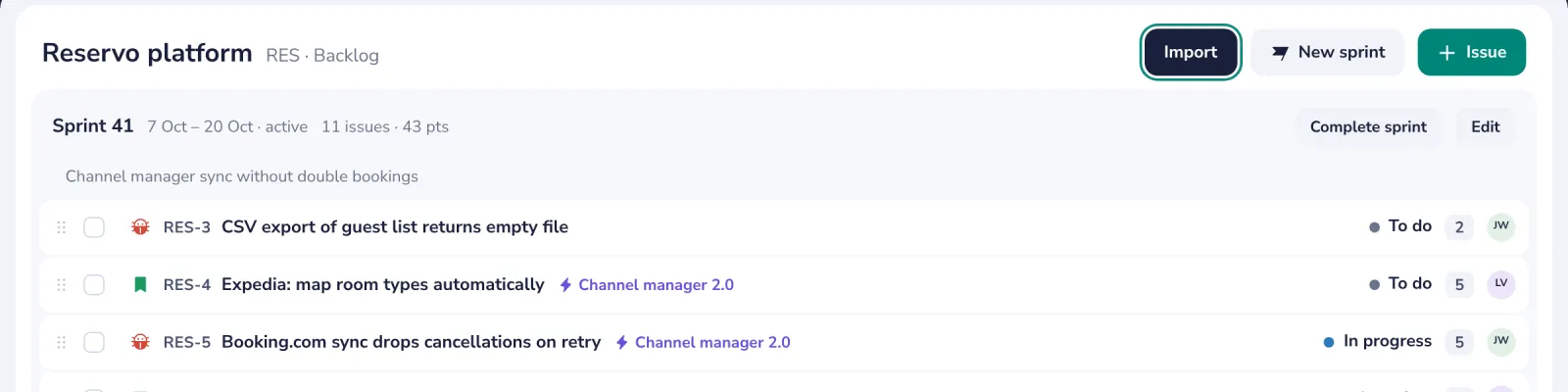
Press Import in the backlog
Or Bring your work over on the first screen, for a new project.
- 3
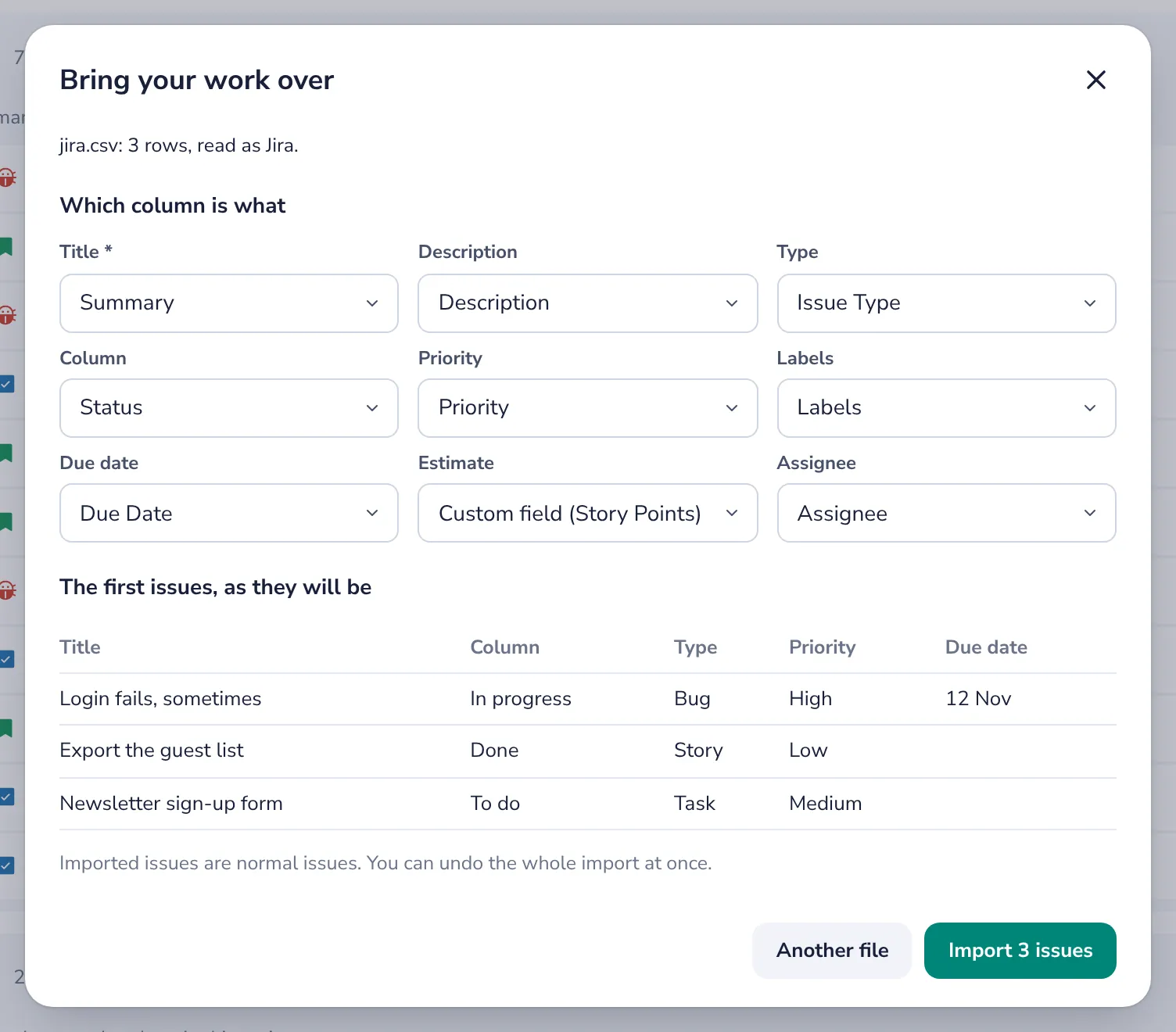
Check which column is what
Jira and Asana files map themselves; for any other CSV, pick the column with the titles and the rest.
- 4
Import, or undo
The first issues show as they will be. Undo import takes the whole import back.
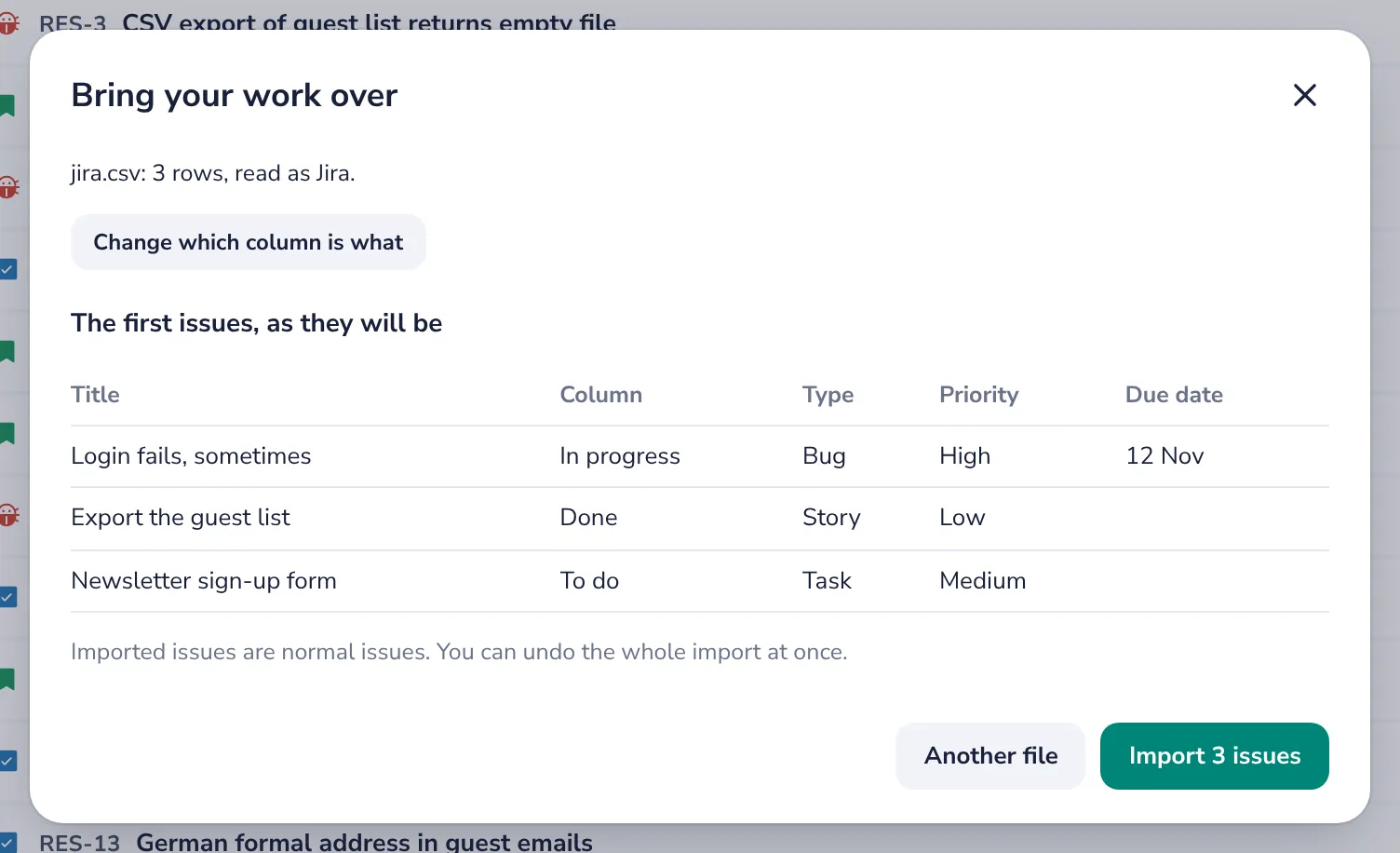
Imported issues are normal issues. Nobody gets a notification for them.
Was this helpful?
What was missing?
Thank you.
We count yes and no per article. Nothing about you is stored.