Follow the plan
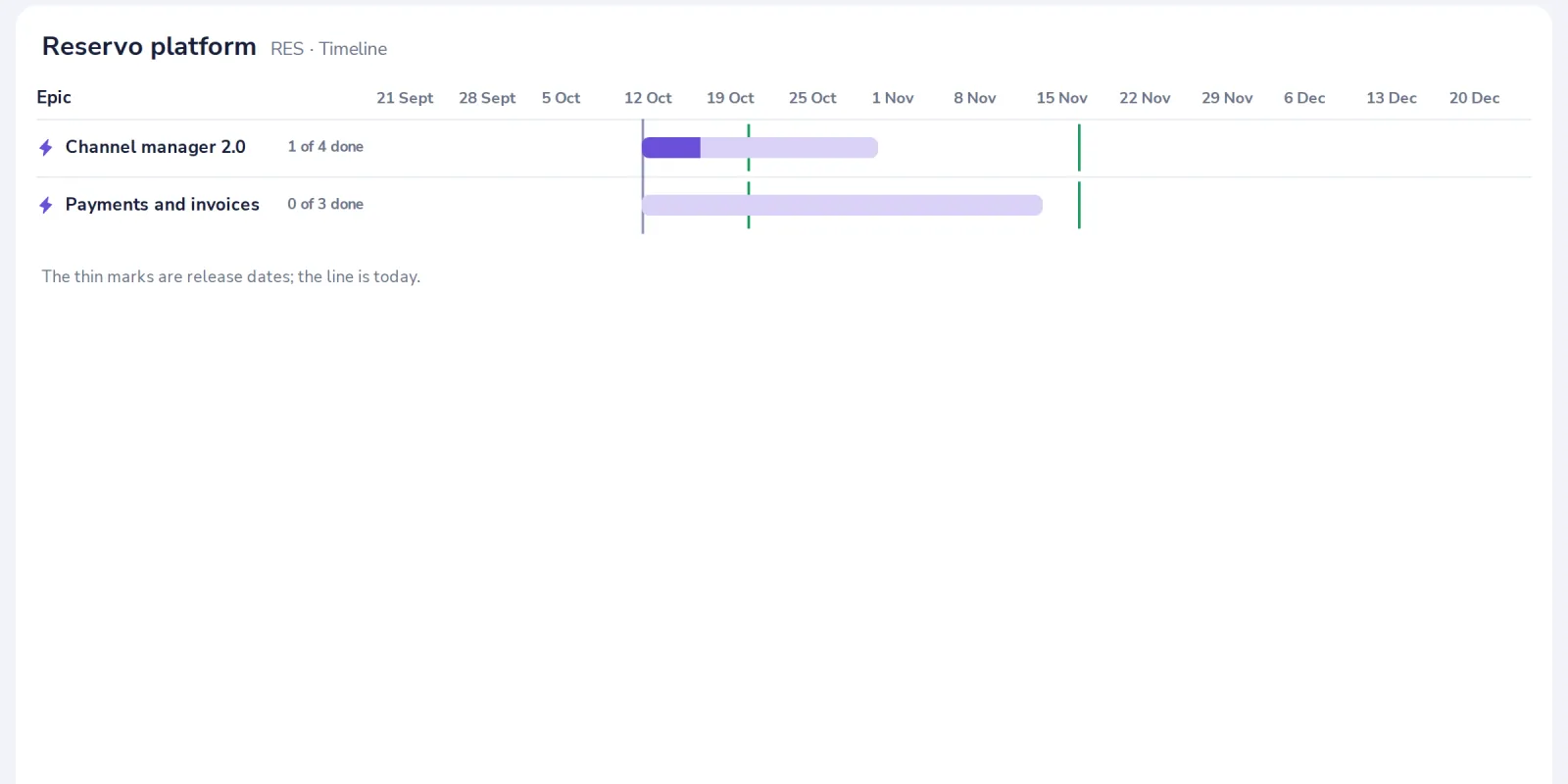
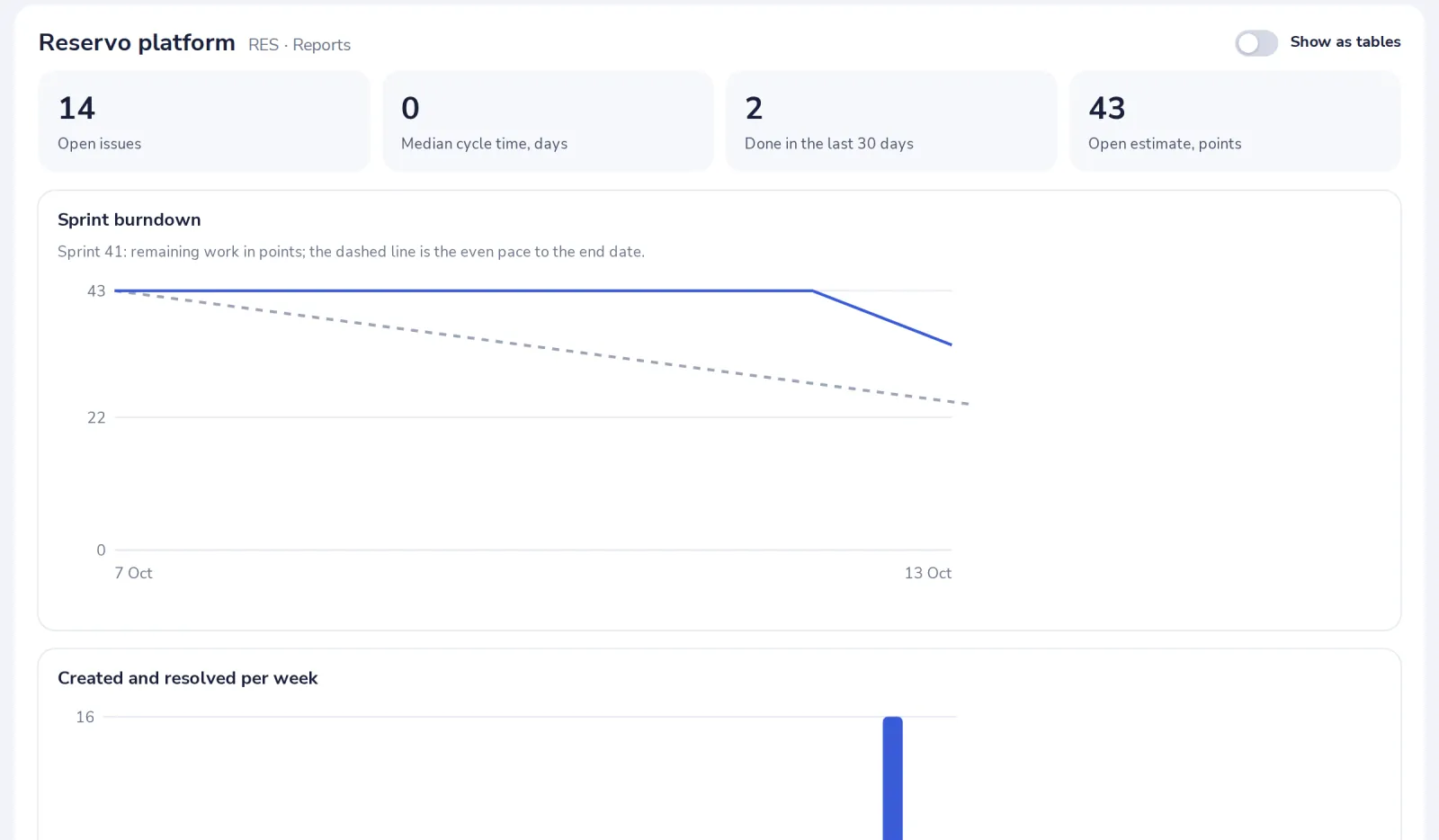
The timeline shows each epic from its start to its due date. Reports show the sprint burndown, created against resolved per week, and cycle time.
- 1
Open Timeline
Each epic is a bar from its start to its due date, or to the latest due date of its issues.
- 2
Open Releases
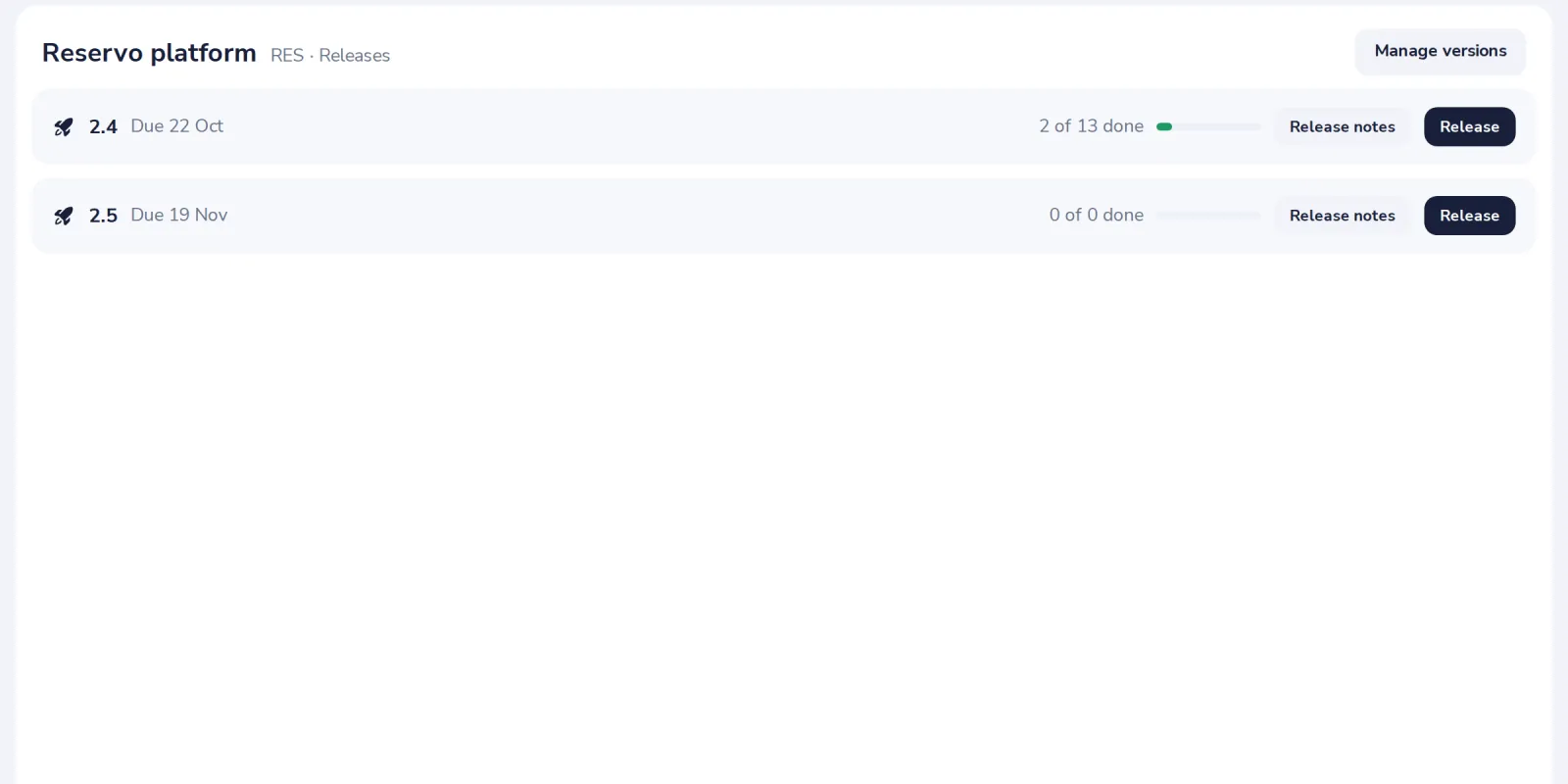
The versions of the project, with release notes from the work that is done.
- 3
Open Reports
Each chart also has a table view.
Was this helpful?
What was missing?
Thank you.
We count yes and no per article. Nothing about you is stored.