Log time and see timesheets
Time tracking is part of Dazr Enterprise. Log the time you spend on an issue, next to its original and remaining estimate. My time shows your week in one grid; Timesheets add up the hours per person, project and client, with a CSV download.
- 1
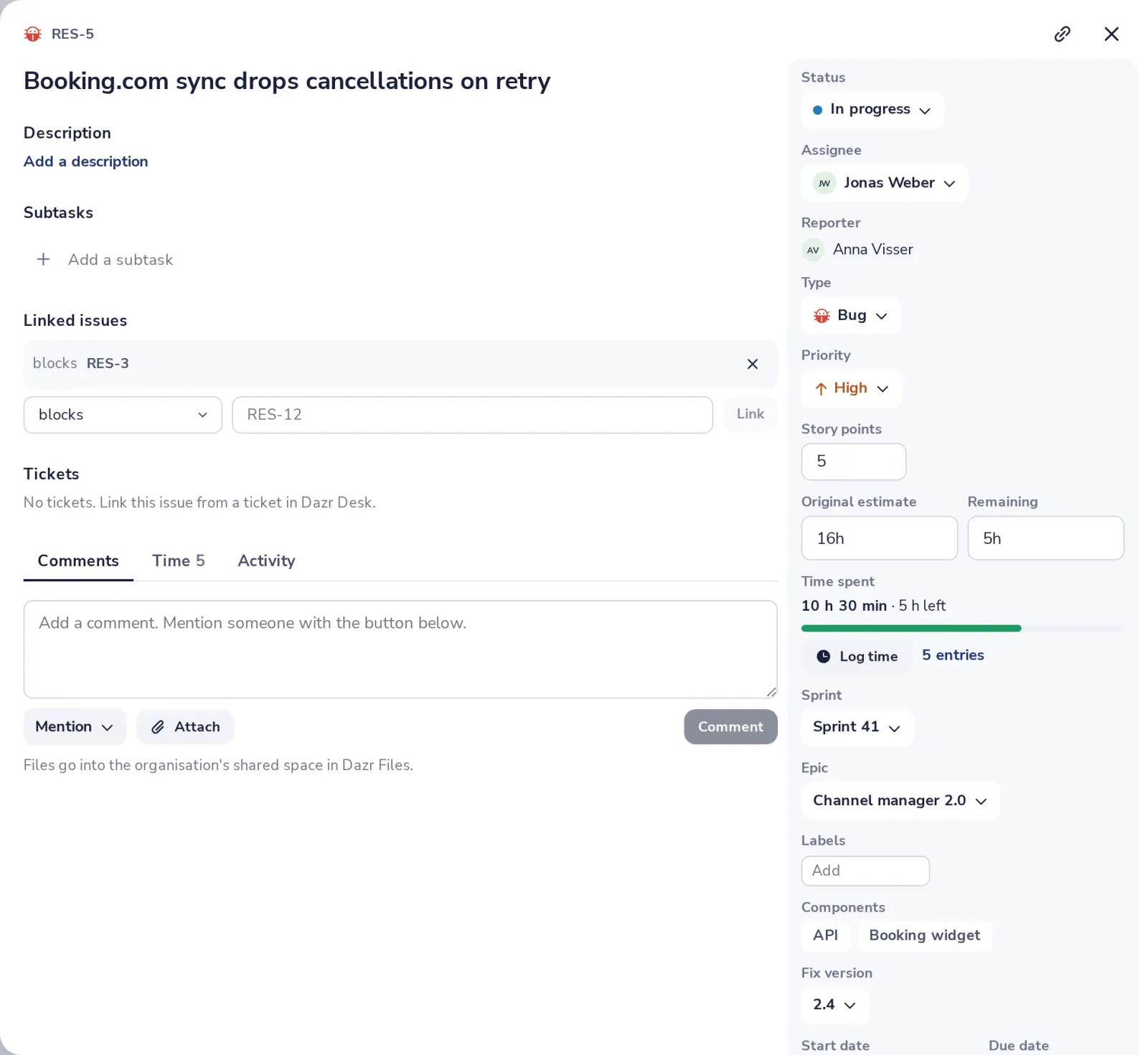
Open an issue and press Log time
Under Time spent, next to the original and remaining estimate.
- 2
Type the time and save
Like 1h 30m, 1.5 or 45m. The remaining estimate goes down by itself.
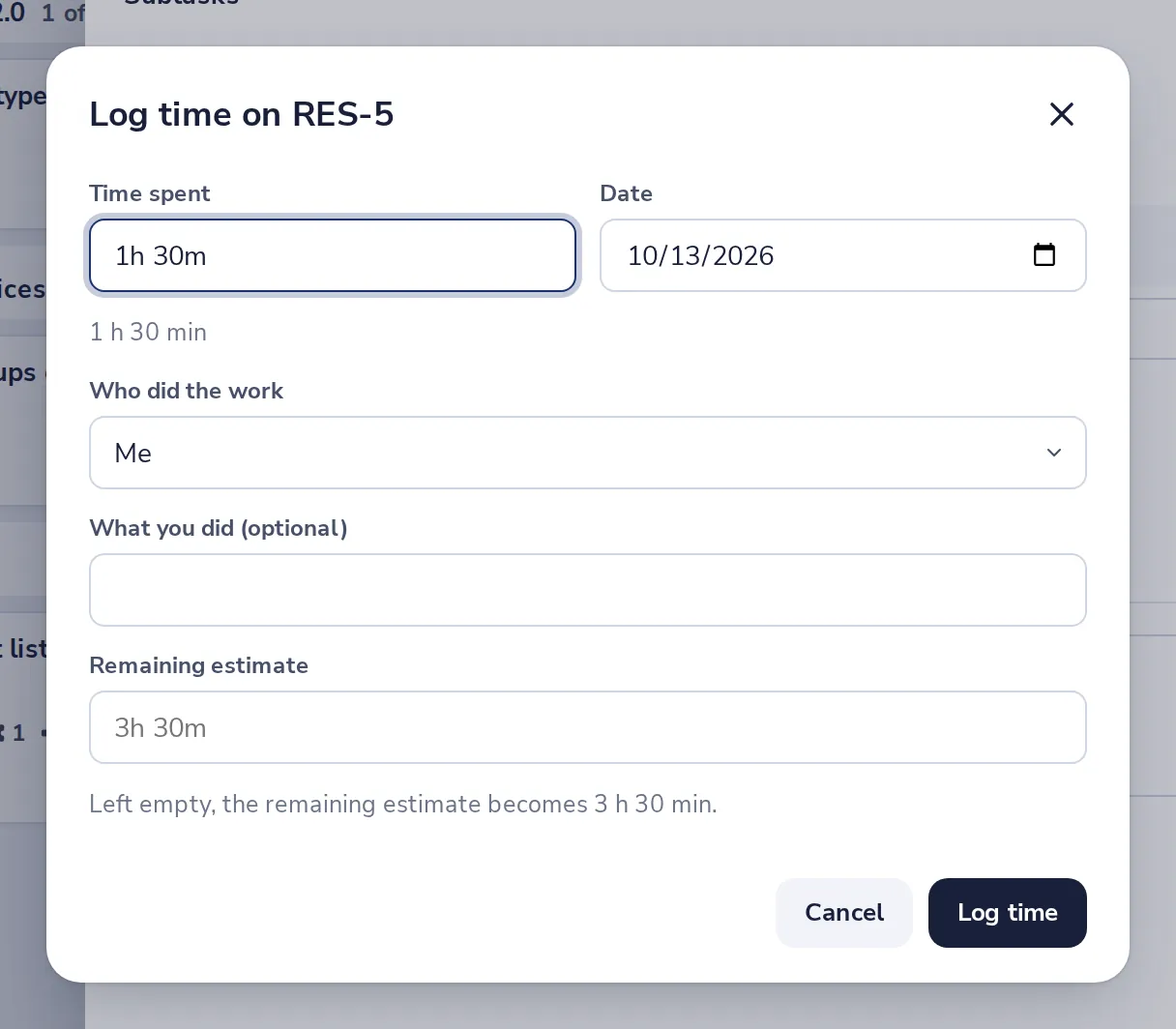
Pick a client and tick Billable when it counts for an invoice. Admins of a project can log time for someone else.
- 3
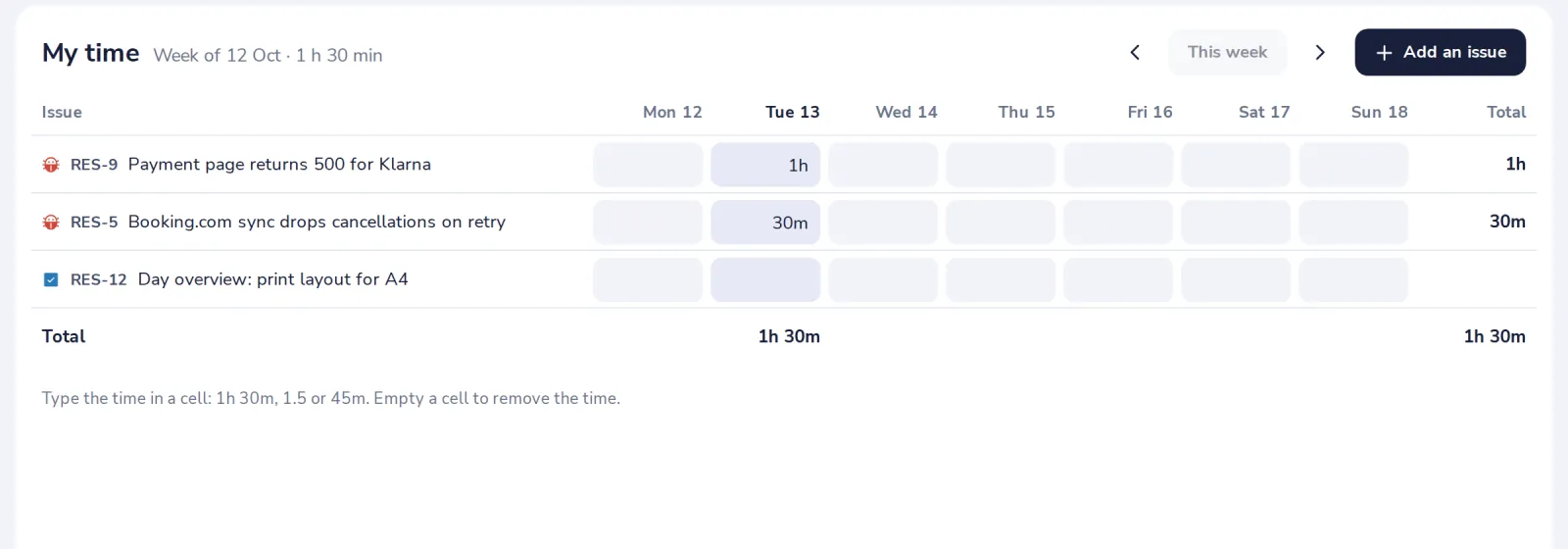
Fill in your week in My time
Under Time in the side panel. Type the time in the cell of a day; From calendar adds the meetings of your week.
- 4
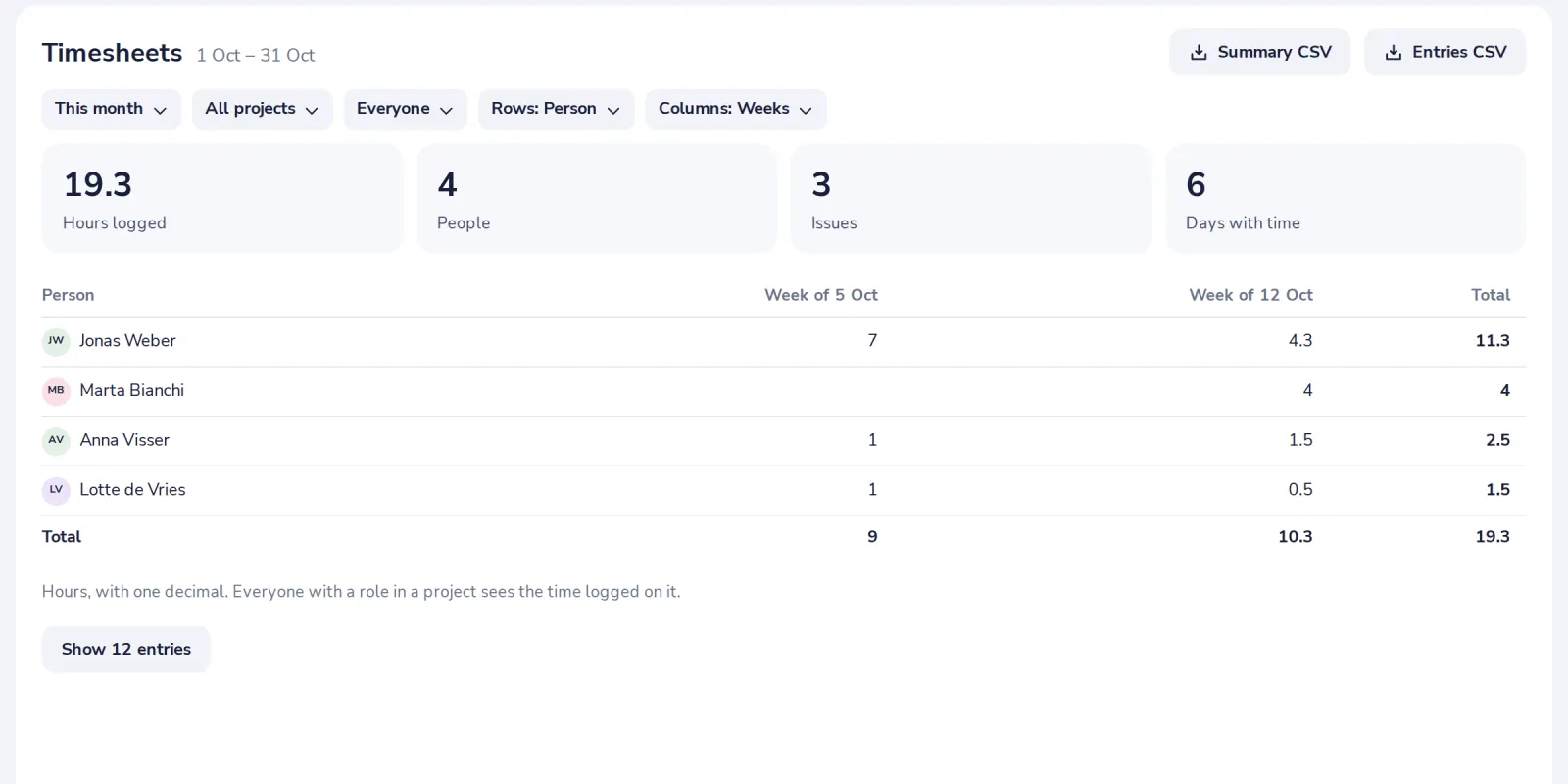
Open Timesheets for the totals
Pick the period, project, person and client; download the hours as CSV. You see your own time; project leads and admins see their team's.
Was this helpful?
What was missing?
Thank you.
We count yes and no per article. Nothing about you is stored.