Plan on the roadmap
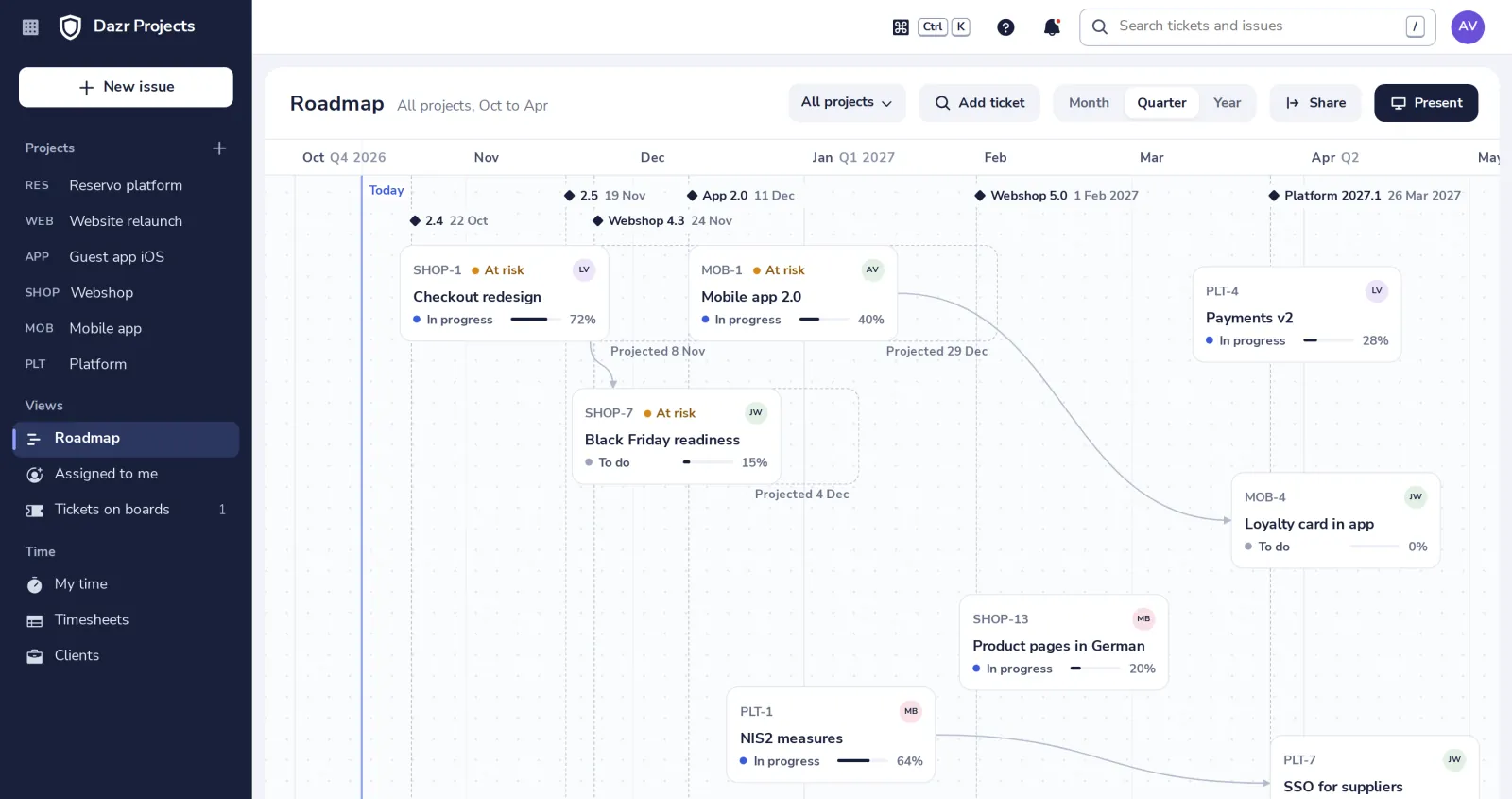
The roadmap places each card by its due date, with your releases as dashed lines. Drag a card to change its due date, and drag from one card to another to link them.
- 1
Open Roadmap
It is under Views in the sidebar. A card's left edge is its due date; up and down is yours.
- 2
Add a ticket
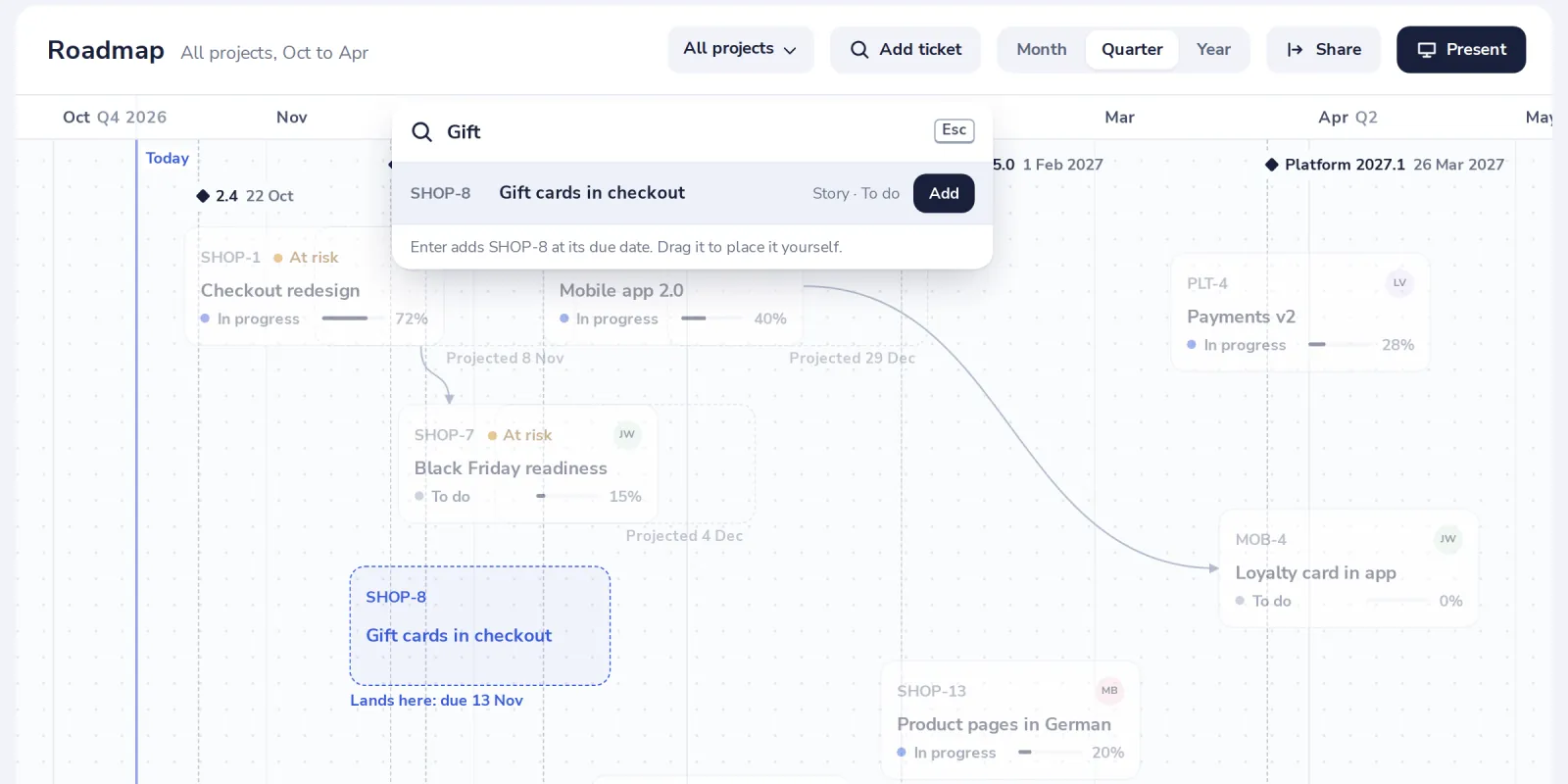
Press Add ticket and type a key or words of the title. The outline shows where it lands.
- 3
Link two cards
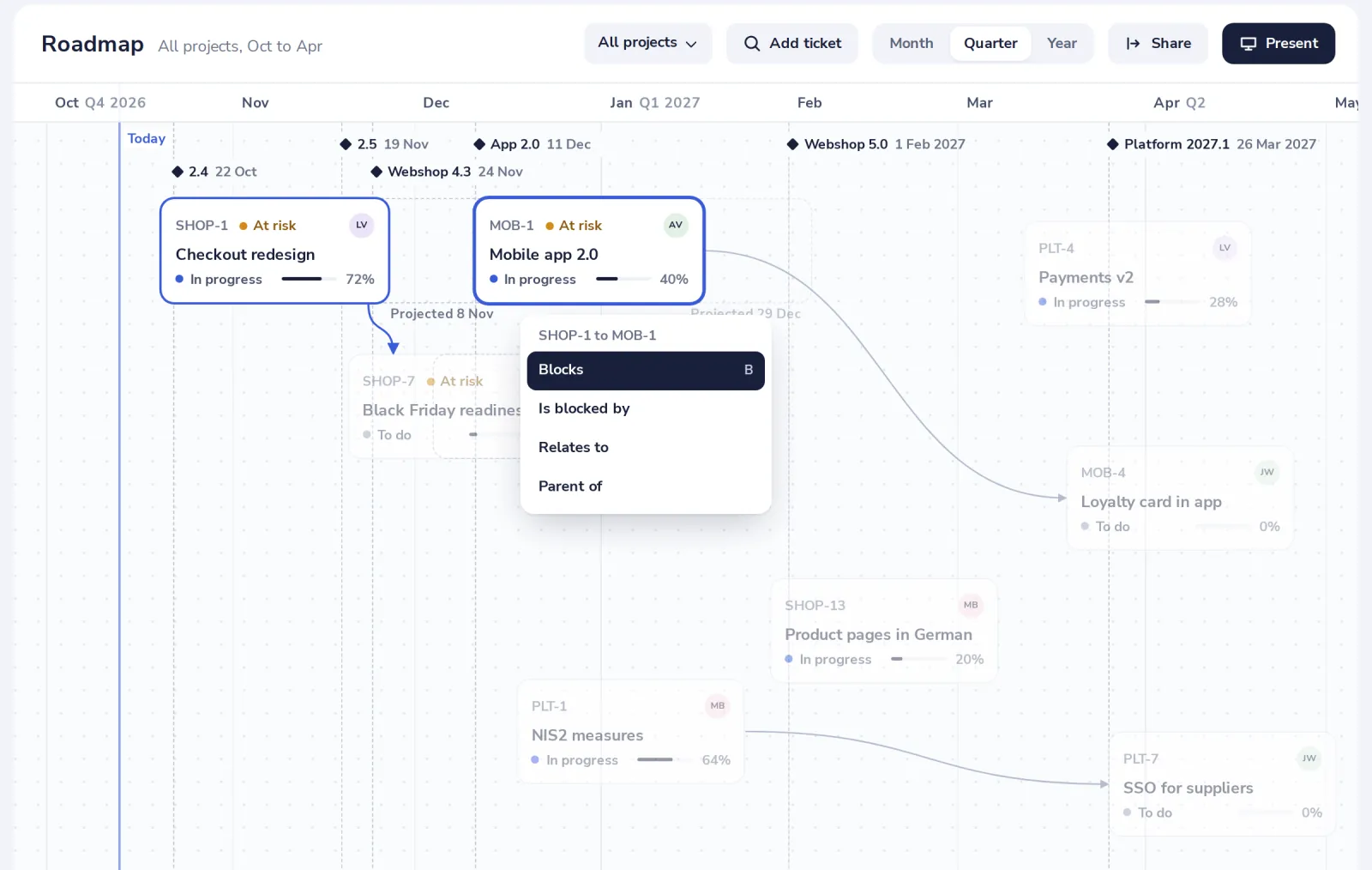
Drag from the dot on a card's edge onto another card, then pick Blocks, Is blocked by, Relates to or Parent of.
- 4
Read the risk
At risk means the work left, at the pace of the last weeks, or a late blocker puts the card past its due date. Hover it for the reason.
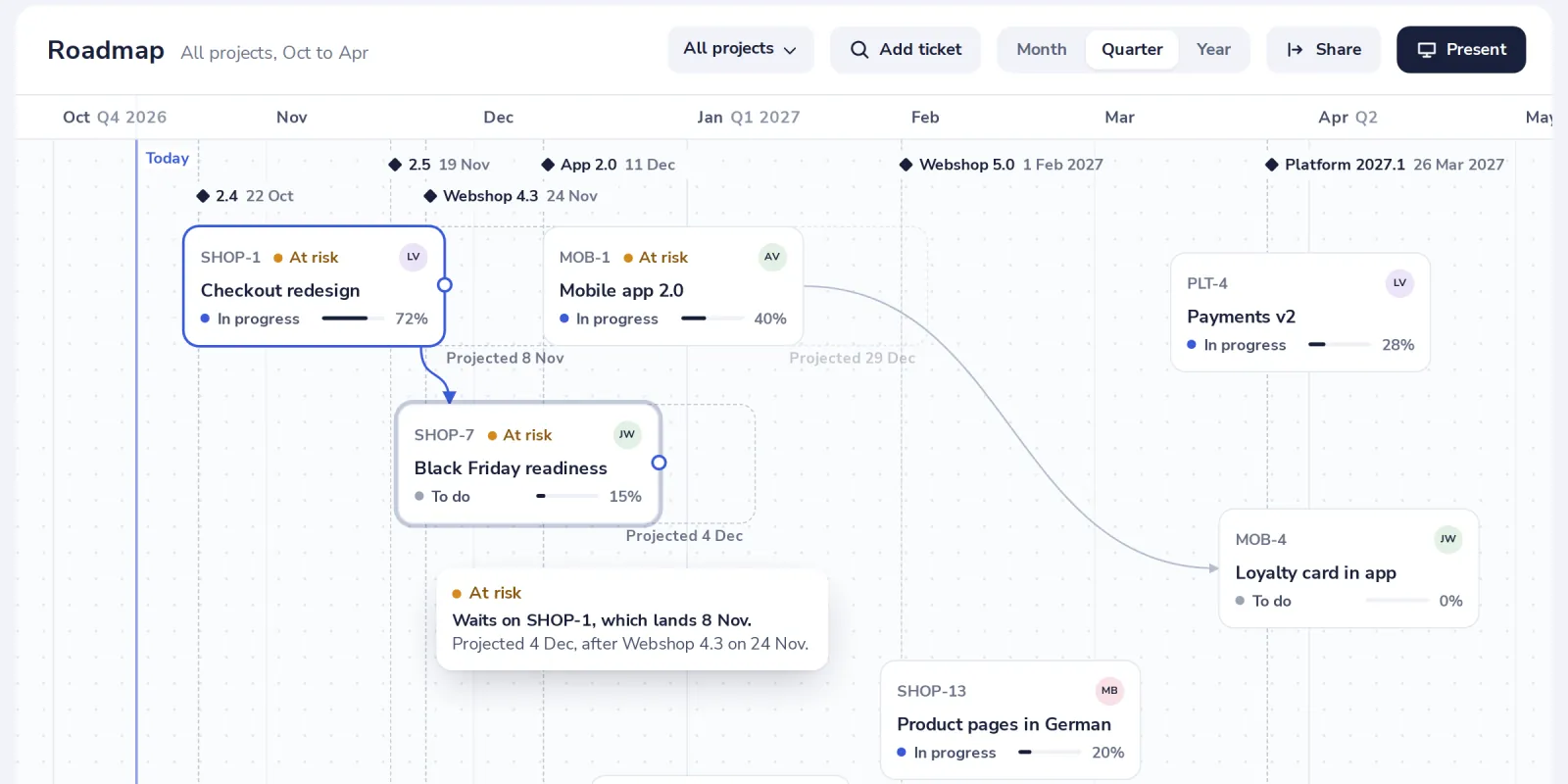
Without an estimate a card makes no guess. The dashed outline is where it is projected to land.
Was this helpful?
What was missing?
Thank you.
We count yes and no per article. Nothing about you is stored.