Send a sample to yourself
One press makes a sample agreement with your name and sends it to you only. Sign it as your signers would. Nobody gets an email, and it doesn’t count towards your documents.
- 1
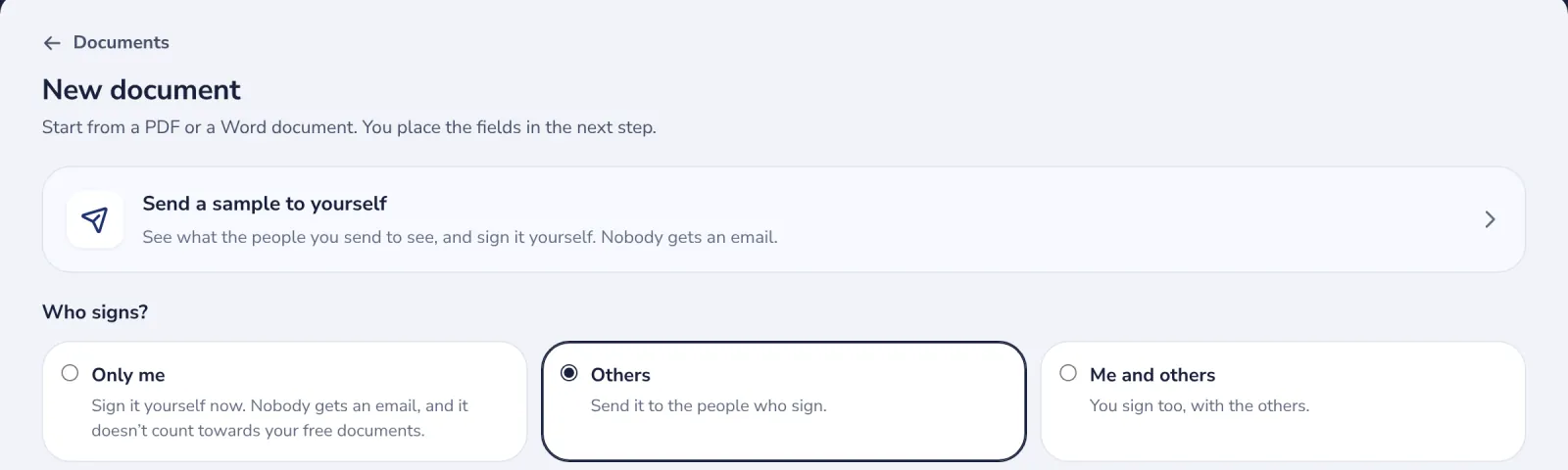
Press Send a sample to yourself
On New document, or Send a sample in Get started on Documents. The sample opens where you sign.
- 2
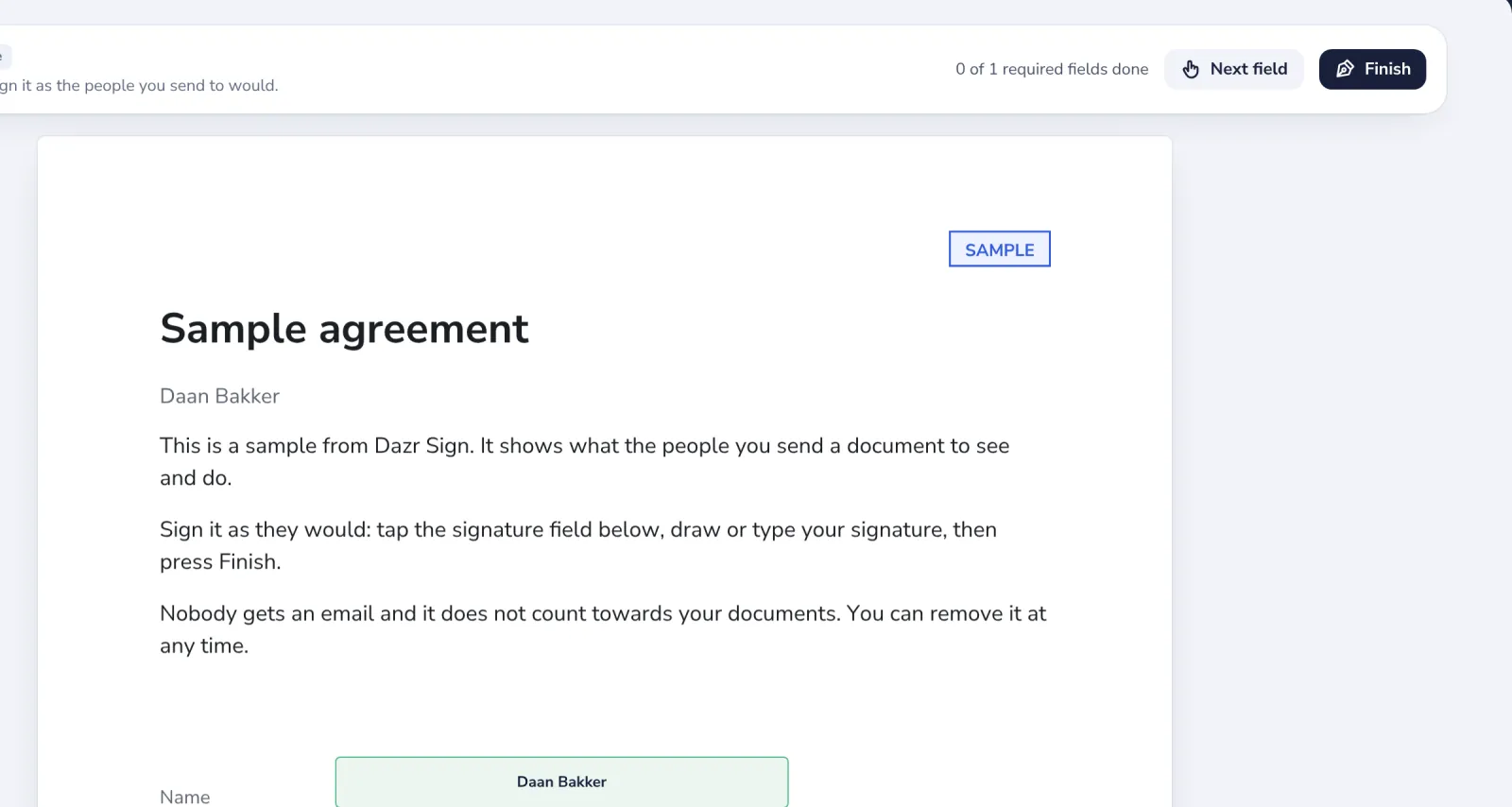
Sign it as your signers would
Press the signature field, draw or type your signature, then press Finish. Your name and the date fill in by themselves.
- 3
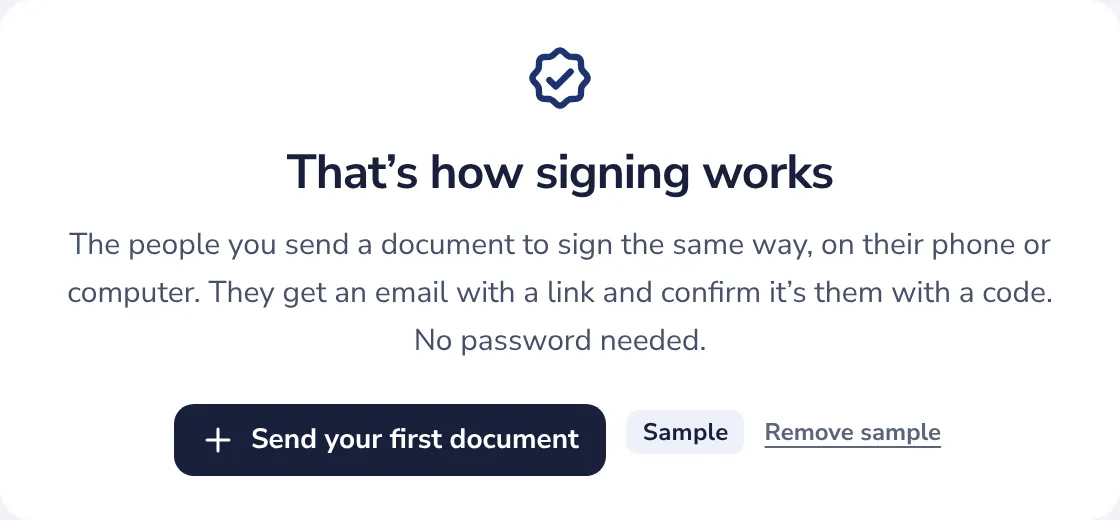
Send your first document
That’s how signing works. From here, send your own document. The sample stays under Documents with the Sample label.
- 4
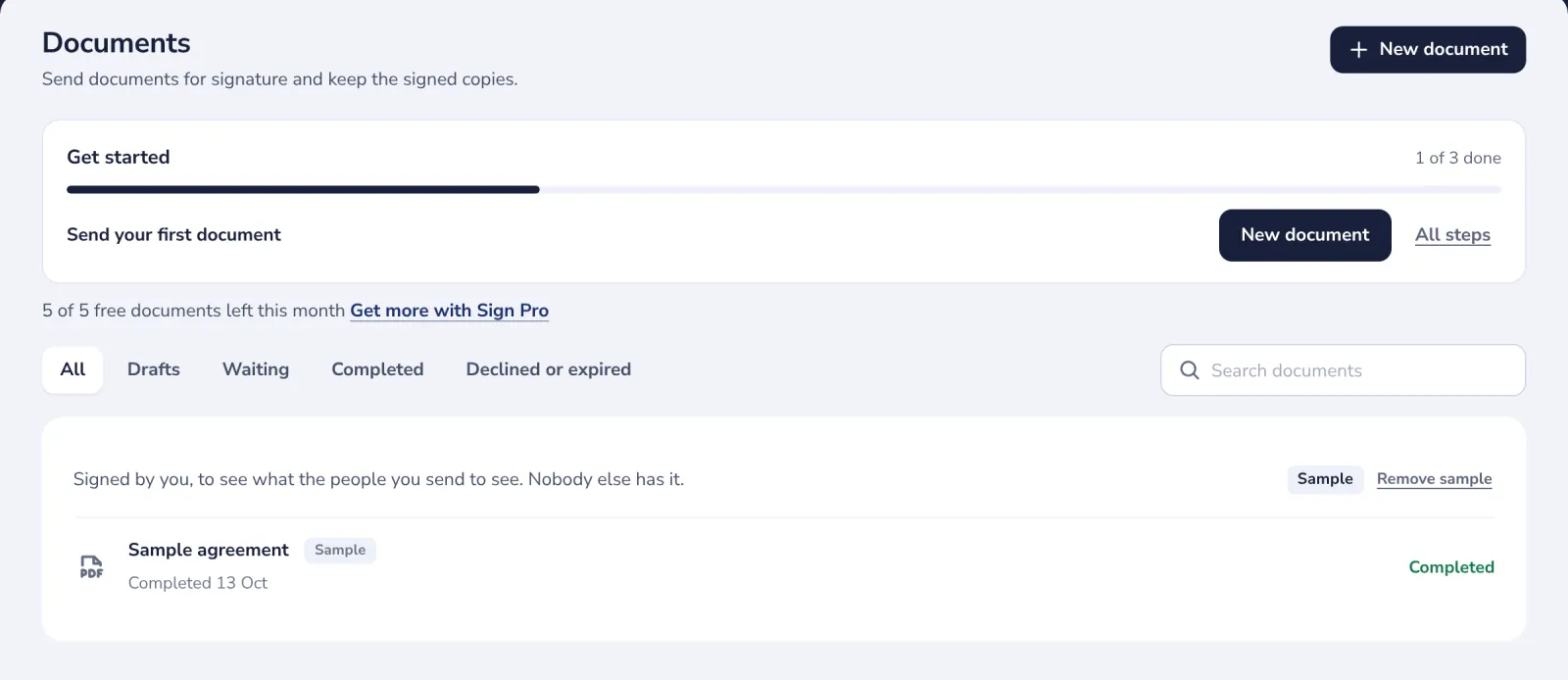
Remove the sample
Under Documents, press Remove sample. Only the sample goes; your own documents stay.
Was this helpful?
What was missing?
Thank you.
We count yes and no per article. Nothing about you is stored.