Send your first document
Upload a PDF or Word file, show where to sign, and send. We email the signer a link.
- 1
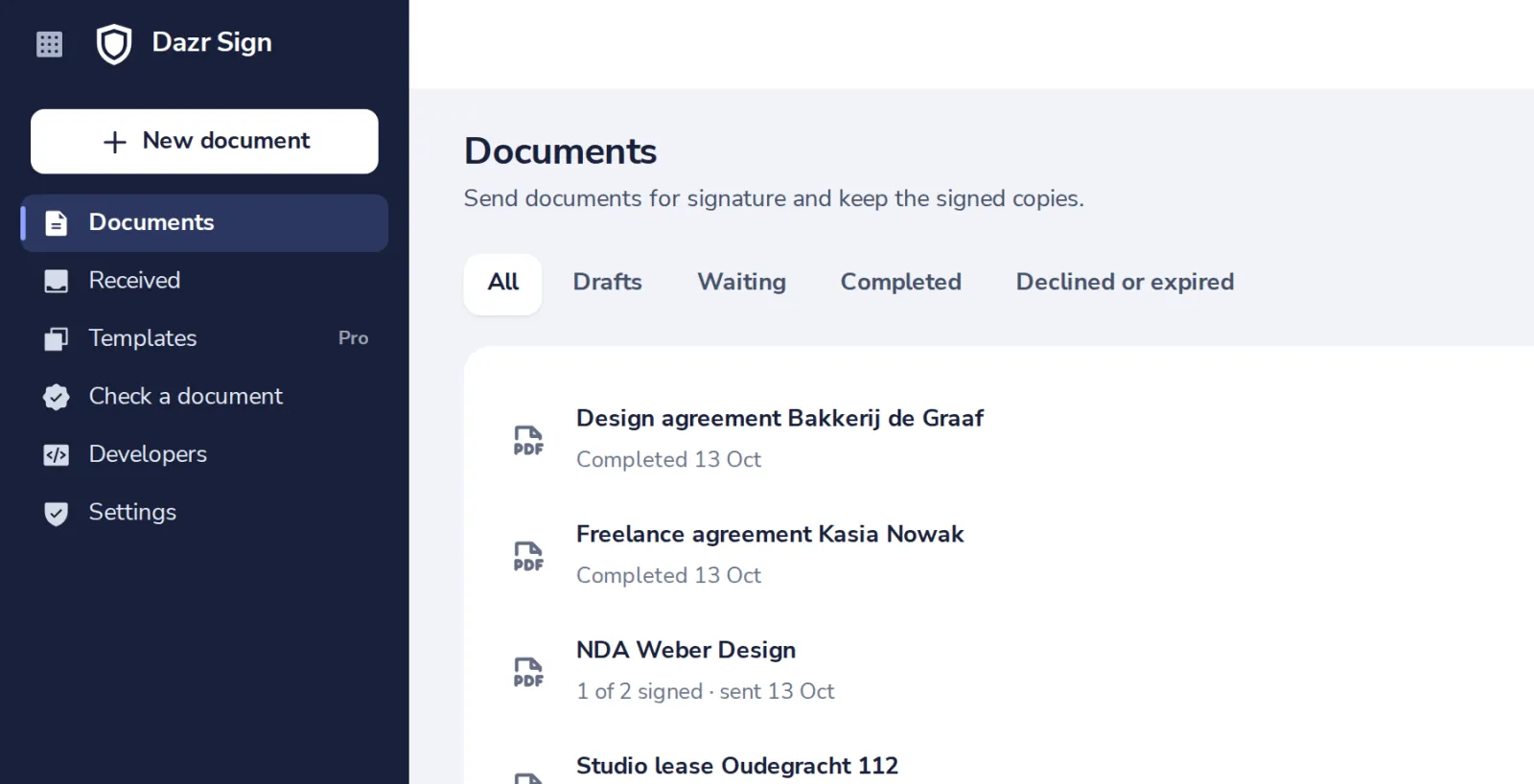
Press New document
In Dazr Sign, top left.
- 2
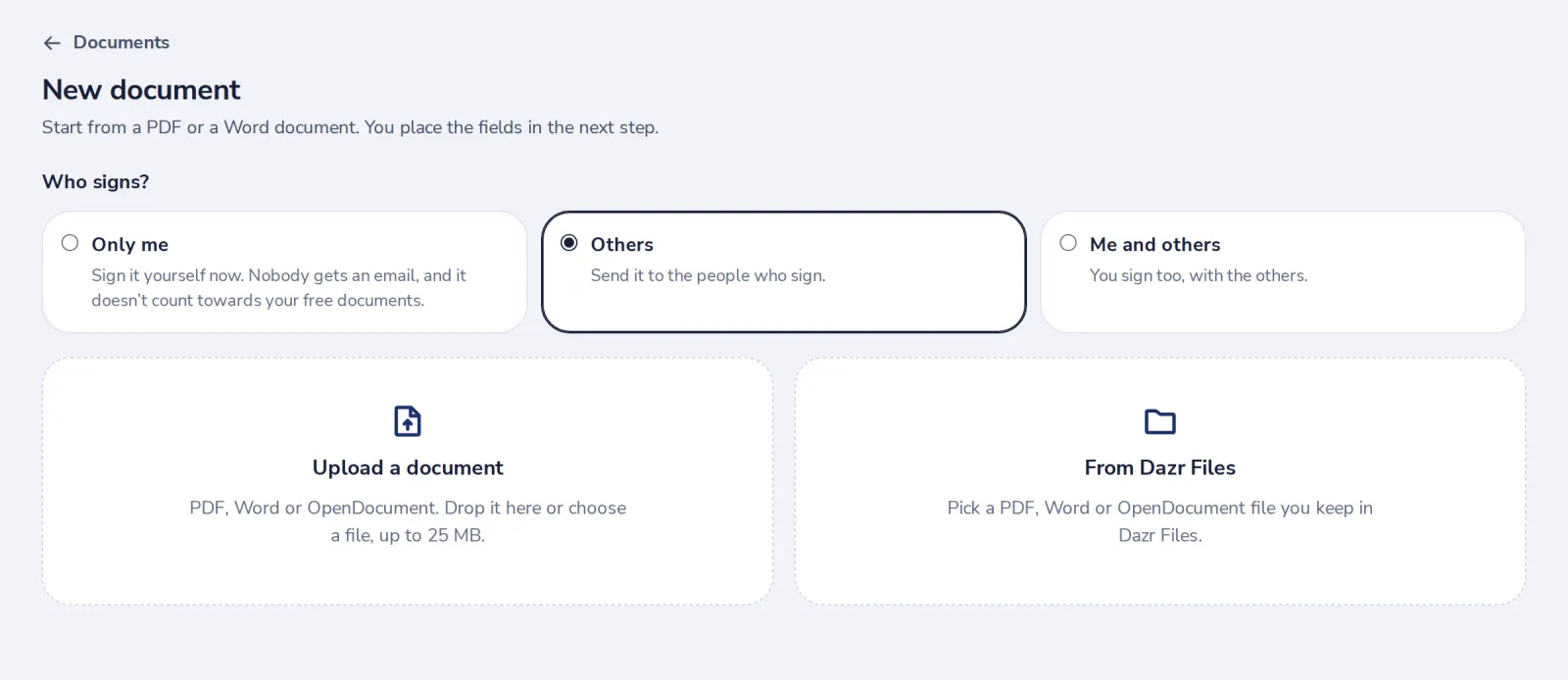
Choose Others, then upload
Others sign it. Drop a PDF or Word file below, or pick one from Dazr Files.
- 3
Add who signs
Their name and email. Add more people if needed.

- 4
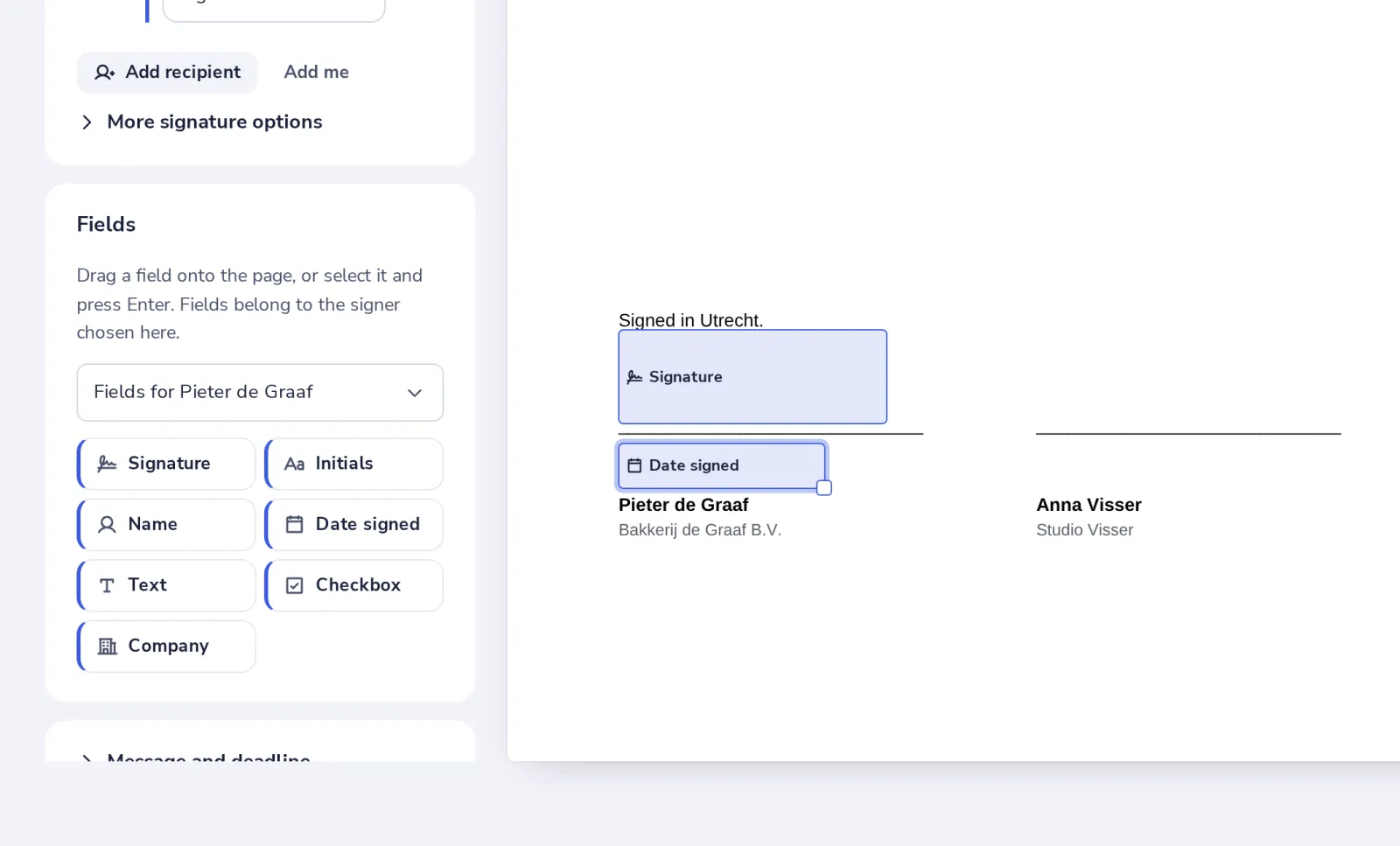
Show where to sign
Choose Signature. It lands on the signature line by itself; drag it to adjust. Add a date if you like.
- 5
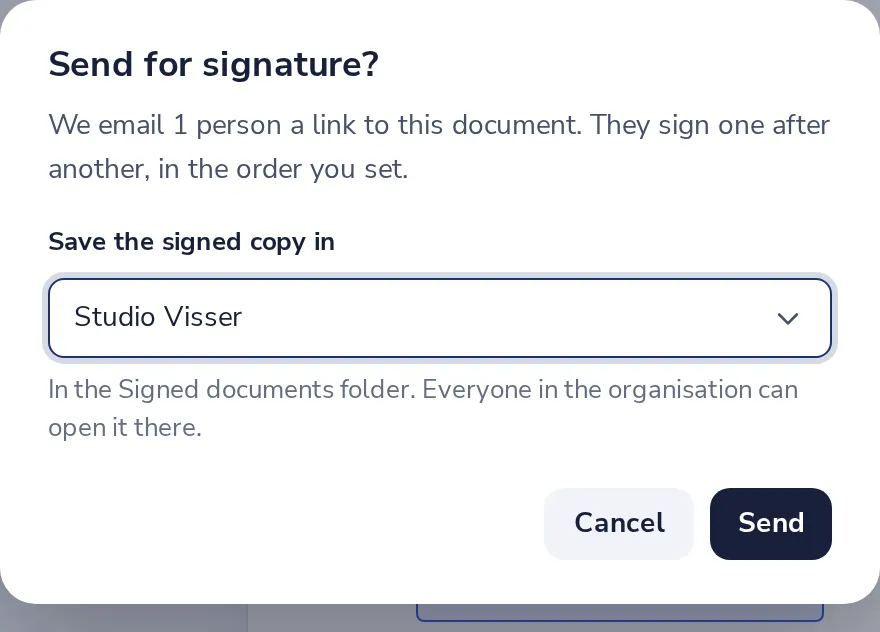
Press Send
Choose where the signed copy is saved, then Send.
- 6
Follow it here
See who has signed. You get an email when everyone has.

Was this helpful?
What was missing?
Thank you.
We count yes and no per article. Nothing about you is stored.