Place signature and date fields
Fields tell each signer what to do and where. A signature is enough for most documents; add a date, a name or initials when the document asks for them.
- 1
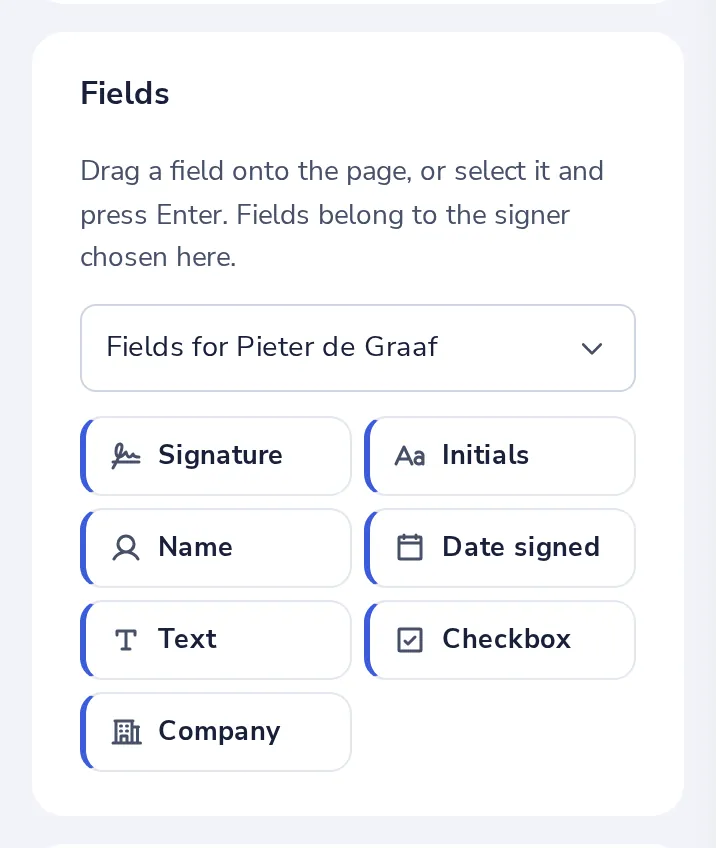
Pick the person
Under Fields, choose whose fields you place. Each person has their own colour.
- 2
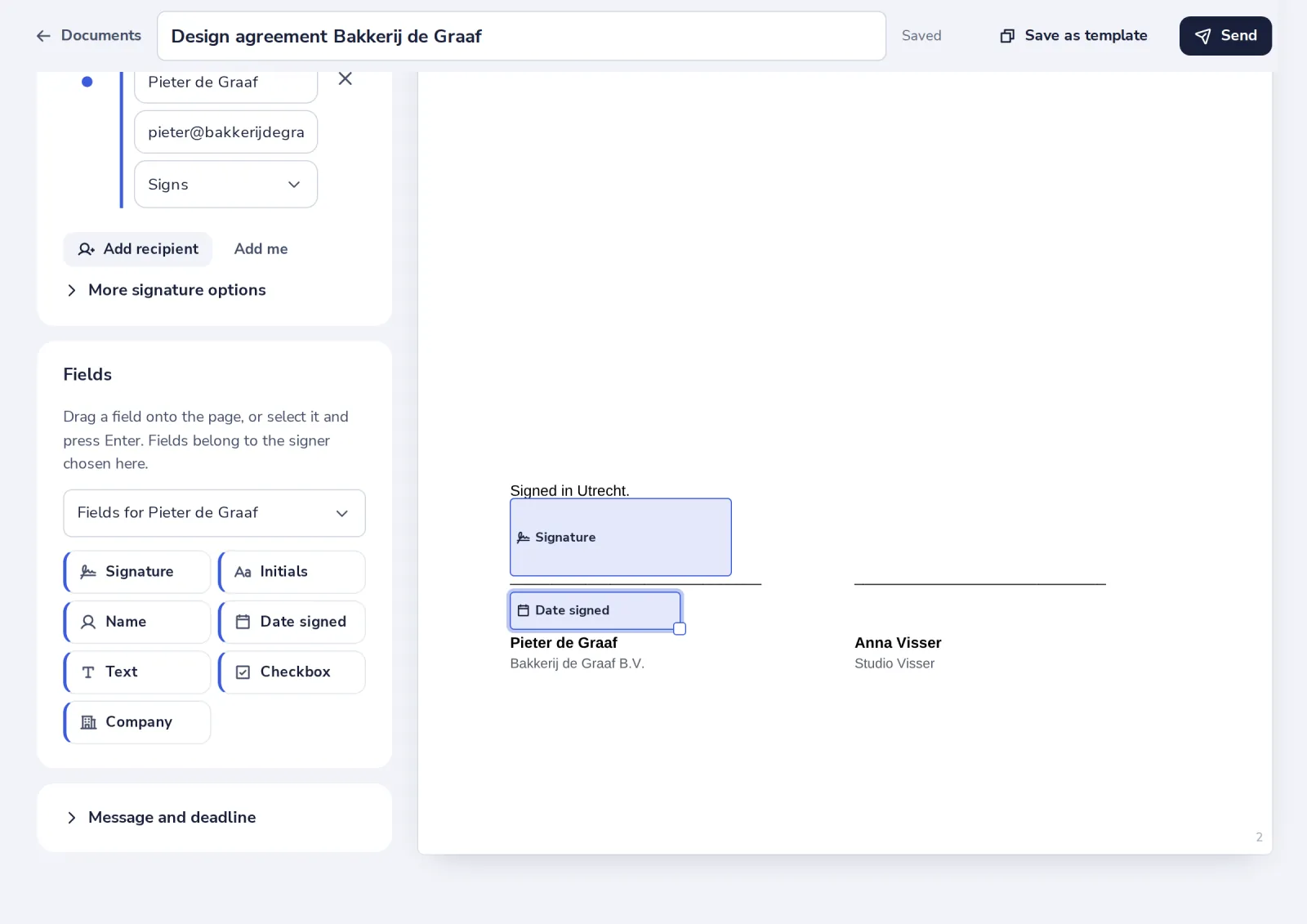
Press Signature
It lands on the signature line of the document by itself. Drag it to adjust.
- 3
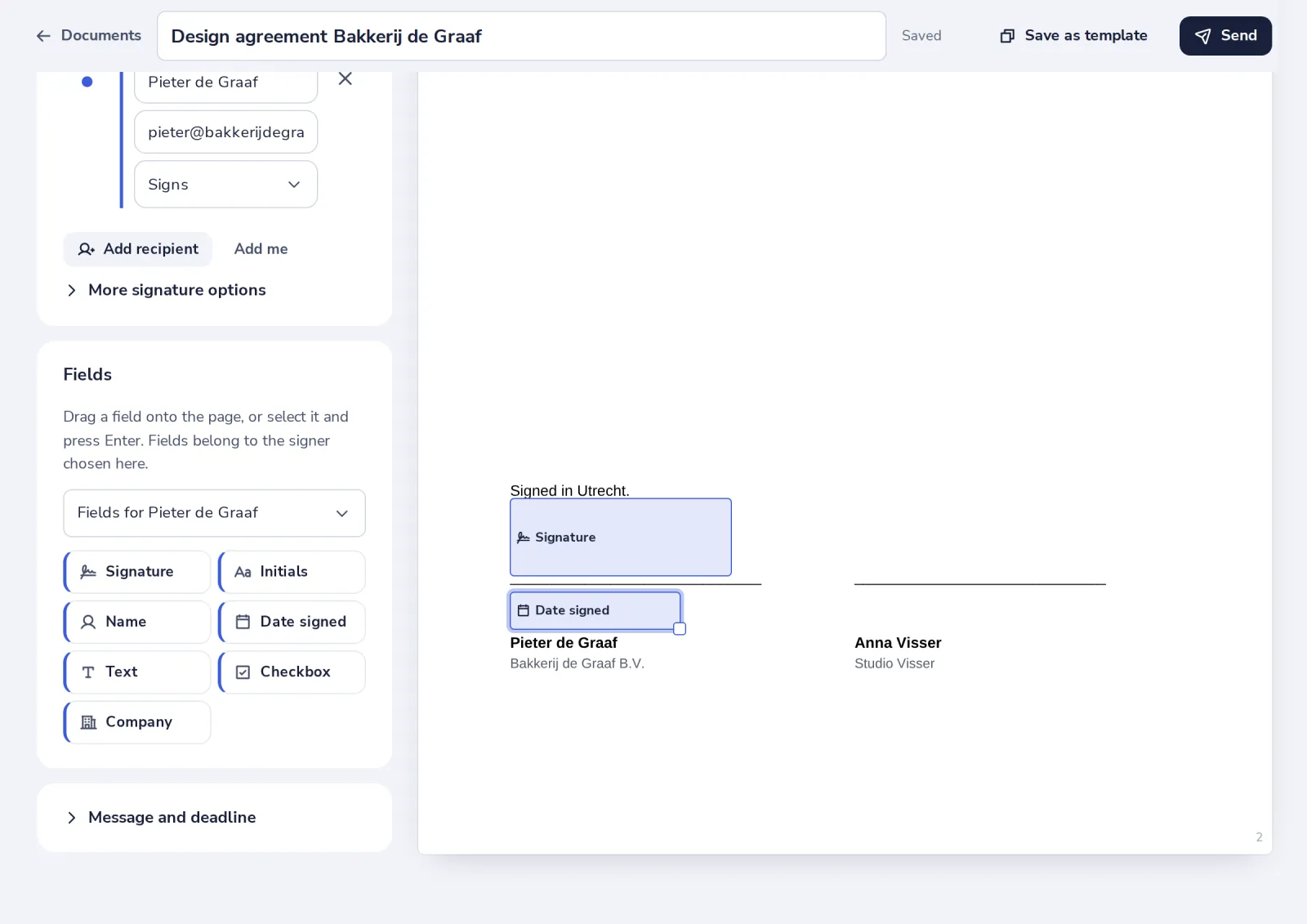
Add the date
Date signed goes under the signature and fills itself in when they sign.
- 4
Click a field for more
Duplicate it, give it to someone else or delete it. Drag the corner to resize.
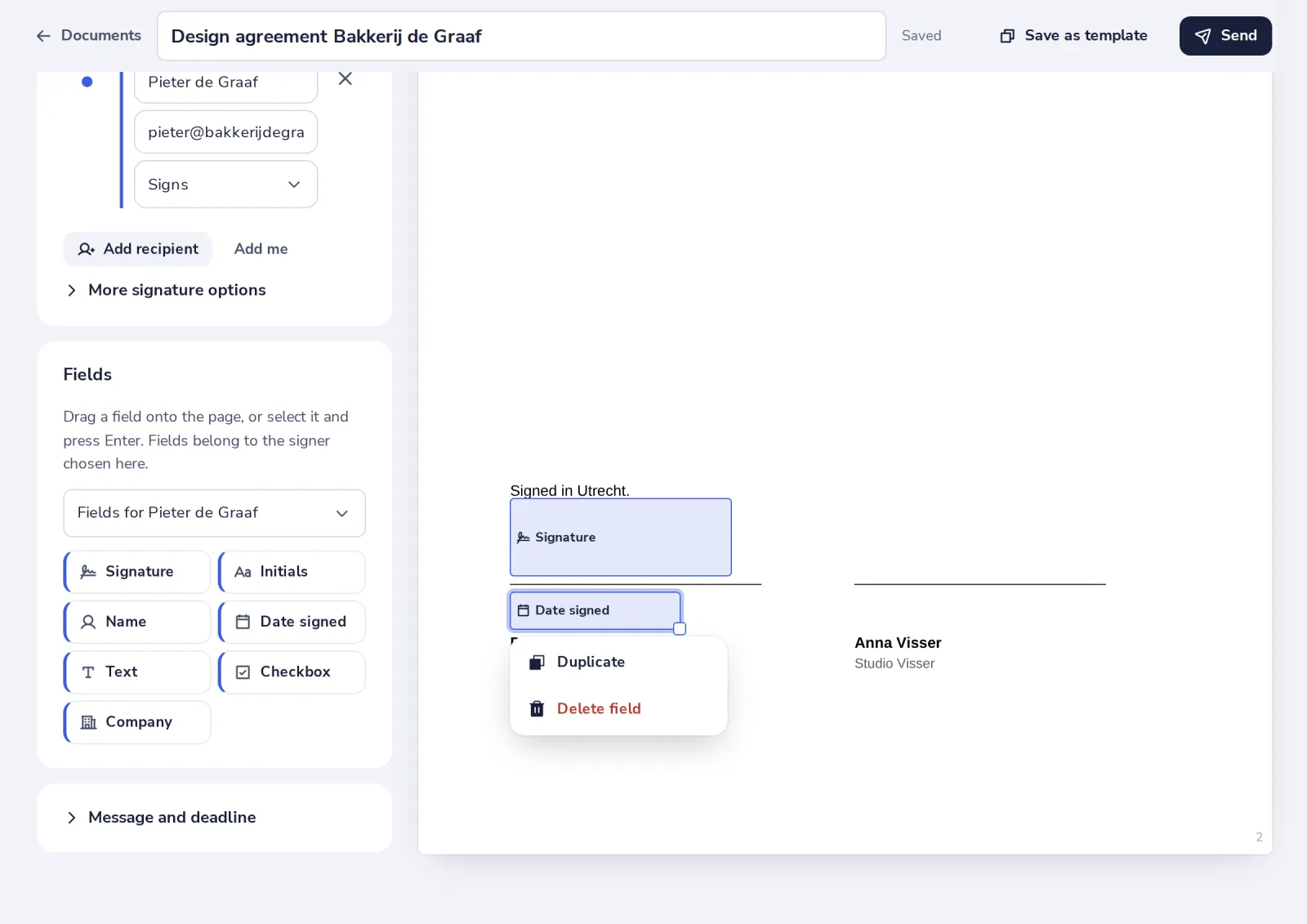
With the keyboard, the arrow keys move a selected field and Delete removes it.
Was this helpful?
What was missing?
Thank you.
We count yes and no per article. Nothing about you is stored.