Mention someone
Type @ and a name. That person gets a notification, also in a chat they muted.
- 1
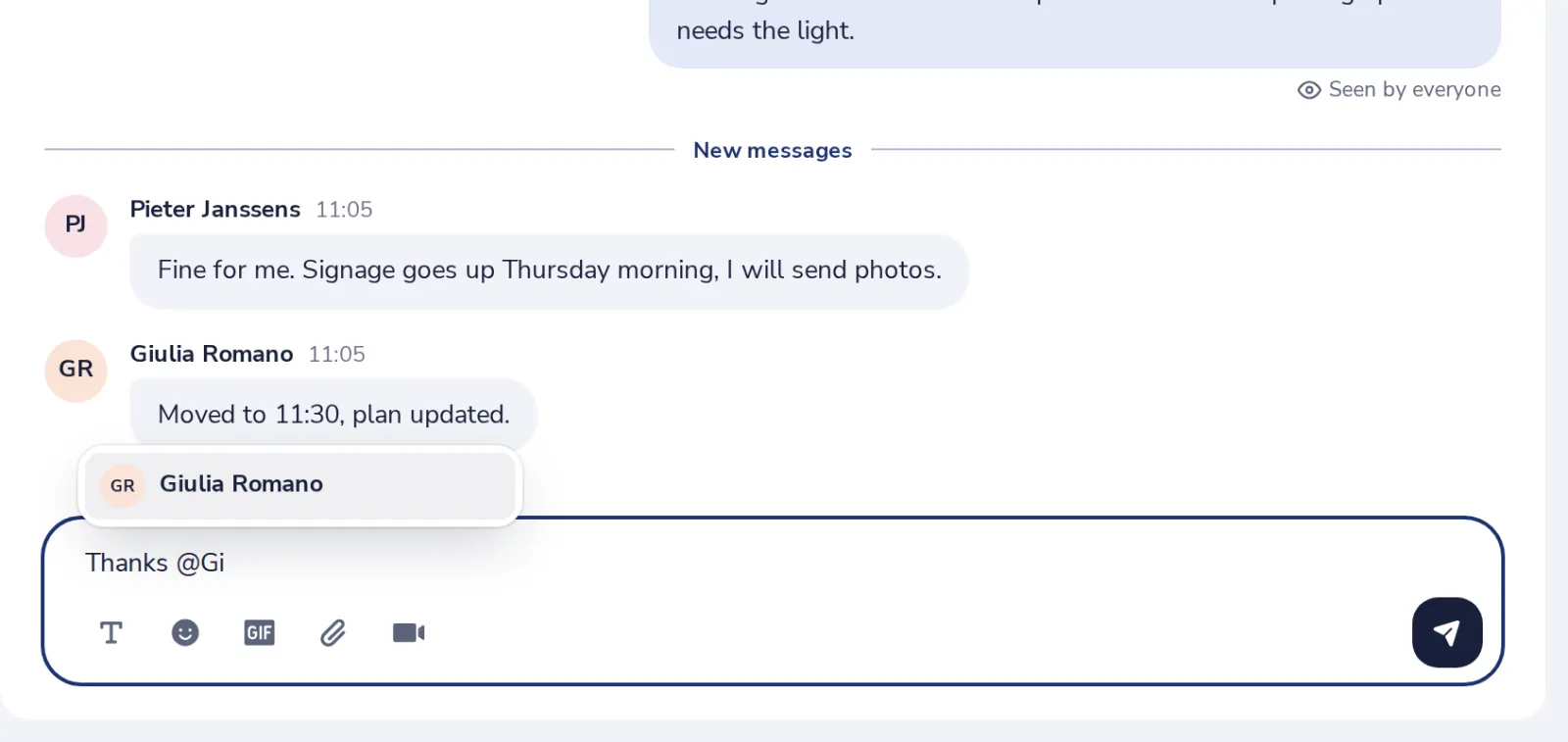
Type @ and a few letters
The people in the chat show up. Press Enter to pick one.
- 2
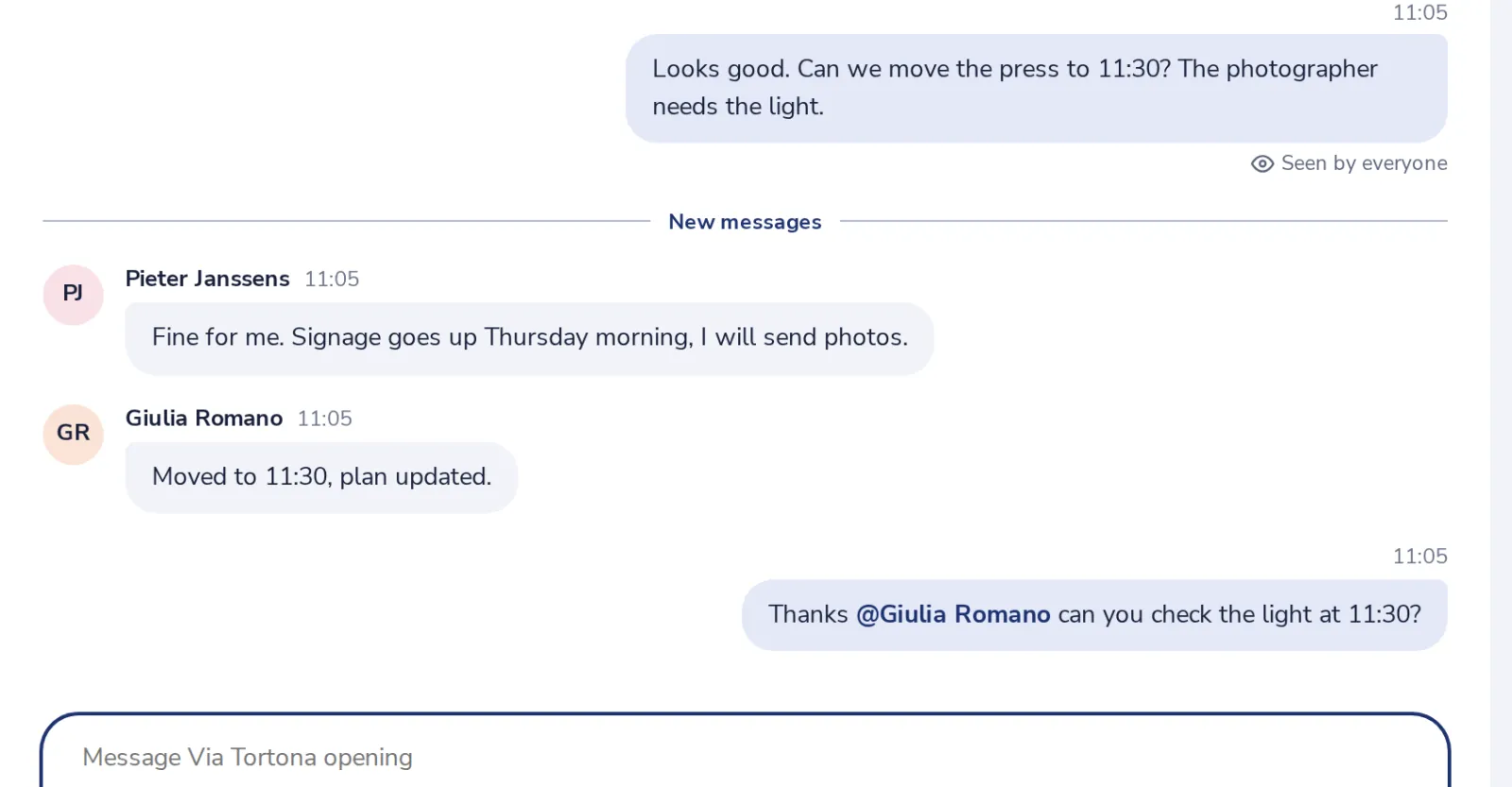
Send your message
Their name stands out in the chat.
- 3
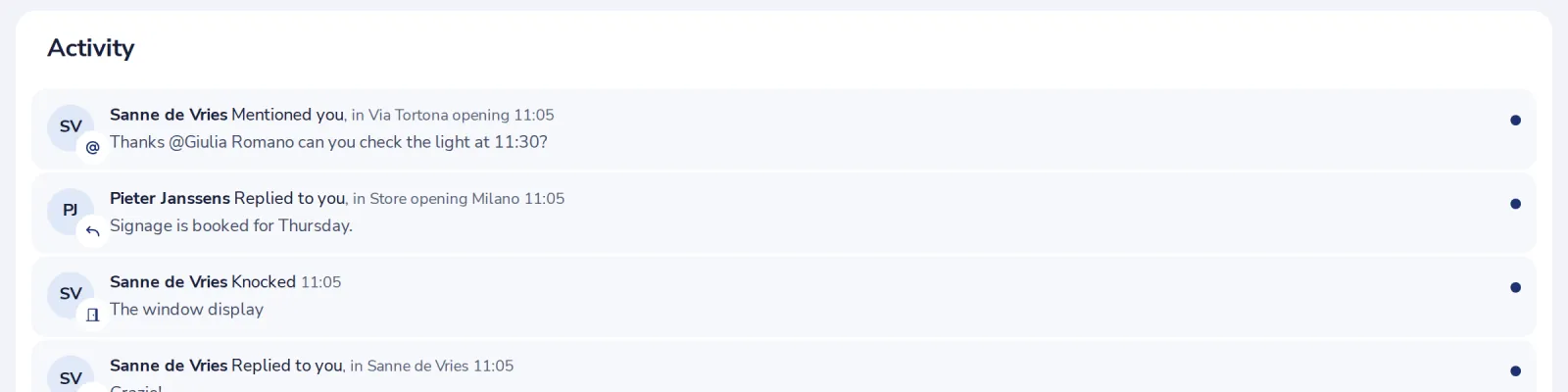
They see it in Activity
Mentions also notify them when they muted the chat.
Was this helpful?
What was missing?
Thank you.
We count yes and no per article. Nothing about you is stored.