Post in a channel
A post in a channel reaches everyone in your organisation. Replies stay under the post, so one subject stays together.
- 1
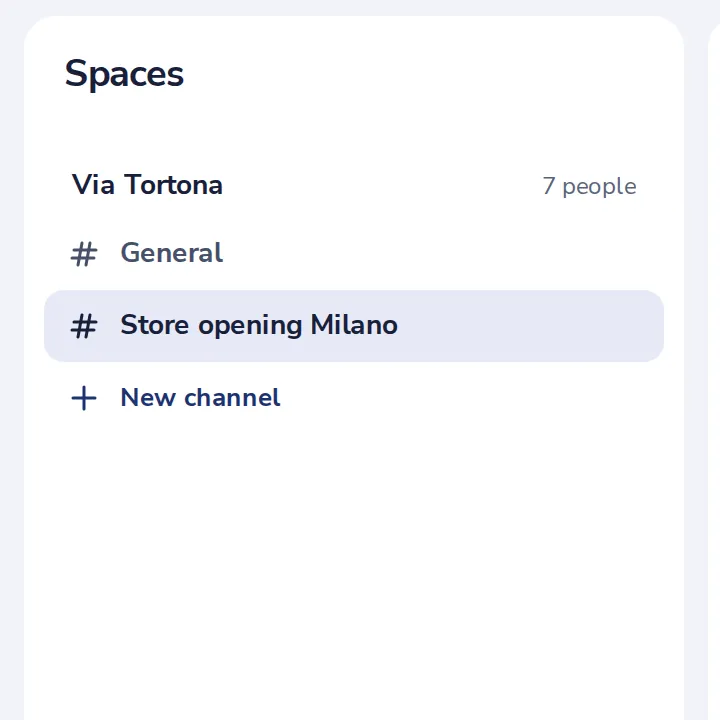
Open the channel
In Spaces, press the channel's name.
- 2
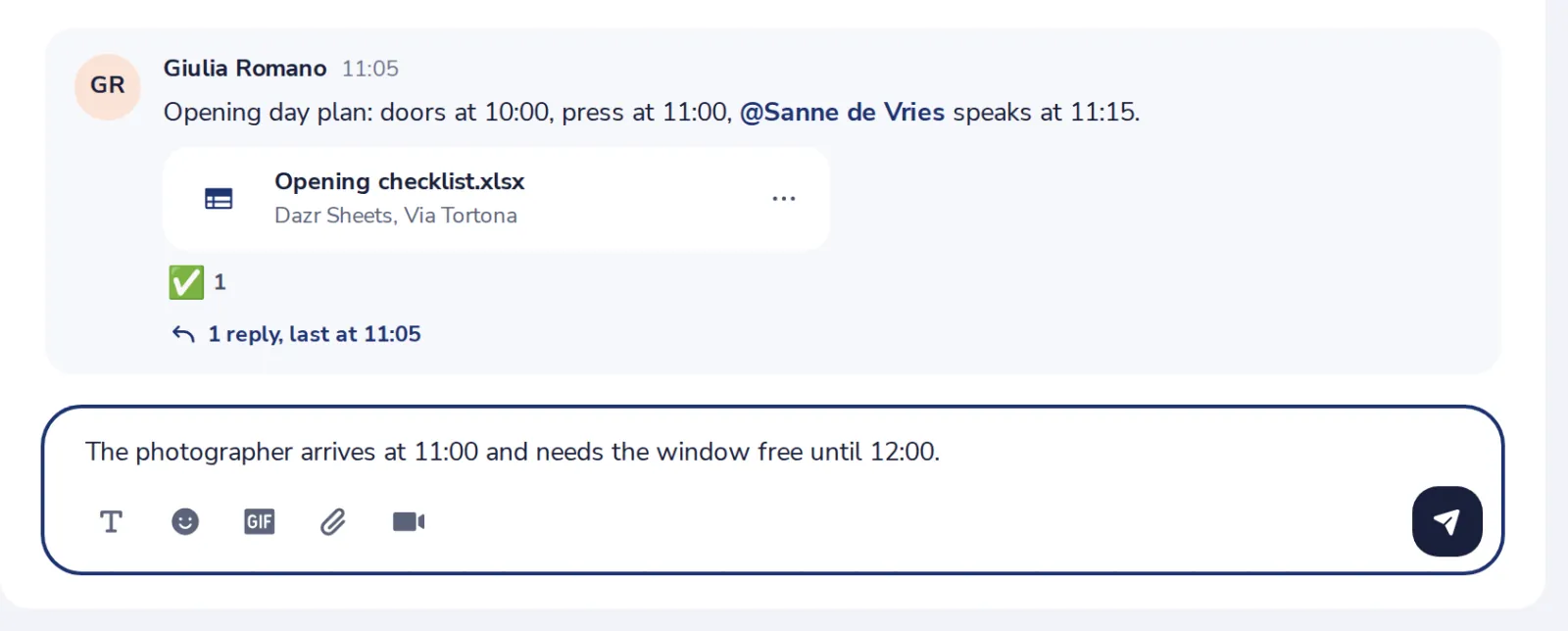
Write your post
In the box at the bottom. Type @ and a name to mention someone.
- 3
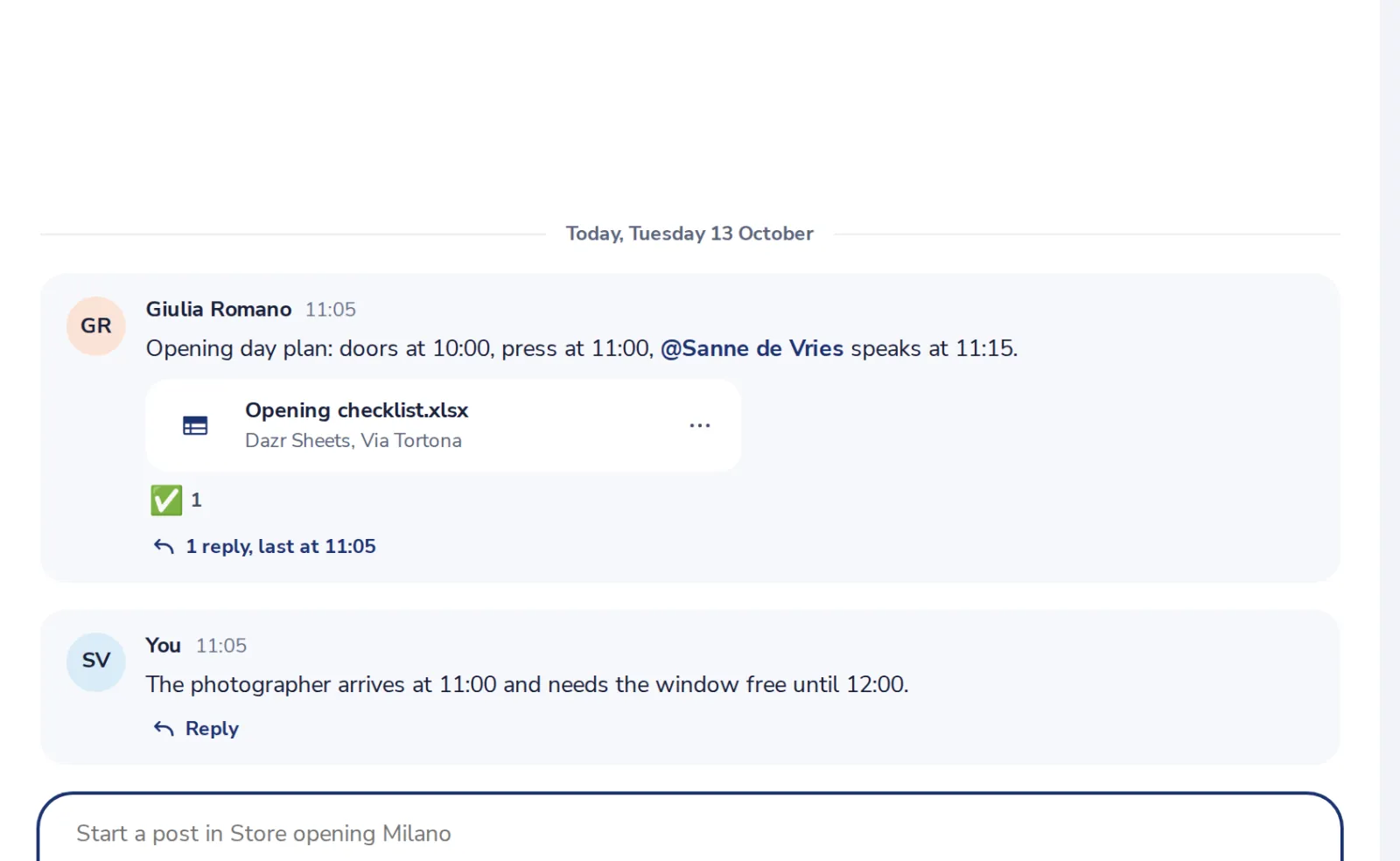
Replies go under the post
Press Reply under a post to answer it.
Was this helpful?
What was missing?
Thank you.
We count yes and no per article. Nothing about you is stored.